
1. پیژندنه
Thank you for choosing the CINMOORE CM-C2U 3K Indoor Security Camera. This manual provides essential information for setting up, operating, and maintaining your camera to ensure optimal performance and security. This camera is designed for indoor use, offering advanced features such as 3K UHD video, AI-powered detection, pan-tilt-zoom functionality, and dual-band Wi-Fi connectivity.
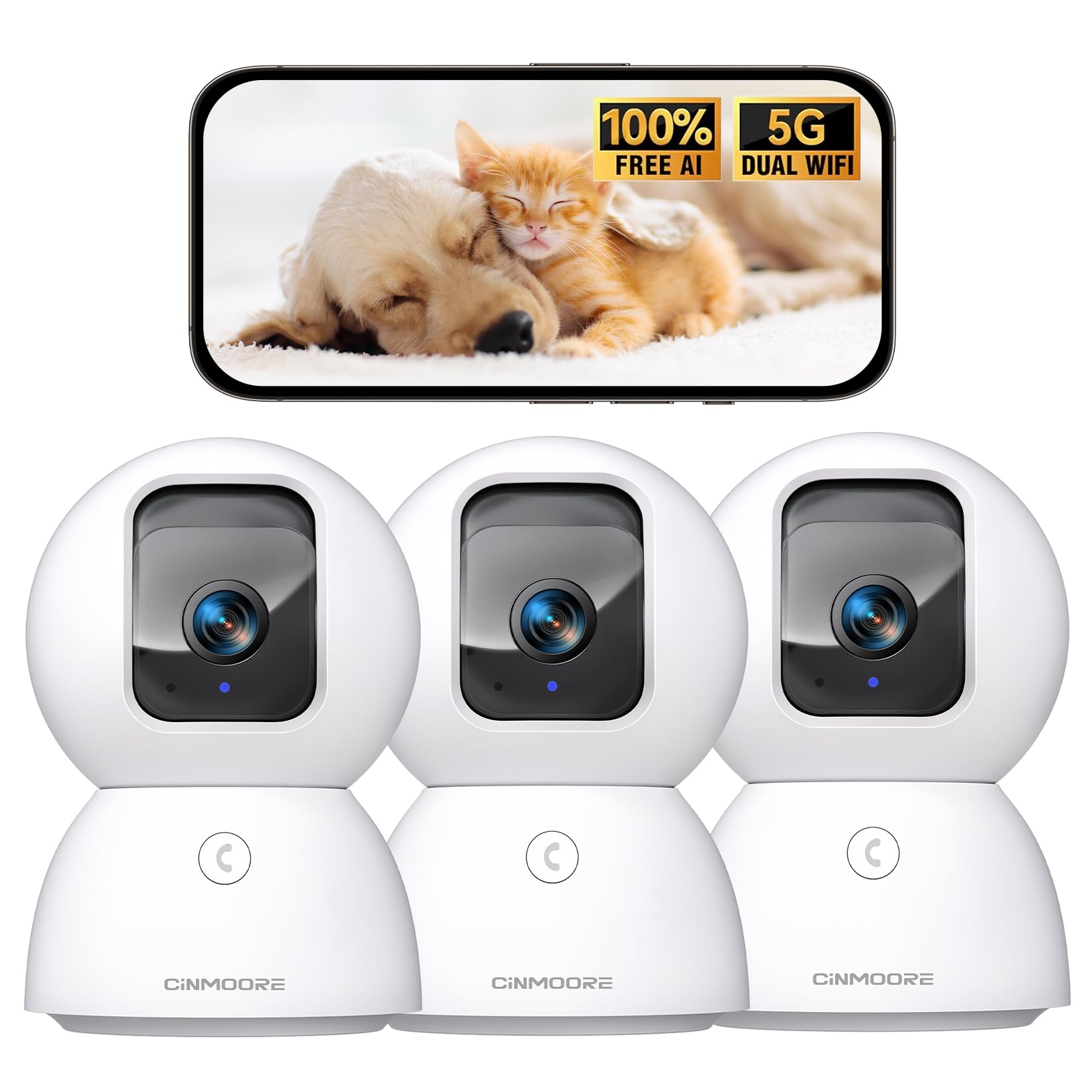
Figure 1: CINMOORE CM-C2U 3K Indoor Security Camera
۲. په بکس کې څه دي؟
- CINMOORE Security Camera (x3)
- د نصب کولو بریکٹ اساس (x3)
- د بریښنا اړوونی (x3)
- د معلوماتو کیبل (x3)
- د سکرو لنگرونه (x3)
- د کارن لارښود (x1)
۴. د تنظیم لارښوونې
۵.۱ لومړنی پاور اپ
- Connect the data cable to the camera's power port.
- د بریښنا اډاپټر په معیاري بریښنایی پلورنځي کې ولګوئ.
- The camera will power on, and an indicator light will blink, signaling it's ready for setup.
۵.۲ د اپلیکیشن ډاونلوډ او اړیکه
- د خپل سمارټ فون د اپلیکیشن پلورنځي (iOS یا Android) څخه رسمي CINMOORE اپلیکیشن ډاونلوډ کړئ.
- یو حساب جوړ کړئ یا لاګ ان شئ که تاسو دمخه یو حساب لرئ.
- Follow the in-app instructions to add your new camera. This typically involves scanning a QR code located on the camera's base.
- Connect the camera to your home Wi-Fi network. The camera supports Dual-Band 2.4GHz/5GHz Wi-Fi 6 for a stable connection.
Video: C2U Indoor Camera 1-minute Setup. This video demonstrates the quick and easy setup process for the CINMOORE C2U Indoor Camera, guiding users through connecting the device to the power supply and linking it to the mobile application.
4. عملیاتي لارښوونې
۴.۱ ژوندۍ ویډیو څارنه
Access the live feed from your camera anytime, anywhere via the CINMOORE app. The 3K UHD resolution provides clear and detailed visuals.

Figure 2: Demonstrates the superior 3K clarity of the camera's video feed compared to 2K resolution, highlighting vivid detail for monitoring.
۵.۱ د پان-ټیلټ-زوم (PTZ) کنټرول
Use the virtual joystick in the app to remotely control the camera's movement. Enjoy a 360° horizontal pan and a 109° vertical tilt to cover every corner of your room. The camera also features AI auto-tracking to follow detected movement.

Figure 3: Illustrates the camera's comprehensive 360° pan and tilt capabilities, along with other key features like 3K Ultra HD, sound/crying alerts, and local facial recognition.
۴.۴ دوه اړخیزه آډیو
Engage in real-time conversations using the full-duplex two-way audio feature. Speak through the app and hear responses from the camera's location. A one-click call button can trigger family alerts.
۵.۴ د مصنوعي ذهانت کشف او تعقیب
The camera offers free AI detections for facial recognition (stores up to 5 faces locally), person detection, pet detection, baby crying detection, and smoke/gas alarm recognition. Receive instant alerts on your smartphone when activity is detected. Customize detection zones to focus on specific areas.

Figure 4: Highlights the camera's no-subscription local AI detection features, including recognition of up to 5 faces and 6 types of detections (person, pet, motion, noise, loitering, facial) while ensuring 100% privacy.
4.5 د شپې لید
The 0-Glow Night Vision 2.0 provides clear monitoring in low-light conditions without emitting a visible red glow, ensuring undisturbed sleep for babies and pets. The night vision range is up to 33 feet.

Figure 5: Compares the CINMOORE camera's 0-Glow Night Vision with a traditional camera's red glow, emphasizing safe and undisturbed monitoring for infants and pets.
۵.۸ د ذخیره کولو اختیارونه
Choose between local storage via an SD card (up to 512GB, not included) for 24/7 recording, or optional AWS Cloud storage with bank-level security (30-day free trial available). SD card encryption ensures footage یوازې دی viewable within the CINMOORE App.

Figure 6: Details the camera's encrypted and secure storage options, including SD card support (up to 512GB, not included) and optional AWS Cloud Storage with a 30-day free trial.
4.7 د محرمیت حالت
Activate the one-tap privacy mode, which physically covers the camera lens, ensuring your privacy when you are home.
5. د نصبولو اختیارونه
The CINMOORE CM-C2U camera offers flexible mounting options to suit your needs:
- د میز ټاپ غره: Simply place the camera on any flat surface like a table, shelf, or desk.
- وال ماونټ: Use the included mounting bracket base and screw anchors to securely attach the camera to a wall.
- د چت غره: The camera can also be mounted to the ceiling using the provided bracket for an overhead view.
Ensure the camera is positioned to provide the optimal viewing angle for your desired monitoring area.
Video: Setup Guide for IMILAB indoor camera. This video provides a step-by-step guide on how to set up an IMILAB indoor camera, including unboxing, connecting to power, app setup, and mounting options.
6. مشخصات
| د ماډل نوم | د CM-C2U لپاره تفتیش وسپارئ، موږ به په 24 ساعتونو کې له تاسو سره اړیکه ونیسو. |
| د کور دننه / بهر کارول | دننه |
| د ویډیو نیول حل | ۳K/۵ میګاپکسله |
| د ارتباط پروتوکول | Wi-Fi (Dual-Band 2.4GHz/5GHz Wi-Fi 6) |
| د بریښنا سرچینه | د بریښنا تار شوی |
| د کنټرولر ډول | ایمیزون الیکسا |
| د نصب کولو ډول | د چت غره / د میز ټاپ غره / دیوال غره |
| د شپې لید لړۍ | 33 Feet (0-Glow) |
| ځایی ذخیره | SD card (up to 512GB, not included) |
| ابعاد | 3 x 4.5 x 3 انچه |
| د توکي وزن | ۲.۴۵ پونډه |
7. ساتنه
- پاکول: د کیمرې لینز او بدن په نرمۍ سره د نرم او وچ ټوکر سره پاک کړئ. د سختو کیمیاوي موادو یا کثافاتو موادو کارولو څخه ډډه وکړئ.
- د فرم ویئر تازه معلومات: د شته فرم ویئر تازه معلوماتو لپاره په منظم ډول د CINMOORE ایپ وګورئ ترڅو ډاډ ترلاسه کړئ چې ستاسو کیمره وروستي ځانګړتیاوې او امنیتي پرمختګونه لري.
- د بریښنا دوره: If the camera experiences connectivity issues, try unplugging it from the power source for 10 seconds and then plugging it back in.
- د SD کارت مدیریت: که چیرې SD کارت کاروئ، نو په دوره یي ډول بیاview او ثبت شوي foo اداره کړئtage د کارت د ډکیدو مخه ونیسي.
8. ستونزه حل کول
- کیمره د وای فای سره نه نښلول کیږي:
- ډاډ ترلاسه کړئ چې ستاسو د وای فای شبکه 2.4GHz یا 5GHz ده.
- وګورئ چې د وای فای پټنوم په سمه توګه داخل شوی دی.
- کیمره خپل وای فای روټر ته نږدې کړئ.
- خپل روټر او کیمره بیا پیل کړئ.
- د ویډیو خراب کیفیت:
- د خپل انټرنیټ اتصال سرعت وګورئ.
- ډاډ ترلاسه کړئ چې د کیمرې لینز پاک دی.
- Adjust video quality settings in the app if available.
- د حرکت کشف خبرتیاوې نشته:
- تایید کړئ چې د ایپ ترتیباتو کې د حرکت کشف فعال شوی دی.
- Adjust motion sensitivity levels.
- په خپل سمارټ فون کې د اپلیکیشن خبرتیا تنظیمات وګورئ.
- دوه اړخیزه آډیو مسلې:
- ډاډ ترلاسه کړئ چې ستاسو د تلیفون مایکروفون د اپلیکیشن لپاره فعال شوی دی.
- په اپلیکیشن کې د حجم تنظیمات چیک کړئ.
- Minimize background noise for clearer communication.
9. تضمین او ملاتړ
The CINMOORE CM-C2U camera comes with a 24-month warranty. For any issues or inquiries, please contact CINMOORE customer support. We offer free replacement for eligible issues, extended warranty options, and professional support to ensure your satisfaction.
For further assistance, refer to the help section within the CINMOORE app or visit our official webسایټ