
1. پیژندنه
Thank you for choosing Dpofirs Earphones Model Dpofirsuir40pg6nm-11. This manual provides essential information for the proper use, setup, and maintenance of your new earphones. Please read this guide thoroughly before using the product to ensure optimal performance and longevity.
2. د محصول ب Featuresې
- Smart Battery Display: Equipped with a low-power chip and a high-capacity lithium battery, providing approximately 7-8 hours of playback time. The smart display indicates battery status.
- Unique Over-Ear Design: Lightweight and comfortable over-ear hook design ensures a secure fit during various activities.
- ACS Panoramic Surround Sound: Features professional acoustic tuning technology and a high-elastic composite diaphragm for high-fidelity sound quality and dynamic audio experience.
- د سمارټ شور لغوه کول: Dual microphones with noise cancellation technology enhance clarity during video calls and conversations, even in noisy environments.
- د غږ د لیږد لارښوونه ټیکنالوژي: Utilizes DT4.0 pulse directional sound transmission to accurately deliver audio and effectively reduce sound leakage by up to 99%.
3. د بسته محتويات
مهرباني وکړئ د لاندې توکو لپاره په بسته کې وګورئ:
- 1 Pair of Dpofirs Earphones
- د چارج کولو قضیه
- 1 د USB چارج کیبل

Image: The charging case and the included USB charging cable.
۴. د تنظیم لارښوونې
۴.۱ د غوږونو او کیس چارج کول
د لومړي ځل کارولو دمخه، اییرفونونه او د چارج کولو کیس په بشپړه توګه چارج کړئ.
- ورکړل شوی USB چارجینګ کیبل د کیس د چارج کولو پورټ او د USB بریښنا سرچینې (د مثال په توګه، کمپیوټر، دیوال اډاپټر) سره وصل کړئ.
- Place the earphones into the charging case. Ensure they are correctly seated in their respective slots.
- The indicator lights on the case and earphones will show the charging status. Refer to the smart battery display for charge levels.
- A full charge typically takes approximately 1-2 hours for the earphones and 2-3 hours for the charging case.
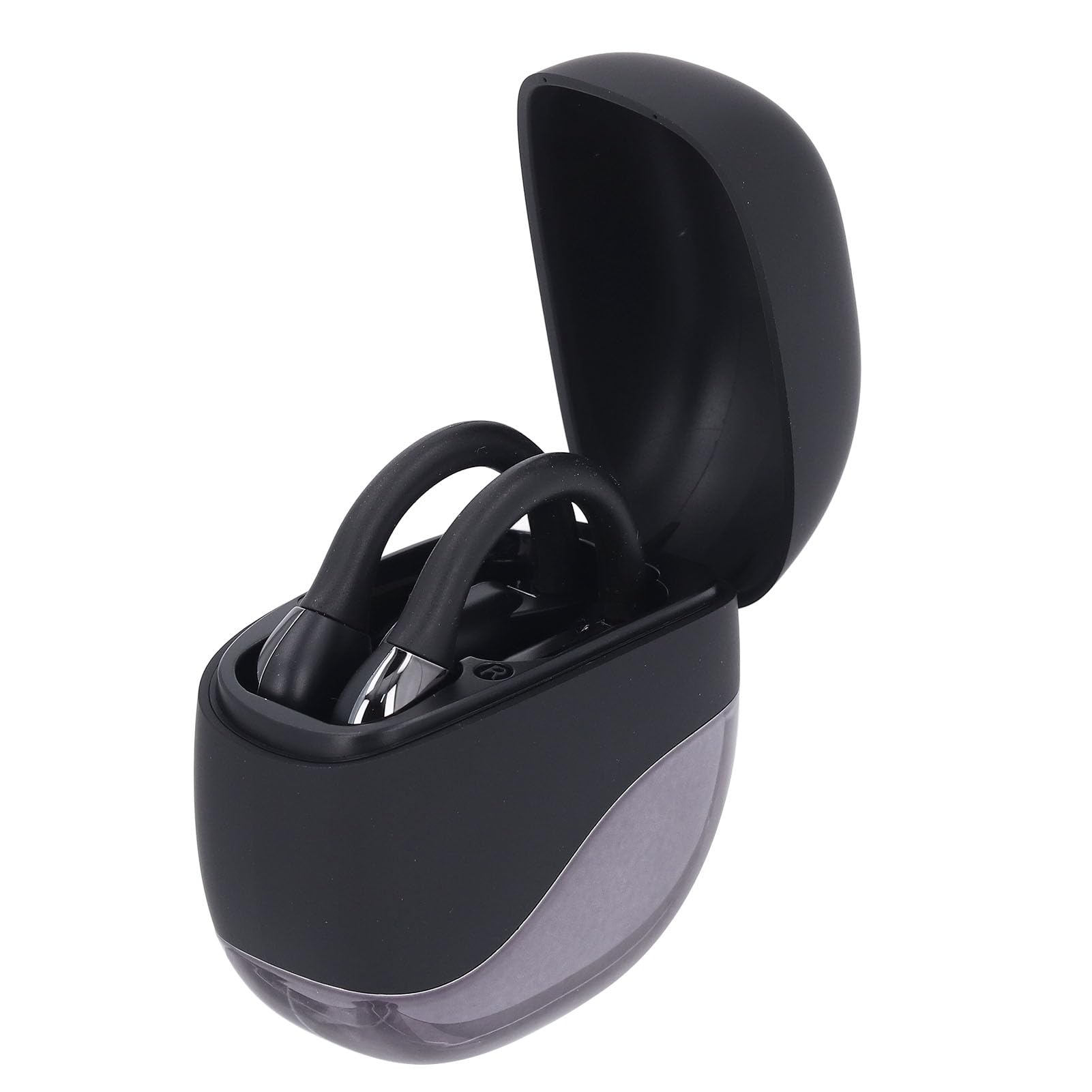
Image: Earphones placed inside the open charging case.
4.2 د بلوتوټ جوړه کول
To connect your earphones to a device (smartphone, tablet, etc.):
- Ensure the earphones are charged. Open the charging case. The earphones will automatically enter pairing mode, indicated by a flashing LED light (if present).
- On your device, go to the Bluetooth settings.
- بلوتوث چالان کړئ او د شته وسایلو لټون وکړئ.
- Select "Dpofirs Earphones" (or similar name) from the list of found devices.
- Once connected, the earphone indicator light will stop flashing, and your device will confirm the connection.
- The earphones will automatically reconnect to the last paired device when removed from the case and within range.
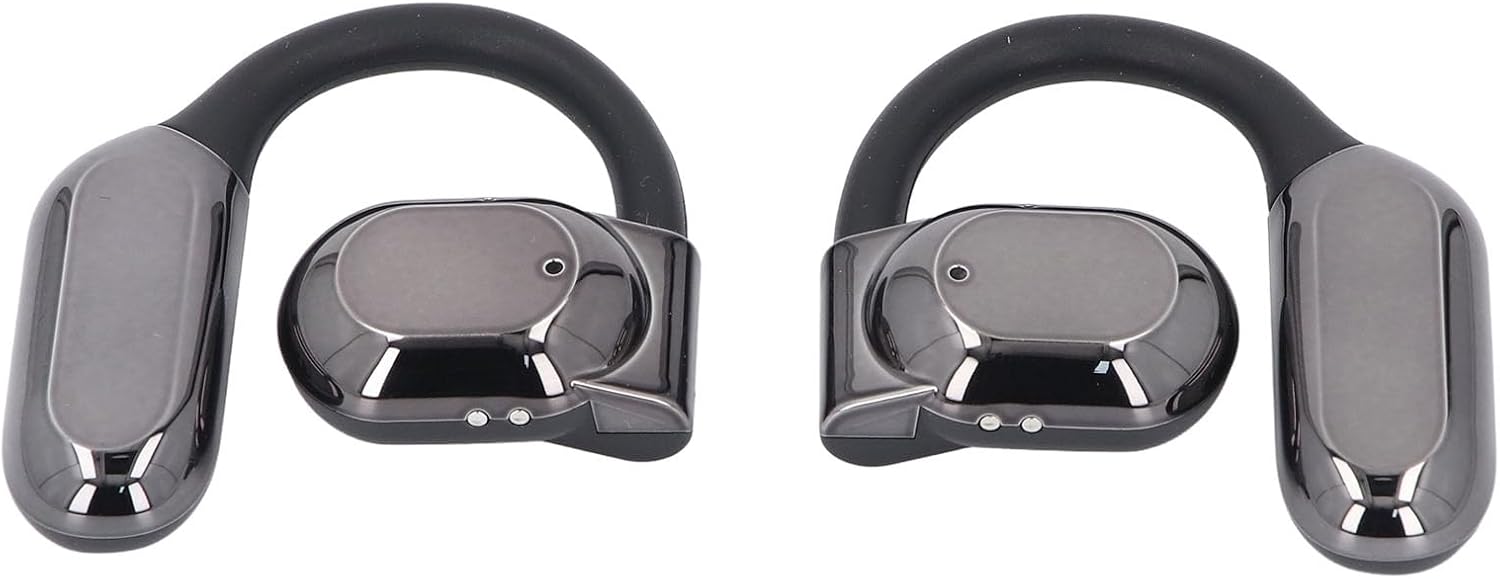
انځور: مخکینۍ برخه view of both Dpofirs earphones, showing their design.
5. عملیاتي لارښوونې
۸ پاور آن/بند
- پاور آن: د چارج کولو قضیه پرانیزئ، او اییرفونونه به په اوتومات ډول فعال شي.
- بندول: اییرفونونه بیرته د چارج کولو په قضیه کې کیږدئ او پوښ یې وتړئ. دوی به په اتوماتيک ډول بریښنا بنده کړي او چارج کول به پیل کړي.
5.2 د میوزیک غږ
Control music playback through your connected device or via the touch controls on the earphones (if available, refer to specific product documentation for exact touch functions):
- پلی کول / ودرول: معمولا په دواړو غوږیو کې یو ځل کلیک وکړئ.
- بله لار: Often a double tap on the right earphone.
- مخکینی لار Often a double tap on the left earphone.
- د حجم کنټرول: May involve a long press or multiple taps; consult specific product instructions.
۶.۳ د زنګ وهلو مدیریت
Manage phone calls using the earphone controls:
- ځواب / پای کال: Typically a single tap on either earphone during an incoming call or an active call.
- زنګ رد کړئ: Often a long press on either earphone during an incoming call.
The smart noise cancellation feature with dual microphones helps ensure clear communication during calls.
۵.۵ د غږ لارښوونه
The DT4.0 pulse directional sound transmission technology is designed to focus audio towards your ears, significantly reducing sound leakage to those around you. This allows for a more private listening experience.

Image: A person wearing the Dpofirs earphones, demonstrating the over-ear fit.
6. ساتنه
To ensure the longevity and optimal performance of your Dpofirs Earphones, follow these maintenance guidelines:
- پاکول: په منظم ډول د غوږونو او چارج کولو کیس د نرم، وچ، لینټ څخه پاک ټوکر سره پاک کړئ. د کثافاتو پاکونکو، الکول، یا کیمیاوي محلولونو څخه کار مه اخلئ.
- ذخیره کول: کله چې په کارولو کې نه وي، نو اییرفونونه د چارج کولو په قضیه کې وساتئ ترڅو د دوړو او زیان څخه یې خوندي کړئ. په یخ او وچ ځای کې د سخت تودوخې څخه لرې وساتئ.
- د اوبو مقاومت: Avoid exposing the earphones to water or excessive moisture. They are not designed to be waterproof.
- چارج کول: یوازې چمتو شوي چارجینګ کیبل یا تصدیق شوی معادل وکاروئ. د اوږدې مودې لپاره د ډیر چارج کولو څخه ډډه وکړئ.
7. ستونزه حل کول
که تاسو د خپلو اییرفونونو سره ستونزې سره مخ شئ، لاندې حلونه هڅه وکړئ:
- غږ نشته:
- Ensure earphones are charged and powered on.
- په خپل وسیله او اییرفون دواړو کې د حجم کچه وګورئ.
- Verify that the earphones are correctly paired and connected to your device.
- د بل اپلیکیشن یا سرچینې څخه آډیو غږولو هڅه وکړئ.
- د جوړیدو ناکامي:
- ډاډ ترلاسه کړئ چې ستاسو په وسیله بلوتوټ فعال شوی.
- Make sure the earphones are in pairing mode (out of the case, or by following specific reset instructions if available).
- د مداخلې څخه د مخنیوي لپاره په نورو نږدې وسیلو کې بلوتوث بند کړئ.
- Forget the earphones from your device's Bluetooth list and try pairing again.
- Restart both your device and the earphones.
- د چارج کولو مسلې:
- ډاډ ترلاسه کړئ چې د چارج کولو کیبل په خوندي ډول د قضیې او بریښنا سرچینې دواړو سره وصل دی.
- وګورئ چې د بریښنا سرچینه فعاله ده که نه.
- د غوږونو او کیس دواړو چارج کولو اړیکې د وچې کاټن سویب سره پاکې کړئ.
- یو بل USB کیبل یا د بریښنا اډاپټر هڅه وکړئ.
- د زنګ وهلو کیفیت:
- ډاډ ترلاسه کړئ چې مایکروفونونه خنډ شوي نه دي.
- د سیګنال ځواک ښه کولو لپاره خپل وصل شوي وسیلې ته نږدې شئ.
- Check for environmental noise that might be affecting call clarity.
8. مشخصات
| برانډ | ډیپوفیرز |
| د ماډل نوم | Dpofirsuir40pg6nm-11 |
| ارتباط | Bluetooth v5.46 (USB for charging) |
| د فارم فکتور | Over-ear hook with in-ear component |
| د لیږد واټن | تر 10 مترو پورې (32.8 فوټ) |
| د هیډفون بیټرۍ وړتیا | 90 mAh (Li battery) |
| د چارج کولو قضیه بیټرۍ ظرفیت | 300 mAh (Li battery) |
| د بیټرۍ ژوند (پلے بیک) | نږدې 7-8 ساعته |
| رنګ | تور |
| مواد | PC، ABS |
9. تضمین او ملاتړ
د تضمین معلوماتو او د پیرودونکو ملاتړ لپاره، مهرباني وکړئ د خپل پیرود سره چمتو شوي اسنادو ته مراجعه وکړئ یا مستقیم له پلورونکي سره اړیکه ونیسئ. د هر ډول تضمین ادعا لپاره د پیرود ثبوت وساتئ.
For further assistance, you may visit the Dpofirs brand store on Amazon: Dpofirs Store