
۱.۱. د خوندیتوب مهم معلومات
مهرباني وکړئ د راټولولو او کارولو دمخه ټولې لارښوونې ولولئ او پوه شئ. دا لارښود د راتلونکي حوالې لپاره وساتئ.
- د وزن ظرفیت: Do not exceed the maximum weight capacity of 41 kg (90 lbs) for the entire unit. The top surface has a recommended weight limit of 15 kg.
- د ټیپ ضد وسیله: This cabinet includes an anti-tipping device. It is crucial to install this device to prevent serious injury from tipping furniture. Secure the cabinet to a wall stud using the provided hardware.
- مجلس: واحد په نرم، پاک سطحه راټول کړئ ترڅو د سکریچونو مخه ونیول شي. ډاډ ترلاسه کړئ چې ټولې برخې شتون لري او د راټولولو پیل کولو دمخه زیانمن شوي ندي.
- د ماشومانو خوندیتوب: Keep children away from the assembly area. Do not allow children to climb on or play with the cabinet.
- ځای په ځای کول: کابینه په یوه فلیټ، مستحکم او هواره سطحه کېږدئ.

انځور: Anti-Tipping Device Installation. This image illustrates the importance of securing the cabinet to the wall to prevent tipping, especially when children are present. The left side shows a child reaching for an unsecured cabinet, while the right side shows the cabinet safely secured.
2. د بسته محتويات
Verify that all components are present and undamaged before proceeding with assembly. Refer to the included assembly instructions for a detailed list of parts and hardware.
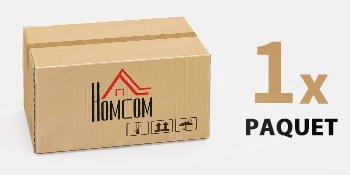
انځور: Package Contents. The product is delivered in one package. Ensure the package is intact upon arrival.
3. تنظیم او مجلس
This HOMCOM cabinet requires assembly. Detailed step-by-step instructions and all necessary hardware are included in the package. Follow the provided assembly manual carefully.
۴.۱ د اسمبلۍ څخه مخکې چک لیست
- ټول اجزا خلاص کړئ او په پاک، نرم سطح یې واچوئ.
- Identify all parts and hardware against the parts list in the assembly manual.
- Ensure you have the necessary tools (e.g., screwdriver, hammer) as specified in the manual.
۳.۲ د غونډو مرحلې (عمومي لارښوونې)
- د غاړې تختې د اساس او پورتنۍ تختو سره وصل کړئ.
- د دراز سلایډونه نصب کړئ او دراز راټول کړئ.
- Insert the adjustable shelf supports and the shelf.
- Attach the back panel.
- Mount the doors and adjust hinges for proper alignment.
- Install the handles on the drawer and doors.
- Secure the anti-tipping device to the cabinet and then to a wall stud.

انځور: Cabinet Interior. This image shows the cabinet's interior with the drawer and doors open, highlighting the storage capacity and the adjustable shelf.
4. عملیاتي لارښوونې
4.1 Using the Drawer
The top drawer provides convenient storage for smaller items. It features silent guides for smooth and quiet opening and closing.

انځور: Silent Drawer Guide. This detail shows the smooth-gliding mechanism of the drawer, designed for quiet operation.
4.2 Using the Double Doors and Adjustable Shelf
The lower section features double doors that open to reveal a storage compartment with an adjustable shelf. The shelf can be moved to three different height levels to accommodate items of various sizes.
- To adjust the shelf height, remove all items from the shelf.
- په احتیاط سره شیلف پورته کړئ او د شیلف پنونه د دوی له اوسني سوریو څخه لرې کړئ.
- Reinsert the shelf pins into the desired new height holes, ensuring they are level.
- شیلف بیرته په پنونو کې کیږدئ.

انځور: Adjustable Shelf. This image highlights the three adjustable height options for the interior shelf, allowing for flexible storage configurations.
4.3 Top Surface Usage
The top surface of the cabinet can be used to display decorative items or store frequently accessed objects. Ensure that items placed on top do not exceed the recommended weight limit of 15 kg.

انځور: Top Surface Display. This image shows the cabinet's top surface being used to hold various kitchen items, illustrating its practical use as a display or serving area.
4.4 Robot Vacuum Clearance
The cabinet is designed with a 13 cm clearance from the floor, allowing most robot vacuum cleaners to pass underneath for easy floor cleaning.

انځور: Robot Vacuum Clearance. This image demonstrates the 13 cm clearance beneath the cabinet, allowing for convenient cleaning by robot vacuum cleaners.
5. ساتنه
Proper care and maintenance will extend the life of your HOMCOM cabinet.
- پاکول: سطحونه په نرمۍ سره مسح کړئ، دamp ټوکر. د سختو کیمیاوي موادو یا خړوبونکو پاکوونکو څخه ډډه وکړئ، ځکه چې دوی ممکن پای ته زیان ورسوي.
- څاڅکي: توی شوي ځایونه سمدلاسه پاک کړئ ترڅو د انجینر شوي لرګیو موادو ته د رنګ کولو یا زیان مخه ونیول شي.
- د لمر وړانګې: د لمر د مستقیم لمر وړانګو ته د اوږدې مودې تماس څخه ډډه وکړئ ترڅو د رنګ له منځه تللو یا رنګ بدلیدو مخه ونیسئ.
- رطوبت: Keep the cabinet away from excessive moisture or humidity.
- هارډویر: ټول پیچونه او فاسټینرونه په دوره یي ډول وګورئ ترڅو ډاډ ترلاسه شي چې دوی کلک دي. که اړتیا وي نو بیا یې ټینګ کړئ.
6. ستونزه حل کول
- ټکان ورکوونکې کابینه: Ensure the cabinet is placed on a level surface. Check all assembly screws and tighten them if loose. Verify the anti-tipping device is securely installed.
- دراز په اسانۍ سره نه ښویېږي: Check that the drawer slides are correctly installed and free from obstructions. Ensure all screws on the slides are tight.
- دروازې چې سره نه وي: Adjust the door hinges as per the assembly instructions to achieve proper alignment. Ensure the cabinet is level.
- ورکې برخې: If any parts are missing or damaged upon arrival, contact HOMCOM customer support immediately.
7. مشخصات
| فیچر | تفصیل |
|---|---|
| د ماډل شمیره | 83B-310V00GN |
| برانډ | HOMCOM |
| ټول ابعاد (L x W x H) | 80 x 40 x 90 سانتي متره (31.5 x 15.7 x 35.4 انچه) |
| وزن | ۷.۰ کیلو ګرامه (۱۵.۵ پونډه) |
| مواد | انجنیري لرګي |
| رنګ | Light Green (Vert clair) |
| د درازونو شمیر | 1 |
| د دروازو شمیر | 2 |
| د تنظیم وړ شیلف | هو ، 3 کچه |
| د وزن اعظمي ظرفیت (ټول) | ۷.۰ کیلو ګرامه (۱۵.۵ پونډه) |
| Max. Weight Capacity (Top Surface) | ۷.۰ کیلو ګرامه (۱۵.۵ پونډه) |
| د پوړ پاکول | 13 سانتي متره (5.1 انچه) |

انځور: Product Dimensions. This diagram provides a visual representation of the cabinet's key measurements, including its overall height, width, and the clearance from the floor.
8. تضمین او ملاتړ
For warranty information, missing parts, or any questions regarding your HOMCOM product, please refer to the warranty card included in your package or visit the official HOMCOM website. You may also contact customer support through your retailer.
د اړیکو معلومات: Please refer to your purchase documentation or the HOMCOM official website for the most up-to-date customer service contact details.