
1. پیژندنه
د پیرودلو لپاره مننهasing the Aiwa BST-130RD Bluetooth Speaker. This portable speaker features Bluetooth 5.3 connectivity, vibrant RGB lighting, FM radio, and multiple playback options including USB and TF card. This manual provides essential information for the safe and efficient use of your device. Please read it thoroughly before operation and retain it for future reference.
2. د بسته محتويات
ډاډ ترلاسه کړئ چې ټول توکي په کڅوړه کې شتون لري:
- Aiwa BST-130RD Bluetooth Speaker
- د USB ډول - سي چارج کیبل
- د لارښوونې لارښود
3. محصول ختم شوview
د سپیکر کنټرولونو او پورټونو سره ځان بلد کړئ.
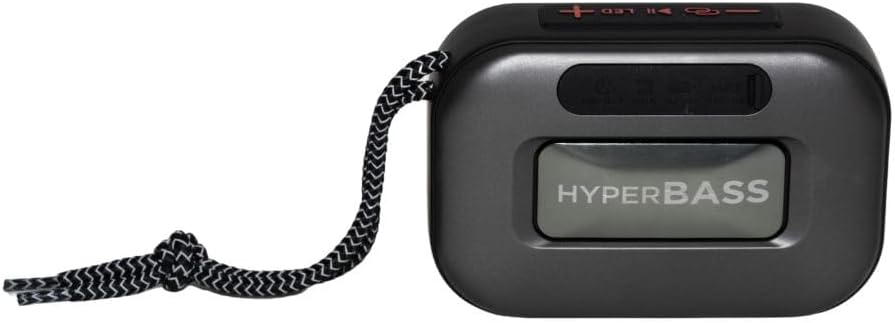
شکل 3.1: مخکی view of the Aiwa BST-130RD Bluetooth Speaker, showcasing the speaker grille and RGB light ring.

شکل 3.2: Close-up of the tactile control buttons located on the top panel of the speaker. These include power, play/pause, volume, mode, and LED light controls.

شکل 3.3: شاته view of the speaker, illustrating the USB-A port, Micro SD (TF) card slot, AUX-IN port, and USB Type-C charging port.
کنټرولونه:
- د بریښنا تڼۍ: د سپیکر آن/بند کولو لپاره فشار ورکړئ او ونیسئ.
- د پلی کولو/پاز بټن: Play or pause audio. Answer/end calls in Bluetooth mode.
- حجم پورته (+): Increase volume. Long press for next track/FM station.
- حجم ښکته (-): Decrease volume. Long press for previous track/FM station.
- د حالت تڼۍ (M): Switch between Bluetooth, FM Radio, USB, TF Card, and AUX-IN modes.
- د LED تڼۍ: د RGB رڼا حالتونه بدل کړئ.
بندرونه:
- USB-A پورټ: د USB فلش ډرایو پلې بیک لپاره.
- د TF کارت سلاټ: د مایکرو ایس ډی کارت پلے بیک لپاره.
- د اکس-ان پورټ (۳.۵ ملي متره): د تار لرونکي آډیو اتصال لپاره.
- د USB ډول-C چارج کولو بندر: د سپیکر چارج کولو لپاره.
4. ترتیب کول
۳.۱ د سپیکر چارج کول
- چمتو شوی USB Type-C چارجینګ کیبل د سپیکر چارجینګ پورټ سره وصل کړئ.
- Connect the other end of the cable to a 5V DC USB power adapter (not included).
- د چارج کولو شاخص څراغ به د چارج کولو پرمهال روښانه شي او کله چې بشپړ چارج شي نو بند شي.
- بشپړ چارج معمولا شاوخوا ۲-۳ ساعته وخت نیسي.
۸ پاور آن/بند
- د فعالولو لپاره: Press and hold the Power button for 2-3 seconds until you hear an audible prompt and the RGB lights activate.
- د بریښنا بندولو لپاره: Press and hold the Power button for 2-3 seconds until you hear an audible prompt and the RGB lights deactivate.
5. عملیاتي لارښوونې
5.1 د بلوتوټ جوړه کول
- Ensure the speaker is powered on and in Bluetooth mode (indicated by an audible prompt or LED status). If not, press the Mode button to switch to Bluetooth mode.
- په خپل سمارټ فون، ټابلیټ، یا بل بلوتوث فعال شوي وسیله کې بلوتوث فعال کړئ.
- لټون available devices and select "AIWA BST-130RD" from the list.
- Once paired, the speaker will emit an audible confirmation.
- تاسو اوس کولی شئ د سپیکر له لارې له خپل وسیله څخه آډیو غږ کړئ.
۶.۸ ریښتینی بې سیم سټیریو (TWS) جوړه کول
The TWS function allows you to connect two Aiwa BST-130RD speakers for a stereo sound experience.
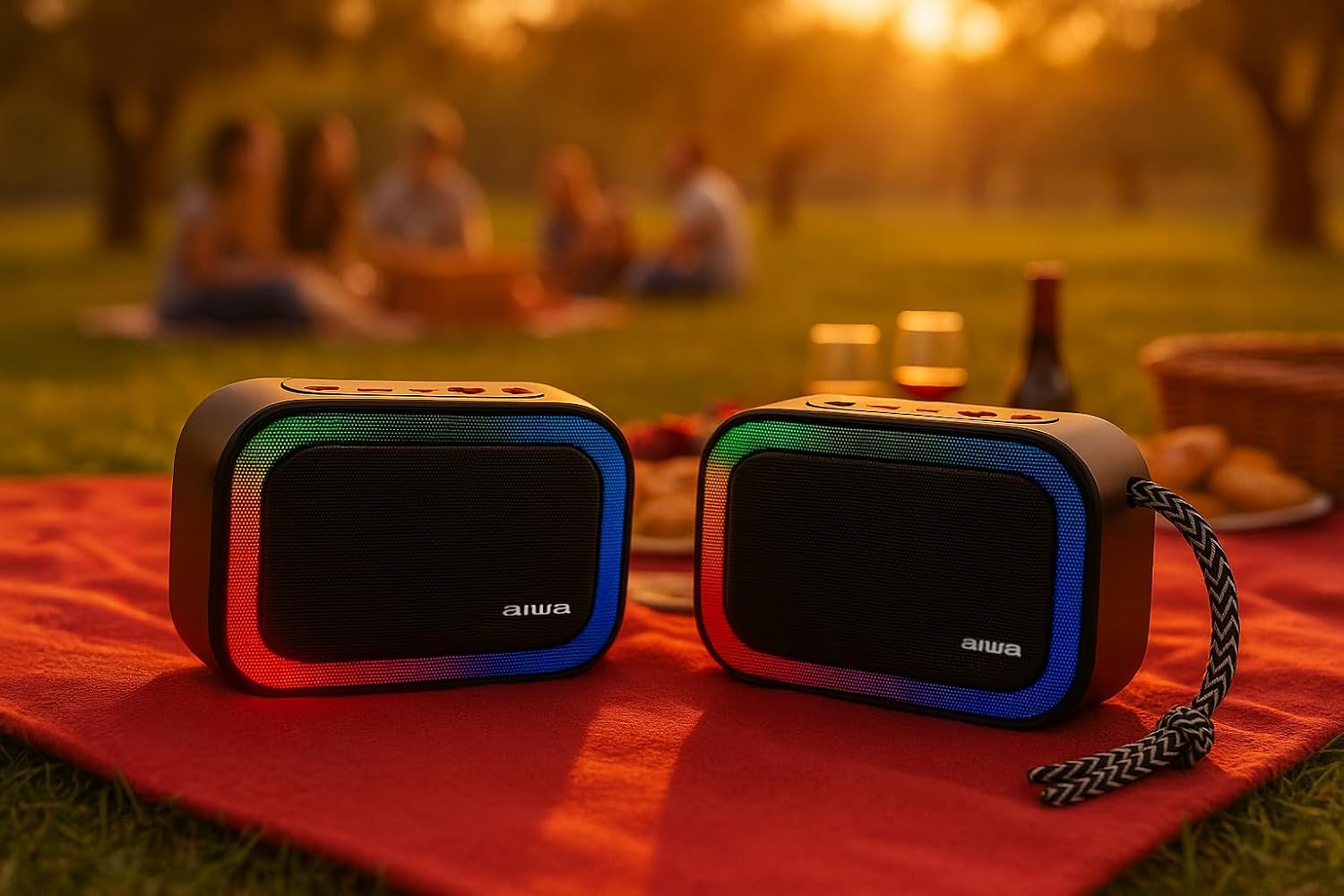
شکل 5.1: Two Aiwa BST-130RD speakers operating in True Wireless Stereo (TWS) mode, providing a wider soundstage.
- Ensure both BST-130RD speakers are powered on and in Bluetooth mode, but not yet paired to any device.
- On one of the speakers (this will be the primary speaker), double-press the Play/Pause button. The speaker will search for another BST-130RD.
- Once connected, you will hear an audible confirmation. The primary speaker will act as the left channel, and the secondary speaker as the right channel.
- Now, pair your Bluetooth device to the primary speaker as described in Section 5.1.
د ۶.۵ ایف ایم راډیو عملیات
- Press the Mode button repeatedly until you enter FM Radio mode.
- Press the Play/Pause button once to initiate an automatic station scan. The speaker will scan and save available FM stations.
- Use the Volume Up (+) and Volume Down (-) buttons (long press) to navigate between saved stations.
۵.۴ USB / TF کارت پلے بیک
- Insert a USB flash drive into the USB-A port or a TF (Micro SD) card into the TF card slot.
- The speaker will automatically switch to the corresponding mode and begin playing MP3 files. If not, press the Mode button to select USB or TF mode.
- Use the Play/Pause button to control playback. Use the Volume Up (+) and Volume Down (-) buttons (long press) to skip tracks.
۴.۵ د اکس-ان حالت
- Connect one end of a 3.5mm audio cable (not included) to the speaker's AUX-IN port.
- بل پای د خپل بهرني وسیلې (د مثال په توګه، MP3 پلیر، کمپیوټر) آډیو آوټ پټ سره وصل کړئ.
- Press the Mode button to switch to AUX-IN mode.
- آډیو به اوس د سپیکر له لارې غږیږي. د خپل بهرني وسیلې څخه پلې بیک کنټرول کړئ.
۴.۵ د لاسونو څخه پاک فعالیت
کله چې د بلوتوث له لارې سمارټ فون سره وصل شي، نو سپیکر د لاسونو څخه پاک زنګ وهلو لپاره کارول کیدی شي.
- زنګ ووهئ: یو ځل د Play/Pause تڼۍ کېکاږئ.
- ټلیفون پای: د زنګ وهلو په جریان کې یو ځل د پلی/پاز تڼۍ فشار ورکړئ.
- زنګ رد کړئ: د 2 ثانیو لپاره د Play/Pause تڼۍ فشار او ونیسئ.
۵.۴ د RGB رڼا کنټرول
The speaker features a dynamic RGB lighting system.

شکل 5.2: The Aiwa BST-130RD speaker displaying its vibrant RGB lighting effects.
- Press the LED button to cycle through different RGB lighting modes.
- Press and hold the LED button to turn the RGB lighting On/Off.
6. ساتنه
- سپیکر په نرم او وچ ټوکر پاک کړئ. د کثافاتو پاکوونکي یا محلول مه کاروئ.
- د سپیکر د سختې تودوخې، مستقیم لمر وړانګو، یا لوړ رطوبت سره د مخ کیدو څخه ډډه وکړئ.
- سپیکر په اوبو کې مه ډوبوئ. دا د اوبو ضد نه دی.
- When not in use for extended periods, charge the battery at least once every three months to prolong its lifespan.
7. ستونزه حل کول
| ستونزه | احتمالي لامل | د حل لاره |
|---|---|---|
| سپیکر نه چالانېږي. | ټیټ بیټرۍ. | د ورکړل شوي USB ډول-سي کیبل په کارولو سره سپیکر چارج کړئ. |
| غږ نشته. | Volume too low; incorrect mode; device not paired. | Increase volume on speaker and connected device. Ensure correct mode is selected. Re-pair Bluetooth device. |
| د بلوتوث جوړه جوړه ناکامه کیږي. | سپیکر د جوړې کولو په حالت کې نه دی؛ وسیله ډیره لرې ده؛ مداخله. | Ensure speaker is in Bluetooth pairing mode. Move device closer to speaker. Turn off other Bluetooth devices. |
| د ایف ایم راډیو استقبال کمزوری دی. | کمزوری سیګنال؛ د چاپیریال مداخله. | Move the speaker to a different location. Perform an auto-scan again. |
8. مشخصات
- ماډل: BST-130RD
- د بلوتوت نسخه: V5.3
- د تولید ځواک: 5W RMS (10% THD)
- سپیکر چلوونکی: 5 cm (Full Range), 3 Ohm Impedance
- د تعدد ځواب: ۳۸ هرټز - ۲۰ کلو هرټز
- د سیګنال څخه تر شور پورې اړوند تناسب: ≥ 85 dB
- حساسیت: 490 mV (1 kHz)
- معلومات: Bluetooth, USB MP3, TF MP3, FM Scanner, AUX-IN (3.5mm Stereo)
- د بریښنا ننوتل: 5V DC USB Type-C
- بیټرۍ: 1200mAh, 3.7V Lithium (with protection circuit)
- چارج کول Voltage: 5V 1A
- ځانګړتیاوې: TWS (True Wireless Stereo), RGB Lighting, Hands-free Function
- ابعاد: 133 x 89 x 47.5 mm
- وزن: 0.314 کیلو ګرامه
9. د خوندیتوب معلومات
- وسیله مه جلا کړئ، ترمیم یا ترمیم مه کوئ.
- وسیله د اوبو، رطوبت او اور اخیستونکو موادو څخه لرې وساتئ.
- د اورېدو د زیان د مخنیوي لپاره په لوړ غږ د اوږدې مودې اورېدلو څخه ډډه وکړئ.
- د بیټرۍ او وسیلې مسؤلیت سره سم د ځایی مقرراتو سره سم تصفیه کړئ.
10. تضمین او ملاتړ
Aiwa products are designed and manufactured to the highest quality standards. For warranty information and technical support, please refer to the warranty card included in your package or visit the official Aiwa webستاسو د سیمې لپاره سایټ.