
۱.۱. د خوندیتوب مهم معلومات
مهرباني وکړئ د نصبولو او کارولو دمخه ټولې لارښوونې په دقت سره ولولئ. دا لارښود د راتلونکي حوالې لپاره وساتئ.
- دوه کسه نصب کول: Always use at least two people to lift and install the TV to prevent injury or damage.
- دیوال نصبول: Follow all wall mounting instructions precisely. Ensure the wall structure can support the TV's weight. If unsure, consult a professional.
- د خنډونو مخنیوی: Do not drill into walls where electrical wiring or piping may be present.
- باثباته ځای پرځای کول: If not wall-mounted, ensure the TV is placed on a stable, level surface to prevent tipping.
- وینټیلیشن: د هوا د جریان لپاره د تلویزیون شاوخوا کافي ځای ډاډمن کړئ.
- رطوبت: Keep the TV away from water, moisture, and high humidity environments.
- د بریښنا تار: Protect the power cord from being walked on or pinched. Do not use a damaged power cord.
- پاکول: د پاکولو دمخه تلویزیون خلاص کړئ. نرم او وچ ټوکر وکاروئ. د مایع پاکوونکو یا ایروسول پاکوونکو څخه کار مه اخلئ.
۳. څه پکې شامل دي
ډاډ ترلاسه کړئ چې ټولې برخې په بکس کې شتون لري:
- Amazon Ember Artline TV (55-inch)
- د الیکسا غږ ریموټ ښه شوی
- وال ماونټ کټ
- د بریښنا تار
- 2 AAA بیټرۍ
- د چټک پیل لارښود
- Amazon Ember Artline 55” Frame (four pieces) - Note: Frames ship separately and may arrive at a different time.

Image: Amazon Ember Artline 55-inch Fire TV with Ash frame.
3. ترتیب او نصب کول
3.1. Preparing the TV for Wall Mount
Before mounting, ensure the TV is prepared correctly. You will need a number two Phillips screwdriver. Do not use an electric drill to prevent stripping the bolt holes.
- Lay the TV screen side down on a soft, clean surface to access the recessed cover on the back.
- Remove the recessed cover.
- Install the two mount bolts into the designated holes using a number two Phillips screwdriver.
Video: Instructions for wall mounting the Amazon Ember Artline TV. This video demonstrates the steps for preparing the TV and installing the wall mount hardware.
3.2. د دیوال نصب کول
You will need at least two people to complete this process. Ensure you have the included wall mounting template, bolts, screws, and anchors. Additionally, you will need an electric drill with a 3/16 inch drill bit, a #2 Phillips driver bit, a hammer, a pencil, and a level or level app. If mounting on wood studs, you'll need a 1/8 inch drill bit. If mounting on brick, you'll need a 5/16 inch drill bit and a stud finder for drywall.
- د ځای پلان:
- Consider the height of everyone using the TV. Place it at eye level for comfortable viewing.
- Find a mount location away from water or moisture.
- Avoid drilling holes over electrical wiring or piping.
- If installing on a brick wall, locate an area free of cracks.
- If your wall doesn't have proper stud spacing, contact a professional for installation.
- د بریکٹ ایښودل:
- Plan the location of the wall mount using the wall mounting template.
- Locate two studs using a stud finder (for drywall). Mark the center of each stud with a pencil.
- Place the mount against the wall and mark at least four screw holes. Use a level or level app to ensure the mount is straight.
- Drill pilot holes on each mark using an electric drill with the appropriate bit (1/8" for drywall, 5/16" for brick).
- If on drywall, anchors are not needed. If on brick, use a hammer to install the mount anchors in the holes.
- Attach the mount to the wall using the mount screws, an electric drill, and a #2 Phillips bit.
- Installing Magnet Plates:
- Attach the template to the wall using double-sided tape.
- Mark the locations for the four magnet plates on the wall, then remove the template.
- Drill pilot holes on each mark using an electric drill with a 3/16 inch bit.
- Install the magnet plate anchors using a hammer.
- Install the magnet plates into the anchors using the magnet plate screws and an electric drill with a #2 Phillips bit.
- Attaching the TV to the Mount:
- While attaching the TV, avoid pressing against the screen.
- Fully extend the TV bracket away from the wall and gently release the bolt latches.
- Place the four alignment stickers above the mount bolts on the back of the TV and the bolt latches on the mount. Fold the stickers up to see them more clearly.
- Hang the mount bolts on the mount hooks. Use the alignment stickers to guide you.
- Close the bolt latches, then push the TV flush with the wall to connect the magnets and magnet plates.
4. Operating Your Amazon Ember Artline Fire TV
۶.۲. د اور وژنې تلویزیون انٹرفیس
The Amazon Ember Artline features the new Fire TV experience (2026 release) with a modern design for fast access to entertainment. You can pin frequently used apps and browse dedicated content categories. Access hundreds of thousands of movies and TV episodes, including free, ad-supported content. Subscription fees may apply for certain services.

Image: The Fire TV interface displaying various streaming applications and content.
4.2. Alexa Voice Remote Enhanced
The included Alexa Voice Remote Enhanced allows for easy navigation and voice control. Talk naturally to find content, manage your smart home, or explore topics.
- د غږ کنټرول: Press and hold the voice button to use your voice commands.
- نیویگیشن: Use the directional pad to navigate menus and content.
- د چټک لاسرسي تڼۍ: Dedicated buttons for popular streaming services (e.g., Prime Video, Netflix) provide instant access.
4.3. Ambient Experience and Art Mode
The Ember Artline functions as both an entertainment hub and a curated art gallery. It can display art, stream content, and manage your smart home. The matte screen reduces glare for an optimal viewتجربه
- هنري ګالري: Access a gallery of over 2,000 free works of art.
- شخصي عکسونه: Upload and display your own photos from the Amazon Photos App. Use Alexa to create slideshows or collages (e.g., "Play a slideshow of us biking in the mountains.").
- Match the Room: Upload photos of your space, and the TV will recommend art pieces that complement your decor.
- دودیز چوکاټونه: Choose from ten available frame colors. Frames are easy to install and change.

Image: The Amazon Ember Artline TV seamlessly integrated into a living room, displaying a vibrant piece of art.
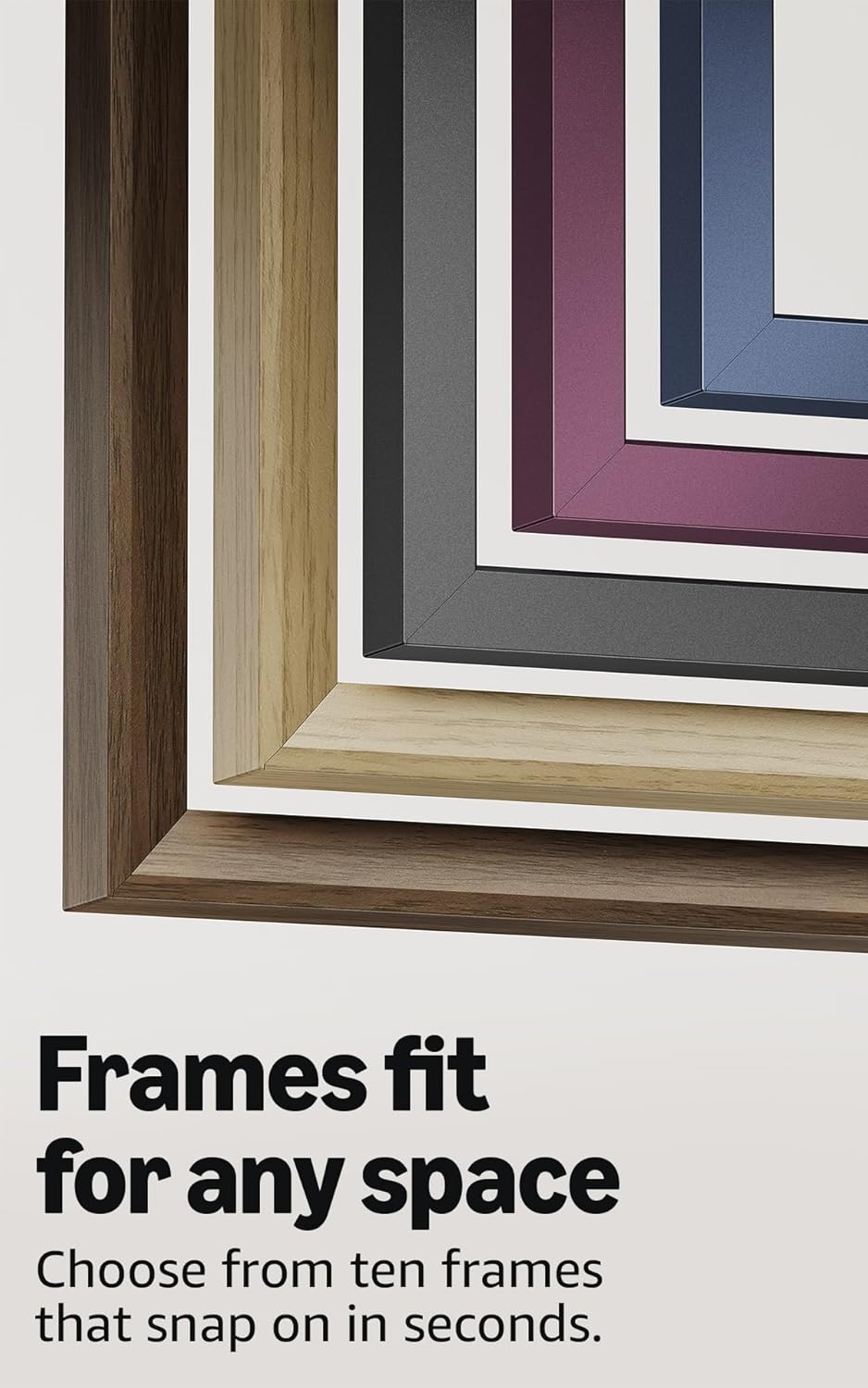
Image: A selection of different colored frames available for the Amazon Ember Artline TV, highlighting customization options.
4.4. Omnisense Technology (Motion Detection)
The custom Omnisense technology uses built-in sensors to detect your presence. The display will wake to show your favorite artwork or allow you to start watching content quickly. When you leave the area, the TV automatically turns off to save energy.

انځور: یو مفصل view of the Omnisense sensor, which enables motion detection for automatic display activation and power saving.
ویډیو: پایview of the Amazon Fire TV 4K TV with Alexa Voice Remote, demonstrating initial setup, interface navigation, and motion detection features.
5. مشخصات
| فیچر | تفصیل |
|---|---|
| قرارداد | 3840 x 2160 (4K UHD) |
| د لوړ متحرک حد (HDR) بڼه | HDR10, HLG, HDR10+ Adaptive, Dolby Vision |
| د رڼا ډول ډول | LED |
| د تازه کولو نرخ | 60Hz |
| Screen finish | Matte, anti-glare |
| د سکرین اندازه | 55“ (Viewable display size: 54.6“) |
| د HDMI بندرونه | ۳ HDMI ۲.۰ + ۱ HDMI ۲.۱ د eARC سره |
| Wifi & Ethernet connectivity | د وای فای ۶ + ۱ ایترنیټ پورټ |
| USB | 1 USB3.0 |
| ډیجیټل آپټیکل آډیو محصول | ۱ ډیجیټل آپټیکل آډیو پورټ |
| غږ ملاتړ | Yes, hands-free with Alexa, press and ask Alexa with the Fire TV Alexa Voice Remote Enhanced or the free Fire TV app. |
| د آډیو ملاتړ | د ډولبي ډیجیټل پلس د ډولبي کوډ شوي آډیو پاس ترو سره |
| د آډیو ځواک | 10W + 10W |
| OS | د اور وژنې عملیاتي سیسټم |
| Product size (without frame) | 48.3″ x 28.3″ x 1.54″ |
| وزن (پرته له چوکاټ څخه) | 39.9 پونډه |
| سند ښکاره کړی | QL55M800A |
| د VESA دیوال ماونټ معیاري | 300mm x 400mm (Note: Included wall mount is non-VESA; TV is VESA compatible for separately purchased mounts.) |
| TV size with frame | 49.1″ x 28.7″ x 1.8″ |
| TV weight with frame | 42.5 پونډه |
۳. د لاسرسي ځانګړتیاوې
The Amazon Ember Artline Fire TV includes several accessibility features:
- غږView د سکرین لوستونکی: د هغو کاروونکو لپاره چې ړانده یا د لید کمزوري دي د فایر تلویزیون ډیری ځانګړتیاو ته لاسرسی فعالوي.
- د سکرین لوی کوونکی: کاروونکو ته اجازه ورکوي چې زوم ان او آوټ کړي، او د سکرین شاوخوا پین وکړي.
- د متن بینر: Consolidates onscreen text into a compact, customizable banner.
- تړل شوی سرلیک: د ویډیوګانو او تلویزیون برنامو لپاره شتون لري چیرې چې ملاتړ کیږي.
- د آډیو تفصیل: د پردې د کړنو، د مخ د څرګندونو، او د صحنې د بدلونونو لفظي توضیحات وړاندې کوي (د ټولو منځپانګو لپاره شتون نلري).
- د بلوتوث اوریدنې مرستې ملاتړ: د غوره شوي بلوتوث اوریدنې وسایلو او د شخصي اوریدنې وسیلو لپاره د آډیو سټریمینګ ملاتړ کوي. مطابقت لرونکي بلوتوث هیډفونونه هم ملاتړ کیږي.
7. Software Updates and Security
دا وسیله د تضمین شوي سافټویر امنیت تازه معلومات ترلاسه کوي تر هغه چې لږترلږه څلور کاله وروسته دا وسیله د وروستي واحد په توګه د پیرود لپاره شتون ولري زموږ webسایټونه. ستاسو د وسیلې پورې اړوند معلوماتو لپاره، د خپل مینځپانګې او وسیلو اداره کولو ته مراجعه وکړئ.
8. تضمین او خدمت
A 1-Year limited warranty and service are included with the Amazon Ember Artline TV. Optional 3-Year and 4-Year Extended Warranties are available for U.S. customers and are sold separately. Extended warranty excludes frame accessories. Use of Fire TV is subject to the terms found on the Amazon webسایټ
The Amazon Ember Artline 55” Frame includes a 90-day limited warranty and service.
9. ستونزه حل کول
If you encounter issues with your Amazon Ember Artline Fire TV, consider the following common troubleshooting steps:
- ځواک نشته: ډاډ ترلاسه کړئ چې د بریښنا تار په خوندي ډول د تلویزیون او کاري بریښنا سایټ دواړو سره وصل دی.
- انځور/غږ نشته:
- Check all cable connections (HDMI, optical audio).
- تایید کړئ چې په تلویزیون کې د ننوتلو سمه سرچینه غوره شوې ده.
- تلویزیون د ۳۰ ثانیو لپاره د بریښنا له بند څخه خلاصولو سره بیا پیل کړئ، بیا یې بیرته ولګوئ.
- ریموټ ځواب نه ورکوي:
- Replace the AAA batteries in the Alexa Voice Remote.
- Re-pair the remote by holding the Home button for 10 seconds.
- د شبکې د اتصال مسلې:
- خپل وای فای روټر او موډیم وګورئ ترڅو ډاډ ترلاسه کړئ چې دوی په سمه توګه کار کوي.
- خپل روټر او موډیم بیا پیل کړئ.
- Go to the TV's Network settings to re-connect to your Wi-Fi network or try a wired Ethernet connection.
- Ambient Experience Not Activating:
- Ensure Omnisense technology is enabled in the TV settings.
- Check for any physical obstructions blocking the motion sensors.
- Software Performance: If the TV is slow or unresponsive, try restarting it. Ensure the TV's software is up to date.
For further assistance, refer to the online support resources or contact Amazon customer service.