
1. پیژندنه
د پیرودلو لپاره مننهasing the OXS Thunder Duo Speaker System. This manual provides essential information for the safe and efficient use of your new speaker system. Please read this manual thoroughly before operating the device and retain it for future reference.
The OXS Thunder Duo is a 3.1.2 channel bookshelf speaker system designed for an immersive audio experience, compatible with various devices including TVs, PCs, gaming consoles, and mobile devices.
2. د خوندیتوب معلومات
- د بریښنا سرچینه: یوازې چمتو شوی بریښنا اډاپټر وکاروئ. ډاډ ترلاسه کړئ چې حجمtage ستاسو د محلي بریښنا رسولو سره سمون لري.
- ځای په ځای کول: Place the speakers on a stable, flat surface. Avoid placing near heat sources, direct sunlight, or in areas with high humidity or dust.
- وینټیلیشن: د هوا د جریان هیڅ لاره مه بندوئ. د مناسبې هوا جریان لپاره د سپیکرو شاوخوا کافي ځای ډاډمن کړئ.
- اوبه او رطوبت: Do not expose the device to water, rain, or moisture. This product is not waterproof.
- پاکول: د پاکولو دمخه د بریښنا څخه جلا کړئ. نرم، وچ ټوکر وکاروئ. مایع پاکوونکي یا ایروسول مه کاروئ.
- خدمت کول: Do not attempt to repair or disassemble the unit yourself. Refer all servicing to qualified personnel.
- بیټرۍ: The remote control uses AAA batteries. Ensure correct polarity when inserting. Do not mix old and new batteries.
3. د بسته محتويات
ډاډ ترلاسه کړئ چې لاندې ټول توکي ستاسو په بسته کې شامل دي:
- OXS Thunder Duo Speakers (2 units)
- ریموټ کنټرول (د دوه AAA بیټریو سره شامل دی)
- HDMI کیبل
- آپټیکل کیبل
- د بریښنا اډاپټر
- د کارونکي لارښود (دا لاسوند)
4. محصول ختم شوview
The OXS Thunder Duo speaker system consists of two bookshelf speakers designed for tabletop placement. Below is a general representation of the product and its typical components.
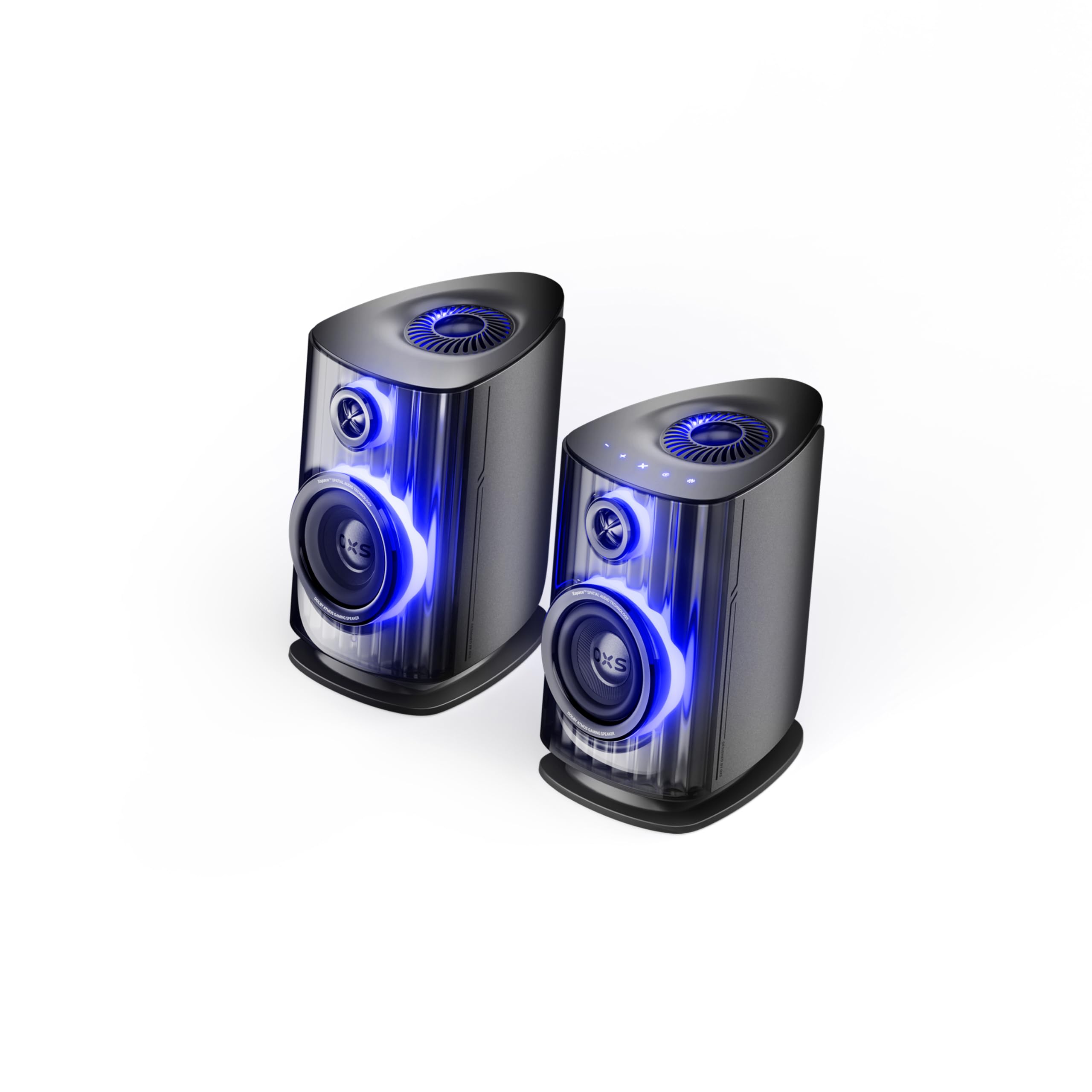
Image: OXS Thunder Duo Speaker System. This image shows the two main speaker units, typically placed on a tabletop. The design features a sleek, modern aesthetic with speaker grilles visible on the front.
۴.۱. د سپیکر اجزا
- د سپیکر اصلي واحد: Houses the primary audio drivers and control circuitry.
- Satellite Speaker Unit: Connects to the main unit to provide a wider soundstage.
- د بریښنا ننوتل: د بریښنا اډاپټر د نښلولو لپاره.
- آډیو معلومات: HDMI IN, USB-C, eARC, Optical for various source connections.
4.2. ریموټ کنټرول
The included remote control allows for convenient operation of the speaker system from a distance. It typically includes buttons for:
- پاور آن/بند
- حجم پورته / ښکته
- Input Source Selection (HDMI, USB-C, eARC, Optical)
- خاموش
- Audio Mode Selection (e.g., Surround)
5. ترتیب کول
5.1. د سپیکر ځای پرځای کول
Place the OXS Thunder Duo speakers on a stable, flat tabletop surface. For optimal sound, position them equidistant from your listening position and at ear level. Ensure there are no obstructions between the speakers and your listening area.
5.2. د بریښنا پیوستون
- Connect the power adapter to the power input port on the main speaker unit.
- د بریښنا اډاپټر په دیوال کې ولګوئ.
- The power indicator on the speaker will illuminate, indicating it is in standby mode.
5.3. د آډیو سرچینو سره نښلول
The OXS Thunder Duo offers multiple connectivity options:
- HDMI (eARC): For connecting to TVs with an HDMI eARC/ARC port. Use the provided HDMI cable. This connection supports high-quality audio and allows TV remote control of speaker volume.
- په HDMI کې: For connecting other HDMI-enabled devices like gaming consoles or Blu-ray players.
- نظري: For connecting to TVs or other devices with an optical audio output. Use the provided optical cable.
- USB-C: For connecting to PCs, laptops, or compatible mobile devices.
Connect your desired audio source to the corresponding input port on the main speaker unit.
6. عملیاتي لارښوونې
6.1. بریښنا کول/بندول
Press the Power button on the remote control or the main speaker unit to turn the system on or off. The power indicator will change status accordingly.
6.2. د ننوت سرچینې غوره کول
Press the 'Input' or dedicated source buttons (e.g., HDMI, Optical, USB-C) on the remote control to switch between connected audio sources. The current input source will typically be indicated by an LED or display on the main speaker unit.
6.3. د حجم کنټرول
Use the 'Volume Up' (+) and 'Volume Down' (-) buttons on the remote control to adjust the audio level. Press the 'Mute' button to temporarily silence the audio.
۲. د آډیو حالتونه
The OXS Thunder Duo supports surround sound audio output. Use the 'Mode' button on the remote control to cycle through available audio modes, if applicable, to optimize your listening experience for different content types.
7. ارتباط
The OXS Thunder Duo offers versatile connectivity for a wide range of devices:
- په HDMI کې: Connects to various HDMI-enabled devices.
- USB-C: Ideal for direct digital audio connection to computers (PC), laptops, and mobile devices running Windows, Android, or iOS.
- eARC (د غږ بیرته راګرځولو پرمختللی چینل): Connects to compatible TVs for high-fidelity audio transmission and simplified control.
- نظري: Provides a digital audio connection for TVs, game consoles (PlayStation, XBOX, Switch), and other devices with an optical output.
8. ساتنه
Proper maintenance ensures the longevity and performance of your OXS Thunder Duo speaker system.
- پاکول: د سپیکر سطحې په منظم ډول د نرم، وچ، لینټ څخه پاک ټوکر سره پاک کړئ. د کثافاتو پاکونکو، مومونو، یا محلولونو څخه کار مه اخلئ.
- دوړې: Keep the speaker grilles free from dust accumulation. Use a soft brush or a vacuum cleaner with a brush attachment on a low setting.
- ذخیره کول: که چیرې سپیکرې د اوږدې مودې لپاره ذخیره کوئ، نو له بریښنا څخه یې جلا کړئ او په یخ او وچ ځای کې یې وساتئ، په غوره توګه په اصلي بسته بندۍ کې.
9. ستونزه حل کول
If you encounter issues with your OXS Thunder Duo, refer to the following common problems and solutions:
| ستونزه | احتمالي لامل | د حل لاره |
|---|---|---|
| هیڅ ځواک نشته | Power cable not connected; Power outlet not active; Speaker is off. | Ensure power cable is securely connected. Test the outlet with another device. Press the Power button on the remote or speaker. |
| غږ نشته | Incorrect input source selected; Volume too low or muted; Audio cable not connected properly; Source device not outputting audio. | Select the correct input source. Increase volume and check if muted. Reconnect audio cables. Check audio settings on your source device. |
| ریموټ کنټرول کار نه کوي | Batteries are dead or incorrectly inserted; Obstruction between remote and speaker. | Replace batteries, ensuring correct polarity. Remove any obstructions. Ensure remote is pointed at the main speaker unit. |
| تحریف شوی غږ | غږ ډېر لوړ دی؛ د غږ سرچینې کیفیت کمزوری دی؛ د کیبل اتصال خلاص دی. | Lower the volume. Check the audio quality from the source. Ensure all cables are securely connected. |
If the problem persists after trying these solutions, please contact OXS customer support.
10. مشخصات
| فیچر | مشخصات |
|---|---|
| برانډ | OXS |
| د ماډل شمیره | Thunder DUO |
| Speaker Max Output | 220 واټ |
| د تعدد ځواب | 20 KHz |
| د ارتباط ټیکنالوژي | HDMI IN, USB-C, eARC, Optical |
| د آډیو وتلې حالت | محاصره |
| د نصب کولو ډول | د میز ټاپ غر |
| Product Exterior Material | ABS & PVC |
| د سپیکر ډول | د کتابونو الماری |
| وړاندیز شوي استعمالونه | Computer, TV, Gaming Consoles |
| رنګ | ټیټان |
| پنروک | دروغ |
| د تضمین ډول | محدود تضمین |
| د سپیکر اندازه | 1.5 انچه |
| Speaker Channel Configuration | 3.1.2 |
| د S/N تناسب | 96 dB |
| بیټرۍ | ۳ AAA بیټرۍ (د ریموټ لپاره شاملې دي) |
| د توکي ابعاد (D x W x H) | 17.8 x 21.5 x 27.6 سانتي متره |
| د توکي وزن | ۲.۴۵ پونډه |
| مطابقت لرونکې وسیلې | TV, PC, PlayStation, XBOX, Mobile devices (Windows, Android, iOS), Switch |
| UPC | 199284067936 |
| ASIN | B0GDFVBVB3 |
11. تضمین او ملاتړ
The OXS Thunder Duo Speaker System comes with a Limited Warranty. Please refer to the warranty card included in your package for specific terms and conditions, including the duration and coverage details.
For technical support, troubleshooting assistance, or warranty claims, please contact OXS customer service through the contact information provided on the official OXS website or your purchase documentation. Please have your model number (Thunder DUO) and proof of purchase ready when contacting support.