
پیژندنه
The Luqeeg Signal Generator is a versatile device designed for generating DC voltage and current outputs, as well as PWM pulse square waves. It also features input measurement capabilities, making it suitable for a wide range of applications including PLC controller testing, LED calibration, and general electronic circuit analysis. This manual provides detailed instructions for the proper setup, operation, and maintenance of your signal generator.
۱. تنظیم او لومړنی کارول
1.1 پیک کول
په احتیاط سره د بسته بندۍ څخه ټولې برخې لرې کړئ. بسته باید ولري:
- 1 x Signal Generator
- 4 X کلیکونه
- 1 x USB کیبل
- ۱ x د کارونکي لارښود (دا سند)
شکل 1.1: Included alligator clips for connections.
1.2 وسیله ختمه شوهview
Familiarize yourself with the main components of the signal generator:

شکل 1.2: Signal Generator Component Diagram.
- Pluggable terminal block (3.81-9P)
- ترمینل سمبول
- 2 inch TFT color display screen
- د ښکته تیر کیلي
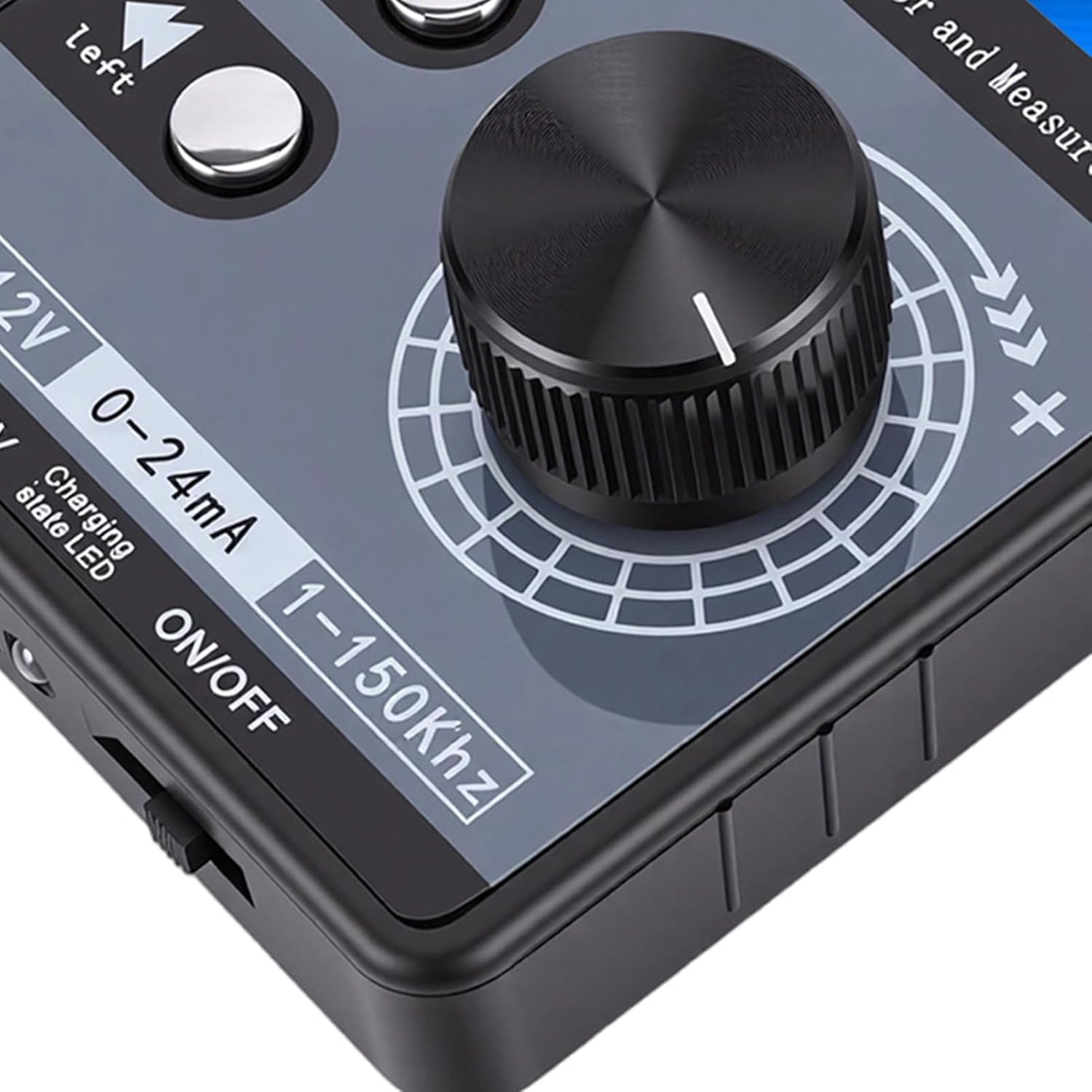
- Digital encoder adjustment knob (with button, can be pressed)
- د چپ شفټ کیلي
- د بریښنا سویچ
- د چارج کولو شاخص رڼا
- USB پورټ
۴.۲ د بریښنا رسولو اختیارونه
The signal generator offers flexible power supply methods:
- External 24VDC Terminal: Connect a 24VDC power source to the designated terminals.
- د USB ډول-C: Use the provided USB Type-C cable to connect to a power adapter or computer.
- Rechargeable Li Battery: The device supports an internal rechargeable lithium battery (not included). When a battery is installed, it can be charged via USB Type-C or external 24VDC while in use.

شکل 1.3: Multiple power supply methods for the signal generator.
1.4 د ارتباط ډیاګرام
Refer to the following diagram for proper terminal connections. Terminal numbers are read from left to right (1-9).

شکل 1.4: Terminal Connection Diagram.
- GND (1): Power supply negative (input). This is the same as 9-GND and can be arbitrarily connected.
- ۱۲ وولټ (۲۵): Power supply positive (input). External power input to power or charge the meter.
- mA i (3): Current signal input positive.
- Vi (4): والیtage signal input positive.
- LP+ (5): EXT 24V input (passive mode).
- mA o (6): Current signal output positive. The current output is commonly used in active mode. The output of the meter 6-mAo 9-GND corresponds to positive and negative current input of the PLC.
- Vo (7): والیtage signal output positive. The voltage محصول 7-Vo 9-GND corresponds to the positive and negative voltage input of the PLC, or it can be measured directly with a multimeter.
- PWM (8): PWM output positive.
- GND (9): Signal common ground (internal connect to ①-GND).
Current Sink Two-Wire Output: سره وصل کړئ 24V + ته 5-LP+ terminal of the meter head, and output from the 6-mAo terminal to control the current of the external 24V. The meter head is equivalent to a variable resistor, so it is called passive mode. Direct measurement cannot detect the current, and it can be directly replaced with a passive two-wire pressure/temperature sensor, etc.
2. عملیاتي لارښوونې
2.1 User Interface and Display
The device features a 2.0-inch TFT color screen (320x240) that displays all values clearly on one screen. It supports both Chinese and English interface switching. The large digital encoder knob allows for easy and precise adjustments.

شکل 2.1: TFT Color Screen Display.

شکل 2.2: Digital Encoder Adjustment Knob.
2.2 DC Voltage او اوسنی محصول
- والیtage DC Analog Output Range: ±12V (with short circuit protection).
- Current DC Analog Output Range: 0-24mA (short circuit protected).
- د محصول سمون: Users can freely set the output range, such as 0-20mA, 4-20mA, 0-10V, 0-5V, etc. The corresponding engineering display values can also be set.
2.3 PWM Pulse Square Wave Output
- Adjustable Frequency: 1-150kHz
- Adjustable Duty Cycle: 0-100٪.
- لوړه کچه: 5V
- غوښتنلیک: PWM pulse output high level is 5V, low level is 0V. It can directly drive buzzers, LEDs, optocouplers, etc., or connect to 12V/24V systems through external level conversion modules.

شکل 2.3: Signal generator connected and operating.
2.4 Input Measurement
- والیtagد اندازه کولو سلسله: ±50V
- د اوسني اندازه کولو سلسله: ±50mA.
3. ساتنه
To ensure the longevity and optimal performance of your Luqeeg Signal Generator, follow these maintenance guidelines:
- پاکول: Use a soft, dry cloth to clean the device. Avoid using abrasive cleaners or solvents, which can damage the casing یا سکرین.
- ذخیره کول: وسیله په یخ او وچ ځای کې د مستقیم لمر وړانګو، سختې تودوخې او لوړې رطوبت څخه لرې وساتئ.
- سمبالول: Handle the device with care to prevent physical damage. Avoid dropping it or exposing it to strong impacts.
- Battery Care (if installed): If using a rechargeable Li battery, ensure it is charged regularly, even if not in frequent use, to maintain battery health. Do not expose the battery to extreme heat or puncture it.
- محافظتي فلم: The surface protective film of the sticker can be peeled off for clearer viewing.
4. ستونزه حل کول
This section addresses common issues you might encounter with your signal generator.
- وسیله نه فعاله کیږي:
- وګورئ چې ایا د بریښنا سویچ په "آن" حالت کې دی.
- Ensure the USB Type-C cable is securely connected and the power source is active.
- If using external 24VDC, verify the power supply is connected correctly to the terminals and is providing the correct voltage.
- If using a rechargeable battery, ensure it is charged.
- د محصول سیګنال نشته:
- Verify that the output parameters (voltage, current, PWM frequency, duty cycle) are set correctly on the display.
- Check all connections to the output terminals for proper contact.
- Ensure the device is powered on and functioning.
- Incorrect Output Readings:
- Confirm that the measurement range is appropriate for the signal being measured.
- Check the calibration settings if custom ranges have been configured.
- ډاډ ترلاسه کړئ چې ټولې اړیکې خوندي او له مداخلې څخه پاکې دي.
- PWM Output Compatibility:
یادونه: The PWM output of this device is not suitable for 12V or 2V systems, as 5V is regarded as a low level in these systems. For such applications, an external level conversion module is required.
5. تخنیکي مشخصات
| فیچر | مشخصات |
|---|---|
| د محصول مواد | ABS |
| والیtage DC Analog Output Range | ±12V (with Short Circuit Protection) |
| والیtagد اندازه کولو سلسله | ±50V |
| Current DC Analog Output Range | 0-24mA (Short Circuit Protected) |
| د اوسني اندازه کولو سلسله | ±50mA |
| PWM Pulse Square Wave Output Frequency | 1-150kHz (Adjustable) |
| PWM Pulse Square Wave Output Duty Cycle | 0-100% (Adjustable) |
| PWM لوړه کچه | 5V |
| ښودل | 2.0 inch TFT color screen (320x240), supports Chinese and English |
| کوډ کوونکی | Digital encoder, large knob adjustment |
| د بریښنا رسولو طریقې | Terminal external 24VDC / USB Type-C / 1 x Rechargeable Li Battery (not included) |
| د کڅوړې ابعاد | 5.91 x 3.54 x 1.97 انچه |
| د توکي وزن | 7.8 اونس |
| د ماډل شمیره | Luqeegbnay3rfesc |
| ASIN | B0GDFZ67MF |
6. د تضمین معلومات
Luqeeg products are manufactured to high quality standards. This product is covered by a manufacturer's warranty against defects in materials and workmanship. Please refer to the warranty card included with your product or contact Luqeeg customer support for specific warranty terms and conditions. Keep your purchase receipt as proof of purchase for warranty claims.
7. د پیرودونکي ملاتړ
For technical assistance, troubleshooting, or any questions regarding your Luqeeg Signal Generator, please visit the official Luqeeg store or contact their customer support. You can find more information and contact details at the Luqeeg Store on Amazon.