1. پیژندنه او وروستهview
The StarTech.com 2-in-1 USB KVM Cable (SVUSB2N1_6) is designed to connect VGA and USB-equipped computers to a KVM (Keyboard, Video, Mouse) switch. This cable integrates both VGA video and USB keyboard/mouse signals into a single, convenient cable assembly, helping to reduce cable clutter and simplify connections in your workspace. It ensures crystal clear display quality and reliable performance for your KVM setup.
2. د محصول ب Featuresې
- Connects VGA and USB-equipped computers to a KVM Switch using a single cable.
- 6-foot (1.8m) length for flexible placement.
- Combines VGA video, USB keyboard, and USB mouse signals.
- د اوږدمهاله فعالیت لپاره دوامدار ساختمان.
3. د بسته محتويات
ډاډ ترلاسه کړئ چې ټول توکي ستاسو په کڅوړه کې شتون لري:
- 1x StarTech.com 2-in-1 USB KVM Cable (SVUSB2N1_6)

Figure 1: StarTech.com 2-in-1 USB KVM Cable Packaging. The packaging displays the product name, length, and model number SVUSB2N1_6, along with a UPC barcode 065030788632.
۴. د تنظیم لارښوونې
Follow these steps to connect your computer to a KVM switch using the SVUSB2N1_6 cable:
- د نښلونکو پیژندنه: Locate the VGA (blue, 15-pin) and USB-A (rectangular) connectors on one end of the cable, and the VGA (blue, 15-pin) and USB-B (square) connectors on the other end.
- کمپیوټر سره وصل کړئ: Plug the VGA male connector and the USB-A male connector into the corresponding female ports on your computer. Ensure a secure connection for both.
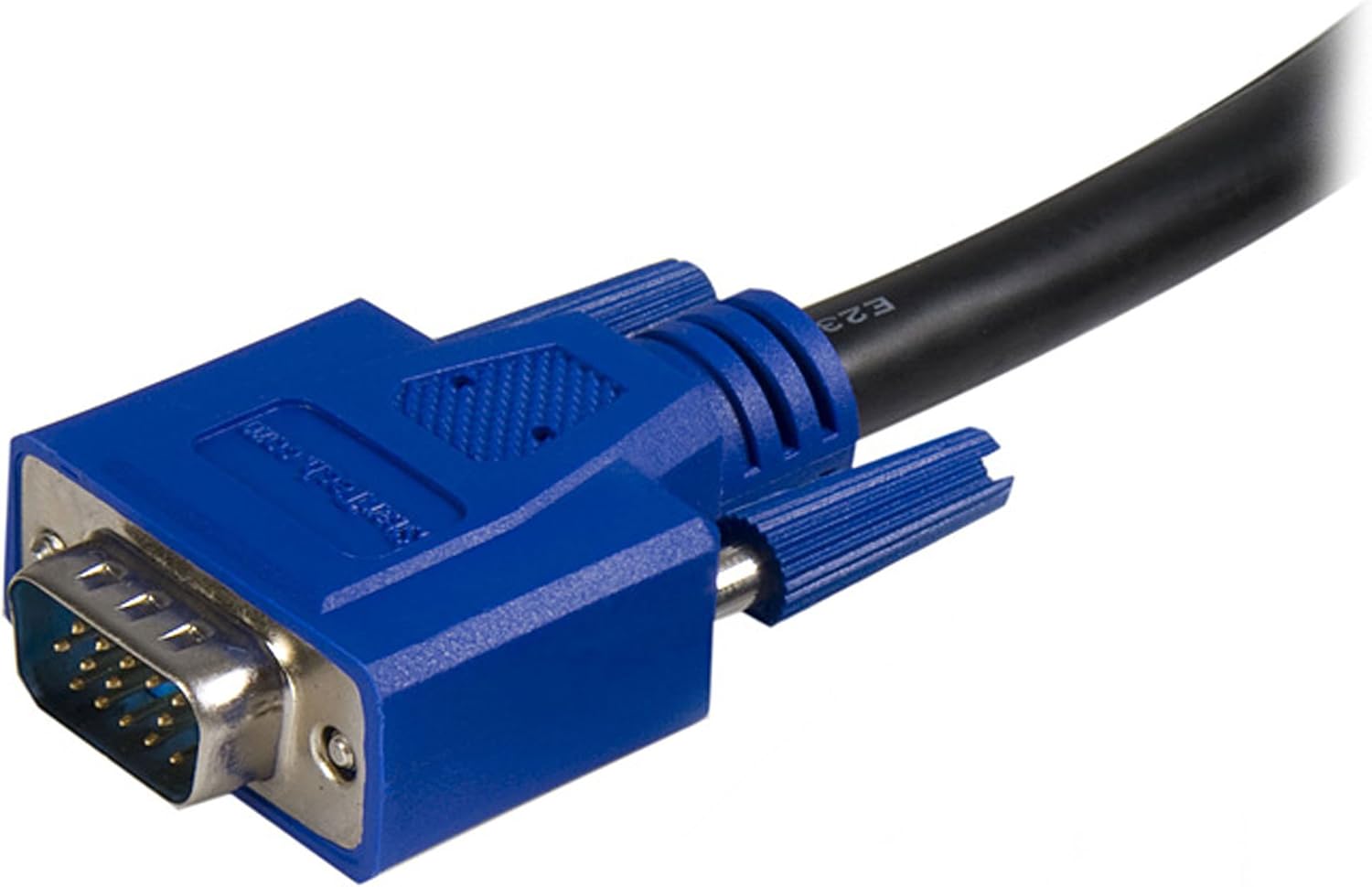
Figure 2: Close-up of the male VGA connector. This connector carries video signals.

Figure 3: Close-up of the male USB-A connector. This connector typically connects to the computer's USB port for keyboard and mouse data.
- د KVM سویچ سره وصل شئ: Plug the remaining VGA male connector and the USB-B male connector into the designated computer input ports on your KVM switch. The USB-B connector on the cable connects to the USB-B port on the KVM switch, which then routes keyboard and mouse signals to the connected computer.

شکل 4: بل view of the male VGA connector.
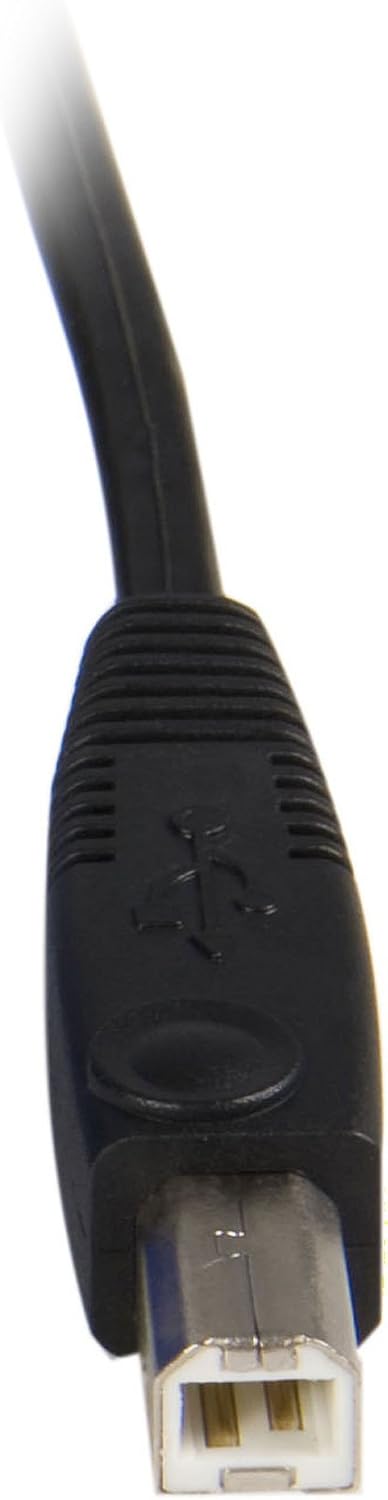
Figure 5: Close-up of the male USB-B connector. This connector typically connects to the KVM switch.
- پاور آن: Ensure your KVM switch and connected computers are powered on.
This cable is compatible with StarTech.com KVMs and can also work with various models from other brands such as Aten (CS102U, CS104U), Belkin (F1DN102U, F1DN104U, F1DN108U), TrippLite (B006-004-R), Cables to go (35555, 35566, 35554, 52064), and IOGear (GCS102U, GCS104U).
5. عملیاتي لارښوونې
The StarTech.com 2-in-1 USB KVM Cable facilitates the connection between your computer and a KVM switch. The operation of switching between connected computers, or controlling peripherals, is managed directly by the KVM switch itself. Refer to your KVM switch's instruction manual for specific operating procedures, hotkey commands, or button functions.
6. ساتنه
To ensure the longevity and optimal performance of your KVM cable, follow these maintenance guidelines:
- په احتیاط سره سمبالول: Avoid bending the cable sharply or placing heavy objects on it, as this can damage internal wires.
- پاک ساتل: Periodically wipe the cable and connectors with a soft, dry cloth to remove dust and debris. Do not use liquid cleaners directly on connectors.
- مناسب ذخیره کول: کله چې په کارولو کې نه وي، کیبل په نرمۍ سره وصل کړئ او په وچ او یخ ځای کې یې د مستقیم لمر وړانګو څخه لرې وساتئ.
- اړیکې معاینه کړئ: Regularly check that all connectors are securely seated in their respective ports.
7. ستونزه حل کول
If you encounter issues with your KVM cable, consider the following troubleshooting steps:
- په مانیټر کې هیڅ نندارتون نشته:
- Ensure the VGA connectors are fully inserted into both the computer's video output and the KVM switch's video input.
- Verify that the monitor is powered on and correctly connected to the KVM switch's monitor output.
- Test the monitor and computer with a different VGA cable if possible to rule out other component issues.
- کیبورډ یا موږک ځواب نه ورکوي:
- Check that the USB-A and USB-B connectors of the KVM cable are securely plugged into the computer and KVM switch, respectively.
- Ensure the KVM switch is powered on and functioning correctly.
- Try connecting the keyboard and mouse directly to the computer to confirm they are operational.
- Some KVM switches may require specific USB ports or drivers; consult your KVM switch manual.
- متقابل ارتباط:
- Loose connections are a common cause. Re-seat all cable connectors firmly.
- Ensure the cable is not excessively bent or kinked, which could damage internal wiring.
8. مشخصات
| برانډ | سټارټیک. com |
| د ماډل نوم | SVUSB2N1_6 |
| د کیبل اوږدوالی | 6 فوټ (1.8 متر) |
| Connector Type (Computer Side) | VGA (HD-15 Male), USB Type-A (Male) |
| Connector Type (KVM Side) | VGA (HD-15 Male), USB Type-B (Male) |
| رنګ | تور |
| د کیبل ډول | کواکسیال |
| مطابقت لرونکې وسیلې | Personal Computer, KVM Switches |
| د معلوماتو د لیږد کچه | Up to 1000 Megabits Per Second (USB) |
| د پنونو شمیر | 15 (VGA) |
| د محصول ابعاد (د بسته بندۍ) | 5.59 x 1.02 x 10.63 انچه |
| د توکي وزن | 10.2 اونس (0.29 کیلوګرامه) |
| UPC | 065030788632 |
9. تضمین او ملاتړ
دا StarTech.com محصول د a لخوا ملاتړ کیږي د ټول عمر تضمین. For technical support or warranty inquiries, please visit the official StarTech.com website or contact their customer service department. Ensure you have your product model number (SVUSB2N1_6) and proof of purchase available when seeking support.