1. پیژندنه
This manual provides instructions for the Insignia 7" Widescreen LCD Digital Photo Frame, model NS-DPF7WA-09. This device allows you to display digital photos from memory cards or its internal memory, offering various slideshow options and display settings. It features a 7-inch TFT-LCD screen with a 16:9 widescreen aspect ratio, 800 x 480 resolution, and 500:1 contrast ratio for clear image presentation.
Please read this manual thoroughly before operating your digital photo frame to ensure proper use and to maximize its features.
2. د بسته محتويات
ډاډ ترلاسه کړئ چې ټول توکي په کڅوړه کې شتون لري:
- Insignia 7" Widescreen LCD Digital Photo Frame
- ریموټ کنټرول
- د بریښنا اډاپټر
- د مالک لارښود (دا سند)
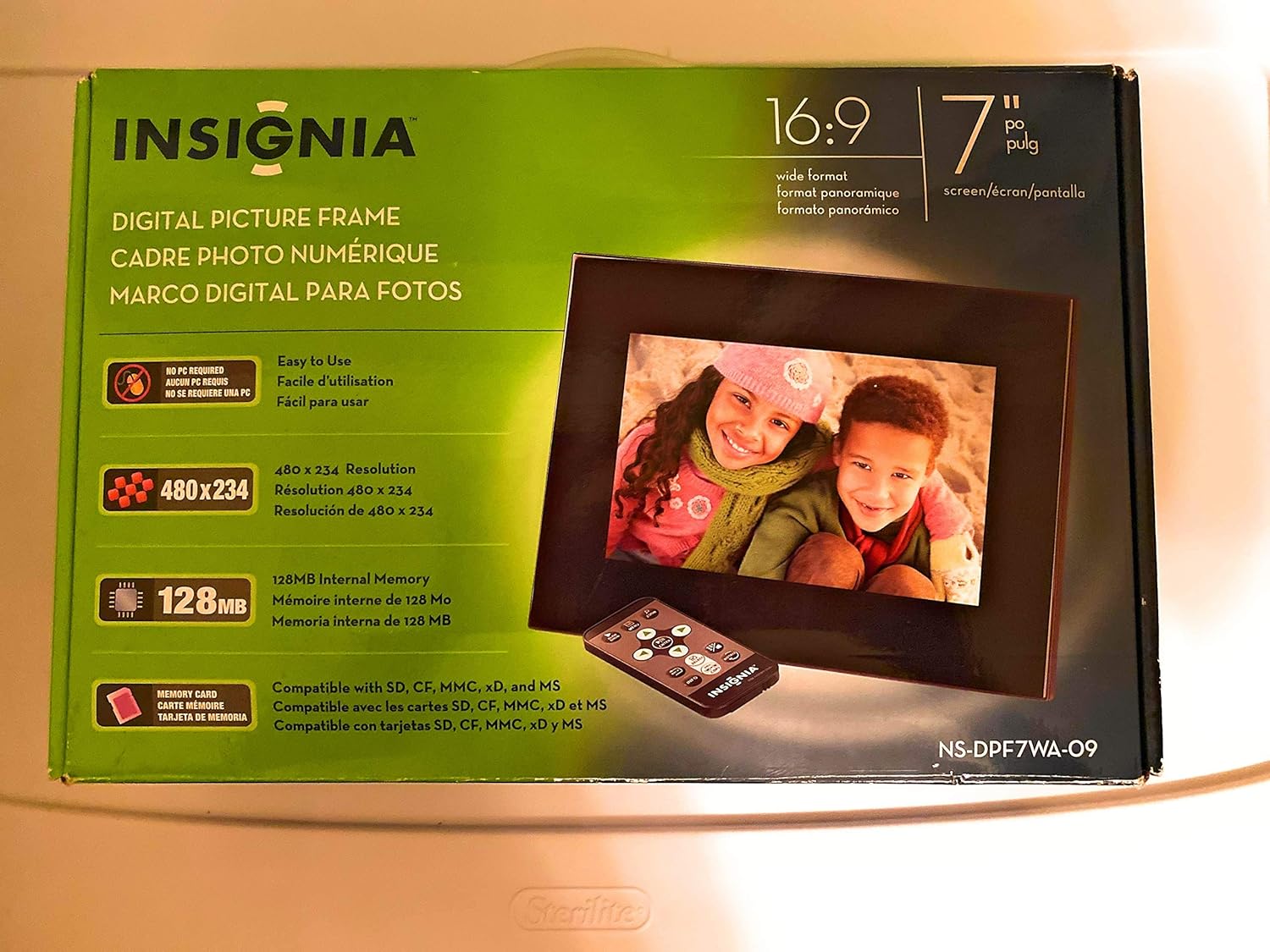
Image 1: Retail packaging of the Insignia 7" Widescreen LCD Digital Photo Frame, highlighting key features like screen size, resolution, internal memory, and supported memory card types.
3. ترتیب کول
3.1 Positioning the Frame
The digital photo frame includes a multiple-position adjustable stand. Adjust the stand to achieve an optimal viewing angle for your desired location.
3.2 د بریښنا نښلول
- Connect the power adapter to the DC IN port on the back of the digital photo frame.
- د بریښنا اډاپټر بله پای په معیاري بریښنایی آوټ لیټ کې ولګوئ.
- The frame will typically power on automatically or enter standby mode.
۵.۳ د حافظې کارتونو داخلول
The frame supports various memory card formats. Locate the memory card slot(s) on the side or back of the frame.
- Supported formats include: Secure Digital (SD), Secure Digital High Capacity (SDHC), microSD, Memory Stick (MS), Memory Stick PRO Duo, MultiMediaCard (MMC), and xD-Picture Card.
- Insert the memory card gently into the appropriate slot until it clicks into place. Ensure the card is inserted in the correct orientation.

Image 2: The Insignia 7" Widescreen LCD Digital Photo Frame unboxed, showing the frame, remote control, and a portion of the manual. This view helps identify the physical components.
4. عملیاتي لارښوونې
4.1 ریموټ کنټرول اوورview
The included remote control provides full functionality for navigating menus and controlling playback. Ensure the remote's battery is functional. A small tray on the back of the digital photo frame is provided for remote storage.
4.2 Playing a Slideshow
The digital photo frame can play slideshows from either an inserted memory card or its 128MB internal memory.
- سرچینه وټاکئ: Use the remote control to navigate to the main menu and select your desired photo source (e.g., "Memory Card" or "Internal Memory").
- Start Slideshow: Once the source is selected, the frame will typically begin a slideshow automatically.
- د سلایډ شو ترتیبات: Access the settings menu to customize slideshow options, including:
- Transitional Styles: Choose from multiple visual effects between photos.
- تغیر سرعت: د هر عکس د ښودلو موده تنظیم کړئ.
4.3 Adjusting Photo View
Within the slideshow or photo browsing mode, you can often adjust how individual photos are displayed. Options may include zoom, rotate, or fit-to-screen. Refer to the on-screen menu for specific controls.
4.4 Changing Display Settings
The frame's settings menu allows you to modify various display parameters:
- روښانتیا/ تضاد: Adjust screen brightness and contrast for optimal viewد روښنايي په مختلفو شرایطو کې.
- د اړخ نسبت: Configure how images are scaled to fit the 16:9 widescreen display.
- اتومات بریښنا بند: Enable or disable the auto power off feature, which conserves energy by turning off the frame after a period of inactivity.
- نېټه/وخت: اوسنی نیټه او وخت تنظیم کړئ.
5. ساتنه
- د سکرین پاکول: د LCD سکرین په نرمۍ سره پاکولو لپاره د نرم، لینټ نه پاک ټوکر څخه کار واخلئ. د سختو داغونو لپاره، لږ څهampen the cloth with water or a screen-cleaning solution designed for electronics. Avoid harsh chemicals or abrasive materials.
- د چوکاټ پاکول: Wipe the exterior of the frame with a soft, dry cloth.
- ذخیره کول: کله چې د اوږدې مودې لپاره نه کارول کیږي، چوکاټ په یخ او وچ ځای کې وساتئ، د مستقیم لمر وړانګو او سختې تودوخې څخه لرې.
- د بریښنا اډاپټر: Ensure the power adapter cable is not bent or damaged.
6. ستونزه حل کول
If you encounter issues with your Insignia digital photo frame, refer to the following common solutions:
| ستونزه | د حل لاره |
|---|---|
| چوکاټ نه چالانېږي. |
|
| ریموټ کنټرول غیر ځواب ویونکی دی. |
|
| Photos are not displaying or appear distorted. |
|
| Slideshow transitions are slow or clumpy. |
|
7. مشخصات
| فیچر | تفصیل |
|---|---|
| د ماډل شمیره | NS-DPF7WA-09 |
| د سکرین اندازه | ۷۸۷ انچه |
| د ښودلو ډول | TFT-LCD |
| د اړخ نسبت | 16: 9 پراخه سکرین |
| قرارداد | 800 x 480 (SVGA) |
| د تناسب تناسب | 500:1 |
| داخلي حافظه | 128MB |
| ملاتړ شوي میموري کارتونه | Secure Digital (SD), Secure Digital High Capacity (SDHC), microSD, Memory Stick (MS), Memory Stick PRO Duo, MultiMediaCard (MMC), xD-Picture Card |
| د محصول ابعاد | 2.2 x 9.2 x 6.5 انچه |
| د توکي وزن | ۲.۴۵ پونډه |
| د بریښنا سرچینه | د بریښنا اډاپټر (شامل دی) |
| د ریموټ کنټرول بیټرۍ | ۱ لیتیم فلزي بیټرۍ (لازمي ده) |
8. تضمین او ملاتړ
For warranty information or technical support, please refer to the warranty card included with your product or visit the official Insignia support webسایټ د تضمین ادعاګانو لپاره خپل د پیرود رسید وساتئ.
آنلاین ملاتړ: www.insigniaproducts.com/support


