1. پیژندنه
This manual provides essential information for the installation, operation, and maintenance of the Cisco Catalyst WS-C2960S-24TS-L 2960 Series 24-Port Gigabit Ethernet Switch. The Cisco Catalyst 2960-S and 2960 Series Switches are designed to provide reliable network performance and availability, supporting business applications and security services. These switches are suitable for growing businesses requiring optimized network bandwidth and fast, reliable application delivery.
2. ترتیب کول
2.1 پیک کول او تفتیش کول
Carefully unpack the switch and inspect it for any signs of damage during shipping. Ensure all components listed in the packing list are present. If any items are missing or damaged, contact your vendor immediately.
2.2 د سایټ چمتو کول
د نصبولو دمخه، ډاډ ترلاسه کړئ چې د نصب کولو ځای لاندې اړتیاوې پوره کوي:
- د ډیر تودوخې مخنیوي لپاره کافي هوا ورکول.
- Stable power source (240 Volts).
- Operating temperature within 0°C to 40°C (32°F to 104°F).
- Sufficient space for cable routing and maintenance access.
2.3 د سویچ نصب کول
The switch can be mounted in a standard 19-inch equipment rack or placed on a flat, stable surface. For rack mounting, use the provided rack-mount kit and secure the switch firmly. Ensure proper grounding.
2.4 د نښلولو بریښنا
Connect the power cord to the AC power receptacle on the rear of the switch and then to a grounded AC outlet. The switch will power on automatically.
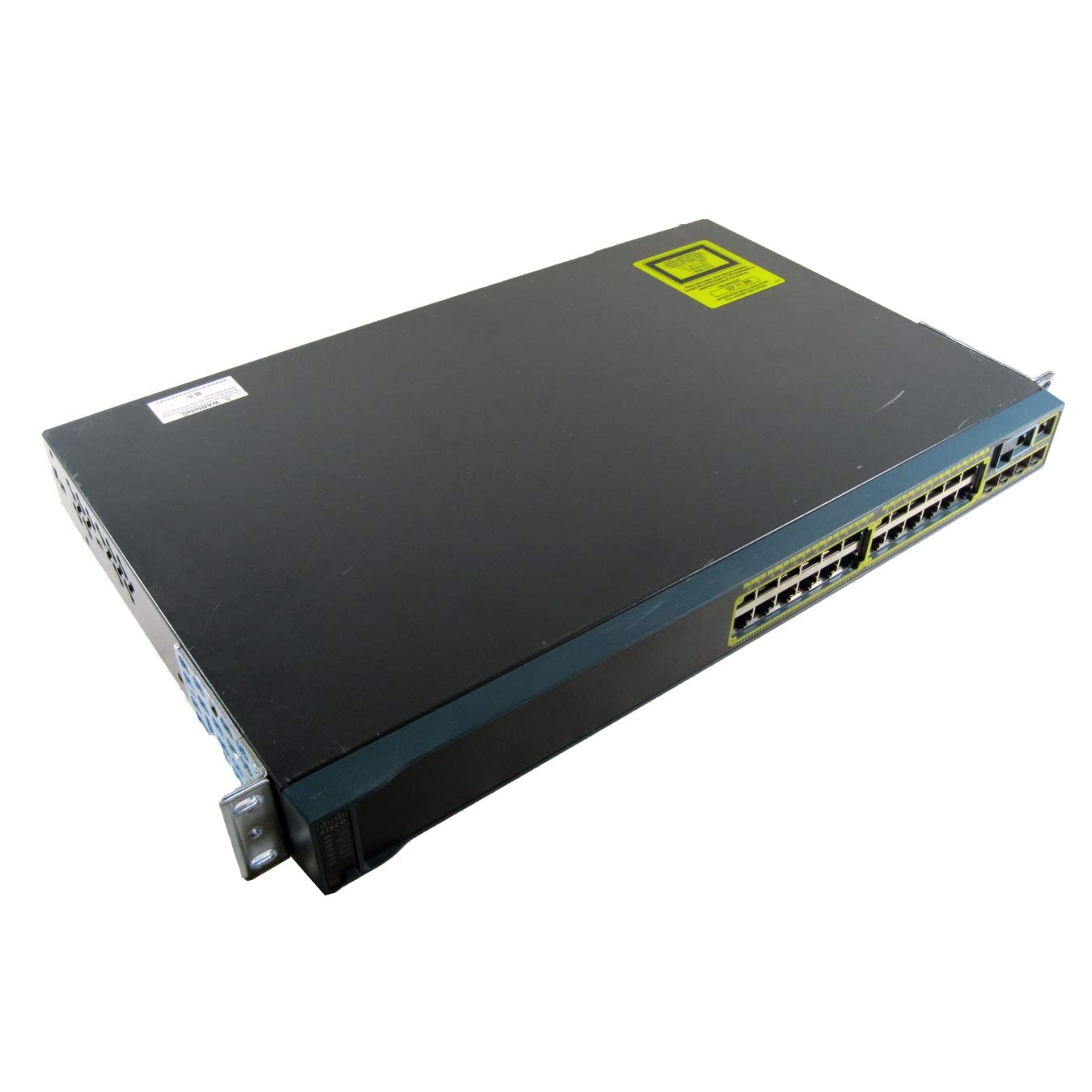
شکل 1: شاته view of the Cisco Catalyst WS-C2960S-24TS-L switch, illustrating the power input, console port, and other interfaces. This view helps identify connection points for initial setup.
2.5 د شبکې اړیکې
Connect network devices (computers, servers, other switches) to the 24 RJ-45 Gigabit Ethernet ports using standard Ethernet cables. For uplink connections or stacking, utilize the SFP/SFP+ expansion slots and stack ports as required.
3. عملیات
3.1 ابتدايي ترتیب
Upon initial power-up, the switch will perform a self-test. Access the switch's command-line interface (CLI) via the console port or through a network connection using Telnet or SSH for configuration. Refer to the Cisco IOS Software Configuration Guide for detailed configuration procedures.
3.2 د LED شاخصونه
Monitor the LED indicators on the front panel to check the status of the switch and its ports. Common indicators include:
- سیسټم LED: د سیسټم عمومي حالت په ګوته کوي (د مثال په توګه، د عادي عملیاتو لپاره شنه، د غلطۍ لپاره امبر).
- د پورټ حالت LEDs: Indicate link activity, speed, and duplex status for each port.
- د سټیک LED: Indicates the status of the stacking connection (if applicable).
۴.۴ د شبکې بنسټیز مدیریت
The switch supports various management protocols, including SNMP, Telnet, SSH, and a web-based interface (if enabled). Use these tools to monitor network traffic, configure VLANs, manage security settings, and perform firmware upgrades.
4. ساتنه
4.1 منظم پاکول
Periodically clean the exterior of the switch with a soft, dry cloth. Ensure ventilation openings are free from dust and debris to maintain proper airflow and prevent overheating.
4.2 د فرم ویئر تازه معلومات
په منظم ډول سیسکو وګورئ website for the latest firmware updates. Applying updates can improve performance, add new features, and address security vulnerabilities. Follow Cisco's recommended procedures for firmware upgrades to avoid service interruptions.
۵.۶ د چاپیریال څارنه
Ensure the operating environment remains within the specified temperature and humidity ranges. Extreme conditions can affect the switch's reliability and lifespan.
5. ستونزه حل کول
۱ برېښنا نشته
- ډاډ ترلاسه کړئ چې د بریښنا تار په خوندي ډول د سویچ او بریښنا آوټ لیټ دواړو سره وصل دی.
- د بل وسیلې په لګولو سره وګورئ چې ایا د بریښنا آوټ لیټ فعال دی.
- Ensure the power source provides the correct voltage (240 ولټه).
۸.۲ په پورټ کې هیڅ لینک نشته
- د ایترنیټ کیبل د زیان لپاره وګورئ او ډاډ ترلاسه کړئ چې دا په دواړو سرونو کې په سمه توګه ځای پر ځای شوی دی.
- ډاډ ترلاسه کړئ چې وصل شوی وسیله فعاله ده او په سمه توګه کار کوي.
- Try a different port on the switch or a different cable.
- په سویچ کې د پورټ ترتیب وګورئ (د مثال په توګه، سرعت، ډوپلیکس ترتیبات).
۵.۳ د شبکې د اتصال مسلې
- Confirm IP addressing and subnet mask configurations on connected devices and the switch.
- Check for VLAN configuration errors if VLANs are in use.
- Review switch logs for error messages or port flapping events.
- Perform a basic ping test from a connected device to the switch's IP address.
6. مشخصات
| فیچر | تفصیل |
|---|---|
| د ماډل شمیره | د WS-C2960S-24TS-L لپاره تفتیش وسپارئ، موږ به په 24 ساعتونو کې له تاسو سره اړیکه ونیسو. |
| برانډ | سیسکو |
| بندرونه | 24 x RJ-45 Gigabit Ethernet, Stack Port, 5 x Expansion Slots (SFP/SFP+) |
| د انٹرفیس ډول | RJ45, SFP, PoE, PoE+, SFP+ |
| د معلوماتو د لیږد کچه | په ثانیه کې ۱۰۰۰ میګابایټونه (ګیګابایټ ایترنیټ) |
| والیtage | 240 ولټه |
| د لوړ حرارت درجه درجه | 40 درجې سیلسیس |
| د محصول ابعاد | 17.52 x 11.77 x 1.77 انچه |
| د توکي وزن | ۷.۹۶ پونډه (۳.۶۲ کیلوګرامه) |
| د قضیې مواد | پلاستیک |
| رنګ | تور |
7. تضمین او ملاتړ
7.1 د تضمین معلومات
دا محصول د الف سره راځي 30-day warranty for defective reasons only. مهرباني وکړئ د تضمین ادعاوو لپاره د پیرود ثبوت وساتئ. تضمین د عادي استعمال شرایطو لاندې د تولید نیمګړتیاوې پوښي.
7.2 تخنیکي ملاتړ
For technical assistance, product documentation, or to report issues, please visit the official Cisco support website or contact your authorized Cisco reseller. Ensure you have your product model number (WS-C2960S-24TS-L) and serial number available when seeking support.
یادونه: Cisco's official webسایټ (www.cisco.com/support) is the primary resource for comprehensive documentation and support services.


