پیژندنه
This instruction manual provides comprehensive guidance for the installation, operation, maintenance, and troubleshooting of your Intel Classic DH61CR Desktop Motherboard. Please read this manual thoroughly before proceeding with installation or operation to ensure proper functionality and to prevent damage to the product or other components.
The Intel DH61CR motherboard is designed to support Intel LGA 1155 socket processors and DDR3 memory, offering a reliable foundation for personal computer systems.
تنظیم او نصب کول
1. Unpacking and Component Overview
Carefully remove the motherboard from its packaging. Inspect all components for any signs of damage. Ensure all accessories listed in the product documentation are present.
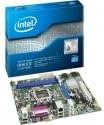
Image: The Intel DH61CR Desktop Motherboard shown alongside its retail packaging. This image provides a visual reference for the product and its initial presentation.
Familiarize yourself with the layout of the motherboard, including the CPU socket, RAM slots, expansion slots, and various connectors.
۲.۲. د CPU نصبول (LGA ۱۷۰۰ ساکټ)
- په مور بورډ کې د LGA 1155 CPU ساکټ ومومئ.
- په نرمۍ سره د بار لیور ښکته کړئ او اړخ ته یې کش کړئ ترڅو د CPU ساکټ ساتلو چوکاټ خلاص شي.
- په CPU باندې مثلثي نښه د ساکټ سره ورته نښه سره سمون ورکړئ. CPU په احتیاط سره ساکټ ته دننه کړئ پرته لدې چې فشار ورکړئ.
- Close the retention frame and secure it by pushing the load lever back into its locked position.
- Apply a thin, even layer of thermal paste to the top of the CPU (if not pre-applied to the cooler).
- Install the CPU cooler according to its manufacturer's instructions, ensuring it is securely fastened and making good contact with the CPU.
۲.۳. د RAM نصبول (DDR3)
- Identify the DDR3 memory slots. The Intel DH61CR supports DDR3 RAM.
- د حافظې سلاټ په دواړو سرونو کې کلپونه خلاص کړئ.
- Align the notch on the DDR3 memory module with the key in the memory slot.
- Press down firmly on both ends of the memory module until the clips snap into place, securing the module.
۲.۴. د ذخیره کولو وسایلو نصبول
Connect your SATA hard drives or solid-state drives to the SATA ports on the motherboard using SATA data cables. Ensure the power cables from your power supply are also connected to these devices.
۵. د بریښنا رسولو اتصالونه
- Connect the 24-pin ATX power connector from your power supply to the main power socket on the motherboard.
- Connect the 4-pin (or 8-pin, if applicable) ATX 12V power connector to the CPU power socket.
- ډاډ ترلاسه کړئ چې د بریښنا ټولې اړیکې خوندي دي.
۵.۸. د مخکینۍ تختې اړیکې
Connect the front panel cables from your computer case (power button, reset button, HDD LED, power LED, USB ports, audio jacks) to the corresponding headers on the motherboard. Refer to the motherboard's silkscreen labels for correct pin assignments.
7. Expansion Cards
Install any necessary expansion cards (e.g., graphics card, network card) into the appropriate PCIe x16 or PCIe x1 slots. Secure them with the case's retention mechanism.
عملیاتي لارښوونې
۳. لومړی بوټ
After all components are installed and connected, connect your monitor, keyboard, and mouse. Power on the system. The system should display the BIOS POST screen. If not, refer to the Troubleshooting section.
۶.۲. د BIOS/UEFI لاسرسی
To access the BIOS/UEFI setup utility, press the designated key (commonly ډیل, F2، یا F10) during the initial boot sequence. The exact key is usually displayed on the screen during POST.
Within the BIOS/UEFI, you can configure boot order, system time, hardware settings, and other advanced options. Save changes before exiting.
ساتنه
1. پاکول
Regularly clean the interior of your computer case to prevent dust buildup, which can lead to overheating. Use compressed air to remove dust from fans, heatsinks, and motherboard components. Ensure the system is powered off and unplugged before cleaning.
۱۲. د BIOS تازه معلومات
په دوره یي ډول د انټیل ملاتړ وګورئ website for BIOS updates for your DH61CR motherboard. BIOS updates can improve system stability, add support for new hardware, or fix bugs. Follow the instructions provided by Intel carefully when performing a BIOS update to avoid system damage.
د ستونزو حل کول
If you encounter issues, review د ستونزو د حل لپاره لاندې عام ګامونه:
- ځواک نشته: Ensure all power cables (24-pin ATX, 4-pin CPU) are securely connected. Check the power supply unit (PSU) switch and wall outlet.
- نه ښودنه: Verify the monitor is connected and powered on. Ensure the graphics card (if dedicated) is properly seated and powered. If using integrated graphics, confirm the monitor is connected to the motherboard's video output.
- System Beeps: A series of beeps during startup usually indicates a hardware issue. Consult the motherboard's beep code guide (often found on the manufacturer's support website) to diagnose the specific problem (e.g., RAM error, graphics card issue).
- د سیسټم بې ثباتي/خرابی: Check for proper CPU cooler installation and thermal paste application. Ensure RAM modules are correctly seated. Test memory with diagnostic tools. Update drivers and BIOS.
- عملیاتي سیسټم نه پورته کیږي: Verify the boot order in BIOS/UEFI. Check SATA cable connections to storage devices. Ensure the operating system is correctly installed on a bootable drive.
For persistent issues, consult the Intel support webسایټ ته مراجعه وکړئ یا د دوی تخنیکي ملاتړ سره اړیکه ونیسئ.
تخنیکي مشخصات
| فیچر | مشخصات |
|---|---|
| برانډ | Intel |
| د ماډل نوم | DH61CRB3 |
| د CPU ساکټ | LGA 1155 |
| مطابقت لرونکي پروسیسرونه | Intel Core i3-2100, Intel Core i5-2400, Intel Core i7-2600, Pentium |
| د چپسیټ ډول | Intel H61 Express |
| د RAM حافظې ټیکنالوژي | DDR3 |
| اعظمي RAM | 8 جي بي |
| د حافظې ساعت سرعت | 1333 MHz |
| مطابقت لرونکې وسیلې | شخصي کمپیوټر |
| د ذخیره کولو انٹرفیس | Serial ATA/300 |
| د توسعې سلاټونه | 1 x PCIe x16 سلاټ |
| د ویډیو تولید | د CPU پورې تړلې ویډیو |
| پلیټ فارم | Windows 7, Windows Vista Ultimate |
| د محصول ابعاد | 10.5 x 8.5 x 2 انچه |
| د توکي وزن | ۲.۴۵ پونډه |
| جوړونکی | انټل |
| نیټه لومړی شتون لري | د اپریل 30، 2012 |
تضمین او ملاتړ
Warranty information for the Intel Classic DH61CR Desktop Motherboard is typically provided with the product at the time of purchase or can be found on the official Intel webسایټ. مهرباني وکړئ د تضمین ادعاوو لپاره د پیرود ثبوت وساتئ.
For technical support, driver downloads, and additional documentation, please visit the official Intel support website. You can often find detailed FAQs and community forums there to assist with common issues.
Note: Intel's official support channels are the primary resource for product-specific assistance.


