1. پیژندنه
The TP-Link TL-R470T+ Load Balance Broadband Router is designed for small businesses requiring robust and flexible network connectivity. This device offers advanced features to ensure consistent network uptime and reliable Ethernet connectivity, optimizing internet access through multiple WAN connections.
2. د محصول ب Featuresې
- څو-WAN پورټونه: Features three changeable WAN/LAN ports, allowing configuration for up to four WAN ports to meet diverse internet access requirements.
- Smart Load Balancing: Automatically distributes network traffic across multiple WAN connections based on load and bandwidth, ensuring optimal performance and reliability.
- پرمختللي امنیت: Includes Denial of Service (DoS) attack detection and blocking (TCP/UDP/ICMP flooding, Ping of Death), along with IP/MAC/URL/Web filtering functions to protect against intruders and viruses.
- Efficient Access Management: Supports PPPoE server functionality for user authentication and IP-based bandwidth control to manage bandwidth usage. The e-bulletin feature allows for periodic web-page notifications to user groups.
- د بریښنا ساتنه: Incorporates professional lightning protection technology designed to prevent electrical surges up to 4KV, safeguarding networking infrastructure.
- DDNS Support: Facilitates easy remote management using a domain name.
- IP and MAC Binding: Prevents ARP virus attacks by binding IP addresses to MAC addresses.
3. د بسته محتويات
ډاډ ترلاسه کړئ چې ستاسو کڅوړه لاندې توکي لري:
- TP-Link TL-R470T+ د بار بار بیلانس براډبنډ روټر
- د بریښنا تار
- RJ-45 ایترنیټ کیبل
- د چټک نصبولو لارښود
4. ترتیب کول
Follow these steps to set up your TL-R470T+ router:
- فزیکي اړیکه:
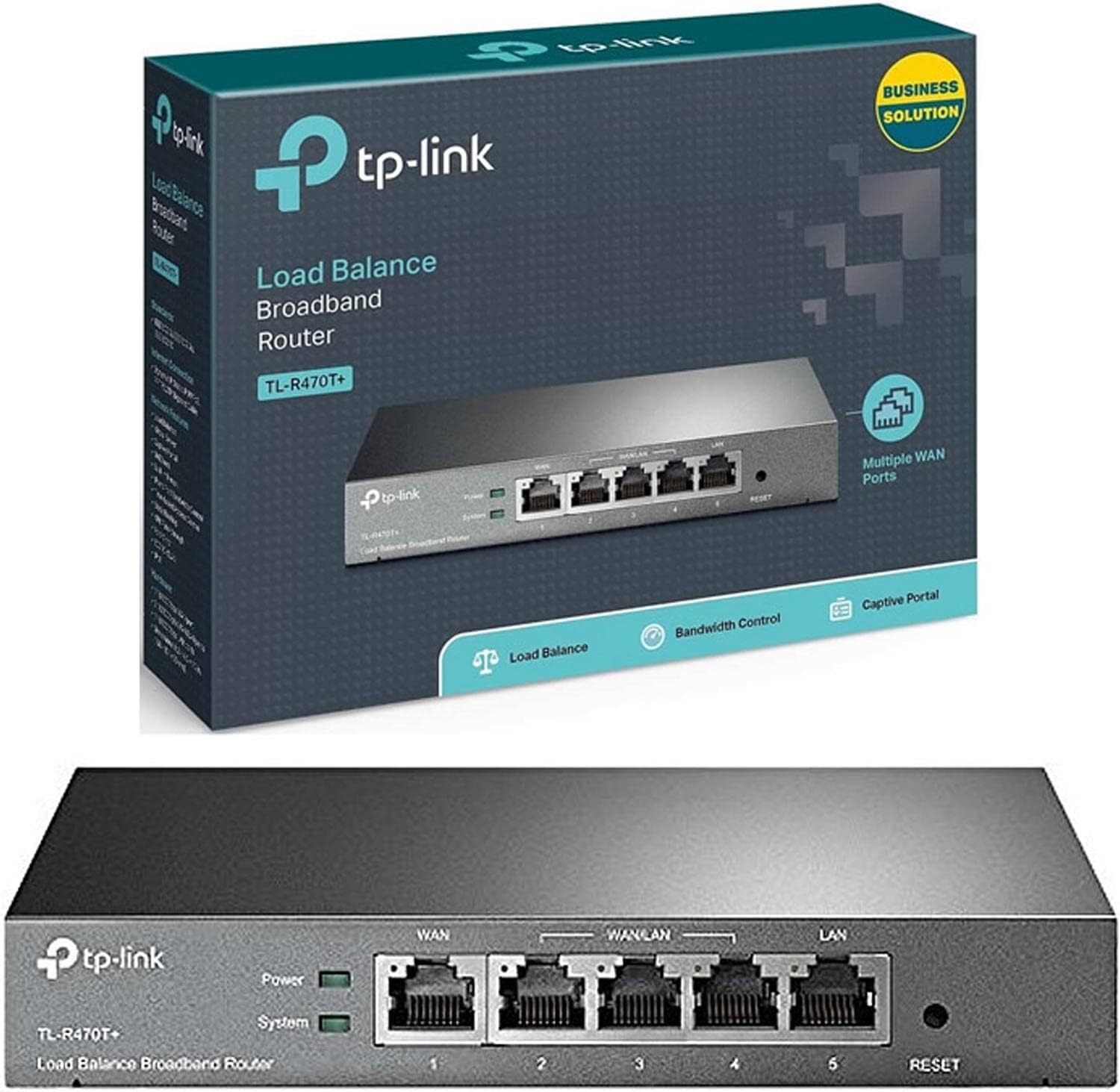
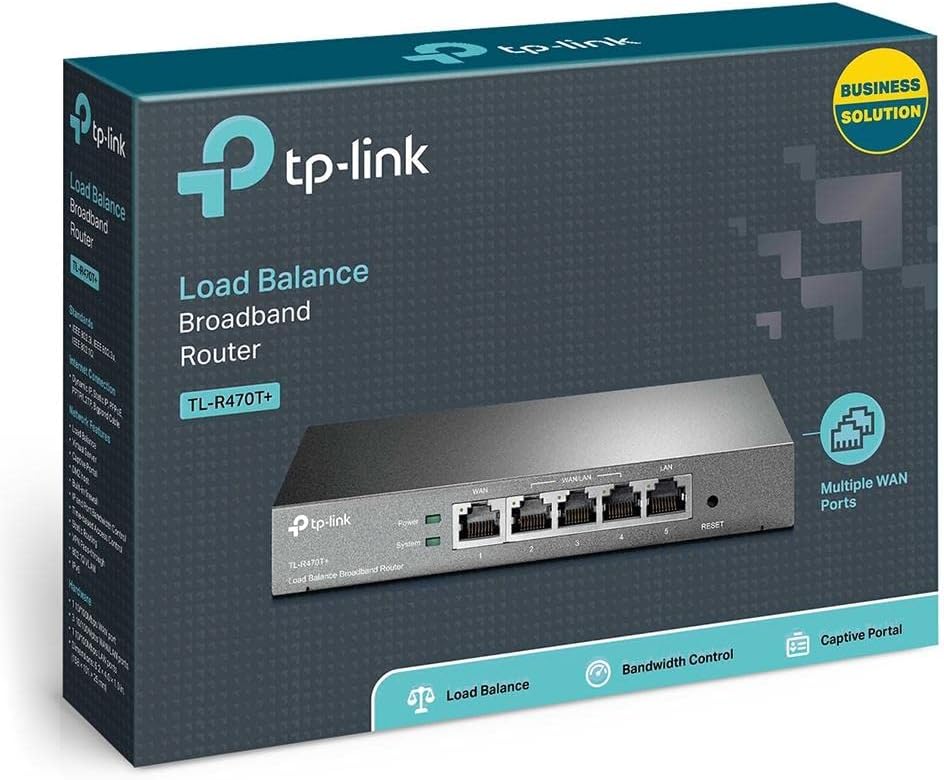
انځور: مخکینۍ برخه view of the TL-R470T+ router, displaying the WAN port, three configurable WAN/LAN ports, and one dedicated LAN port, along with power and system LED indicators.
- Connect your modem's Ethernet cable to the router's dedicated WAN port (Port 1).
- If using additional WAN connections, connect them to the configurable WAN/LAN ports (Ports 2-4).
- Connect your local network devices (computers, switches) to the LAN port (Port 5) or other configurable ports set as LAN.
- Connect the power adapter to the router's power input and plug it into an electrical outlet.
انځور: شاته view of the TL-R470T+ router, highlighting the power input (9V=0.6A) and a Kensington lock slot for physical security.
- ابتدايي ترتیب:
- خلاص a web browser on a computer connected to the router's LAN port.
- د ډیفالټ IP پته دننه کړئ (معمولا 192.168.0.1) د پتې په بار کې.
- Log in using the default username and password (refer to the Quick Installation Guide for details).
- Follow the on-screen wizard to configure your WAN connections and basic network settings.
5. عملیاتي لارښوونې
Once set up, the TL-R470T+ operates to manage your network traffic efficiently.
- د بار توازن: The router intelligently distributes internet traffic across active WAN connections. You can configure load balancing policies via the web interface to prioritize certain connections or applications.
- Firewall and Filtering: Access the security settings in the web interface to configure IP/MAC/URL filtering rules and enable DoS attack protection. This helps secure your network from external threats.
- د بینډ ویت کنټرول: Utilize the IP-based bandwidth control feature to allocate specific bandwidth limits to different users or devices on your network, ensuring fair usage and preventing congestion.
- Port Forwarding (Virtual Servers): For applications requiring external access to internal network resources (e.g., FTP servers, gaming servers), configure Virtual Servers (Port Forwarding) in the router's settings.
- Dynamic DNS (DDNS): If you have a dynamic public IP address, configure DDNS to associate a fixed domain name with your router, enabling consistent remote access.
6. ساتنه
منظم ساتنه ستاسو د روټر غوره فعالیت او اوږد عمر تضمینوي.
- د فرم ویئر تازه معلومات: په دوره یي ډول د TP-Link چارواکي وګورئ webد فرم ویئر تازه معلوماتو لپاره سایټ. د فرم ویئر تازه کول کولی شي فعالیت ښه کړي، نوي ځانګړتیاوې اضافه کړي، او امنیتي زیانونه حل کړي.
- د ترتیب بیک اپ: په منظم ډول د خپل روټر د تنظیماتو ترتیبات د دې له لارې بیک اپ کړئ web interface. This allows for quick restoration in case of accidental changes or a factory reset.
- فزیکي چاپیریال: Ensure the router is placed in a well-ventilated area, away from direct sunlight, heat sources, and moisture. Keep the device clean and free from dust accumulation.
- د بریښنا ساتنه: While the device has built-in lightning protection, ensure proper grounding of your electrical system to maximize its effectiveness.
7. ستونزه حل کول
دا برخه هغه عامې ستونزې په ګوته کوي چې تاسو ورسره مخ کیدی شئ.
- انټرنیټ ته لاسرسی نشته:
- Verify that your modem is working correctly and providing an internet connection.
- Check the WAN port LED indicators on the router; they should be lit.
- Ensure WAN settings (IP address, DNS) are correctly configured in the router's web انٹرفیس
- خپل موډیم او روټر دواړه بیا پیل کړئ.
- د انټرنېټ ورو سرعت:
- د خپل انټرنیټ خدمت چمتو کونکي سرعت وګورئ.
- Review load balancing settings to ensure optimal distribution across WANs.
- Check for any active bandwidth control rules that might be limiting speed for your device.
- لاسرسی نشم کولی Web مدیریت پاڼه:
- ډاډ ترلاسه کړئ چې ستاسو کمپیوټر د روټر د LAN پورټ سره وصل دی.
- ډاډ ترلاسه کړئ چې ستاسو د کمپیوټر IP پته د روټر په څیر په ورته سب نیٹ کې ده (د مثال په توګه، 192.168.0.x).
- د خپل براوزر کیش پاکولو یا بل براوزر کارولو هڅه وکړئ.
- If the issue persists, perform a factory reset by pressing and holding the reset button for approximately 5-10 seconds while the router is powered on. Note: This will erase all custom configurations.
8. مشخصات
| د توکي ماډل شمیره | TL-R470T+ |
| برانډ | TP-لینک |
| د انٹرفیس ډول | 1 Fixed Ethernet WAN Port, 1 Fixed Ethernet LAN Port, 3 Changeable Ethernet WAN/LAN Ports |
| د بندرونو شمیر | 5 |
| د معلوماتو د لیږد کچه | په ثانیه کې 100 میګابیتونه |
| والیtage | 240 ولټه |
| د توکي وزن | 0.46 کیلوګرامه (1.02 پونډه) |
| د محصول ابعاد | 8.3 x 1.1 x 5 انچه |
| د عملیاتي سیسټم مطابقت | Microsoft Windows 8, 7, Vista, XP or MAC OS, NetWare, UNIX or Linux |
| بې سیم ډول | 802.11ac (Note: This device is a wired router, 802.11ac refers to internal component compatibility, not wireless functionality) |
| د فلش حافظې اندازه | 4 MB |
9. تضمین او ملاتړ
د تضمین معلوماتو، تخنیکي ملاتړ، او نورو مرستو لپاره، مهرباني وکړئ رسمي TP-Link ته مراجعه وکړئ. website or contact TP-Link customer service directly. The Quick Installation Guide included with your product may also contain specific warranty details for your region.


