1. پیژندنه
Thank you for choosing the TFA 30.5027.02 Digital Thermometer/Hygrometer. This device is designed to accurately measure and display indoor temperature and humidity, providing a clear indication of the comfort level in your environment. Its ultra-flat design and high-gloss surface make it a discreet and functional addition to any room. Please read this manual carefully to ensure proper setup and operation.
2. د خوندیتوب معلومات
- دا لارښود لارښود د راتلونکي حوالې لپاره وساتئ.
- دا وسیله یوازې د داخلي کارونې لپاره ده.
- Do not expose the device to extreme temperatures, direct sunlight, moisture, or strong vibrations.
- وسیله په اوبو یا نورو مایعاتو کې مه ډوبوئ.
- Do not attempt to open or modify the device. This will void the warranty.
- بیټرۍ د ماشومانو له لاسرسي لرې وساتئ. که وخوړل شي، سمدستي طبي پاملرنه وغواړئ.
- د ځایی مقرراتو سره سم کارول شوي بیټرۍ تصفیه کړئ.
- وسیله په نرمۍ سره پاکه کړئ، دamp ټوکر د کثافاتو پاکوونکي یا محلول مه کاروئ.
3. د بسته محتويات
مهرباني وکړئ وګورئ چې ټولې برخې شتون لري او زیانمن شوي ندي:
- 1x TFA 30.5027.02 Digital Thermometer/Hygrometer
- 1x CR2 Lithium Battery (pre-installed or separate)
- ۱x د لارښوونې لارښود (دا سند)
4. محصول ختم شوview
The TFA 30.5027.02 features a clear digital display showing current temperature and humidity. It also includes a comfort level indicator and a maximum/minimum value memory function.

شکل 1: مخکی view of the TFA 30.5027.02 Digital Thermometer/Hygrometer. The display shows temperature in Celsius and relative humidity percentage, along with a comfort level icon.
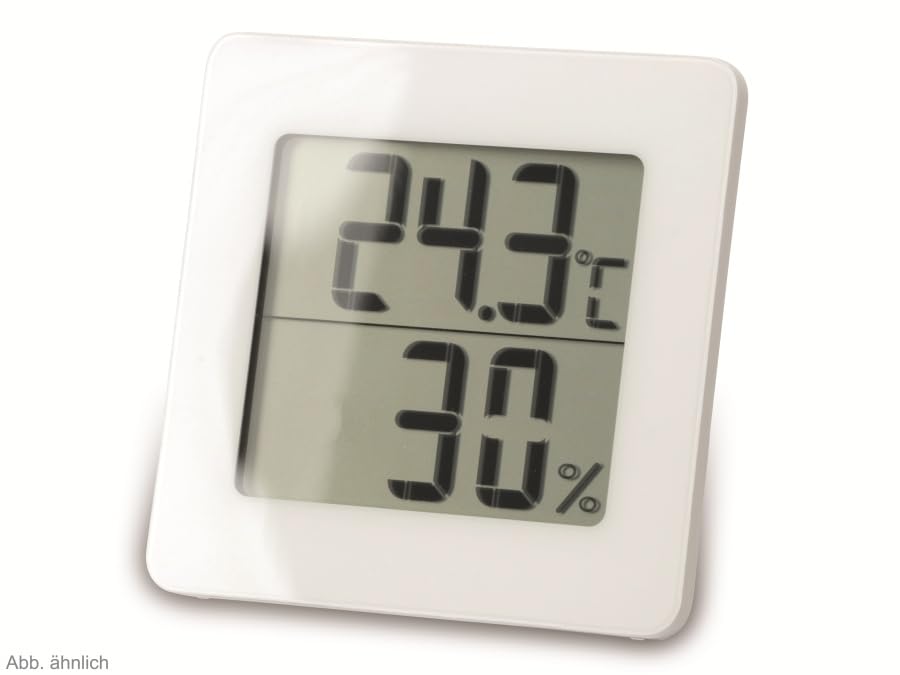
شکل 2: بدیل view of the TFA 30.5027.02 showing different temperature and humidity readings, demonstrating the device's clear digital display.
کلیدي ځانګړتیاوې:
- Digital display for temperature (°C) and humidity (% RH)
- Ultra-flat design with high-gloss finish
- Comfort level indicator (smiley icon)
- Maximum and minimum value memory function
- په دیوال د نصب وړ
5. ترتیب کول
5.1 د بیټرۍ نصب کول
- د وسیلې په شا کې د بیټرۍ د برخې پوښ ومومئ.
- پوښ د سلایډ کولو یا په نرمۍ سره د خلاصولو له لارې لرې کړئ.
- Insert one CR2 Lithium battery, ensuring the correct polarity (+/-) as indicated inside the compartment.
- د بیټرۍ کمپارټ پوښ په خوندي ډول بدل کړئ.
- The device display should activate, showing current temperature and humidity readings.
۳.۱ لومړنی ځای پرځای کول
For accurate readings, place the thermometer/hygrometer in a location free from direct sunlight, drafts, or heat sources. The device can be placed on a flat surface or mounted on a wall using the integrated mounting hole on the back.
- دیوال نصبول: Use a small screw (not included) suitable for your wall type. Hang the device securely.
- د ټابلیټ ځای پرځای کول: Ensure the device is stable on a flat, level surface.
6. عملیاتي لارښوونې
6.1 ښکاره کولview
The large digital display shows two main values:
- پورته ښودنه: Current temperature in degrees Celsius (°C).
- ښکته ښودنه: Current relative humidity in percentage (٪ RH).
- د آرامۍ کچې شاخص: A small icon (e.g., a smiley face) indicates the current indoor climate comfort level based on temperature and humidity.
6.2 اعظمي/ دقیقه فعالیت
The device records the maximum and minimum temperature and humidity values measured since the last reset. To access these values:
- فشار ورکړئ MAX/MIN button (if present, typically on the back or side). The display will show the maximum recorded temperature and humidity.
- فشار ورکړئ MAX/MIN ته بیا تڼۍ view the minimum recorded temperature and humidity.
- فشار ورکړئ MAX/MIN button a third time to return to current readings.
د MAX/MIN ارزښتونو د بیا تنظیمولو لپاره، فشار ورکړئ او ونیسئ MAX/MIN button for a few seconds while viewing the MAX or MIN values. The memory will clear, and new maximum and minimum values will begin recording from that point.
۵.۵ د آرامۍ کچې شاخص
The comfort level indicator provides a quick visual reference for indoor climate conditions:
- خوشحاله مخ: Indicates optimal comfort (e.g., 20-25°C and 40-70% RH).
- بې طرفه څېره: Indicates acceptable but not optimal conditions.
- غمجن مخ: Indicates uncomfortable conditions (e.g., too dry, too humid, too hot, or too cold).
Note: Specific ranges for comfort levels may vary slightly by model. Refer to the device's display for the exact icon representation.
7. ساتنه
7.1 پاکول
وسیله د نرم، لږ څه سره پاک کړئamp cloth. Do not use abrasive cleaning agents, solvents, or alcohol, as these can damage the surface and display.
7.2 د بیټرۍ بدلول
When the battery power is low, a low battery indicator (if available) will appear on the display. Replace the battery as follows:
- د آلې په شا کې د بیټرۍ کمپارټ پوښ خلاص کړئ.
- زوړ CR2 لیتیم بیټرۍ لرې کړئ.
- Insert a new CR2 Lithium battery, observing the correct polarity (+/-).
- د بیټرۍ کمپارټ پوښ وتړئ.
Note: After battery replacement, the device may reset, and MAX/MIN values will be cleared.
8. ستونزه حل کول
| ستونزه | احتمالي لامل | د حل لاره |
|---|---|---|
| هیڅ ښودنه یا کمزوری ښودنه نشته | بیټرۍ مړه شوې یا په غلط ډول داخل شوې ده. | Replace the battery with a new CR2 Lithium battery, ensuring correct polarity. |
| ناسم لوستل | Device is placed in an unsuitable location (e.g., near a window, heat source, or vent). | Relocate the device to a stable indoor environment away from direct influences. Allow 15-30 minutes for readings to stabilize. |
| Comfort indicator always shows the same face | Environmental conditions are consistently outside or within a specific comfort range. | This indicates the device is functioning correctly. Adjust your indoor environment if desired. |
9. مشخصات
- د ماډل شمیره: 30.5027.02
- نښه: TFA
- رنګ: سپین
- د محصول ابعاد (L x W x H): 10 x 1.2 x 8.2 سانتي متره (3.94 x 0.47 x 3.23 انچه)
- د توکي وزن: 70 ګرامه (2.47 اونس)
- بیټرۍ: ۲ x CR2 لیتیم (شامل دی)
- د نصب کولو ډول: دیوال غر
- Operational Humidity Range: د 20٪ څخه تر 95٪ RH
- Upper Rated Temperature: 50°C (122°F)
- د تودوخې دقت: ±1°C
- د تودوخې لوستلو دقیقیت: ±1°C
10. تضمین او ملاتړ
For warranty information and customer support, please refer to the terms and conditions provided by your retailer or contact the manufacturer directly. Keep your proof of purchase for any warranty claims.
جوړونکی: TFA دوستمن GmbH & Co. KG
For further assistance, please visit the official TFA webسایټ یا د دوی د پیرودونکي خدماتو څانګې سره اړیکه ونیسئ.


