1. پیژندنه
The STANLEY TLM 165/STHT1-77139 is a precision laser distance meter designed for accurate and efficient measurement tasks. This device offers a measurement range of up to 50 meters with an accuracy of ±1.5 mm. It features a backlit display, multiple measurement functions, memory storage, and a durable, dust and water-resistant design. This manual provides essential information for the safe and effective use of your laser distance meter.
2. د خوندیتوب معلومات
خبرداری: This device uses a Class 2 laser. Avoid direct eye exposure to the laser beam. Do not stare into the beam or view directly with optical instruments. Always operate the device in a safe manner.
- د وسیلې د ترمیم یا جلا کولو هڅه مه کوئ.
- وسیله د ماشومانو له لاسرسي لرې وساتئ.
- یوازې مشخص شوي بیټرۍ وکاروئ.
- وسیله په چاودیدونکي فضا کې مه چلوئ.
- Ensure the measurement surface is appropriate and safe.
3. د بسته محتويات
ډاډ ترلاسه کړئ چې ټول توکي ستاسو په کڅوړه کې شتون لري:
- STANLEY TLM 165/STHT1-77139 Laser Distance Meter
- 3 X AAA Alkaline بیټرۍ
- د لیږد قضیه
- د کارونکي لارښود (دا لاسوند)
4. محصول ختم شوview
Familiarize yourself with the components of your laser distance meter.

شکل 1: مخکی view of the device, highlighting the display and main control buttons.
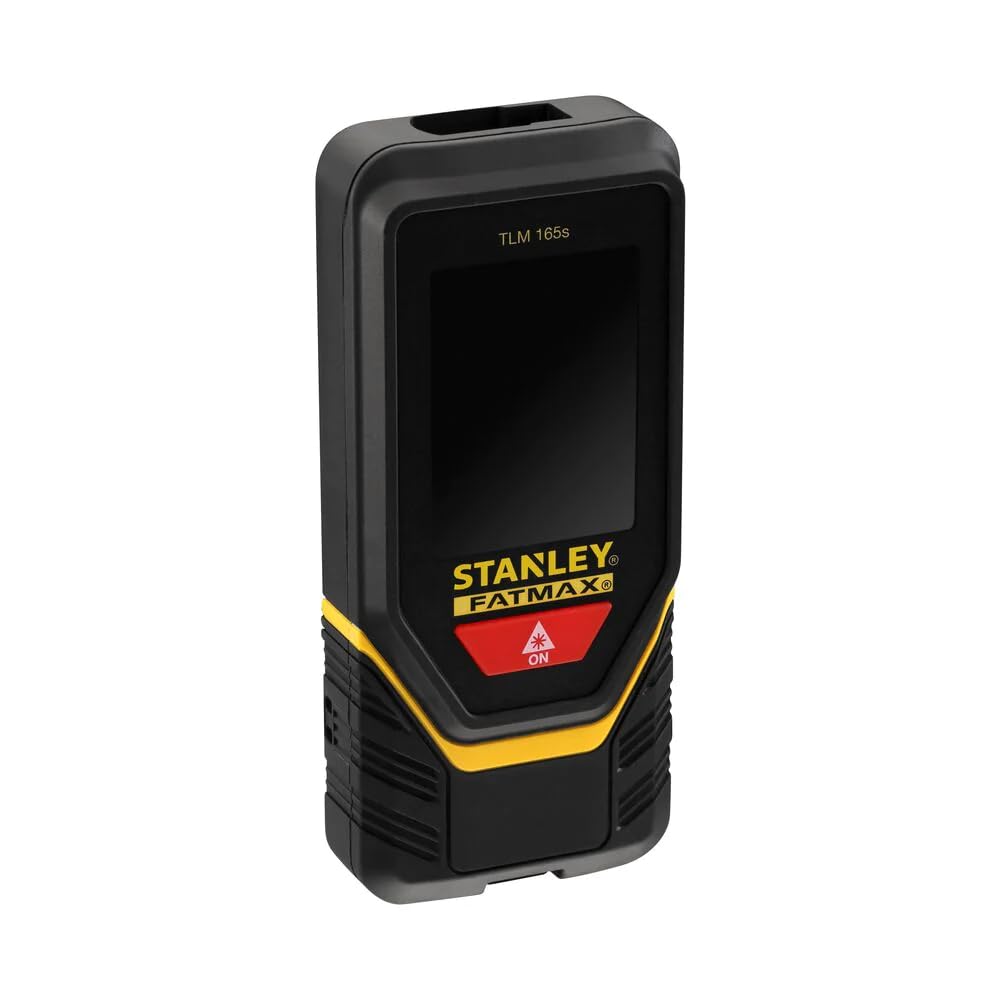
شکل ۳: زاویه لرونکی view showing the device's screen with active measurement data.

شکل 3: اړخ view illustrating the foldable end piece for precise corner measurements.
5. ترتیب کول
5.1 د بیټرۍ نصب کول
- د وسیلې په شا کې د بیټرۍ د برخې پوښ ومومئ.
- د خلاصولو لپاره یې پوښ سلائډ یا خلاص کړئ.
- Insert three (3) AAA alkaline batteries, ensuring correct polarity (+/-).
- د بیټرۍ کمپارټ پوښ په خوندي ډول وتړئ.
6. عملیاتي لارښوونې
۸ پاور آن/بند
- د فعالولو لپاره: فشار ورکړئ ON button (usually red with a laser icon). The laser will activate.
- د بریښنا بندولو لپاره: فشار ورکړئ او ونیسئ بند button (often marked with an 'X' or 'Clear' icon). The device will also automatically shut down after 180 seconds of inactivity (laser after 90 seconds).
۴.۱ د واټن اساسي اندازه کول
- Power on the device. The laser beam will emit.
- Aim the laser dot at the target point.
- فشار ورکړئ ON button again to take a measurement. The measured distance will appear on the display.

Figure 4: User performing a distance measurement on a wall.
۴.۲ دوامداره اندازه کول (تعقیب)
- From the basic measurement mode, press the measurement button once more (or a dedicated tracking button if available).
- Move the device slowly. The display will continuously update with the current distance, often showing minimum and maximum values.
- د دوامداره اندازه کولو د بندولو لپاره د اندازه کولو تڼۍ بیا فشار ورکړئ.
۶.۳ د ساحې او حجم اندازه کول
- Access the area/volume function via the mode button (refer to on-screen icons).
- Follow the on-screen prompts to measure the required lengths (e.g., length, width for area; length, width, height for volume).
- The device will automatically calculate and display the area or volume.
6.5 Memory Storage
- The device can store up to 5 measurements.
- To save a measurement, press the memory button (if available) after a measurement is taken.
- To recall measurements, press the memory button repeatedly or use navigation buttons.
6.6 د واحد بدلول
- Press the unit button (if available) to cycle through available measurement units (e.g., meters, feet).
6.7 Using the Foldable End Piece
- For measurements from edges or corners, extend the foldable end piece.
- Ensure the device's measurement reference point is correctly set (usually indicated by an icon on the screen).
6.8 د بلوتوت ارتباط
- The device supports Bluetooth connectivity for data transfer to compatible applications.
- Refer to the specific application's instructions for pairing and data synchronization.
7. ساتنه
- پاکول: وسیله په نرمۍ سره مسح کړئ، دamp ټوکر د سختو کیمیاوي موادو یا خړوبولو پاکونکو څخه کار مه اخلئ.
- ذخیره کول: وسیله د هغې د وړلو په بکس کې په وچ او یخ ځای کې وساتئ کله چې کارول نه وي. که چیرې بیټرۍ د اوږدې مودې لپاره زیرمه کوئ نو لرې کړئ.
- د بیټرۍ بدلول: Replace all three AAA batteries when the low battery indicator appears on the display.
8. ستونزه حل کول
| ستونزه | احتمالي لامل | د حل لاره |
|---|---|---|
| وسیله فعاله نه ده | مړه یا په غلط ډول داخل شوي بیټرۍ | د بیټرۍ قطبیت وګورئ؛ بیټرۍ بدل کړئ. |
| ناسم اندازه کول | Unstable surface, obstruction, or incorrect reference point | Ensure stable positioning, clear laser path, and correct reference setting. |
| لیزر نه لیدل کیږي | Bright ambient light or long distance | Use in lower light conditions or at shorter distances. |
| د خطا پیغام ښکاره کړئ | Measurement out of range or internal error | Move closer to target or restart the device. If persistent, contact support. |
9. مشخصات
| فیچر | تفصیل |
|---|---|
| د ماډل شمیره | STHT1-77139 |
| Accuracy (Point) | ± 1.5 mm |
| د عملیاتي لړۍ | ۱.۵ - ۶ متره |
| لیزر ټولګي | ټولګي 2 |
| لیزر ډایډډ | 635 nm |
| بیټرۍ | 3 x AAA (Alkaline, supplied) |
| د بیټرۍ ژوند | نږدې 3000 اندازه کول |
| د عملیاتي حرارت درجه | له 0°C څخه تر 40°C پورې |
| د IP درجه بندي | IP54 (د دوړو او اوبو په وړاندې مقاومت لرونکی) |
| Automatic Shutdown (Laser) | 90 ثانیې |
| Automatic Shutdown (Unit) | 180 ثانیې |
| د حافظې ذخیره | 5 ننوتل |
| وزن (د بیټرۍ سره) | 282 ګرامه |
| مواد | پلاستیک |
| ارتباط | بلوتوث |
10. تضمین او ملاتړ
For warranty information, please refer to the documentation provided at the time of purchase or contact your local STANLEY dealer or customer service. For technical support, visit the official STANLEY webسایټ ته مراجعه وکړئ یا د دوی د پیرودونکو خدماتو څانګې سره اړیکه ونیسئ. د پیرود ثبوت په توګه د پیرود رسید وساتئ.
STANLEY Customer Service: www.stanleytools.com/support


