1. پیژندنه
This manual provides essential instructions for the safe operation and maintenance of your VTech VM333 Safe & Sound Video Baby Monitor. Please read this manual thoroughly before using the product to ensure proper setup and functionality. The VTech VM333 is designed to help you monitor your baby with a high-resolution color LCD screen, automatic night vision, and two-way audio communication.
2. محصول ختم شوview
The VTech VM333 system includes a Parent Unit (monitor) and a Baby Unit (camera). Familiarize yourself with the components and controls of each unit.
2.1. Parent Unit
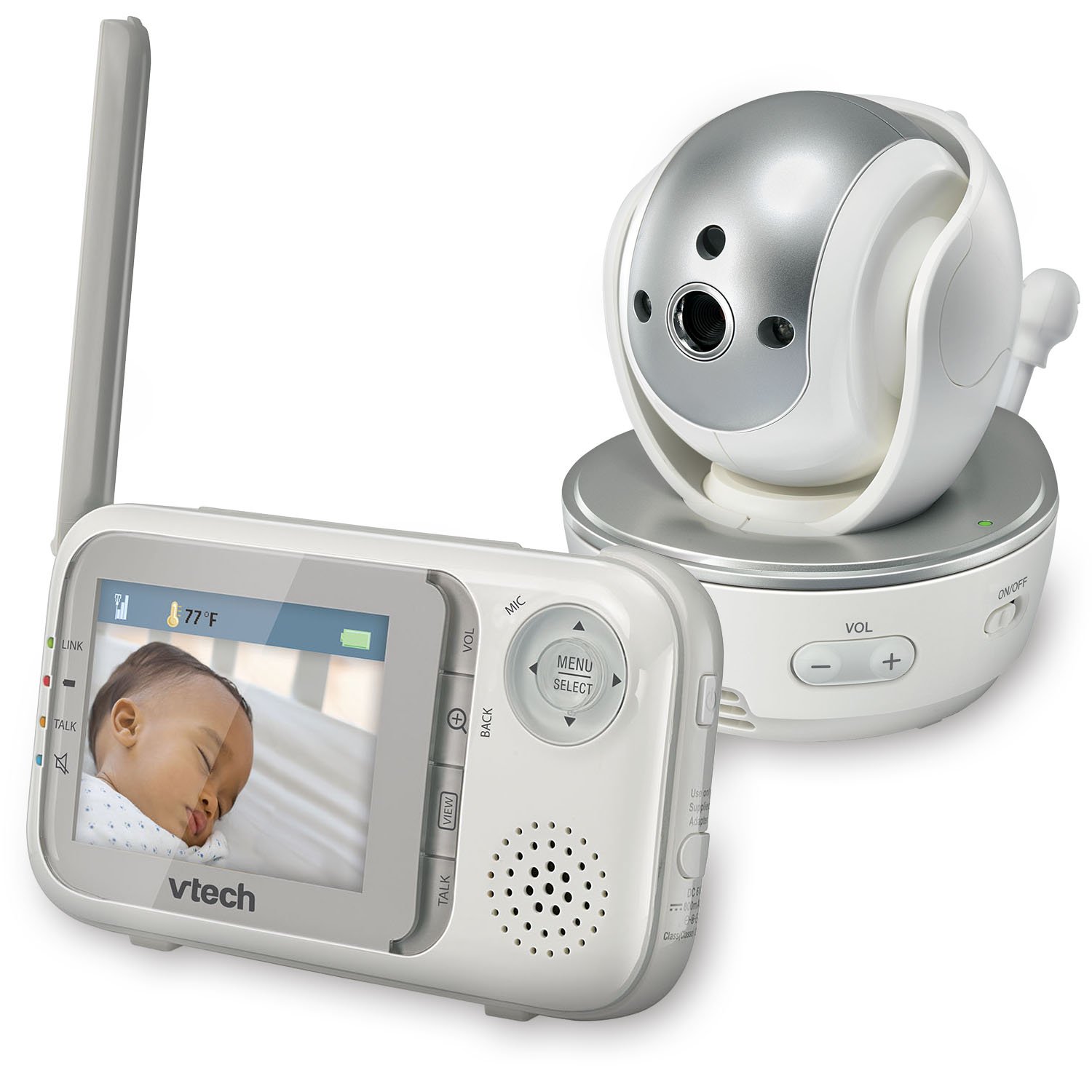
انځور: مخکینۍ برخه view of the VTech VM333 Parent Unit.
- ۲.۴ انچه رنګین LCD سکرین: Displays live video feed from the Baby Unit.
- د مینو/انتخاب تڼۍ: د مینو انتخابونو ته لاسرسی لري او انتخابونه تاییدوي.
- لارښوونه کوونکي تیرونه (پورته/ښکته/کیڼ/ښي): Navigates menus and controls camera pan/tilt.
- ZOOM Button (+/-): Magnifies the video image.
- د خبرو تڼۍ: Activates two-way audio communication.
- VOLUME Buttons (+/-): Adjusts the Parent Unit speaker volume.
- د لینک شاخص: Shows connection status between units.
- د بیټرۍ شاخص: د بیټرۍ اوسنۍ کچه ښیې.
- د تودوخې ښودنه: Shows the temperature detected by the Baby Unit.
2.2. Baby Unit (Camera)

انځور: مخکینۍ برخه view of the VTech VM333 Baby Unit camera.
- د کیمرې لینز: ویډیو نیسي.
- انفراریډ LEDs: Provide night vision in low light conditions.
- مایکروفون: Detects sound from the baby's room.
- سپیکر: د دوه اړخیز آډیو اړیکو لپاره.
- د حرارت سینسر: د خونې د حرارت درجه څاري.
- بریښنا آن / بند سویچ: Turns the Baby Unit on or off.
- د بریښنا جیک: د بریښنا اډاپټر سره نښلوي.

انځور: اړخ view of the VTech VM333 Baby Unit, illustrating the wall-mount bracket.
3. ترتیب کول
۵. په واحدونو کې بریښنا ورکول
- د ماشوم واحد سره وصل کړئ: Plug the small end of the power adapter into the power jack on the back of the Baby Unit. Plug the large end into a wall outlet.
- Connect the Parent Unit: Plug the small end of the power adapter into the power jack on the side of the Parent Unit. Plug the large end into a wall outlet. The Parent Unit battery will begin charging.
- چالانول: Slide the ON/OFF switch on the Baby Unit to the ON position. Press and hold the POWER button on the Parent Unit until the screen turns on.
The units are pre-linked. If they do not link automatically, refer to the "Troubleshooting" section for re-pairing instructions.
3.2. Positioning the Baby Unit (Camera)
Place the Baby Unit at least 3 feet (1 meter) away from your baby to avoid potential hazards. Ensure the camera is positioned to capture the desired viewing area. Avoid placing the Baby Unit where it can be easily reached by children.
- For optimal performance, place the Baby Unit on a flat surface or mount it to a wall using the included wall-mount bracket.
- Keep the Baby Unit and Parent Unit within range (up to 1,000 feet / 300 meters in open space). Obstacles like walls and furniture can reduce the range.
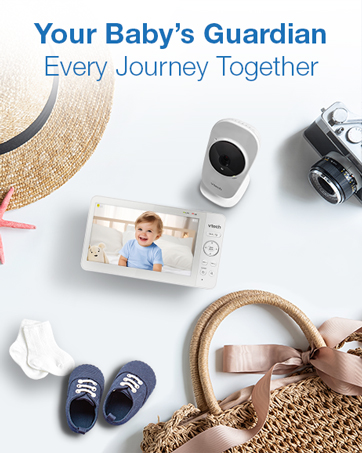
Image: Proper placement of the Baby Unit near a crib.
4. عملیات
۱. اساسي څارنه
Once both units are powered on and linked, the Parent Unit will display live video from the Baby Unit. Adjust the volume using the VOL+ او والیوم - buttons on the Parent Unit.
۵.۳. پین، ټیلټ، او زوم
The Baby Unit camera can be remotely controlled from the Parent Unit to adjust its viewing angle and zoom level.
- پین/ټیټ: د کارولو سمتي تیرونه (Up, Down, Left, Right) on the Parent Unit to move the camera lens horizontally (up to 270 degrees) and vertically (up to 124 degrees).
- زوم: فشار ورکړئ زوم + button to zoom in (2x magnification) and ZOOM - د زوم کولو لپاره
Video: Demonstration of the VTech VM333's pan, tilt, and zoom features, showing remote camera control from the Parent Unit.
۵. دوه اړخیزه خبرې اترې
You can speak to your baby through the Baby Unit's speaker.
- فشار ورکړئ او ونیسئ خبرې د والدین واحد تڼۍ.
- Speak clearly into the microphone on the Parent Unit.
- خوشې کړئ خبرې button to stop speaking and hear your baby again.

Image: Using the two-way talk feature on the Parent Unit.
4.4. Automatic IR Night Vision
The Baby Unit is equipped with infrared LEDs that automatically activate in low light conditions, providing a clear black and white video image of your baby in the dark.
Image: The Baby Unit operating in night vision mode.
4.5. Sound Activation Mode
This mode allows the Parent Unit screen to turn off automatically to save power and reduce light disturbance, and then turn back on when sounds are detected from the Baby Unit.
- فشار ورکړئ مینو/انتخاب د والدین واحد تڼۍ.
- ته لاړشئ VOX حساسیت or د غږ فعالول ترتیب
- Select your desired sound sensitivity level. A higher sensitivity will activate the screen with softer sounds.
Image: Parent Unit displaying the sound activation icon.
4.6. Temperature Monitoring and Alerts
The Baby Unit monitors the room temperature and displays it on the Parent Unit screen. You can set alerts for temperature deviations.
- فشار ورکړئ مینو/انتخاب تڼۍ
- ته لاړشئ د تودوخې خبرتیا ترتیبات.
- Set your desired minimum and maximum temperature thresholds. The Parent Unit will beep if the temperature goes outside this range.
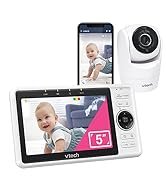
Image: Parent Unit displaying room temperature.
4.7. Multiple Camera Monitoring (Expandable System)
The VM333 system supports up to four cameras (additional cameras sold separately). You can view multiple cameras in different modes.
- واحد View: Displays video from one camera at a time. Use the VIEW button to cycle through connected cameras.
- ویشل View: Displays video from multiple cameras simultaneously on a split screen.
- د ګزمې حالت: Automatically cycles through all connected cameras, displaying each for a few seconds.
Video: Demonstration of multi-camera viewing modes, including single view، وېشل view, and patrol mode.
5. ساتنه
- پاکول: Clean the surfaces of the Parent Unit and Baby Unit with a soft, damp ټوکر. د پاکولو سپرې یا مایع پاکوونکي مه کاروئ.
- د بیټرۍ پاملرنه: The Parent Unit uses a rechargeable Lithium-Ion battery. For optimal battery life, fully charge the unit before first use. Avoid extreme temperatures. If storing the unit for an extended period, remove the battery.
- د لینز پاملرنه: Keep the camera lens clean to ensure clear video quality. Use a soft, lint-free cloth to gently wipe the lens if needed.
6. ستونزه حل کول
| ستونزه | د حل لاره |
|---|---|
| No video/audio on Parent Unit. |
|
| د ویډیو خراب کیفیت. |
|
| Parent Unit beeps (low battery, out of range, temperature). |
|
| د نورو وسایلو سره مداخله. |
|
7. مشخصات
| فیچر | تفصیل |
|---|---|
| د ماډل شمیره | VM333 |
| د سکرین اندازه | ۲.۴ انچه (LCD) |
| بې سیم ټیکنالوژي | 2.4 GHz FHSS digital transmission |
| رینج | Up to 1,000 feet (300 meters) in open space |
| د پین زاویه | Up to 270 degrees horizontal |
| د خښتو زاویه | Up to 124 degrees vertical |
| زوم | 2x ډیجیټل زوم |
| د شپې لید | Automatic infrared (IR) |
| دوه طرفه آډیو | هو |
| د غږ فعالول | هو (VOX) |
| د حرارت درجه سینسر | هو، د خبرتیاو سره |
| د پراخیدو وړ | تر څلورو کیمرې پورې (اضافي کیمرې په جلا توګه پلورل کیږي) |
| د والدین واحد د بیټرۍ ژوند | Up to 3.5 hours (video streaming) |
| د بریښنا سرچینه | Rechargeable Lithium-Ion battery (Parent Unit), AC power (Baby Unit) |
| رنګ | سپین / سپینه |
| د توکي وزن | ۲.۴۵ پونډه |
8. تضمین او ملاتړ
For warranty information and technical support, please contact VTech customer service.
- د پیرودونکي ملاتړ شمیره: (800) 595-9511
- Webسایټ: www.vtechbabycare.com
- بریښنالیک: support@vtechbabycare.com
مهرباني وکړئ د تضمین موخو لپاره د پیرود ثبوت په توګه خپل د پیرود رسید وساتئ.