پیژندنه
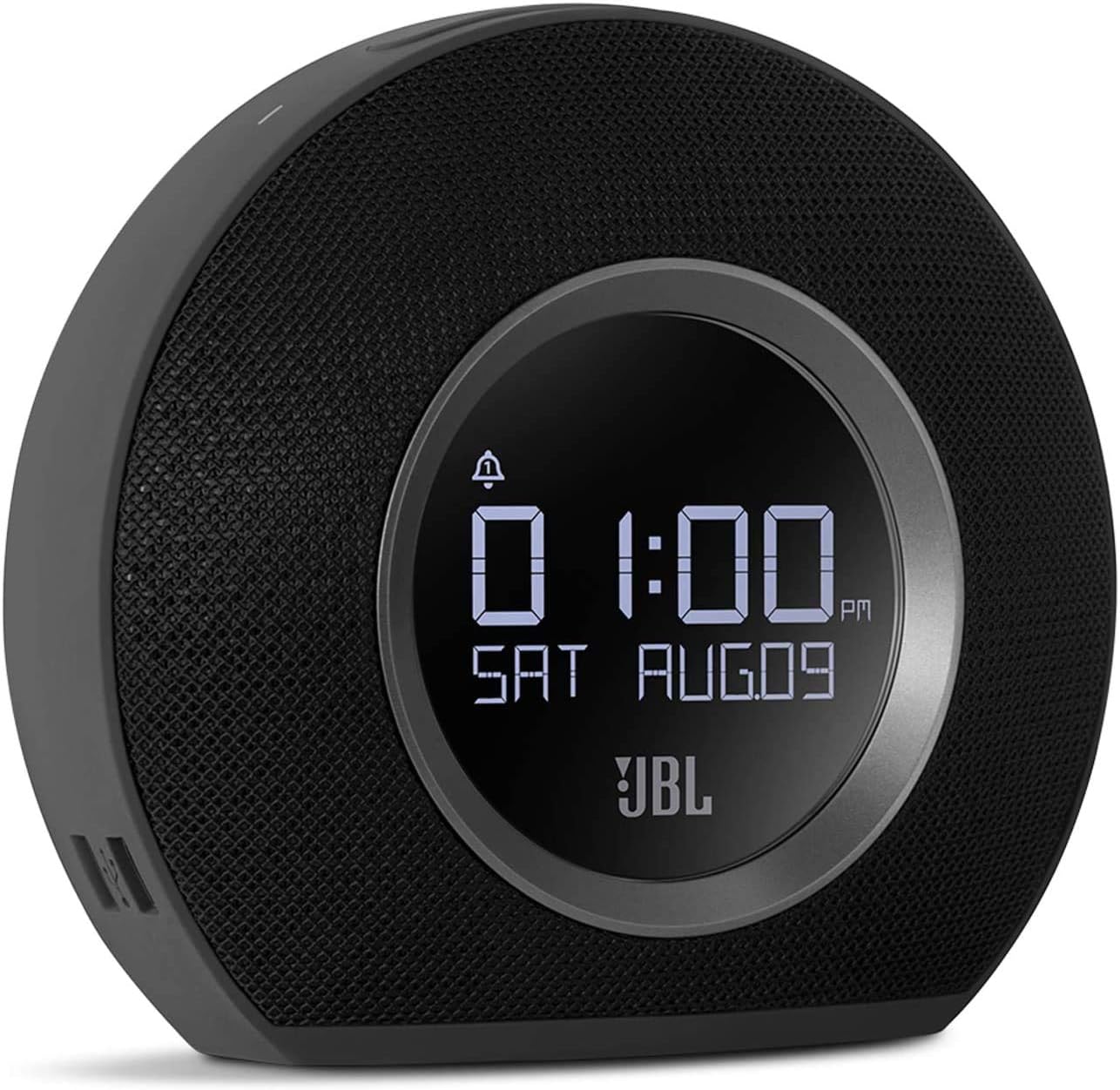
The JBL Horizon is a versatile alarm clock radio designed to enhance your morning routine. It combines a high-quality Bluetooth speaker with an FM radio, dual alarm system, ambient LED light, and convenient USB charging ports. This manual provides detailed instructions for setting up, operating, and maintaining your JBL Horizon.
د بسته محتويات
- 1 x JBL Horizon Device
- 1 x د بریښنا اډاپټر
- 1 x د کارونکي لارښود
- 1 x د خوندیتوب پاڼه
- 1 x د چټک پیل لارښود
- 1 x Radio Antenna
چمتو کول
- د بریښنا پیوستون: Connect the power adapter to the JBL Horizon and then to a wall outlet. The device will power on automatically.
- د انتن پیوستون: For optimal FM radio reception, connect the included radio antenna to the FM antenna port on the back of the unit. Extend the antenna fully.
- د لومړني وخت تنظیم: Upon first power-up, the device may prompt you to set the time. Use the control buttons (typically volume up/down or dedicated time set buttons) to adjust the hour and minute. Confirm your selection. The device also features a DST (Daylight Saving Time) button on the bottom for easy adjustment.
عملیاتي لارښوونې
د الارم ترتیب کول
The JBL Horizon features two independent alarms. To set an alarm:
- فشار ورکړئ الارم. or الارم. button on the top of the unit.
- د حجم تڼۍ وکاروئ (+ / -) to adjust the alarm time. Press the alarm button again to switch between hour and minute settings.
- Select your desired alarm source: FM radio, Bluetooth audio, or one of the built-in digital alarm tones.
- د الارم حجم تنظیم کړئ.
- The ambient light can be set to gradually illuminate before the alarm sounds, providing a gentle wake-up experience.
- To temporarily silence an alarm (snooze), press the large ننوتل / روښانه کول button. To turn off an alarm, press the corresponding Alarm button.
ایف ایم راډیو
د ایف ایم راډیو اوریدلو لپاره:
- فشار ورکړئ FM د FM راډیو حالت ته د بدلولو لپاره تڼۍ.
- Use the tuning buttons (often integrated with volume or separate arrow buttons) to scan for stations.
- To save a favorite station, press and hold one of the preset buttons (if available, typically 1-5).
د بلوتوټ ارتباط
To stream audio via Bluetooth:
- فشار ورکړئ بلوتوث button to enter pairing mode. The Bluetooth indicator will flash.
- په خپل ګرځنده وسیله (سمارټ فون، ټابلیټ، لیپ ټاپ) کې، بلوتوث فعال کړئ او د شته وسایلو لټون وکړئ.
- Select "JBL Horizon" from the list to pair. Once paired, the indicator will glow solid.
- You can now stream audio from your device to the JBL Horizon.
محیطي رڼا
The JBL Horizon features an ambient LED light ring on its rear. This light can be used as a gentle wake-up aid or as a soft night light. Its brightness automatically adjusts to the room's lighting conditions for optimal visibility without being disruptive.

د USB چارج کول
Two USB charging ports are located on the side of the JBL Horizon. Connect your mobile devices using their respective USB cables to charge them overnight or during use.
روښانتیا ښکاره کړئ
The display brightness automatically adjusts based on the ambient light in the room, ensuring readability during the day and preventing excessive brightness at night.
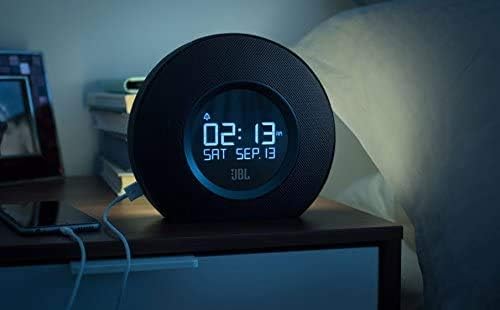

ویډیو 1: دا ویډیو یو بصري کتنه وړاندې کويview and demonstration of the JBL Horizon alarm clock radio. It showcases key features such as the dual alarm system, ambient light function for gentle wake-up, FM radio capabilities, Bluetooth connectivity for audio streaming, and the convenient USB charging ports for mobile devices. The video highlights the product's design and user interaction.
ساتنه
To ensure the longevity and optimal performance of your JBL Horizon:
- وسیله د نرم او وچ ټوکر سره پاکه کړئ. د کثافاتو پاکوونکو یا محلولونو کارولو څخه ډډه وکړئ.
- Keep the device away from direct sunlight, excessive heat, and moisture.
- ډاډ ترلاسه کړئ چې د واحد په شاوخوا کې مناسب هوا ورکول.
د ستونزو حل کول
- ځواک نشته: Ensure the power adapter is securely connected to both the device and a working wall outlet.
- د ایف ایم راډیو کمزورې استقبال: Extend the FM antenna fully and try repositioning it for better signal.
- د بلوتوټ جوړه کولو مسلې: Ensure the JBL Horizon is in pairing mode (flashing Bluetooth indicator) and your mobile device's Bluetooth is enabled and searching. Try unpairing and re-pairing if issues persist.
- Alarm Not Sounding/Too Quiet: Verify that the alarm is enabled, the volume is set appropriately, and the correct alarm source is selected. Check the backup battery status if a power outage رامنځته شوه.
- Time Drift: If the time consistently drifts, ensure the device is connected to a stable power source. The backup battery helps maintain time during power interruptions.
مشخصات
| د ماډل شمیره | K951170 |
| برانډ | JBL |
| رنګ | تور |
| مواد | اکریلونایتریل بوټاډین سټیرین (ABS) |
| د محصول ابعاد (د x څلویښتم x څلویښتم) | 8.6 cm x 18.3 cm x 16 cm |
| د توکي وزن | 890 ګرامه |
| د سپیکر ډول | د بلوتوث پورټ ایبل سپیکر |
| د سپیکر اندازه | ۸۵ انچه |
| د سپیکر اعظمي تولید ځواک | 5 واټ |
| د آډیو وتلې حالت | مونو |
| Frequency Response (Upper Limit) | 20 KHz |
| بې سیم ټیکنالوژي | بلوتوث |
| مطابقت لرونکې وسیلې | لپ ټاپ، سمارټ فون، ټابلیټ |
| د بریښنا سرچینه | AC Power (with battery backup for time/alarm) |
| ننوتۍ جلدtage | 13 ولټه (DC) |
| پنروک | نه |
| مجلس ته اړتیا ده | نه |
| بیټرۍ ته اړتیا ده | Yes (1 A type for backup) |

تضمین او ملاتړ
The JBL Horizon comes with a 1-year manufacturer's limited warranty. Spare parts are available for a period of 2 years from the date of purchase.
For technical support, warranty claims, or further assistance, please visit the official JBL support website or contact their customer service department. Refer to the quick start guide or safety sheet for specific contact information in your region.
د خوندیتوب مهم معلومات
Always follow basic safety precautions when using this product to reduce the risk of fire, electric shock, and injury. Do not expose the device to rain or moisture. Do not disassemble the product. Refer to the included safety sheet for comprehensive safety guidelines.


