1. پیژندنه
The Tenda 4G06 is a wireless gateway designed to provide high-speed internet access via LTE cellular networks and Wi-Fi. It integrates both cellular and Ethernet uplink access, offering flexible data and voice services. This device is suitable for various environments, including remote areas, temporary setups, and homes or offices where traditional wired broadband is unavailable or inconvenient. It supports Wi-Fi 4 (IEEE 802.11b/g/n) and includes an RJ11 port for voice services.

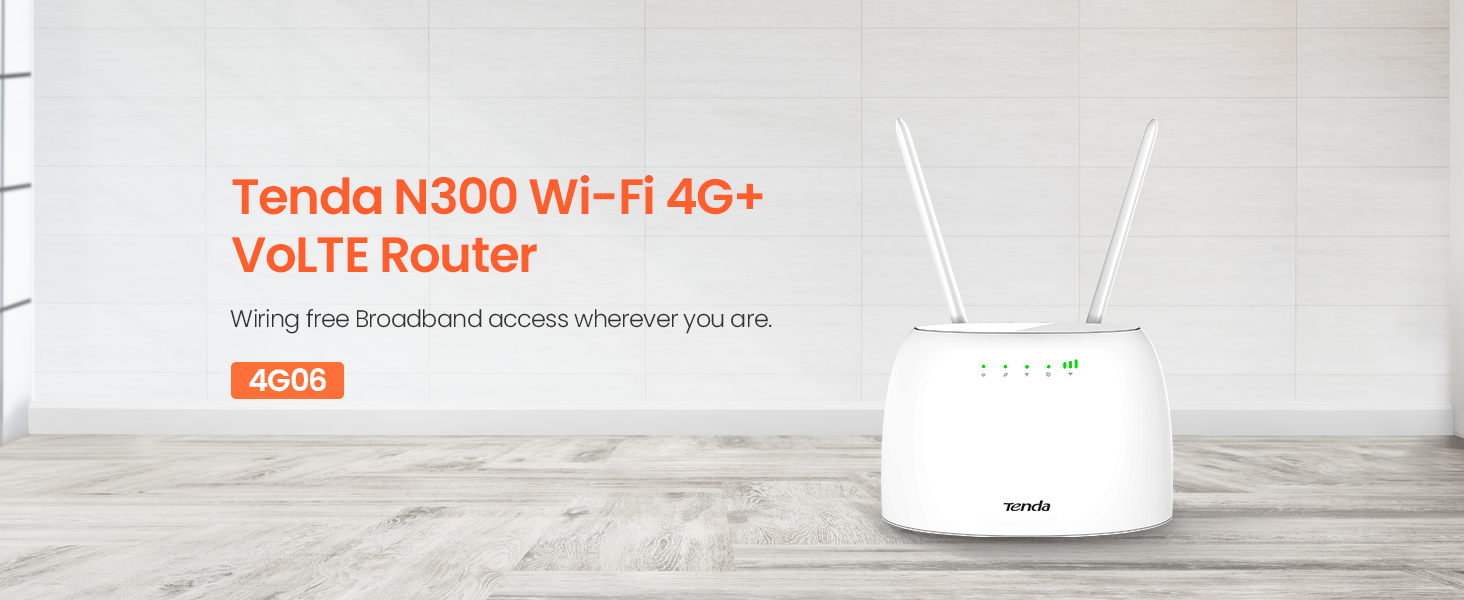
انځور 1.1: مخکی view of the Tenda 4G06 Wi-Fi 4G VoLTE Router.
2. د محصول ب Featuresې
- د 4G LTE اتصال: Provides internet access via a Mini SIM card, ideal for locations without wired broadband.
- د لوړ سرعت وای فای: Supports Wi-Fi 4 (802.11b/g/n) with speeds up to 300Mbps, allowing up to 32 devices to connect simultaneously.
- VoLTE Voice Service: Features an RJ11 port to connect external landline phones for voice calls over the LTE network.
- ایترنیټ بندرونه: Includes Fast Ethernet ports (up to 100Mbps) for wired network connections.
- Detachable Antennas: Equipped with two external detachable antennas for improved signal reception.
- Data Traffic Monitoring: Allows setting a maximum monthly data traffic limit via the web interface to manage usage.
- اسانه ترتیب: Simple installation by inserting a SIM card and powering on the device.
3. د بسته محتويات
ډاډ ترلاسه کړئ چې ستاسو کڅوړه لاندې توکي لري:
- Tenda 4G06 Wi-Fi 4G VoLTE Router
- د بریښنا اډاپټر
- ایترنیټ کیبل
- RJ11 Phone Cable
- د چټک نصبولو لارښود

ویډیو ۱: دا ویډیو یو څه وړاندې کويview of the Tenda 4G06 LTE Voice Router and its included components.
4. هارډویر ختمview
4.1 د مخکینۍ پینل شاخصونه
انځور 4.1: مخکی view of the Tenda 4G06 showing LED indicators.
- د بریښنا شاخص: د آلې د بریښنا حالت په ګوته کوي.
- د 4G سیګنال شاخص: Displays the strength of the 4G cellular signal.
- د وای فای شاخص: د وای فای شبکې حالت ښیي.
- Ethernet Port Indicator: Lights up when an Ethernet device is connected.
۱.۲.۲ د شا پینل پورټونه او تڼۍ

انځور 4.2: شاته view of the Tenda 4G06 showing ports and buttons.
- د بریښنا تڼۍ: د وسیلې د چالانولو یا بندولو لپاره کارول کیږي.
- د بریښنا بندر: د شامل شوي بریښنا اډاپټر سره وصل کیږي.
- RJ11/TEL Port: Connects to a landline phone for voice calls.
- Fast Ethernet Ports: Connect to wired devices such as computers or switches.
- د سیم کارت سلاټ: Insert your Mini SIM card here.
- Detachable Antennas: Connect the two external antennas for optimal signal reception.
5. د تنظیم کولو لارښود
Follow these steps for initial setup of your Tenda 4G06 router:
- سیم کارت داخل کړئ: Locate the SIM card slot on the rear panel. Carefully insert your activated Mini SIM card into the slot until it clicks into place. Ensure the SIM card is correctly oriented.
- انتن ضمیمه کړئ: Screw the two detachable antennas onto the connectors on the rear of the router. Adjust their position for optimal signal reception.
- بریښنا وصل کړئ: Connect the power adapter to the router's power port and then plug the adapter into a power outlet. Press the power button to turn on the device.
- شاخصونه وګورئ: Wait for the Power, 4G Signal, and Wi-Fi indicators on the front panel to stabilize. The 4G Signal indicator will show the strength of your cellular connection.
- د وسیلو نښلول:
- وای فای: On your computer or mobile device, search for the Wi-Fi network name (SSID) printed on the label at the bottom of the router. Connect to this network using the default Wi-Fi password (also on the label).
- ایترنیټ: د روټر د LAN پورټونو څخه د ایترنیټ کیبل د خپل کمپیوټر ایترنیټ پورټ سره وصل کړئ.
- لاسرسی Web انٹرفیس: خلاص a web براوزر او ډیفالټ IP پته دننه کړئ (د مثال په توګه ،
192.168.0.1) into the address bar. Log in using the default username and password (usuallyadminfor both, check the router label).
6. عملیاتي لارښوونې
6.1 Basic Internet Configuration
د ننوتلو وروسته web interface, the router should automatically detect your SIM card's network settings. If not, navigate to the د انټرنیټ ترتیبات or د WAN ترتیبات section to manually configure the APN (Access Point Name) provided by your cellular service provider.
6.2 د وائی فای تنظیمات
په web انٹرفیس ته لاړ شئ د وائی فای ترتیبات or د بېسیم ترتیبات section. Here you can:
- Change the Wi-Fi network name (SSID).
- Change the Wi-Fi password for security.
- وای فای فعال یا غیر فعال کړئ.
- Adjust Wi-Fi channel and mode for better performance.
6.3 Voice Service (VoLTE)
To use the voice service, connect a standard landline phone to the RJ11/TEL port on the rear of the router using the provided phone cable. Ensure your SIM card plan supports VoLTE. You can then make and receive calls through the connected phone while simultaneously using the internet.
6.4 Data Traffic Monitoring
The Tenda 4G06 allows you to monitor and manage your data usage. In the web interface, look for a د معلوماتو کارول or د ترافیک احصایه section. You can set a monthly data limit, and the router will automatically disconnect from the network once this limit is reached, helping you avoid unexpected charges.
7. ساتنه
To ensure optimal performance and longevity of your Tenda 4G06 router, consider the following maintenance tips:
- ځای په ځای کول: روټر په یوه مرکزي ځای کې ځای په ځای کړئ، د خنډونو او نورو بریښنایی وسایلو څخه لرې چې ممکن مداخله رامینځته کړي. ښه هوا ورکول ډاډمن کړئ.
- پاکول: Regularly clean the router's exterior with a soft, dry cloth. Avoid using liquid cleaners or aerosols.
- د فرم ویئر تازه معلومات: په دوره یي ډول د ټینډا چارواکي وګورئ website for firmware updates. Updating the firmware can improve performance, add new features, and fix bugs. Follow the instructions provided with the firmware update carefully.
- بیا پیل کول: که تاسو ورو فعالیت یا د اتصال ستونزې تجربه کوئ، نو د روټر بیا پیلولو هڅه وکړئ د 10 ثانیو لپاره د بریښنا اډاپټر خلاصولو سره او بیا یې بیرته ولګوئ.
8. ستونزه حل کول
If you encounter issues with your Tenda 4G06 router, refer to the following common problems and solutions:
| ستونزه | احتمالي حل |
|---|---|
| انټرنیټ ته لاسرسی نشته |
|
| د Wi-Fi ضعیف سیګنال |
|
| لاسرسی نشي کولی web انٹرفیس |
|
| Voice calls not working |
|
9. مشخصات
| فیچر | تفصیل |
|---|---|
| ماډل | 4G06 |
| بې سیم ډول | 802.11b/g/n (Wi-Fi 4) |
| بې سیم سرعت | تر 300 Mbps پورې |
| د سیلولر شبکه | 4G LTE |
| د سیم کارت ډول | مینی سیم |
| ایترنیټ بندرونه | Fast Ethernet (10/100 Mbps) |
| Voice Port | RJ11/TEL |
| انتن | ۲ x د جلا کېدو وړ بهرنۍ انتنونه |
| ابعاد (LxWxH) | 7.3 x 5 x 2.4 انچه |
| د توکي وزن | 12.3 اونس |
| عملیاتي سیسټم | TendaOS |
| والیtage | 12 ولټه |
10. تضمین او ملاتړ
د ټینډا ۵ جي ۰۱ روټر د الف سره راځي د 3 کلن محصول تضمین. For technical assistance, product inquiries, or warranty claims, please contact Tenda Customer Support.
د پیرودونکي ملاتړ اړیکه:
- تلیفون: +44 0800 041 8955
- بریښنالیک: support.uk@tenda.cn
مهرباني وکړئ د ملاتړ سره د تماس نیولو پر مهال د خپل محصول ماډل او د پیرود معلومات چمتو وساتئ.


