1. پیژندنه
The Fenix Universal Stylus Pack provides a set of 20 soft-tipped styluses designed for precise interaction with various touchscreen devices. This manual outlines the proper use, care, and specifications of your Fenix styluses.
2. محصول ختم شوview
The Fenix Universal Stylus Pack includes 20 styluses, featuring soft tips for screen protection and enhanced sensitivity. Each stylus is lightweight, approximately 4 inches tall, and includes a clip for convenient storage. The pack contains 2 styluses in each of 10 distinct colors.
These styluses are compatible with a wide range of capacitive touchscreen devices, including Apple, Android, and Windows smartphones, tablets, and monitors. This includes devices such as Apple iPad, iPhone, iPod, LG, Samsung Galaxy series (S7/S7 Edge, Note 5), Kindle Fire, Google Pixel C, Microsoft Surface Book, and many others.
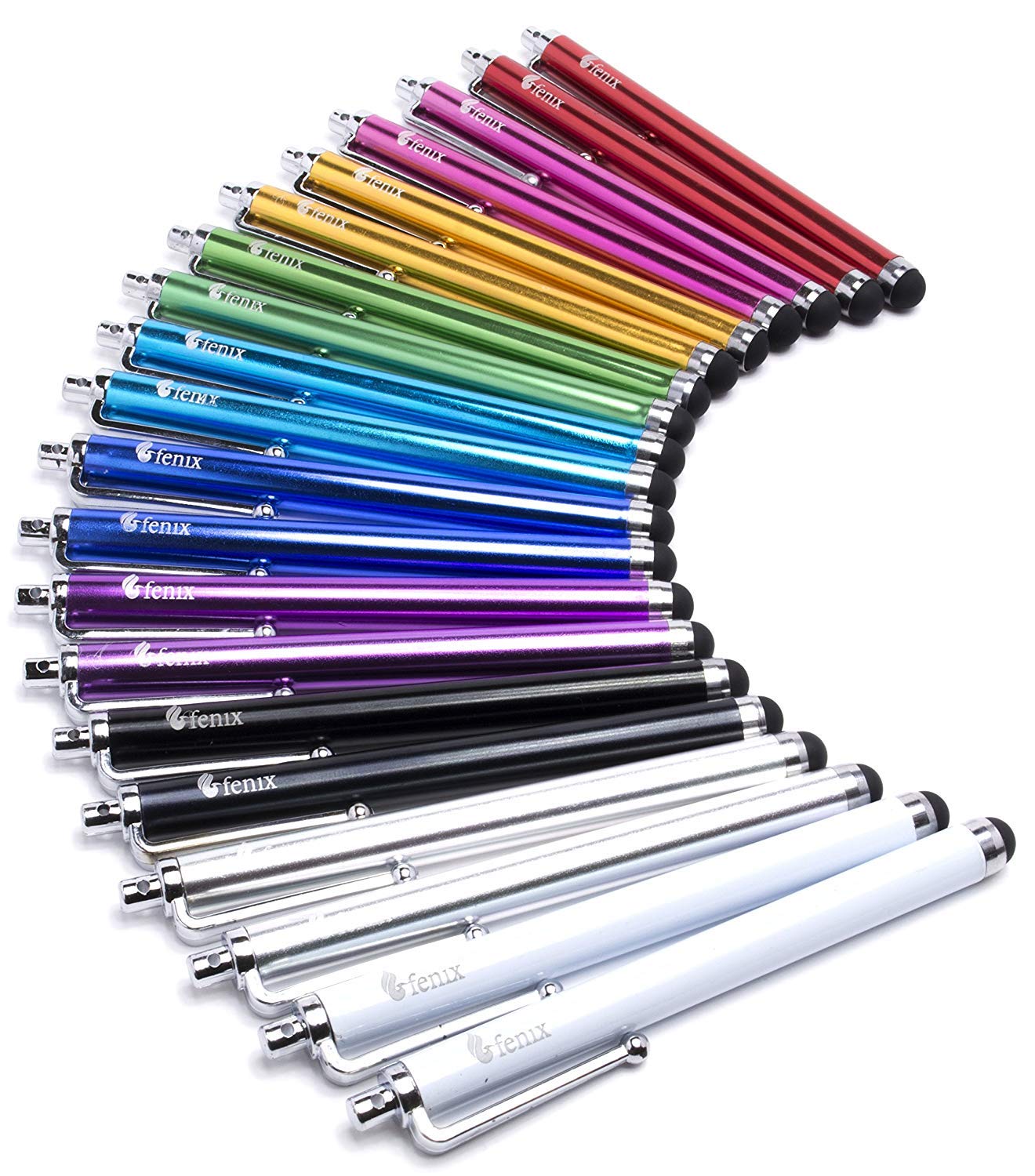
Image: A red Fenix stylus being used on a Samsung Galaxy Note 4. The stylus features a soft tip for screen interaction and a metal clip for portability.
3. ترتیب کول
The Fenix Universal Stylus requires no complex setup. Simply remove a stylus from its packaging. It is ready for immediate use with your touchscreen device.
4. عملیاتي لارښوونې
To operate the stylus, hold it comfortably as you would a pen. Gently touch the soft rubber tip to your device's touchscreen to navigate, select, draw, or write. The soft tip ensures smooth gliding and protects your screen from smudges and scratches.
The integrated clip allows for easy attachment to pockets, book covers, or device cases for convenient access and storage.
5. ساتنه
To maintain the performance and longevity of your Fenix styluses, follow these guidelines:
- پاکول: Wipe the rubber tip and stylus body with a soft, dry, lint-free cloth. Avoid using harsh chemicals or abrasive materials.
- ذخیره کول: Store styluses in a clean, dry place. Utilize the integrated clip to secure them, preventing loss or damage.
- د پاملرنې لارښوونه: While durable, the soft rubber tips can wear over time with extensive use. Inspect tips periodically for signs of damage or excessive wear.
6. ستونزه حل کول
If you experience issues with your Fenix stylus, consider the following:
- سټایلس ځواب نه ورکوي: Ensure the stylus tip is making full contact with the screen. Some screen protectors or device settings may affect sensitivity. Try adjusting screen sensitivity settings on your device if available.
- د حساسیت کموالی: Clean the stylus tip and your device's screen to remove any dirt or oils that might interfere with touch detection.
- Tip Detachment: In rare cases, the rubber tip may detach. If this occurs, discontinue use of that specific stylus to prevent potential screen scratches from the stylus body.
7. مشخصات
The following specifications apply to the Fenix Universal Stylus:
| فیچر | تفصیل |
|---|---|
| د ماډل شمیره | F: A 123 Fenix 20-Pack Stylus Set |
| د محصول ابعاد | ۱۲.۶ x ۱۵.۳۵ x ۱۱.۰۲ انچه (د بسته بندۍ ابعاد) |
| د توکي وزن | 2.08 ounces (total pack weight) |
| مواد | Plastic body, soft rubber tip |
| رنګ | Assorted (2 each of 10 colors) |
| مطابقت | Universal with capacitive touchscreens (Apple, Android, Windows devices) |
| بیټرۍ ته اړتیا ده | نه |
8. تضمین او ملاتړ
For any questions or support regarding your Fenix Universal Stylus Pack, please refer to the retailer's return policy or contact Fenix customer service through their official channels. Keep your purchase receipt for warranty claims, if applicable.


