1. محصول ختم شوview
The Laserliner DistanceMaster Compact is a precise laser distance meter designed for accurate length, area, and volume measurements. It features a color display and a robust, ergonomically designed rubber casing, making it suitable for various environments, including construction sites and indoor applications.
کلیدي ځانګړتیاوې:
- Precise point-accurate laser measurement for accurate length determination.
- Area and volume functions for calculating room sizes and material quantities.
- Measured value memory for up to 10 entries.
- Measuring accuracy of ±3 mm up to 25 meters.
- Internal measuring range from 0.1 meters to 25 meters.
- Two selectable reference points for measurement: front and rear.
- Min/Max function for determining diagonals, vertical, and horizontal distances.
- Illuminated three-line color LCD display for clear readability.
- Robust, ergonomically designed rubber casing with IP54 protection against dust and splashing water.
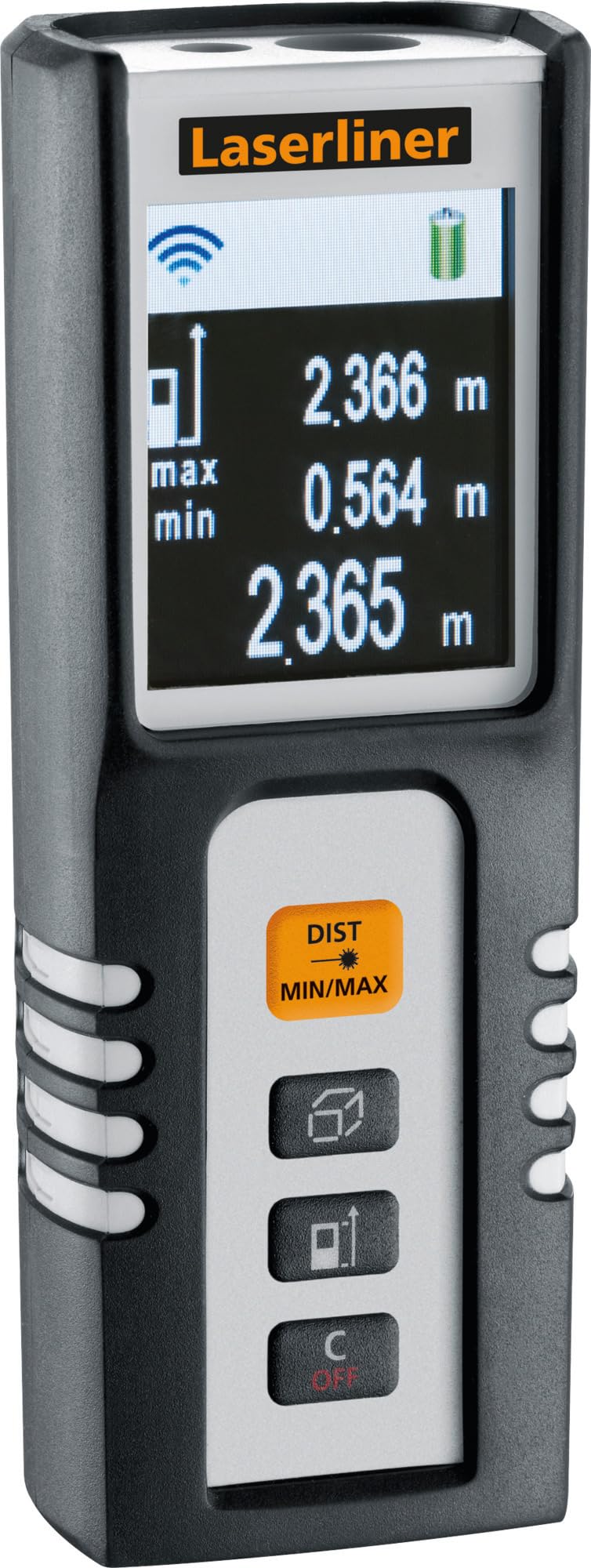
Image 1.1: The Laserliner DistanceMaster Compact laser rangefinder with its protective carrying case. The device features a clear digital display showing measurement readings and battery status.
2. ترتیب کول
2.1 د بیټرۍ نصب کول
The DistanceMaster Compact requires two AAA batteries for operation. These are typically included with the device.
- د وسیلې په شا کې د بیټرۍ د کمپارټمینټ پوښ ومومئ.
- د خونې د خلاصولو لپاره پوښ سلائډ یا خلاص کړئ.
- دوه AAA بیټرۍ دننه کړئ، د سم قطبیت (+/-) ډاډ ترلاسه کړئ لکه څنګه چې د خونې دننه ښودل شوي.
- د بیټرۍ کمپارټ پوښ په خوندي ډول وتړئ.
2.2 بریښنا کول / بندول
په وسیله د بریښنا کولو لپاره، فشار ورکړئ DIST تڼۍ د بریښنا بندولو لپاره، فشار ورکړئ او ونیسئ C/OFF تڼۍ
3. عملیاتي لارښوونې
۴.۱ د واټن اساسي اندازه کول
For a single distance measurement:
- د لیزر بیم د هدف سطحې ته په نښه کړئ.
- فشار ورکړئ DIST یو ځل تڼۍ. اندازه شوی واټن به په نندارتون کې څرګند شي.
۶.۳ د ساحې او حجم اندازه کول
The device can calculate area and volume automatically after taking the necessary measurements.
- سره تڼۍ فشار کړئ square/cube icon to select area or volume mode.
- Follow the on-screen prompts to measure the required dimensions (length, width, height).
- The calculated area or volume will be displayed.

Image 3.1: The laser rangefinder being used to measure dimensions for calculating the area of a wall, illustrating its practical application for material estimation.
3.3 Min/Max Tracking
The Min/Max function allows for continuous measurement, displaying the minimum and maximum distances recorded during a sweep. This is useful for finding diagonals or precise horizontal/vertical distances.
- فشار ورکړئ او ونیسئ DIST MIN/MAX تڼۍ
- Sweep the device across the desired area. The display will continuously update with the minimum and maximum measured values.
- مطبوعاتي DIST MIN/MAX again to stop tracking.

انځور ۸: یو مفصل view of the control panel, highlighting the 'DIST MIN/MAX' button used for continuous measurement and tracking.
۶.۴ د حوالې نقطې انتخاب
The measurement reference point can be switched between the front and rear of the device. This is important for accurate measurements depending on where the device is placed.
- سره تڼۍ فشار کړئ د تیر نښه to toggle between front and rear reference points. The active reference point will be indicated on the display.
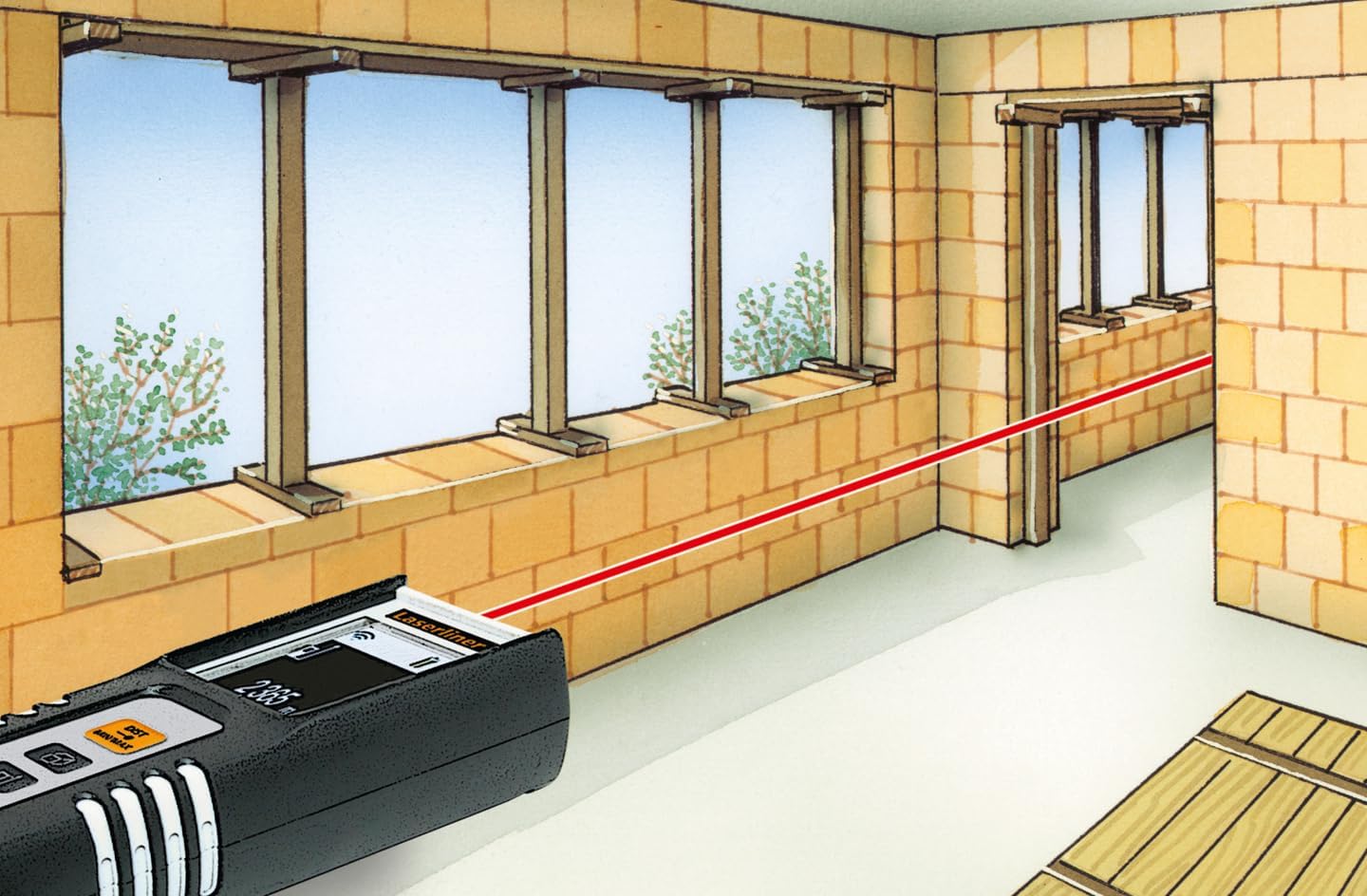
Image 3.3: The laser rangefinder in use, demonstrating a distance measurement across a room, emphasizing the importance of selecting the correct reference point.
3.5 د حافظې فعالیت
The device can store up to 10 measured values. To access or clear the memory, refer to the on-screen menu or specific button combinations detailed in the full manual (not provided here).
4. ساتنه
4.1 پاکول
- وسیله په نرمۍ سره مسح کړئ، دamp ټوکر د کثافاتو پاکوونکي یا محلول مه کاروئ.
- د لیزر لینز پاک او له دوړو یا کثافاتو څخه پاک وساتئ ترڅو دقیق اندازه کول ډاډمن شي.
4.2 ذخیره کول
- کله چې کارول نه وي، وسیله په خپل محافظتي پوښ کې وساتئ.
- که چیرې وسیله د اوږدې مودې لپاره د لیکیدو مخنیوي لپاره ونه کارول شي، نو بیټرۍ لرې کړئ.
- په وچ ځای کې ذخیره کړئ، د تودوخې د تودوخې څخه لیرې.
5. ستونزه حل کول
- وسیله نه فعالیږي: Check battery polarity and ensure batteries are not depleted. Replace if necessary.
- ناسم اندازه ګیري: Ensure the laser lens is clean. Verify the correct reference point is selected. Avoid measuring through transparent surfaces or highly reflective materials.
- د ښودنې ستونزې: که چیرې ښودنه تیاره یا ځلیږي، بیټرۍ بدل کړئ.
6. مشخصات

Image 6.1: The vibrant color LCD display of the DistanceMaster Compact, designed for clear visibility of measurements and functions.
| فیچر | مشخصات |
|---|---|
| د ماډل شمیره | 080.936A |
| د اندازه کولو رینج | 0.1 متر څخه تر 25 متر (0.3 فوټ څخه تر 82 فوټ) |
| دقت | ±3 ملي متره |
| د اندازه کولو واحدونه | متره (متر)، پښې (فوټ)، انچه (په) |
| لیزر ټولګي | 2 |
| طول موج | 650 nm |
| Memory Records | 10 |
| ښودل | Illuminated 3-line color LCD |
| د بریښنا رسول | ۲ x AAA الکلین بیټرۍ (شامل دي) |
| د عملیاتي حرارت درجه | -10 °C څخه تر 40 °C (14 °F څخه تر 104 °F) |
| د ساتنې درجه بندي | IP54 (د دوړې او سپیشل اوبه خوندي) |
| مواد | Rubber casing |
| رنګ | تور، سپین |
| د محصول ابعاد | 110 mm (H) x 43 mm (W) x 27 mm (D) |
| د محصول وزن | 100 ګرامه |

Image 6.2: The robust design of the laser rangefinder, featuring anti-shock rubber for durability and protection in demanding environments, indicated by the IP54 rating.
7. تضمین او ملاتړ
For warranty information, technical support, or service inquiries regarding your Laserliner DistanceMaster Compact, please refer to the official Laserliner webسایټ ته مراجعه وکړئ یا د دوی د پیرودونکو خدماتو څانګې سره اړیکه ونیسئ. د تضمین ادعاوو لپاره د پیرود ثبوت په توګه د پیرود رسید وساتئ.
د نورو مرستو لپاره، تاسو کولی شئ لیدنه وکړئ Laserliner official webسایټ.


