پیژندنه
This manual provides detailed instructions for the setup, operation, and maintenance of your Casio DQD-805J-2JF Digital Alarm Clock. Please read this manual thoroughly to ensure proper use and to fully utilize all features of your device.

شکل 1: مخکی view of the Casio DQD-805J-2JF digital alarm clock. The display shows time, date, temperature, and humidity. Buttons for alarm, monitor, wave reception, set, reset, and snooze/light are visible below the display.
د محصول ځانګړتیاوې
- ډیجیټل ډیزاین: Clear and easy-to-read time, date, temperature, and humidity.
- Radio-Controlled Timekeeping (Wave Ceptor): Automatically synchronizes with atomic time signals for accurate time.
- د الارم فعالیت: Daily alarm with adjustable settings.
- د سنوش دنده: Temporarily pauses the alarm for additional rest.
- شاته رڼا: په ټیټ رڼا کې د لیدو لپاره ډسپلې روښانه کوي.
- Temperature and Humidity Monitor: Displays current indoor temperature and humidity levels.
- تړون ډیزاین: Portable and suitable for various indoor environments.

شکل 2: The Casio DQD-805J-2JF clock is equipped with a temperature and humidity meter, making it suitable for creating a comfortable environment in bedrooms and desk areas. Its compact size also allows for easy portability.
د اجزاوو پیژندنه
د خپل الارم ساعت د مختلفو برخو او کنټرولونو سره ځان بلد کړئ.
د مخکینۍ پینل کنټرولونه:
- د الارم تtonۍ: الارم فعال یا غیر فعالوي.
- Alarm Monitor Button: مخکېviews the alarm sound.
- Wave Reception Button: Initiates manual radio wave time synchronization.
- تڼۍ تنظیم کړئ: د وخت، نیټې او الارم لپاره د ترتیب کولو حالت ته ننوځي.
- د بیا تنظیم تڼۍ: Resets the clock to factory defaults (requires a pointed object).
- سنوز/رڼا بټن: Activates snooze during an alarm or illuminates the display.
- +/- تڼۍ: د تنظیم کولو حالت په جریان کې ارزښتونه تنظیموي.
- Snooze ON/OFF Slider: Enables or disables the snooze function.
د ښودلو شاخصونه:
- د وخت ښودنه: اوسنی ساعت، دقیقه او ثانیه ښیي.
- د نیټې ښودل: Shows month and day.
- د تودوخې ښودنه: Shows current ambient temperature in Celsius.
- د رطوبت ښودنه: د اوسني محیطي رطوبت سلنه ښیيtage.
- Wave Reception Indicator: Shows status of radio signal reception.
- Alarm ON Indicator: Appears when the alarm is active.
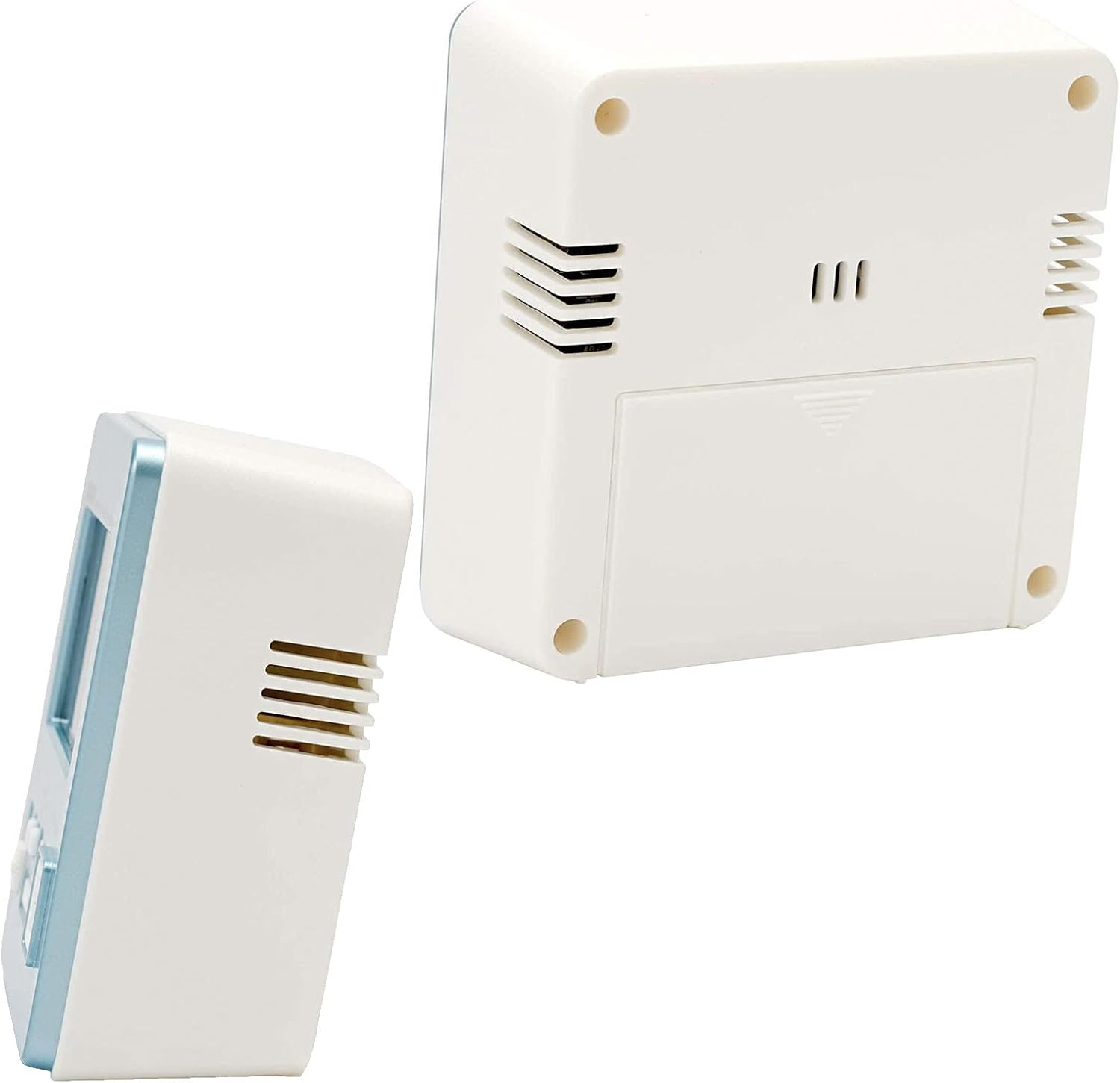
شکل 3: شا او خوا view of the alarm clock, showing the battery compartment and ventilation slots.
چمتو کول
1. د بیټرۍ نصب کول
- د بیټرۍ کمپارټ پوښ خلاص کړئ چې د ساعت په شا کې موقعیت لري.
- Insert the required batteries (typically AA or AAA, refer to the battery compartment label) ensuring correct polarity (+/-).
- د بیټرۍ کمپارټ پوښ په خوندي ډول وتړئ.
2. Initial Power On and Radio Wave Reception
Upon battery installation, the clock will attempt to receive the time calibration signal automatically. This process may take several minutes.
- د غوره سیګنال ترلاسه کولو لپاره ساعت د کړکۍ سره نږدې کېږدئ.
- The wave reception indicator on the display will show the signal strength.
- Once successful, the clock will display the correct time and date automatically.

شکل 4: The Casio Wave Ceptor technology ensures accurate time display through radio signal reception.
3. Manual Time and Date Setting (if automatic reception fails)
- فشار ورکړئ او ونیسئ ټاکل تڼۍ تر هغه وخته پورې چې د وخت عددونه فلش پیل شي.
- د کارولو +/- د ساعت تنظیمولو لپاره تڼۍ، بیا فشار ورکړئ ټاکل د تایید لپاره او دقیقو ته لاړ شئ.
- دا پروسه د دقیقو، کال، میاشتې او ورځې لپاره تکرار کړئ.
- مطبوعاتي ټاکل بیا د ترتیب حالت څخه د وتلو لپاره.
4. د الارم تنظیم کول
- فشار ورکړئ الارم د الارم تنظیم کولو حالت ته د ننوتلو لپاره تڼۍ. د الارم وخت به فلش شي.
- د کارولو +/- buttons to set the desired alarm hour, then press الارم د تایید لپاره او دقیقو ته لاړ شئ.
- د کارولو +/- د مطلوب الارم دقیقې تنظیم کولو لپاره تڼۍ.
- مطبوعاتي الارم again to exit alarm setting mode. The alarm ON indicator will appear on the display.
عملیاتي لارښوونې
1. Viewing Time, Date, Temperature, and Humidity
The clock continuously displays the current time, date, temperature, and humidity. No specific action is required to view دا.
۳. د الارم فعالول/غیر فعالول
فشار ورکړئ الارم button once to toggle the alarm ON or OFF. The alarm ON indicator will show its status.
۴. د سنوز فنکشن کارول
- سلایډ کړئ Snooze ON/OFF switch to the ON position to enable snooze.
- کله چې الارم غږ شي، لوی فشار ورکړئ سنوز/رڼا button to activate snooze. The alarm will pause and sound again after a few minutes (typically 5 minutes).
- To stop the alarm completely, slide the Snooze ON/OFF switch to OFF or press any other button except سنوز/رڼا.
۳. د شاته رڼا کارول
لوی فشار ورکړئ سنوز/رڼا د څو ثانیو لپاره د نندارې روښانه کولو لپاره تڼۍ.
5. Manual Radio Wave Reception
If you wish to manually attempt time synchronization, press the Wave Reception button. The clock will begin searching for the signal. Ensure the clock is in an area with good reception.
ساتنه
1. پاکول
- ساعت د نرم او وچ ټوکر سره پاک کړئ.
- د کثافاتو پاکوونکي، محلولونه، یا کیمیاوي سپرې مه کاروئ، ځکه چې دا کولی شي c ته زیان ورسويasing یا ښودنه.
2. د بیټرۍ بدلول
When the display becomes dim or the clock functions erratically, it is time to replace the batteries. Follow the battery installation steps in the Setup section.
3. ذخیره کول
که چیرې ساعت د اوږدې مودې لپاره ذخیره کوئ، نو بیټرۍ یې لرې کړئ ترڅو د لیکیدو او زیان مخه ونیول شي.
د ستونزو حل کول
| ستونزه | احتمالي لامل | د حل لاره |
|---|---|---|
| ښودنه خالي یا تیاره ده. | ټیټ یا مړه بیټرۍ. | بیټرۍ د نویو سره بدل کړئ. |
| الارم نه غږېږي. | الارم غیر فعال شوی دی. | فشار ورکړئ الارم button to activate the alarm (alarm ON indicator should appear). |
| ناسم وخت ښودل شوی. | Poor radio signal reception; manual time not set. | Move the clock to a location with better reception or perform manual time setting. |
| Radio wave reception fails. | Interference; clock too far from transmitter; environmental factors. | Place the clock near a window, away from electronic devices. Try manual reception. |
مشخصات
- نښه: کاسیو
- د ماډل شمیره: DQD-805J-2JF
- رنګ: رڼا نیلي
- د محصول ابعاد: ۳۷.۵ x ۲۶.۵ x ۳۴ سانتي متره (تقریبا ۱۴.۷۶ x ۱۰.۴۳ x ۱۳.۳۹ انچه)
- د توکي وزن: ۵۰ ګرامه (تقریبا ۱.۷۶ اونس)
- د ښودلو ډول: ډیجیټل
- د بریښنا سرچینه: Battery (Mechanical/Kinetic listed in product data, but typically battery for digital clocks)
- د کور دننه او بهر کارول: دننه

شکل 5: Dimensions of the Casio DQD-805J-2JF alarm clock: 7.8 cm width, 4.9 cm depth, and 8.2 cm height. Weight is approximately 135g.
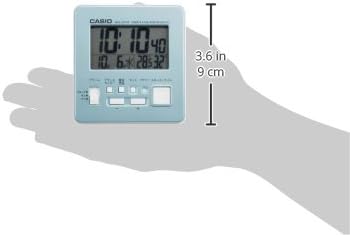
شکل 6: A hand holding the clock, illustrating its compact and portable design, with a height of approximately 9 cm (3.6 inches).
د تضمین معلومات
For specific warranty details, please refer to the warranty card included with your product or visit the official Casio website. Casio typically offers a limited warranty covering manufacturing defects from the date of purchase.
ملاتړ
If you encounter issues not covered in this manual or require further assistance, please contact Casio customer support through their official webسایټ یا ستاسو د محصول په بسته بندۍ کې چمتو شوي د اړیکو معلومات.
You can visit the official Casio store for more information: په ایمیزون کې د کاسیو پلورنځی