1. پیژندنه
The Motorola Solutions HKLN4606 Remote Speaker Microphone is designed to enhance communication efficiency for users of compatible Motorola business two-way radios. This accessory allows for convenient communication without needing to remove the radio from a belt or holster, providing flexibility and ease of use in various work environments.
It features an external speaker, a microphone, a Push-to-Talk (PTT) button, and an adjustable spring clip for secure attachment.
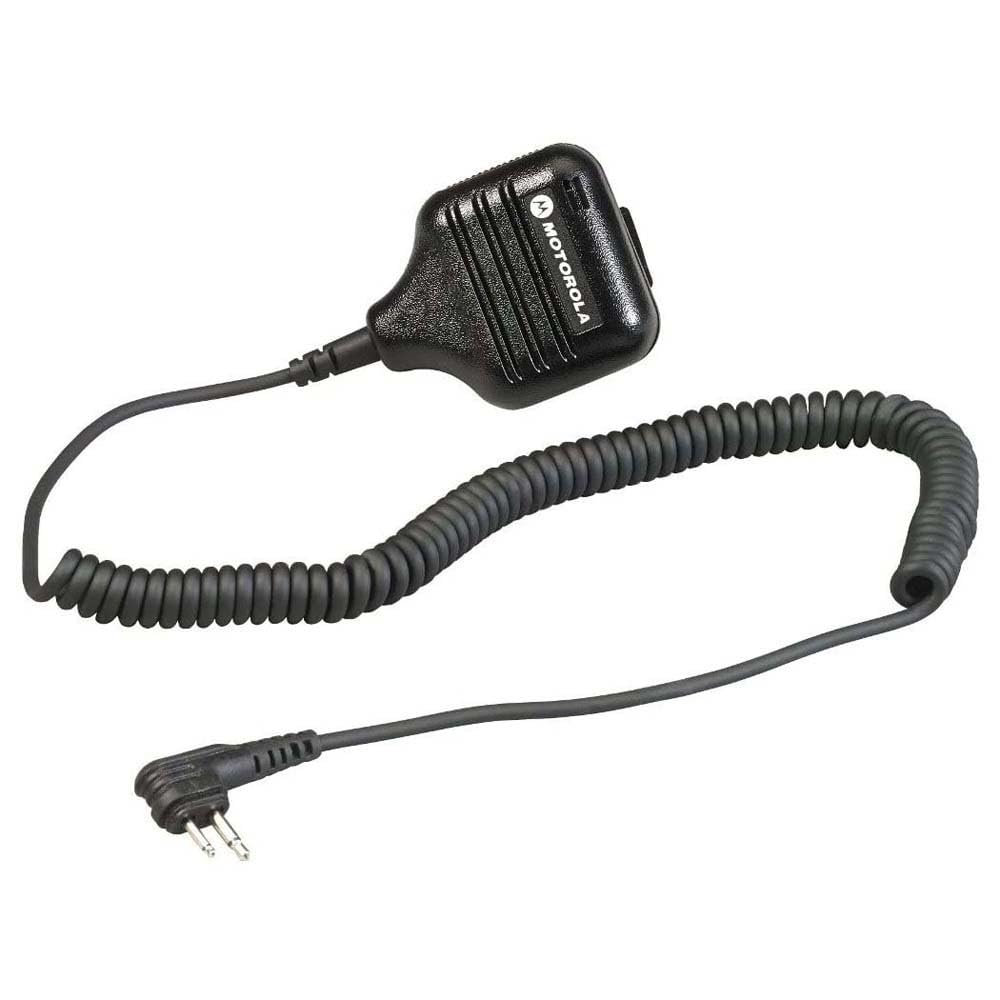
شکل 1: Motorola Solutions HKLN4606 Remote Speaker Microphone. This image displays the black remote speaker microphone with its coiled cord and two-pin connector.
۲. په بکس کې څه دي؟
د بسته بندۍ پرانستلو سره، ډاډ ترلاسه کړئ چې لاندې توکي پکې شامل دي:
- Motorola Solutions HKLN4606 Remote Speaker Microphone unit
Note: The main unit includes the speaker, microphone, Push-to-Talk button, adjustable spring clip, coiled cord, and radio connector.
3. ترتیب او نصب کول
- Identify Compatible Radio: Ensure your two-way radio is compatible with the HKLN4606. This microphone is designed for Motorola CLS, DLR, RM, and RDX Series Business Radios.
- د لوازمو بندر ومومئ: Turn off your radio. Locate the accessory port on the side of your compatible Motorola two-way radio.
- مایکروفون وصل کړئ: Align the two-pin connector of the HKLN4606 Remote Speaker Microphone with the radio's accessory port. Gently push the connector firmly into the port until it is securely seated.
- Secure Microphone: Use the adjustable spring clip on the back of the microphone to attach it to your clothing (e.g., lapel, collar, shoulder strap) in a position that allows for clear audio transmission and reception.
- د راډیو پاور آن: Turn on your radio. The radio should now recognize the connected accessory.
For optimal performance, ensure the connection is secure and the microphone is positioned correctly.
4. عملیاتي لارښوونې
The HKLN4606 Remote Speaker Microphone simplifies communication by allowing you to transmit and receive audio directly through the accessory.
- د غږ ترلاسه کول: When your radio receives a transmission, the audio will be heard through the speaker on the remote microphone.
- د آډیو لیږدول (پش-ټو-ټاک - PTT):
- Press and hold the large Push-to-Talk (PTT) button located on the side of the microphone.
- Speak clearly into the microphone, keeping it approximately 2-3 inches from your mouth.
- د لیږد بندولو او د ترلاسه کولو حالت ته د بیرته راستنیدو لپاره د PTT تڼۍ خوشې کړئ.
- د حجم تنظیمول: Adjust the volume using the controls on your connected two-way radio. The remote speaker microphone does not have independent volume controls.
- موقعیت: Ensure the microphone is positioned to capture your voice clearly and that the speaker is audible to you. The adjustable clip allows for flexible placement.
5. پاملرنه او ساتنه
Proper care will extend the life and performance of your HKLN4606 Remote Speaker Microphone.
- پاکول: مایکروفون په نرم، دamp ټوکر. سخت کیمیاوي مواد یا د کثافاتو پاکوونکي مه کاروئ. ډاډ ترلاسه کړئ چې واحد د کارولو دمخه وچ دی.
- ذخیره کول: Store the microphone in a cool, dry place when not in use. Avoid extreme temperatures.
- سمبالول: Avoid dropping the unit or subjecting it to strong impacts. Do not pull on the cord excessively, as this can damage internal wiring or the connector.
- د اوبو ښکاره کول: This device is not waterproof. Avoid exposing it to rain, splashes, or immersion in water.
6. ستونزه حل کول
| ستونزه | احتمالي لامل | د حل لاره |
|---|---|---|
| No audio from speaker microphone. |
|
|
| نشي لیږدول کیدی (د PTT تڼۍ غیر ځواب ورکوونکی). |
|
|
| Poor audio quality (static, unclear). |
|
|
If troubleshooting steps do not resolve the issue, please contact Motorola Solutions customer support.
7. مشخصات
| فیچر | تفصیل |
|---|---|
| د ماډل نوم | HKLN4606 |
| برانډ | د موټرولا حلونه |
| د مایکروفون فارم فکتور | لاسي |
| د ارتباط ټیکنالوژي | تارونه |
| د نښلونکي ډول | M03 (Two-pin) |
| مطابقت لرونکې وسیلې | Motorola CLS, DLR, RM, RDX Series Business Radios |
| مواد | پلاستیک |
| رنګ | تور |
| د توکي ابعاد (L x W x H) | 5.3 x 2.4 x 10.9 انچه (13.46 x 6.1 x 27.69 سانتي متره) |
| د توکي وزن | 3.99 اونس (113 ګرامه) |
| ځانګړی ځانګړنه | Adjustable Spring Clip |
| د بریښنا سرچینه | Corded Electric (powered by radio) |
| UPC | 748091000447 |
| جوړونکی | Motorola Solutions Business Radios |
8. تضمین او ملاتړ
For information regarding the warranty coverage for your Motorola Solutions HKLN4606 Remote Speaker Microphone, please refer to the warranty documentation provided with your original purchase or visit the official Motorola Solutions webسایټ
If you require technical assistance, troubleshooting beyond this manual, or warranty service, please contact Motorola Solutions customer support. Contact details can typically be found on the official Motorola Solutions webسایټ یا ستاسو د مجاز پلورونکي له لارې.
مهم: موټرولا د پیرود سپارښتنه کويasing only from authorized dealers to ensure genuine products and valid warranty support.


