1. پیژندنه
This manual provides detailed instructions for the setup, operation, and maintenance of your Marathon Digital Desktop Clock, Model CL030050BK. This compact and versatile digital clock is designed for use on a desk or nightstand, offering time, date, day of the week, and temperature displays, along with a dual alarm function and a button-activated backlight.
2. محصول ختم شوview

شکل 2.1: مخکی view of the Marathon Digital Desktop Clock CL030050BK, showing its large digital display with time, date, day, and temperature.
2.1 کلیدي ځانګړتیاوې
- Large, High-Quality Display: Enhanced contrast for clear legibility.
- Nightowl Super Glow Backlight: Button-activated, gentle blue backlight that illuminates for approximately 10 seconds.
- دوه ګونی الارم فعالیت: Separate alarm settings for weekdays (Monday-Friday) and weekends (Saturday-Sunday).
- د سنوز تڼۍ: Conveniently located for temporary alarm suspension.
- د ښودلو څو طریقې: Time in 12 or 24-hour format, temperature in Fahrenheit or Celsius.
- Multilingual Day of Week: Displays the day of the week in seven languages: English, Dutch, French, Spanish, Italian, Danish, and German.
- کمپیکٹ او لږ وزن ډیزاین: Ideal for desktop, nightstand, or travel.
2.2 د بسته محتويات
- 1 x Marathon Digital Desktop Clock CL030050BK
- 3 x AAA بیټرۍ (شامل دي)
- 1 x د کارونکي لارښود
3. ترتیب کول
3.1 د بیټرۍ نصب کول
- د ساعت په شا کې د بیټرۍ د برخې پوښ ومومئ.
- د خونې د خلاصولو لپاره پوښ ښکته خوا ته وغورځوئ.
- څلور نوي AAA بیټرۍ دننه کړئ، د سم قطبیت (+ او -) ډاډ ترلاسه کړئ لکه څنګه چې د خونې دننه ښودل شوي.
- د بیټرۍ د برخې پوښ پورته خوا ته وغورځوئ تر هغه چې په خپل ځای کې کلیک وکړي.
3.2 ابتدايي پاور آن
Upon successful battery installation, the clock display will activate, typically showing a default time and date. It is recommended to perform a reset after battery installation to ensure optimal performance.
3.3 Resetting the Clock
To reset the clock, use a thin, pointed object (like a paperclip) to press the recessed RESET button located on the back of the unit. This will clear all settings and return the clock to its factory defaults.
4. عملیاتي لارښوونې
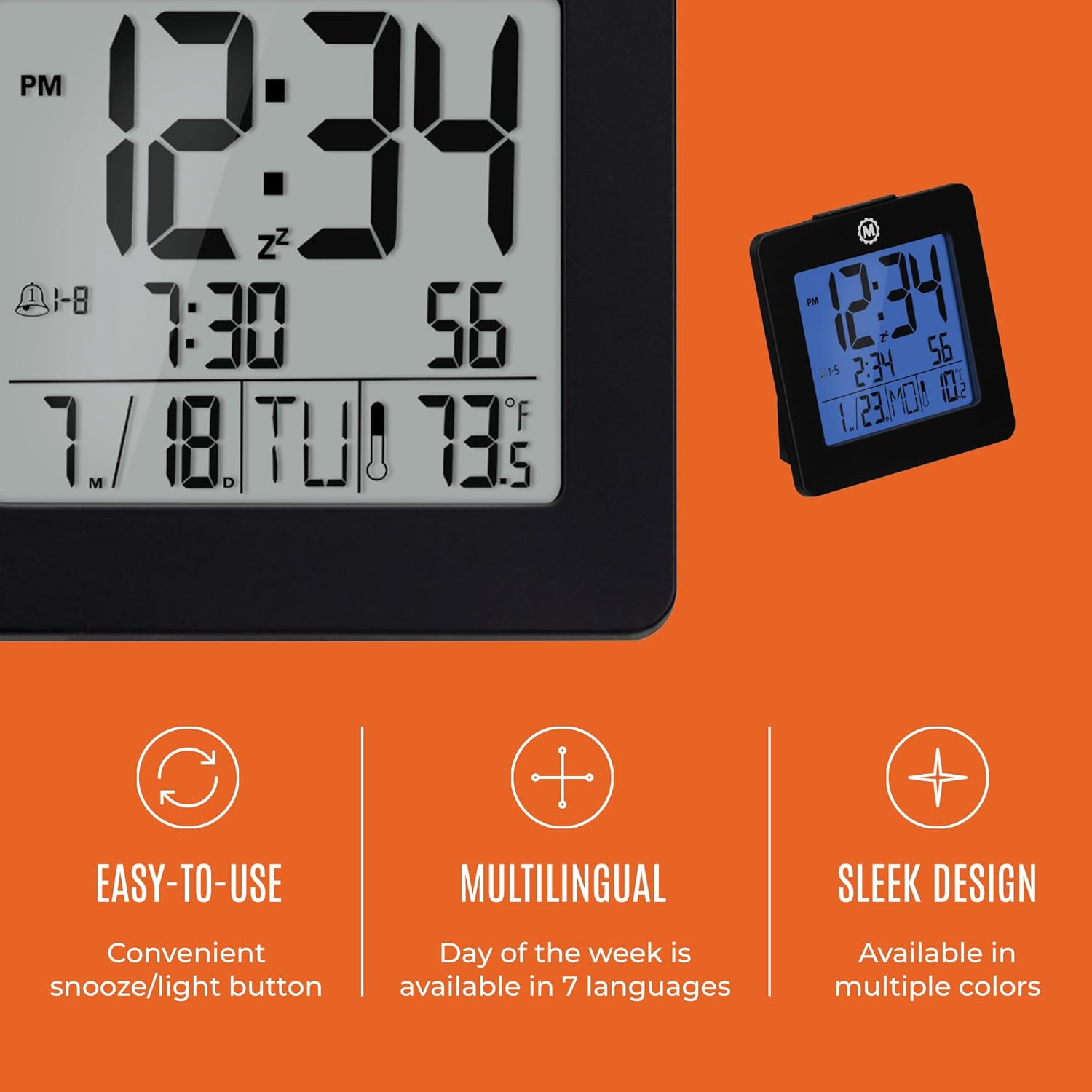
شکل 4.1: پایview of key features and design elements.
4.1 د تڼۍ دندې
ساعت د تنظیم کولو لپاره په شا کې څو تڼۍ لري:
- لارښوونه: Toggles between Time, Alarm, and Timer display modes.
- سیټ: Enters setting mode for the currently displayed mode (Time, Alarm, Timer).
- UP / 12/24: In setting mode, increases the value. In time display mode, toggles between 12-hour and 24-hour format.
- ښکته / °C/°F: In setting mode, decreases the value. In time display mode, toggles between Celsius and Fahrenheit temperature units.
- LIGHT / SNOOZE: Activates the backlight for 10 seconds. When the alarm sounds, press to activate snooze.
- بیا تنظیم کړئ: Resets the clock to factory defaults (requires a pointed object).
۳.۲ د وخت او نیټې ټاکل
- فشار ورکړئ موډ button until the time is displayed.
- فشار ورکړئ او ونیسئ SET button for approximately 3 seconds until the year flashes.
- د کارولو UP or ښکته د کال د سمون لپاره تڼۍ.
- مطبوعاتي SET د تایید لپاره او د میاشتې ترتیب ته لاړ شئ.
- Repeat steps 3 and 4 to set the month, day, 12/24-hour format, hour, and minute.
- After setting the minutes, press SET to exit time/date setting mode.
4.3 Setting the Day of Week Language
While in time display mode, repeatedly press the UP or ښکته button to cycle through the 7 available languages for the day of the week display (English, Dutch, French, Spanish, Italian, Danish, German).
4.4 Setting the Temperature Unit
While in time display mode, press the ښکته / °C/°F button to toggle the temperature display between Celsius (°C) and Fahrenheit (°F).
4.5 Setting the Dual Alarm
- فشار ورکړئ موډ button until the alarm time is displayed (indicated by an alarm icon).
- فشار ورکړئ او ونیسئ SET button for approximately 3 seconds until the alarm hour flashes.
- د کارولو UP or ښکته د الارم ساعت تنظیم کولو لپاره تڼۍ.
- مطبوعاتي SET to confirm and move to the alarm minute setting.
- Repeat steps 3 and 4 to set the alarm minute.
- After setting the minutes, press SET to select the alarm type: Weekday (1-5) or Weekend (6-7). Use UP or ښکته غوره کول.
- مطبوعاتي SET د الارم ترتیب حالت تایید او وتلو لپاره.
- د الارم فعال/غیر فعالولو لپاره، فشار ورکړئ UP button while in alarm display mode. An alarm icon will appear/disappear on the screen.
4.6 Using the Snooze and Backlight
لوی فشار ورکړئ رڼا / سنوزي button on the top of the clock to activate the blue backlight. The backlight will remain illuminated for approximately 10 seconds. If the alarm is sounding, pressing this button will activate the snooze function, temporarily silencing the alarm for a short period before it sounds again.
5. ساتنه
- پاکول: Wipe the clock with a soft, dry cloth. Avoid using abrasive cleaners or solvents.
- د بیټرۍ بدلول: Replace all 3 AAA batteries when the display becomes dim or the clock functions erratically. Always replace with new batteries of the same type.
- ذخیره کول: که چیرې ساعت د اوږدې مودې لپاره ذخیره کوئ، نو د لیکیدو مخنیوي لپاره بیټرۍ لرې کړئ.
6. ستونزه حل کول
| ستونزه | احتمالي لامل | د حل لاره |
|---|---|---|
| ښودنه خالي یا تیاره ده. | ټیټ یا مړه بیټرۍ. | ټولې درې AAA بیټرۍ بدلې کړئ. |
| غلط وخت/نیټه ښودل شوې. | Settings were not saved or incorrect. | Perform a reset and re-enter time/date settings as per Section 4.2. |
| الارم نه غږېږي. | الارم فعال شوی نه دی یا په غلط ډول تنظیم شوی دی. | Ensure the alarm is activated (alarm icon visible) and the alarm time is correctly set (Section 4.5). |
| د شا څراغ کار نه کوي. | ټیټ بیټرۍ یا د تڼۍ خرابوالی. | بیټرۍ بدل کړئ. که ستونزه دوام ومومي، د پیرودونکو ملاتړ سره اړیکه ونیسئ. |
7. مشخصات
- د ماډل شمیره: د CL030050BK معرفي کول
- نښه: ماراتن
- د ښودلو ډول: ډیجیټل
- رنګ: تور
- د محصول ابعاد: ۱۷" څراغ x ۱۷" ح
- د توکي وزن: 5.6 اونس
- د بریښنا سرچینه: Battery Powered (3 x AAA batteries included)
- مواد: پلاستیک
- د نصب کولو ډول: ټابلیټ
- ځانګړې ځانګړنه: Button-activated backlight, dual alarm, temperature display, multilingual day of week.
8. تضمین او ملاتړ
8.1 د تضمین معلومات
This Marathon Digital Desktop Clock CL030050BK comes with a 1 کلن تضمین د پیرود نیټې څخه. دا تضمین د تولید نیمګړتیاوې او د عادي استعمال لاندې کاریګري پوښي. دا د ناوړه ګټې اخیستنې، پیښو، غیر مجاز تعدیلاتو، یا عادي اغوستلو او اوښکو له امله رامینځته شوي زیانونه نه پوښي.
8.2 د پیرودونکي ملاتړ
For technical assistance, troubleshooting, or warranty claims, please visit the official Marathon website or contact their customer service department. Please have your model number and proof of purchase ready when contacting support.


