1. محصول ختم شوview
The JETBeam MS-R28 is a robust military-grade flashlight designed for reliability and performance. It features advanced LED technology, durable construction, and user-friendly functionalities suitable for various demanding environments.
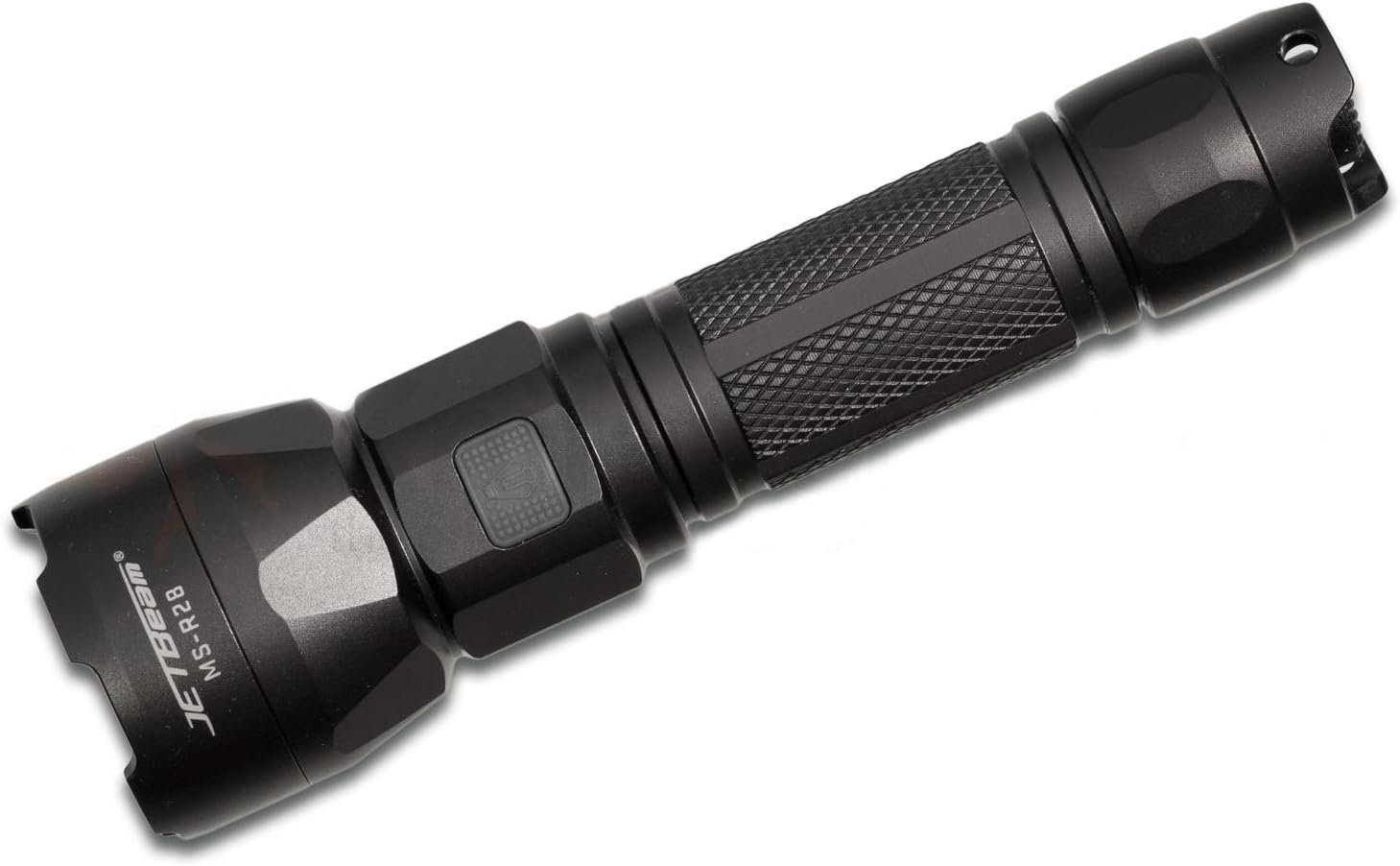
Figure 1: JETBeam MS-R28 Military Flashlight. This image displays the flashlight's full body, highlighting its black finish and textured grip. The JETBeam brand logo and MS-R28 model number are clearly visible on the side of the head.
2. د خوندیتوب معلومات
- په مستقیم ډول د رڼا بیم ته مه ګورئ. د لوړ شدت رڼا کولی شي د لنډمهاله لید ضعیف یا د سترګو دایمي زیان لامل شي.
- د ماشومانو د لاسرسي څخه لرې وساتئ.
- د فلش لائټ مهر شوی سر مه جلا کوئ. دا کار ممکن د فلش لائټ ته زیان ورسوي او تضمین به باطل کړي.
- Use only recommended batteries. Incorrect battery types may cause damage or explosion.
- Ensure proper battery polarity during installation.
- د فلش لائټ له غورځولو یا د سختو ټکانونو سره مخ کیدو څخه ډډه وکړئ.
- د فلش لائټ د لوړې تودوخې یا پرانیستې اور ته مه ښکاره کوئ.
3. د بسته محتويات
Please check the package contents upon opening to ensure all items are present and in good condition.
- JETBeam MS-R28 Military Flashlight (1 unit)
- د کارن لارښود (دا سند)
- Lanyard (if included in specific package variant)
- Spare O-rings (if included)
- د USB چارج کولو کیبل (که شامل وي)
4. ترتیب کول
4.1 د بیټرۍ نصب کول
The JETBeam MS-R28 requires a compatible rechargeable battery (not included). Ensure the battery is fully charged before first use.
- د فلش لائټ د لکۍ کیپ د ساعت په مخالف لوري وګرځوئ او خلاص یې کړئ.
- Insert the battery with the positive (+) terminal facing towards the head of the flashlight.
- د لکۍ خولۍ بیرته د ساعت په لور وګرځوئ تر هغه چې په خوندي ډول ټینګه شي. ډاډ ترلاسه کړئ چې O-ring په سمه توګه ځای پر ځای شوی ترڅو د اوبو ضد مواد وساتل شي.
4.2 ابتدايي چارج
If your MS-R28 model supports USB charging, it is recommended to fully charge the battery before initial use to ensure optimal performance and battery longevity.
- Locate the USB charging port, typically covered by a rubber seal near the head of the flashlight.
- Open the rubber seal and connect the provided USB charging cable to the port.
- د USB کیبل بله پای د یو مناسب USB بریښنا سرچینې سره وصل کړئ (د مثال په توګه، د کمپیوټر USB پورټ، د USB دیوال اډاپټر).
- د شاخص څراغ به د چارج کولو حالت وښيي (د جزیاتو لپاره 6 برخې ته مراجعه وکړئ).
- Once charging is complete, disconnect the cable and securely close the rubber seal to maintain waterproofing.
5. عملیاتي لارښوونې
۸ پاور آن/بند
- د څراغ روښانه کولو لپاره ON: Press the power button located on the side or tail cap (depending on model variant) until the light illuminates.
- د څراغ روښانه کولو لپاره بند: Press the power button again.
5.2 د حالت انتخاب
The MS-R28 typically features multiple brightness levels and special modes. The method for cycling through modes may vary slightly by specific production batch, but generally involves the following:
- د فلش لائټ سره ON, press and hold the power button to cycle through brightness levels (e.g., Low, Medium, High, Turbo). Release the button to select the desired brightness.
- For special modes (e.g., Strobe, SOS): Double-press the power button rapidly to activate Strobe mode. Double-press again for SOS mode. Press once to return to the last used brightness level.
۵.۴ د بیټرۍ د ژوند شاخص
The power button on the MS-R28 features a built-in flash indicator to denote battery life. The specific color or flash pattern will indicate the remaining power level:
- جامد شنه/آبي: کافي برېښنا پاتې ده.
- Flashing Yellow/Orange: Medium power, consider recharging soon.
- سور رنګ: Low power, immediate recharge required.
Note: Specific indicator colors may vary slightly. Refer to the quick start guide included with your specific product for exact details if different.
6. چارج کول
The JETBeam MS-R28 features USB-charger capabilities for convenient recharging of its internal battery.
- Ensure the flashlight is turned OFF before charging.
- Locate the USB charging port, typically protected by a rubber cover to maintain waterproofing.
- Carefully lift the rubber cover to expose the USB port.
- Insert the micro-USB end of the charging cable into the flashlight's port.
- Connect the standard USB-A end of the cable to a 5V USB power adapter or a computer's USB port.
- The power button indicator light will typically illuminate red or orange during charging and turn green or blue when charging is complete.
- Once fully charged, disconnect the USB cable and firmly press the rubber cover back into place to ensure the waterproofing seal is intact.
7. ساتنه
7.1 پاکول
- Wipe the flashlight body with a clean, damp ټوکر د کثافاتو پاکوونکي یا محلول مه کاروئ.
- Clean the threads of the tail cap and head regularly. Apply a thin layer of silicone grease to the O-rings to maintain waterproofing and smooth operation.
- Keep the lens clean. Use a lens cleaning cloth or cotton swab with a small amount of rubbing alcohol if necessary.
7.2 ذخیره کول
- فلش لائټ په یخ او وچ ځای کې د مستقیم لمر وړانګو او خورا تودوخې څخه لرې وساتئ.
- If storing for an extended period, remove the battery to prevent leakage and damage to the flashlight.
8. ستونزه حل کول
| ستونزه | احتمالي لامل | د حل لاره |
|---|---|---|
| فلش لائټ نه روښانه کېږي. |
|
|
| رڼا ځلېږي یا تیاره وي. |
|
|
| د مخامخ کیدو وروسته د اوبو ننوتل. |
|
|
9. مشخصات
| د ماډل شمیره | MS-R28 |
| برانډ | JETBeam |
| د محصول ابعاد | 19 x 5 x 5 سانتي متره |
| د توکي وزن | ۷.۰ کیلو ګرامه (۱۵.۵ پونډه) |
| رنګ | تور |
| د بلب ډول | LED |
| پنروک | IPX-6 (Resistant to high-pressure, heavy sprays of water) |
| د چارج کولو وړتیا | USB-charger capabilities |
| د بیټرۍ شاخص | Flash indicator on power button denotes battery life |
| د حرارتي مدیریت | Optimized thermal heat fins |
| شاملې برخې | Jetbeam MS-R28 Military Flashlight Black (and potentially USB cable, lanyard, spare O-rings depending on package) |
10. تضمین او ملاتړ
JETBeam products are manufactured to high quality standards. For specific warranty terms and conditions, please refer to the warranty card included with your purchase or visit the official JETBeam webسایټ
For technical support, service, or inquiries regarding your JETBeam MS-R28 Military Flashlight, please contact your authorized dealer or the manufacturer's customer service department. Contact information can typically be found on the product packaging or the official brand webسایټ
- جوړونکی: Sportsman Supply Inc.
- برانډ Webسایټ: www.jetbeam.com (Note: This is a general placeholder for a brand webسایټ، اصلي URL may vary or not exist.)


