پیژندنه
This manual provides instructions for the setup, operation, and maintenance of your iHome iH402B Dual Charging Alarm Clock. This device features dual alarms, a USB charging port, and a removable USB battery pack for portable power. Please read these instructions carefully before using your device.
محصول پای ته ورسیدview
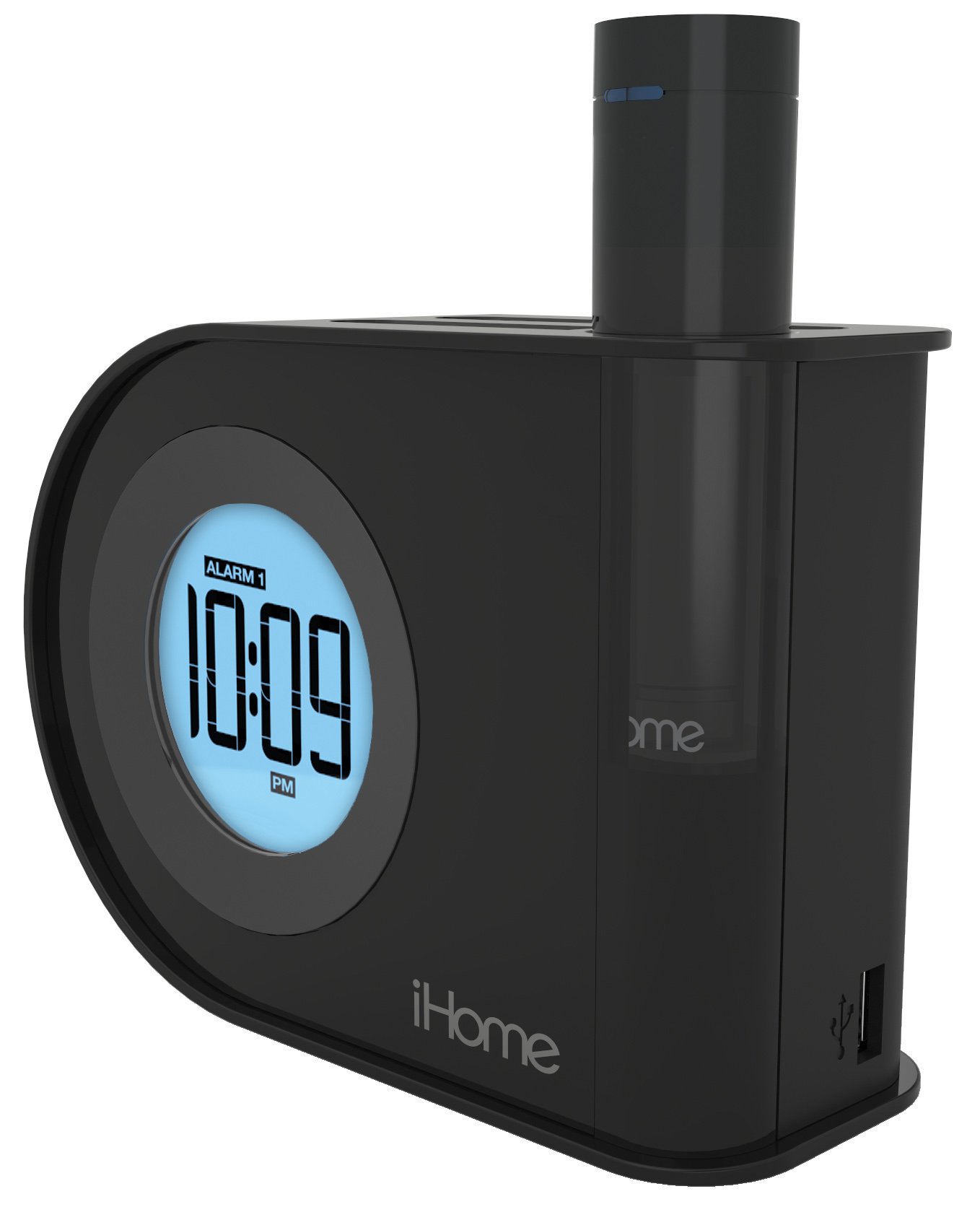
انځور: The iHome iH402B alarm clock displaying 10:09 PM, with a smartphone and a tablet connected via USB cables for charging. The removable power pack is visible on the right side of the clock.
The iH402B is designed to provide reliable timekeeping and alarm functions, along with convenient charging capabilities for your mobile devices. It includes a main unit with a digital display, a built-in USB charging port, and a unique pop-out removable lithium-ion battery pack with its own USB port.
چمتو کول
1. د بریښنا پیوستون
Connect the power adapter (not included, but required for primary power) to the DC jack on the back of the iH402B unit and then plug the adapter into a standard wall outlet. The unit will power on and the display will illuminate.
2. د بیټرۍ بیک اپ
The iH402B requires 2 AA batteries (included) for battery backup. Install these batteries into the compartment located on the bottom of the unit. This backup ensures that time and alarm settings are maintained during a power outage.
3. د وخت ټاکل
- فشار ورکړئ او ونیسئ د وخت ټاکل button (refer to unit for exact location).
- د کارولو + or - د ساعت تنظیمولو لپاره تڼۍ. د سهار/ماښام د سم تنظیم لپاره د ماښام شاخص وګورئ.
- فشار ورکړئ د وخت ټاکل button again to confirm the hour and proceed to minute adjustment.
- د کارولو + or - د دقیقو تنظیم کولو لپاره تڼۍ.
- فشار ورکړئ د وخت ټاکل د وخت خوندي کولو او د وخت تنظیم کولو حالت څخه د وتلو لپاره یو وروستی ځل تڼۍ.
4. Daylight Saving Time (DST) Switch
موندل DST switch on the back of the unit. Slide the switch to the appropriate position (DST or Standard Time) to instantly adjust the clock for seasonal time changes.
عملیاتي لارښوونې
۲. د الارمونو تنظیم کول (الارم ۱ او الارم ۲)
The iH402B features two independent alarms. Follow these steps for each alarm:
- فشار ورکړئ او ونیسئ الارم. or الارم. تڼۍ تر هغه وخته پورې چې د الارم وخت په نندارتون کې روښانه شي.
- د کارولو + or - buttons to adjust the desired alarm hour. Ensure the AM/PM indicator is correct.
- اړونده فشار ورکړئ الارم button again to confirm the hour and proceed to minute adjustment.
- د کارولو + or - د مطلوب الارم دقیقې تنظیم کولو لپاره تڼۍ.
- فشار ورکړئ الارم button one last time to save the alarm time. The alarm indicator will light up, confirming the alarm is active.
- د فعال الارم بندولو لپاره، اړونده فشار ورکړئ الارم button once. The alarm indicator will turn off.
An alarm volume switch (High/Low) is located on the back of the unit to adjust the buzzer volume.
۴. د سنوز فعالیت
کله چې الارم غږیږي، فشار ورکړئ snooze button (typically a large button on top of the unit) to temporarily silence the alarm. The alarm will sound again after a preset interval (usually 9 minutes).
3. روښانه کول
The display brightness can be adjusted. Locate the ډیمر or روښانتیا button (refer to unit for exact location). Press it repeatedly to cycle through various brightness levels, including an option to turn the display off entirely.
4. د USB چارج
The iH402B offers two ways to charge your mobile devices:
- جوړ شوی USB پورټ: Connect your device's USB charging cable to the USB port located on the side or back of the main unit.
- Removable USB Battery Pack: The unit includes a pop-out lithium-ion battery pack with its own USB port. To use it, press the release button (typically on the back) to eject the pack. Connect your device's USB charging cable to the port on the battery pack. To recharge the battery pack, reinsert it into the main unit.

انځور: نږدې view of the iHome iH402B, highlighting the USB charging capabilities. A smartphone is connected to the built-in USB port, and a tablet is connected to the removable power pack, which is inserted into the alarm clock.
ساتنه
1. پاکول
Wipe the unit with a soft, dry cloth. Do not use liquid cleaners or abrasive materials, as they may damage the finish.
۲. د بیټرۍ بدلول (بیک اپ)
If the display flickers or settings are lost during a power interruption, the AA backup batteries may need replacement. Open the battery compartment on the bottom of the unit, remove the old batteries, and insert two new AA batteries, observing correct polarity.
د ستونزو حل کول
- واحد نه فعالیږي: Ensure the power adapter is securely plugged into both the unit and a working wall outlet. Check the power source.
- الارم نه غږېږي: Verify that the alarm is set and activated (alarm indicator lit). Check the alarm volume switch on the back of the unit.
- د USB چارج کول کار نه کوي: Ensure the unit is powered on. Check the USB cable connection to both the alarm clock/battery pack and your device. Some devices may require more power than the removable pack can provide for a full charge.
- Time/settings lost during power outage: Replace the AA backup batteries.
- Display is too dim or off: د وقف شوي تڼۍ په کارولو سره د نندارې روښانتیا تنظیم کړئ.
مشخصات
| برانډ | iHome |
| د ماډل شمیره | iH402B |
| د ښودلو ډول | ډیجیټل |
| د بریښنا سرچینه | Battery Powered (for backup), Electrical (main) |
| د بیک اپ بیټرۍ | 2 AA بیټرۍ (شامل) |
| ارتباط | USB |
| د محصول ابعاد | 2.36 x 5.71 x 4.06 انچه |
| د توکي وزن | ۲.۴۵ پونډه |
| جوړونکی | د SDI ټکنالوژۍ شرکت. |
تضمین او ملاتړ
د تضمین معلوماتو او تخنیکي ملاتړ لپاره، مهرباني وکړئ هغه اسنادو ته مراجعه وکړئ چې ستاسو د پیرود سره شامل دي یا رسمي iHome ته مراجعه وکړئ. webسایټ. د تضمین ادعاوو لپاره د پیرود ثبوت وساتئ.