پیژندنه
This manual provides detailed instructions for the Rapoo V510 Backlit Mechanical Gaming Keyboard. It covers setup, operation, maintenance, and troubleshooting to ensure you get the best experience from your device. The Rapoo V510 is designed for gamers, featuring durable mechanical key switches, anti-ghosting capabilities, and a spill-resistant design.
چمتو کول
د بسته محتويات
- Rapoo V510 Mechanical Gaming Keyboard
- د چټک پیل لارښود
د سیسټم اړتیاوې
- Operating System: Windows 98SE/ME/2000/XP/Vista/Win7/Win8/Win10/MAC OS
- د USB پورټ شتون لري
د کیبورډ سره نښلول
- Unpack the Rapoo V510 keyboard from its packaging.
- په خپل کمپیوټر کې موجود USB پورټ ومومئ.
- د کیبورډ USB نښلونکی په USB پورټ کې ولګوئ.
- Your operating system should automatically detect and install the necessary drivers. No additional software installation is typically required for basic functionality.
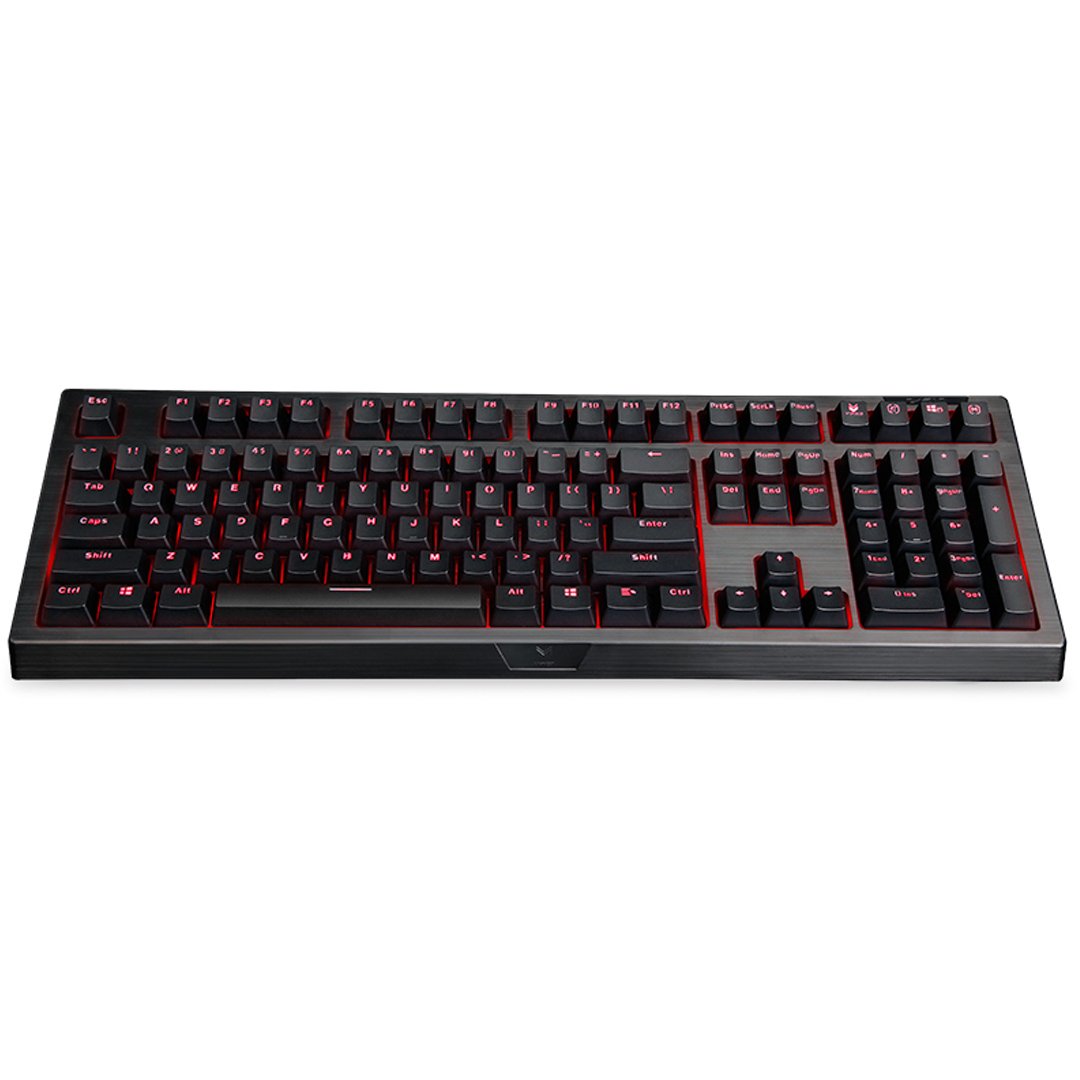
انځور: پورته-ښکته view of the Rapoo V510 keyboard, showcasing its full layout with red backlighting.
د کیبورډ چلول
کلیدي ځانګړتیاوې
- Full Mechanical Keys: Experience high-speed response and tactile feedback with every keystroke.
- دوامدار سویچونه: Mechanical key switches are designed for a long lifespan, rated up to 60 million operations per key.
- Conflict-Free Design (Anti-Ghosting): Press multiple keys simultaneously without signal failure. This ensures every command is registered accurately, which is crucial for gaming.
- Gaming-Optimized Layout: The keyboard features a special key layout without a Windows key on the left side, preventing accidental interruptions during gameplay.
- شاته رڼا کول: The keyboard includes backlighting for enhanced visibility in various lighting conditions.

انځور: نږدې انځور view highlighting the mechanical key switches of the Rapoo V510 keyboard.

Image: The Rapoo V510 keyboard with an icon indicating its conflict-free design, allowing multiple simultaneous key presses.

Image: The Rapoo V510 keyboard with certain keys highlighted, indicating its design for gamers.
ساتنه
د کیبورډ پاکول
To maintain optimal performance and appearance, regular cleaning is recommended.
- د پاکولو دمخه کیبورډ له خپل کمپیوټر څخه جلا کړئ.
- د نرم، لینټ پاک ټوکر څخه لږ څه کار واخلئampد کیلي کیپسونو او سطحې د پاکولو لپاره د اوبو یا یو نرم پاکولو محلول سره مینځل کیږي.
- د سختو کیمیاوي موادو، خړوبونکو پاکوونکو، یا محلولونو کارولو څخه ډډه وکړئ.
- د کیلي ګانو ترمنځ د دوړو او کثافاتو لپاره، فشار شوي هوا وکاروئ.
د تودوخې مقاومت لرونکي ډیزاین
The Rapoo V510 features a spill-resistant design to protect against accidental liquid spills. In case of a spill:
- سمدلاسه کیبورډ له خپل کمپیوټر څخه جلا کړئ.
- Invert the keyboard to drain any liquid.
- Wipe the surface thoroughly with a dry, clean cloth.
- Allow the keyboard to air dry completely before reconnecting it to your computer.

Image: The Rapoo V510 keyboard with an icon indicating its spill-resistant design.

انځور: نږدې انځور view of the Rapoo V510 key switches with water droplets, illustrating the keyboard's spill-resistant capabilities.
د ستونزو حل کول
کیبورډ ځواب نه ورکوي
- ډاډ ترلاسه کړئ چې USB کیبل په خوندي ډول د کیبورډ او د کمپیوټر USB پورټ دواړو سره وصل دی.
- هڅه وکړئ چې کیبورډ په خپل کمپیوټر کې په بل USB پورټ کې ولګوئ.
- Restart your computer to refresh the USB connection.
- په بل کمپیوټر کې کیبورډ ازموینه وکړئ ترڅو معلومه کړئ چې ستونزه د کیبورډ سره ده یا د اصلي کمپیوټر سره.
Keys Not Registering or Ghosting
- While the V510 has an anti-ghosting design, ensure no debris is lodged under the keycaps.
- کیبورډ پاک کړئ لکه څنګه چې د ساتنې برخې کې تشریح شوي.
- If specific keys are consistently failing, contact customer support for assistance.
مشخصات
| برانډ | راپو |
| د ماډل شمیره | V510 |
| رنګ | تور |
| د ارتباط ټیکنالوژي | تارونه |
| د کیبورډ توضیحات | لوبې کول، میخانیکي |
| ځانګړی ځانګړنه | Backlit, Spill-resistant, Anti-ghosting |
| د توکي ابعاد (LxWxH) | 36.5 x 13.5 x 4.2 سانتي متره |
| د توکي وزن | 940 ګرامه |
| Key Switch Life | تر 60 ملیون پورې عملیات |
| مطابقت لرونکې وسیلې | لپ ټاپ، ډیسکټاپ کمپیوټر |
| د عملیاتي سیسټم ملاتړ | Windows 98SE/ME/2000/XP/Vista/Win7/Win8/Win10/MAC OS |
د تضمین معلومات
The Rapoo V510 Backlit Mechanical Gaming Keyboard comes with a 3 کلن تضمین from the date of purchase. This warranty covers manufacturing defects and ensures reliable performance under normal use. Please retain your proof of purchase for warranty claims.

Image: A badge indicating a 3-year warranty for Rapoo products, along with customer support contact details.
د پیرودونکي ملاتړ
For technical assistance, warranty claims, or any other inquiries regarding your Rapoo V510 keyboard, please contact our customer support team:
- تلیفون: +91-84678-77770
- بریښنالیک: response.india@rapoo.com


