1. پیژندنه
This manual provides essential information for the safe and efficient operation of your LG 49UJ6300 49-Inch 4K Ultra HD Smart LED TV. Please read this manual thoroughly before using the product and retain it for future reference.
The LG 49UJ6300 is a 49-inch 4K Ultra HD Smart LED TV, offering a high-resolution viewing experience and integrated smart TV functionalities. It features a 60 Hz refresh rate, Wi-Fi connectivity, and multiple input options for various devices.

Image: LG 49UJ6300 49-Inch 4K Ultra HD Smart LED TV.
2. د خوندیتوب معلومات
د دې محصول کارولو پرمهال تل د خوندیتوب لومړني احتیاطي تدابیر تعقیب کړئ ترڅو د اور، بریښنا شاک، یا خلکو ته د ټپي کیدو خطر کم شي.
- تلویزیون باران یا رطوبت ته مه ښکاره کوئ.
- د وینټیلیشن هیڅ خلاصون مه بندوئ.
- د بریښنایی اتصالاتو لپاره مناسب ځمکنۍ ډاډ ترلاسه کړئ.
- تلویزیون د تودوخې سرچینو او مستقیم لمر څخه لرې وساتئ.
- یوازې د جوړونکي لخوا مشخص شوي ضمیمې / لوازم وکاروئ.
- د برېښنا د طوفانونو پر مهال یا کله چې د اوږدې مودې لپاره نه کارول کیږي، تلویزیون خلاص کړئ.
۲. په بکس کې څه دي؟
ډاډ ترلاسه کړئ چې ټولې برخې شتون لري:
- LG 49UJ6300 49-Inch 4K Ultra HD Smart LED TV
- ریموټ کنټرول
- AAA Batteries (2 included for remote)
- د بریښنا کیبل
- ولاړې پښې (۲)
- Screws for Stand Legs (6)
- Owner's Manual / Safety and Reference Guide
4. ترتیب کول
۵.۱ فزیکي ترتیب
Before proceeding, ensure the TV is placed on a stable, flat surface or securely mounted to a wall.
د سټینډ سره نښلول:
- د تلویزیون سکرین په احتیاط سره په نرم او پاک سطح کې کیږدئ ترڅو د سکریچونو مخه ونیول شي.
- Align the stand legs with the corresponding slots on the bottom of the TV. The legs and TV slots are often letter-coded (e.g., A and B) to indicate correct placement.
- Insert the pull-piece of the stand leg into the designated hole and the tab into the square slot.
- Secure each stand leg with three screws using a screwdriver.
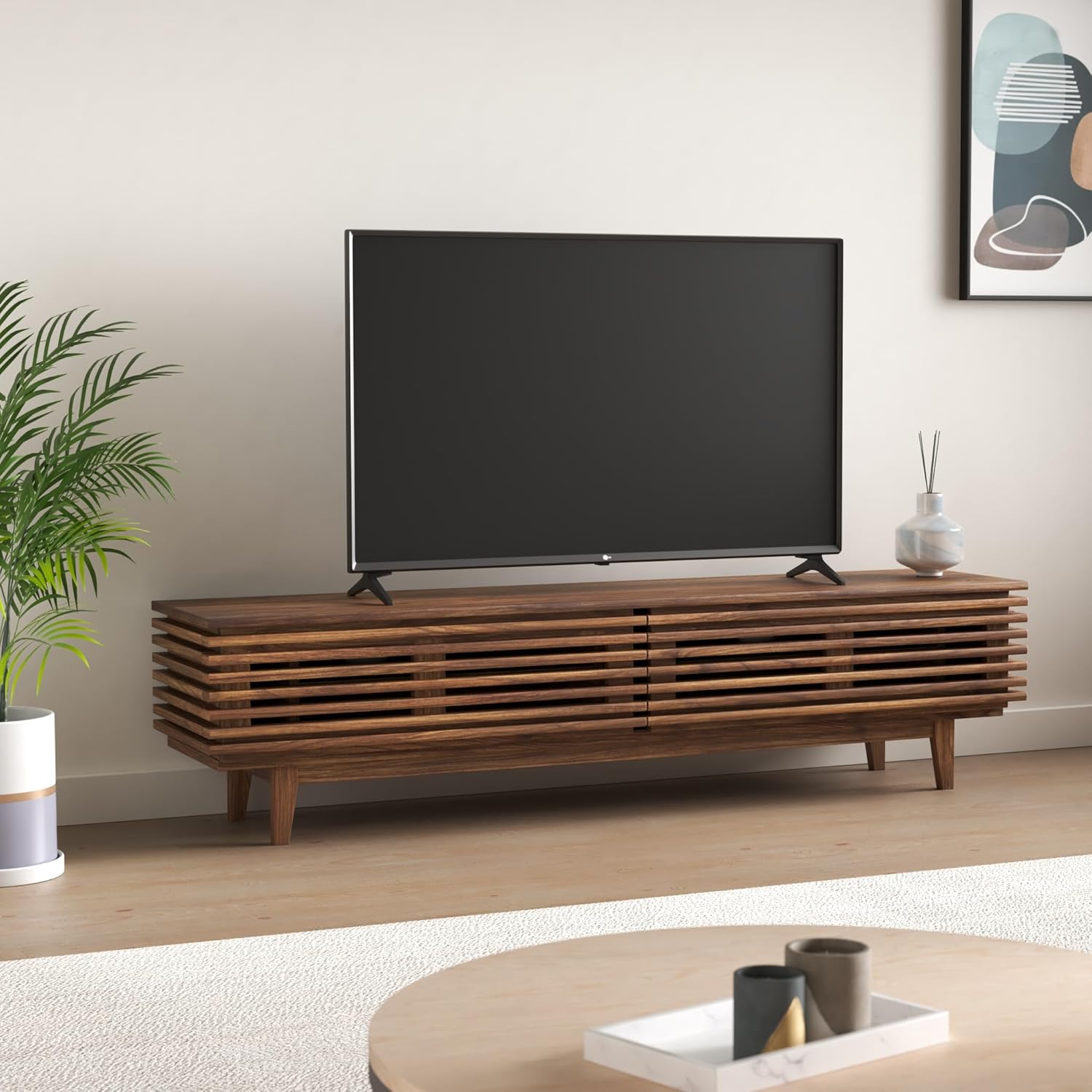
Image: LG 49UJ6300 TV securely placed on its stand.
یادونه: The stand legs require a wide entertainment stand. For the 49-inch model, the distance between the outer edges of the legs is approximately 43.7 inches. Ensure your furniture can accommodate this width.

انځور: د ځای پرځای کولو پلان کولو لپاره د محصول ابعاد.
دیوال نصبول:
If wall-mounting, ensure you use a compatible VESA wall mount (not included) and follow the mount manufacturer's instructions. Leave adequate space for cable connections.
4.2 د پردیو سره نښلول
Connect your external devices to the appropriate ports on the back or side of the TV.
- HDMI بندرونه: The TV features multiple HDMI inputs for connecting devices like Blu-ray players, gaming consoles, and set-top boxes.
- USB پورټونه: د میډیا پلې بیک لپاره د USB ذخیره کولو وسایل وصل کړئ.
- ایترنیټ پورټ: د یو باثباته تار لرونکي انټرنیټ اتصال لپاره.
- د نظري آډیو محصول: د بهرني آډیو سیسټمونو سره د نښلولو لپاره.
- RCA جیکونه: For older devices requiring composite video and stereo audio connections.
د بریښنا پیوستون: Plug the power cable into the TV's power port (typically on the lower left rear) and then into a wall outlet.
۳.۳ د بریښنا پیل او د شبکې تنظیم
- په ریموټ کنټرول یا تلویزیون کې د بریښنا تڼۍ فشار ورکړئ.
- د LG WebOS Smart TV system will guide you through a setup wizard.
- Select your preferred language and country.
- د Wi-Fi شبکه: Scan for available Wi-Fi networks and enter your password to connect to the internet. A stable internet connection is crucial for smart TV features.
- د چینل ټونینګ: If using an antenna or cable box, the wizard will prompt you to scan for available channels.
4.4 Input Labeling
To easily identify your connected devices, you can label the HDMI inputs:
- د تلویزیون د ترتیباتو مینو ته لاسرسی ومومئ.
- Navigate to the "Inputs" section.
- Select the HDMI input you wish to label (e.g., HDMI2).
- Choose "Edit Icon" and select an appropriate icon or custom name (e.g., "Blu-ray Player", "Gaming Console").
5. ستاسو د تلویزیون چلول
5.1 ریموٹ کنټرول
The included remote control provides full functionality for navigating your TV. It features dedicated buttons for popular streaming services and standard controls for channel, volume, and menu navigation.
- د بریښنا تڼۍ: تلویزیون چالان/بندوي.
- د شمیرې تڼۍ: د مستقیم چینل انتخاب لپاره.
- حجم پورته / ښکته: د آډیو کچه تنظیموي.
- چینل پورته / ښکته: د تلویزیون چینلونه بدلوي.
- د نیویګیشن پیډ (پورته/ښکته/کیڼ/ښي/ښه): د مینو نیویګیشن او انتخاب لپاره.
- د چټک لاسرسي تڼۍ: Dedicated buttons for services like Netflix, Amazon Prime Video, etc.
دوه AAA بیټرۍ په ریموټ کنټرول کې دننه کړئ، د سم قطبیت ډاډ ترلاسه کړئ.
5.2 د عکس تنظیمات
د غوره لپاره viewing experience, adjust the picture settings:
- د انځور حالت: Access the Picture menu in settings. We recommend "Expert (Dark Room)" or "Expert (Bright Room)" for the most accurate picture quality out of the box, depending on your viewد چاپیریال.
- د انرژي سپما: It is recommended to turn off or minimize the "Energy Saving" mode (Eco mode) as it significantly restricts the TV's brightness and can affect picture quality.
- TruMotion: This feature is designed to smooth out motion but can sometimes create an unnatural "soap opera effect." For most content, it is recommended to turn "TruMotion" off. If you prefer some motion smoothing, select "User" and adjust the "De-Judder" and "De-Blur" settings to your preference.
۳.۲ د سمارټ تلویزیون ځانګړتیاوې (WebOS)
Your LG 49UJ6300 runs on the intuitive WebOS platform, providing access to a wide range of apps and content.
- د اپلیکیشن لانچر: The bottom ribbon provides quick access to installed apps, inputs, and settings.
- د LG منځپانګې پلورنځی: اضافي سټریمینګ خدمات او غوښتنلیکونه ډاونلوډ او نصب کړئ.
- د سکرین شریکول: په بېسیم ډول د مطابقت لرونکو وسیلو څخه خپل تلویزیون ته مینځپانګه منعکس کړئ.
6. ساتنه
To ensure the longevity and performance of your TV:
- د سکرین پاکول: په نرمۍ سره سکرین د نرم، لینټ نه پاک ټوکر سره پاک کړئ. د سختو نښو لپاره، په نرمۍ سرهampپه ټوکر کې د اوبو یا ځانګړي سکرین کلینر سره ومینځئ. کلینر مستقیم په سکرین مه سپری کوئ.
- د کابینې پاکول: د تلویزیون کابینې د پاکولو لپاره نرم، وچ ټوکر وکاروئ.
- وینټیلیشن: ډاډ ترلاسه کړئ چې د هوا د تودوخې د مخنیوي لپاره د وینټیلیشن خلاصونه بند شوي ندي.
- د بریښنا تار: د بریښنا تار په منظم ډول د هر ډول زیان لپاره وګورئ.
7. ستونزه حل کول
که تاسو له ستونزو سره مخ شئ، لاندې عام حلونه هڅه وکړئ:
- ځواک نشته: ډاډ ترلاسه کړئ چې د بریښنا تار په خوندي ډول د تلویزیون او دیوال ساکټ دواړو سره وصل شوی دی. ساکټ د بل وسیلې سره ازموینه وکړئ.
- انځور/غږ نشته: Check all cable connections (HDMI, antenna, etc.). Ensure the correct input source is selected on the TV.
- د انځور کمزوری کیفیت: Adjust picture settings (brightness, contrast, sharpness). Ensure the input source is providing a high-quality signal. Turn off "TruMotion" if motion artifacts are present.
- د وای فای اتصال نشته: Check your router and modem. Restart both the TV and your network equipment. Re-enter your Wi-Fi password in the TV settings.
- ریموټ کنټرول کار نه کوي: بیټرۍ بدل کړئ. ډاډ ترلاسه کړئ چې د ریموټ او د تلویزیون د IR سینسر ترمنځ هیڅ خنډ شتون نلري.
For persistent issues, consult the full owner's manual or contact LG customer support.
8. مشخصات
| فیچر | تفصیل |
|---|---|
| برانډ | LG |
| د ماډل شمیره | 49UJ6300 |
| د سکرین اندازه | ۷۸۷ انچه |
| ټیکنالوژي ښکاره کول | LED |
| قرارداد | 4K الټرا HD |
| د تازه کولو نرخ | 60 Hz |
| د محصول ابعاد | ۱۶"د x ۲۶"وچ x ۴۷"ح |
| د توکي وزن | 25.1 پونډه |
| د اړخ نسبت | 16:9 |
| د ارتباط ټیکنالوژي | وای فای |
| شاملې برخې | ولاړ، تلویزیون |
| بیټرۍ ته اړتیا ده | 2 AA بیټرۍ (شامل) |
| ځانګړی ځانګړنه | فلیټ سکرین |
| واټtage | ۴۵ واټه |
9. تضمین او ملاتړ
د تضمین معلوماتو او پیرودونکو ملاتړ لپاره، مهرباني وکړئ د خپل محصول سره شامل شوي اسنادو ته مراجعه وکړئ یا د LG الیکترونیک رسمي دفتر ته مراجعه وکړئ. webسایټ. د تضمین ادعاوو لپاره د پیرود ثبوت په توګه د پیرود رسید وساتئ.
آنلاین سرچینې: For additional support, FAQs, and software updates, visit the LG support webسایټ