1. پیژندنه
The Turtle Beach Stealth 700 is a premium wireless gaming headset designed for an immersive audio experience on PlayStation 5 and PlayStation 4 consoles. This manual provides essential information on setting up, operating, and maintaining your headset, ensuring optimal performance and longevity.

Figure 1: Turtle Beach Stealth 700 Wireless Gaming Headset
۲. په بکس کې څه دي؟
Upon unboxing your Turtle Beach Stealth 700 headset, please ensure all the following components are present:
- Turtle Beach Stealth 700 Wireless Gaming Headset
- بې سیم USB لیږدونکی
- د USB-C چارج کیبل
- د چټک پیل لارښود / اسناد
ویډیو ۱: رسمي محصول پای ته ورسیدview and unboxing of the Turtle Beach Stealth 700 headset.
3. محصول ختم شوview
Familiarize yourself with the physical components and controls of your Stealth 700 headset.
۳.۱ د هیډسیټ اجزا

Figure 2: User wearing the Stealth 700 headset, demonstrating its over-ear design.
- د تنظیم وړ سربند: Features a synthetic leather-wrapped headband for comfort.
- د غوږ تکیه: Premium synthetic leather-wrapped ear cushions with ProSpecs glasses-friendly design to relieve pressure.
- 50mm Over-Ear Speakers: Deliver immersive surround sound and chat audio.
- High-Sensitivity Flip-Up Mic: Integrated microphone that mutes when flipped up.
3.2 کنټرولونه
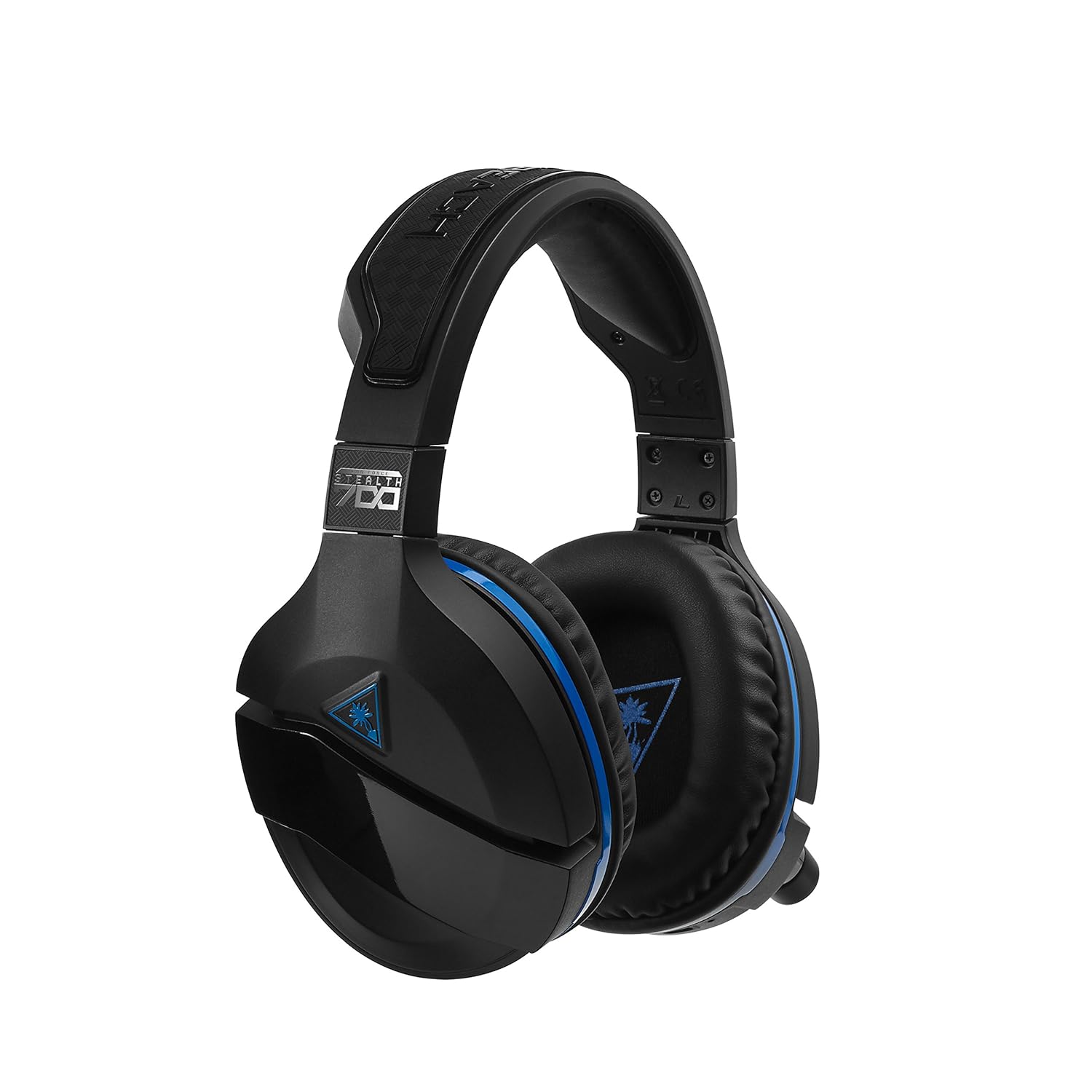
Figure 3: Right earcup controls and microphone in the down position.
- د بریښنا تڼۍ: هیډسیټ چالان/بندوي.
- د بلوتوت تڼۍ: د بلوتوث جوړه پیل کوي.
- Game Volume Dial: Adjusts the overall game audio volume.
- Chat Volume Dial: Adjusts the chat audio volume independently.
- د مایک څارنې ډایل: Adjusts the level of your own voice heard in the headset.
- Superhuman Hearing Button: Activates/deactivates the Superhuman Hearing sound setting.
- د حالت تڼۍ: Cycles through DTS surround sound modes and audio presets.

Figure 4: Microphone in the flipped-up (muted) position.
۴. د تنظیم لارښوونې
Follow these steps to set up your Turtle Beach Stealth 700 headset with your PlayStation console.
4.1 ابتدايي چارج کول
- Connect the USB-C Charging Cable to the headset and a USB power source.
- Charge the headset fully before first use (approximately 5 hours). The LED indicator will change when fully charged.
4.2 Connecting to PlayStation (Wireless)
- Plug the Wireless USB Transmitter into an available USB port on your PlayStation console.
- Power on your Stealth 700 headset by pressing and holding the Power Button until the LED illuminates.
- The headset and transmitter should automatically pair. A solid LED on both indicates a successful connection.
- په خپل پلې سټېشن کې، دې ته لاړ شئ ترتیبات> وسیلې> آډیو وسیلې.
- ټاکل د ننوتلو وسیله ته د USB هیډسیټ (Turtle Beach Stealth 700).
- ټاکل د تولید وسیله ته د USB هیډسیټ (Turtle Beach Stealth 700).
- ټاکل هیډفونونو ته محصول ته ټولې آډیو.
- Adjust your volume levels as desired.
4.3 Bluetooth Pairing (for Mobile Devices)
The Stealth 700 supports Bluetooth connectivity for calls, music, and the Turtle Beach Audio Hub app while gaming.
- With the headset powered on, press and hold the د بلوتوټ تڼۍ until the headset announces "Bluetooth Pairing" and the LED flashes blue.
- On your mobile device, go to Bluetooth settings and select "Stealth 700" from the list of available devices.
- The headset will announce "Bluetooth Paired" when the connection is successful.
5. عملیاتي لارښوونې
۵.۱ بنسټیز آډیو کنټرول
- د لوبې حجم: Use the upper dial on the left earcup to adjust game audio.
- Chat Volume: Use the lower dial on the left earcup to adjust chat audio.
۶.۴ د مایکروفون کارول
- To Unmute: Flip the microphone down.
- خاموش کول: Flip the microphone up. The headset will provide an audible cue.
- Variable Mic Monitoring: Adjust the lower dial to control how much of your own voice you hear in the headset.
5.3 د فعال شور لغوه کول (ANC)
The Stealth 700 features active noise-cancellation to minimize external distractions.
- To Activate/Deactivate: Press the Power Button briefly while the headset is on. The headset will announce the status.
5.4 Superhuman Hearing
This exclusive Turtle Beach sound setting enhances critical in-game sounds like footsteps and weapon reloads.
- To Activate/Deactivate: Press the dedicated Superhuman Hearing button on the left earcup.
5.5 Audio Presets and DTS Surround Sound
Cycle through different audio presets and DTS surround sound modes for an optimized listening experience.
- To Cycle: فشار ورکړئ د موډ تڼۍ to switch between available presets (e.g., Bass Boost) and DTS Headphone:X 7.1 surround sound options.
6. Turtle Beach Audio Hub App
The Turtle Beach Audio Hub app (available for iOS and Android) allows you to customize various settings of your Stealth 700 headset via Bluetooth.
- Adjust mic monitoring levels.
- Select DTS surround sound modes.
- Choose from various audio presets, including Bass Boost.
- Enable/disable Dynamic Chat Boost.
- د بلوتوټ اړیکې اداره کړئ.
7. ساتنه
سمه پاملرنه ستاسو د هیډسیټ اوږد عمر او فعالیت تضمینوي.
- پاکول: یو نرم استعمال کړئ، دamp cloth to clean the headset. Avoid harsh chemicals.
- ذخیره کول: هیډسیټ په یخ او وچ ځای کې د مستقیم لمر وړانګو او سختې تودوخې څخه لرې وساتئ.
- د بیټرۍ پاملرنه: د بیټرۍ د غوره ژوند لپاره، د بیټرۍ په مکرر ډول په بشپړه توګه چارج کولو څخه ډډه وکړئ. په منظم ډول چارج کړئ.
8. ستونزه حل کول
If you encounter issues with your Stealth 700 headset, try the following solutions:
8.1 No Audio / Disconnection
- ډاډ ترلاسه کړئ چې هیډسیټ په بشپړ ډول چارج شوی او فعال دی.
- Verify the Wireless USB Transmitter is securely plugged into the console.
- Check PlayStation audio settings (Settings > Devices > Audio Devices) to ensure the headset is selected as input/output.
- Try re-pairing the headset and transmitter by powering both off and on.
۷.۲ مایکروفون کار نه کوي
- Ensure the microphone is flipped down to unmute.
- Check PlayStation audio settings to confirm the headset is selected as the input device.
- Adjust the Mic Monitoring dial to ensure it's not set to zero.
- که امکان ولري، مایکروفون د بل اپلیکیشن یا وسیلې سره ازموینه وکړئ.
۵.۳ د بلوتوث جوړې ستونزې
- Ensure the headset is in Bluetooth pairing mode (LED flashing blue).
- Forget the "Stealth 700" device from your mobile device's Bluetooth settings and try pairing again.
- ډاډ ترلاسه کړئ چې نور بلوتوث وسایل په اتصال کې مداخله نه کوي.
9. مشخصات
| فیچر | تفصیل |
|---|---|
| د ماډل شمیره | TBS-3770-01 |
| ارتباط | Wireless (USB Transmitter), Bluetooth |
| مطابقت لرونکې وسیلې | PlayStation 5، PlayStation 4 |
| د آډیو ډرایور ډول | متحرک چلوونکی |
| د سپیکر اندازه | 50mm |
| د بیټرۍ ژوند | تر 10 ساعتونو پورې |
| د چارج کولو وخت | نږدې 5 ساعته |
| بلوتوث نسخه | 5.0 |
| د بلوتوټ رینج | 10 متره |
| ځانګړي ځانګړتیاوې | DTS Headphone:X 7.1 Surround Sound, Active Noise Cancellation, Superhuman Hearing, ProSpecs Glasses Friendly Design, Dynamic Chat Boost, Variable Mic Monitoring |
| مواد | Faux Leather (ear cushions, headband) |
| د توکي وزن | 1.6 پونډه |
10. تضمین او ملاتړ
For detailed warranty information, product registration, and further technical support, please visit the official Turtle Beach webپه سایټ کې www.turtlebeach.com. You can also find FAQs and additional resources there.


