1. پهview
The DualShock 4 Wireless Controller for PlayStation 4 is designed to provide an intuitive and precise gaming experience. This manual provides essential information for setting up, operating, maintaining, and troubleshooting your controller.

شکل 1: مخکی view of the Gold DualShock 4 Wireless Controller.
2. د محصول ب Featuresې
- دقیق کنټرول: Enhanced analog sticks and trigger buttons offer precise control for various game genres.
- د شریکولو تڼۍ: Easily share gameplay videos and screenshots directly from your system.
- Innovative Touch Pad: Adds a new layer of interactivity to games.
- Integrated Light Bar: Provides visual cues and enhances immersion by changing colors based on in-game events.
- جوړ شوی سپیکر: Offers additional audio cues directly from the controller.
- 3.5mm آډیو جیک: Allows for private audio and communication with teammates using a compatible headset.
- موثر چارج کول: Can be recharged by plugging into your PlayStation 4 system or any standard micro USB charger.

Figure 2: Key features of the DualShock 4 controller.
3. ترتیب کول
۴.۲ لومړنۍ جوړه کول
- Connect the DualShock 4 controller to your PlayStation 4 system using a micro USB cable.
- Press the PlayStation button (PS button) located in the center of the controller.
- The controller will automatically pair with your system. Once paired, you can disconnect the USB cable for wireless use.
3.2 د کنټرولر چارج کول
د کنټرولر چارج کولو لپاره:
- Connect the controller to your PlayStation 4 system using a micro USB cable. The controller can charge even when the system is in standby mode.
- Alternatively, connect the controller to any standard charger with a micro USB port.

Figure 3: Charging the DualShock 4 controller via micro USB.
4. عملیاتي لارښوونې
4.1 بنسټیز کنټرولونه
Familiarize yourself with the controller's buttons and analog sticks for optimal gameplay. The layout is designed for intuitive use.
۴.۱ د شریکولو تڼۍ کارول
فشار ورکړئ شریک کړئ button to access sharing options. You can upload gameplay videos and screenshots to social media or live stream your gameplay without interrupting your session.
4.3 آډیو ځانګړتیاوې
The built-in speaker provides dynamic sound effects. For private listening or voice chat, connect a compatible headset to the 3.5mm audio jack on the controller.
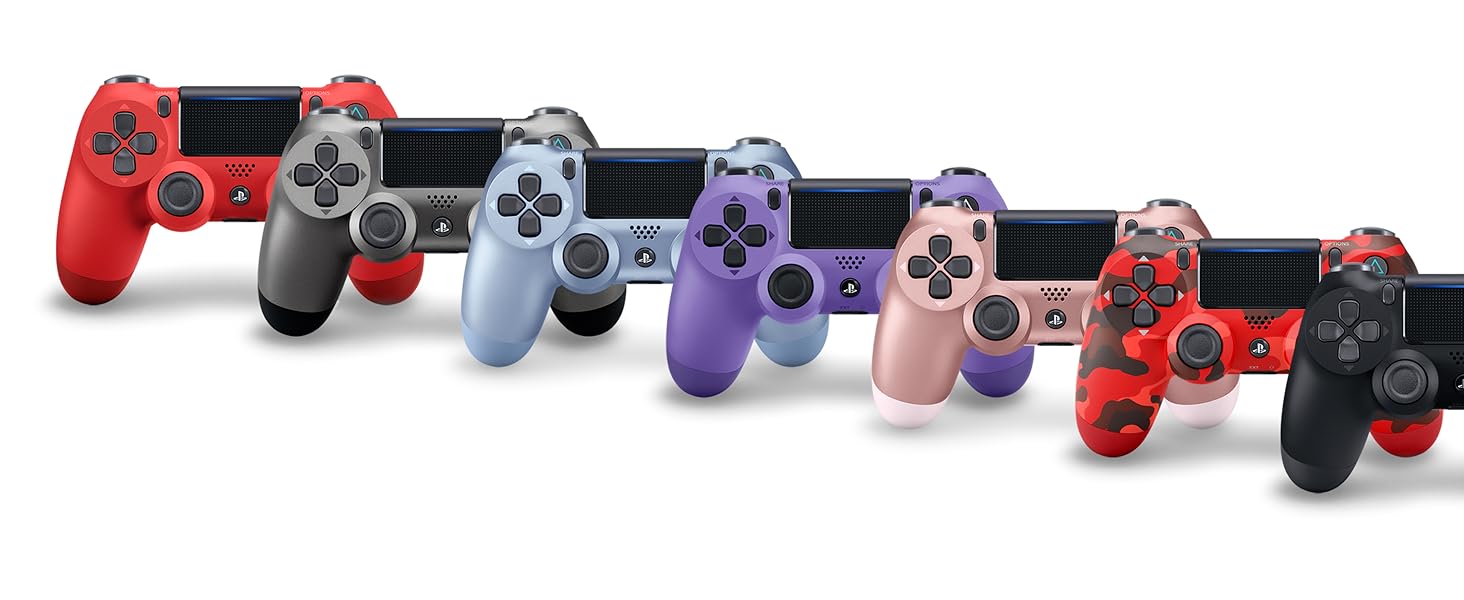
Figure 4: Connecting a headset to the controller.
5. ساتنه
- کنټرولر د نرم او وچ ټوکر سره پاک وساتئ.
- کنټرولر د سختې تودوخې، رطوبت، یا مستقیم لمر وړانګو سره مخ کیدو څخه ډډه وکړئ.
- Do not attempt to disassemble or modify the controller, as this may void the warranty and cause damage.
6. ستونزه حل کول
۴.۳ کنټرولر نه نښلي
- ډاډ ترلاسه کړئ چې کنټرولر چارج شوی.
- Connect the controller to the PS4 system with a USB cable and press the PS button to re-establish connection.
- If issues persist, try resetting the controller by pressing the small button on the back of the controller with a thin object (like a paperclip).
6.2 د چارج کولو مسلې
- Verify the micro USB cable is securely connected to both the controller and the charging source (PS4 or wall adapter).
- Try a different micro USB cable or charging port.
6.3 Button or Analog Stick Malfunction
- ډاډ ترلاسه کړئ چې کنټرولر پاک دی او د تڼیو او لرګیو شاوخوا د کثافاتو څخه پاک دی.
- If the issue is persistent, consult PlayStation support.
7. مشخصات
| فیچر | تفصیل |
|---|---|
| د ماډل شمیره | 3001818 |
| ابعاد | 10 x 2 x 3 انچه |
| د توکي وزن | 12 اونس |
| ارتباط | Wireless (Bluetooth), Micro USB |
| د آډیو تولید | Built-in speaker, 3.5mm headset jack |
| بیټرۍ | Rechargeable (2 AAA batteries required, included) - Note: Product description states "2 AAA batteries required. (included)", but DualShock 4 controllers typically have a built-in rechargeable Li-ion battery. Please verify actual battery type. |
| جوړونکی | سوني کمپیوټر تفریح |
| د خپریدو نیټه | د ۲۰۲۳ کال د جون ۱۹ |
8. تضمین او ملاتړ
For detailed warranty information and technical support, please refer to the official PlayStation website or the user manual provided as a PDF in the product description section where you purchased the item. You can also visit the د PlayStation پلورنځي د اضافي سرچینو لپاره.


