1. پیژندنه
د پیرودلو لپاره مننهasing the SMART SENSOR Digital Anemometer AS806. This compact and lightweight device is designed for accurate measurement of wind speed and wind temperature. It features multiple functions including current, maximum, minimum, and average value display, data hold, manual/auto power off, low battery indication, and backlight. Please read this manual thoroughly before use to ensure proper operation and to extend the life of your device.
2. د خوندیتوب معلومات
- د وسیلې د جلا کولو یا ترمیم کولو هڅه مه کوئ.
- وسیله د اوبو او لوړ رطوبت چاپیریال څخه لرې وساتئ.
- د اوږدې مودې لپاره د خورا تودوخې یا مستقیم لمر وړانګو ته د وسیلې له څرګندولو څخه ډډه وکړئ.
- که چیرې وسیله د اوږدې مودې لپاره ونه کارول شي ترڅو د لیکیدو مخه ونیسي، نو بیټرۍ لرې کړئ.
- Handle the impeller carefully to prevent damage.
3. محصول ختم شوview
3.1 اجزا
The SMART SENSOR AS806 Digital Anemometer consists of a main body with an LCD display and an integrated impeller for wind speed measurement.
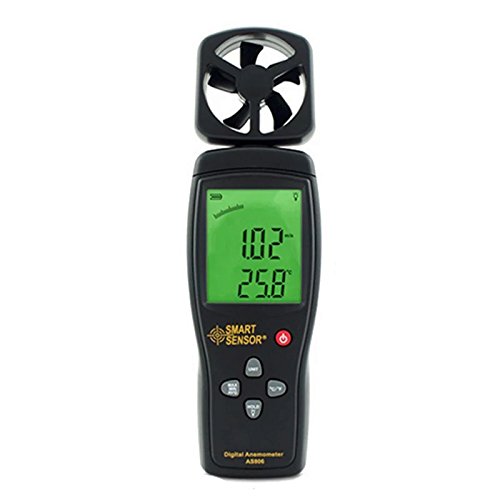
شکل 1: مخکی view of the SMART SENSOR AS806 Digital Anemometer.
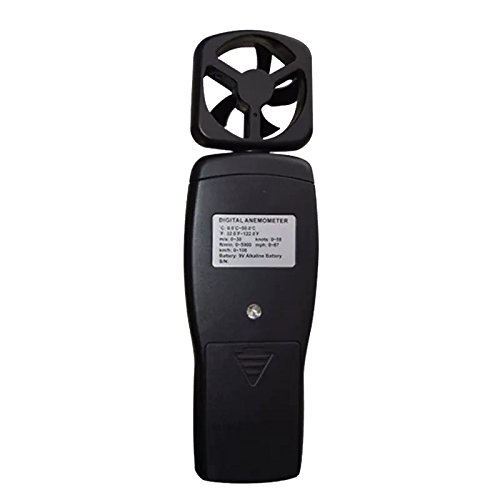
شکل 2: شاته view of the device, showing the battery compartment.
۴.۱ ښودنه او تڼۍ
The device features an LCD display that shows measurement readings and various indicators. Control buttons allow for mode selection, unit conversion, data hold, and backlight activation.
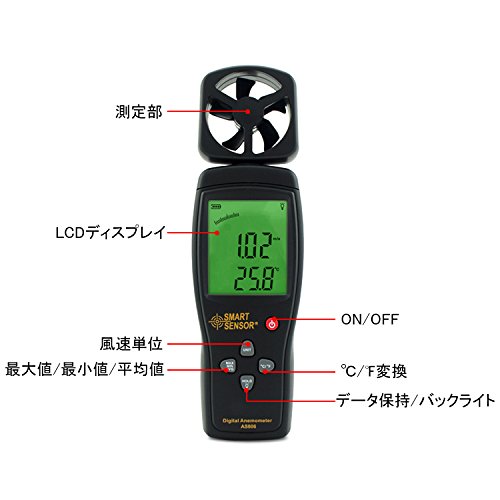
شکل 3: مفصل view of the LCD display and control buttons. Key elements include the measurement section (impeller), LCD display, ON/OFF button, wind unit selection, Max/Min/Avg function, °C/°F conversion, and Data Hold/Backlight button.
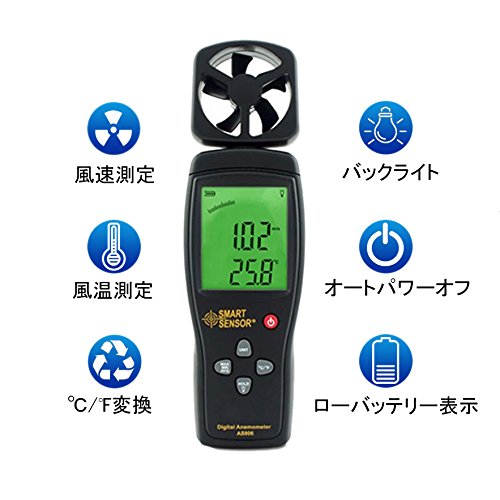
شکل 4: پایview of key features: Wind Speed Measurement, Wind Temperature Measurement, °C/°F Conversion, Backlight, Auto Power Off, and Low Battery Indicator.
4. مشخصات
4.1 تخنیکي پیرامیټونه
| پیرامیټر | ارزښت |
|---|---|
| د باد سرعت حد | 0.3 ~ 45 m/s |
| د باد سرعت دقت | ±3% + 0.1 |
| د باد سرعت واحدونه | m/s, Ft/min, Knots, km/h, Mph |
| Wind Temperature Range | 0 ~ 45 °C |
| Wind Temperature Accuracy | ±2 °C |
| قرارداد | 0.001 m/s |
| Max/Min/Average Value | هو |
| °C/°F تبادله | هو |
| شاته څراغ | هو |
| لاسي / اتومات بریښنا بند | هو |
| انلاګ ښودنه | هو |
| د ډاټا نیول فنکشن | هو |
4.2 عمومي مشخصات
- د بریښنا رسول: 9V بیټرۍ
- وزن: 170 ګرامه
- ابعاد: 220 x 65 x 30 mm
- مواد: Plastic PCB
- UPC: 799789670206
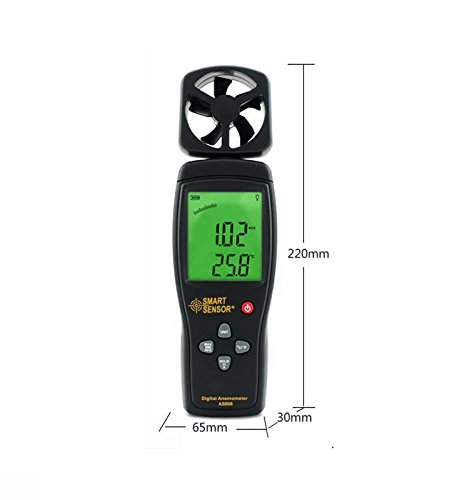
Figure 5: Device dimensions: 220mm (height), 65mm (width), 30mm (depth).
5. ترتیب کول
5.1 د بیټرۍ نصب کول
- د وسیلې په شا کې د بیټرۍ د برخې پوښ ومومئ (شکل 2 ته مراجعه وکړئ).
- د خونې د خلاصولو لپاره پوښ ښکته خوا ته وغورځوئ.
- Insert a 9V battery, ensuring the correct polarity (+/-).
- د بیټرۍ د برخې پوښ د پورته خوا ته د پورته کولو سره وتړئ تر هغه چې دا په خپل ځای کې کلیک وکړي.
یادونه: کله چې بیټرۍ بدلولو ته اړتیا ولري، د ټیټ بیټرۍ شاخص به په ډسپلې کې څرګند شي.
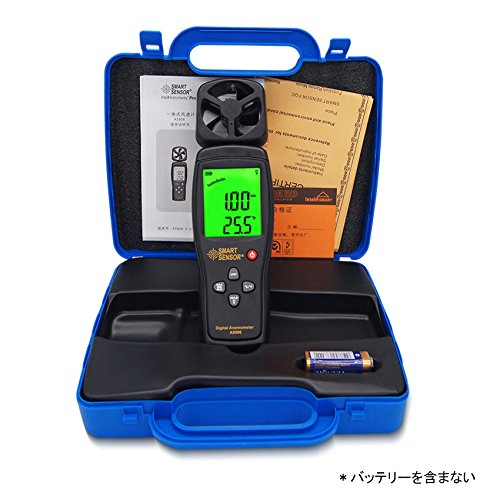
Figure 6: Package contents, including the anemometer and user manual. Note: Battery is not included.
6. عملیاتي لارښوونې
۸ پاور آن/بند
- په وسیله د بریښنا کولو لپاره، فشار ورکړئ آن/بند تڼۍ
- د وسیلې بریښنا بندولو لپاره ، فشار ورکړئ او ونیسئ آن/بند د څو ثانیو لپاره تڼۍ.
- The device also features an auto power-off function to conserve battery life. It will automatically shut down after a period of inactivity.
6.2 Wind Speed and Temperature Measurement
Once powered on, the device will immediately begin measuring wind speed and temperature. Hold the device so that the impeller faces the wind source for accurate readings. The current wind speed and temperature will be displayed on the LCD.
6.3 د واحد بدلول
- د باد د سرعت واحدونه: فشار ورکړئ UNIT button to cycle through available wind speed units: m/s, Ft/min, Knots, km/h, Mph.
- د تودوخې واحدونه: فشار ورکړئ ° سي / ° ف button to switch between Celsius and Fahrenheit for temperature display.
6.4 د ډیټا هولډ فعالیت
په ښودنه کې د اوسني لوستلو د کنګل کولو لپاره، فشار ورکړئ هوډ تڼۍ. بیا یې فشار ورکړئ ترڅو هولډ خوشې کړئ او ژوندۍ اندازه کول بیا پیل کړئ.
6.5 شالید
To activate the display backlight for better visibility in low-light conditions, press the رڼا button (often combined with HOLD). Press it again to turn off the backlight.
۶.۶ اعظمي/لږترلږه/اوسط اندازه کول
The device can display the maximum, minimum, and average wind speed values recorded during a measurement session. Refer to the specific button labeled for these functions (e.g., MAX/MIN/AVG or similar) and press it to cycle through these modes.
7. ساتنه
- پاکول: وسیله په نرم، وچ ټوکر سره پاک کړئ. د کثافاتو پاکوونکي یا محلولونه مه کاروئ.
- ذخیره کول: Store the device in a cool, dry place when not in use. Remove the battery for long-term storage.
- Impeller Care: Ensure the impeller is free from dust and debris for accurate readings. Avoid touching the impeller blades directly.
8. ستونزه حل کول
| ستونزه | احتمالي لامل | د حل لاره |
|---|---|---|
| وسیله فعاله نه ده. | ټیټ یا مړ بیټرۍ؛ د بیټرۍ ناسم نصب. | د 9V بیټرۍ بدله کړئ؛ سمه قطبي والی ډاډمن کړئ. |
| ناسم لوستل. | Impeller obstructed; device not positioned correctly. | Clear any obstructions from the impeller; ensure impeller faces the wind directly. |
| ښودنه تیاره یا خالي ده. | د بیټرۍ ټیټوالی؛ شاته رڼا بنده ده. | Replace battery; press the backlight button. |
9. تضمین او ملاتړ
This product comes with a manufacturer's warranty. Please refer to the warranty card included in the package for details regarding coverage and duration. For technical support or warranty claims, please contact your retailer or the manufacturer directly.


