1. پیژندنه
This manual provides detailed instructions for the setup, operation, and maintenance of your Waveshare 13.3-inch Capacitive Touch Screen LCD (V1). This display features a 1920x1080 resolution, HDMI input, IPS panel for wide viewing angles, and a durable toughened glass cover. Please read this manual thoroughly before using the product to ensure proper functionality and longevity.
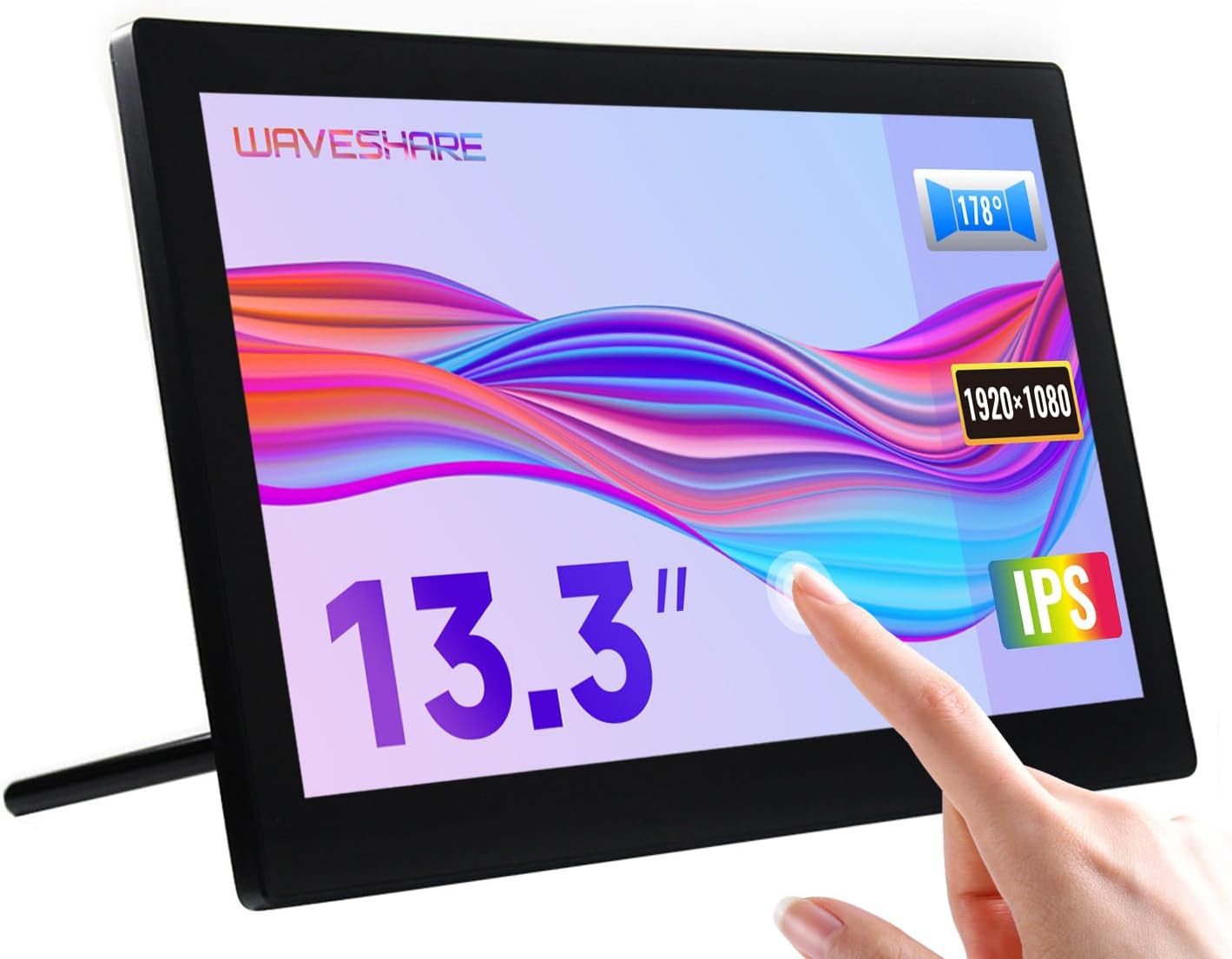
Image 1.1: The Waveshare 13.3-inch Capacitive Touch Screen LCD, showcasing its touch functionality and sleek design.
2. د خوندیتوب معلومات
- د بریښنا رسولو حجم ډاډمن کړئtage matches the product's requirements to prevent damage.
- Avoid exposing the display to extreme temperatures, humidity, or direct sunlight.
- واحد مه جلا کوئ. ټول خدمات وړ پرسونل ته راجع کړئ.
- Keep the screen away from strong magnetic fields.
- Handle with care to avoid dropping or impacting the screen, especially the toughened glass panel.
3. د بسته محتويات
ډاډ ترلاسه کړئ چې ټول توکي په کڅوړه کې شتون لري:
- Waveshare 13.3-inch HDMI LCD (H) Display
- د بریښنا اډاپټر
- HDMI کیبل
- USB-A to Micro-USB Cable (for touch functionality)
- د کارونکي لارښود (دا لاسوند)
4. محصول ختم شوview
4.1. ځانګړتیاوې
- 13.3-inch IPS panel with 1920x1080 resolution.
- Capacitive 10-point touch control (operating system dependent).
- Toughened glass panel with up to 6H hardness.
- HDMI and VGA display interfaces.
- Built-in Hi-Fi speakers and 3.5mm audio jack.
- Supports various devices including Raspberry Pi, Jetson Nano, PCs, and game consoles.
- Integrated case with a 75° back stand and VESA mounting holes (75x75mm).

Image 4.1: Detailed features and system compatibility of the display.
۳. فزیکي برخې
The display includes various ports and control buttons:
- VGA Display Port: For video input via VGA.
- د HDMI پورټ: For video input via HDMI.
- 3.5mm آډیو جیک: د آډیو تولید لپاره.
- Touch Port (USB): For connecting the touch functionality to your device.
- 12V Power Input: د بریښنا اډاپټر د نښلولو لپاره.
- Back Buttons: Power, direction controls, and Menu/Enter/Return buttons for OSD navigation.

انځور 4.2: شاته view of the display with ports and a Raspberry Pi connection example.
۴. د تنظیم لارښوونې
۱. لومړنۍ اړیکه
- ویډیو وصل کړئ: Use the provided HDMI cable to connect the display's HDMI port to your source device (e.g., Raspberry Pi, PC). If using VGA, connect a VGA cable.
- Connect Touch (USB): Connect the USB-A to Micro-USB cable from your source device's USB port to the display's Touch Port. This enables touch functionality.
- بریښنا وصل کړئ: Plug the power adapter into the display's 12V Power Input, then connect it to a power outlet.
- پاور آن: Press the power button on the back of the display. The screen should illuminate and display content from your source device.

Image 5.1: Display showing a Windows desktop after successful connection.
5.2. ارتباط Examples
The display supports various connection configurations:
- Working with Raspberry Pi 4: Connect HDMI for video and USB for touch. Power the display with its 12V adapter.
- Working with Raspberry Pi Zero W: Requires additional mini HDMI adapter and USB cable. Connect mini HDMI for video and USB for touch. Power the display with its 12V adapter.
- Working with AI Computer Jetson Nano: Connect HDMI for video and USB for touch. Power the display with its 12V adapter.
- Working with Mini PC: Connect HDMI for video and USB for touch. Power the display with its 12V adapter.

Image 5.2: Visual guide for connecting the display to different devices.
6. عملیاتي لارښوونې
6.1. پر پرده ښودنه (OSD) مینو
The OSD menu allows you to adjust display settings such as brightness, contrast, and input source. Use the back buttons (direction controls and Menu/Enter/Return) to navigate and select options.
- فشار ورکړئ مینو د OSD مینو د خلاصولو لپاره تڼۍ.
- د کارولو هدایت د مینو انتخابونو له لارې د نیویګیټ کولو لپاره تڼۍ.
- مطبوعاتي مینو again (or the designated Enter button) to select an option or confirm a setting.
- د کارولو بیرته راګرځي button to go back or exit the menu.
6.2. Displaying Content
Once connected and powered on, the display will automatically detect the active video input. Ensure your source device is outputting video to the selected HDMI or VGA port.

Image 6.1: The display showing multimedia content from a web براوزر
6.3. د ټچ کنټرول
The display features capacitive 10-point touch control. Ensure the USB touch cable is connected to your source device for touch functionality. Driver-free operation is supported on most compatible operating systems.

Image 6.2: Illustration of touch control and audio features.
6.4. د آډیو محصول
The display includes built-in Hi-Fi speakers for audio output. Alternatively, you can connect external speakers or headphones to the 3.5mm audio jack for private listening or higher quality audio.
7. Device & System Support
The Waveshare 13.3-inch display offers broad compatibility:
- Raspberry Pi: Supports all versions of Raspberry Pi.
- Supports Raspberry Pi OS, 10-point touch, driver free.
- Supports Ubuntu / Kali / WIN10 IoT, single point touch, driver free.
- Supports Retropie, driver free.
- جیټسن نانو: Supports Ubuntu, single point touch, driver free.
- کمپیوټر: Supports Windows 11 / 10 / 8.1 / 8 / 7, 10-point touch, driver free.
- د لوبې کنسولونه: Supports Xbox360, PS4, Switch (display and sound only).

انځور 7.1: اوورview of supported devices and operating systems.
8. ساتنه
- د سکرین پاکول: د نرم، لینټ پاک ټوکر څخه لږ څه کار واخلئampد اوبو یا د سکرین پاکولو محلول سره مینځل شوی. د سختو کیمیاوي موادو یا خړوبونکي موادو څخه ډډه وکړئ.
- عمومي پاملرنه: Keep the display free from dust. When not in use for extended periods, consider covering it to prevent dust accumulation.
- ذخیره کول: Store the display in a cool, dry place, away from direct sunlight and extreme temperatures.
9. ستونزه حل کول
| ستونزه | احتمالي لامل | د حل لاره |
|---|---|---|
| ښودنه نشته/تور سکرین نشته |
|
|
| Touch not working |
|
|
| غږ نشته |
|
|
10. مشخصات
| فیچر | تفصیل |
|---|---|
| د سکرین اندازه | ۷۸۷ انچه |
| قرارداد | ۱۹۲۰x۱۰۸۰ (FHD ۱۰۸۰p) |
| د ښودلو پینل | IPS |
| Viewزاویه | 178° |
| د ټچ ډول | Capacitive, 10-point touch |
| Touch Panel Hardness | Up to 6H Toughened Glass |
| برسیر ښودل | HDMI ، VGA |
| د آډیو تولید | Built-in Hi-Fi Speakers, 3.5mm Audio Jack |
| د بریښنا انډول | 12V DC |
| د محصول ابعاد (LxWxH) | ۳.۹۴ x ۱.۱۸ x ۱.۱۸ انچه (تقریبا ۱۰۰ x ۳۰ x ۳۰ ملي متره) |
| د توکي وزن | 2.2 pounds (1 kg approx.) |
| د تړلو موادو | پولی کاربونیټ / ABS |

Image 10.1: Physical dimensions of the display.
11. تضمین او ملاتړ
Waveshare products are designed for reliability and performance. For warranty information, technical support, or further assistance, please visit the official Waveshare webسایټ ته مراجعه وکړئ یا مستقیم د دوی د پیرودونکو خدماتو سره اړیکه ونیسئ. د تضمین ادعاوو لپاره د پیرود ثبوت په توګه د پیرود رسید وساتئ.
Official Waveshare Webسایټ: www.waveshare.com


