پیژندنه
The Beats Studio3 Wireless Noise Cancelling Over-Ear Headphones are designed to provide a premium listening experience with advanced features. This manual will guide you through the setup, operation, and maintenance of your headphones.
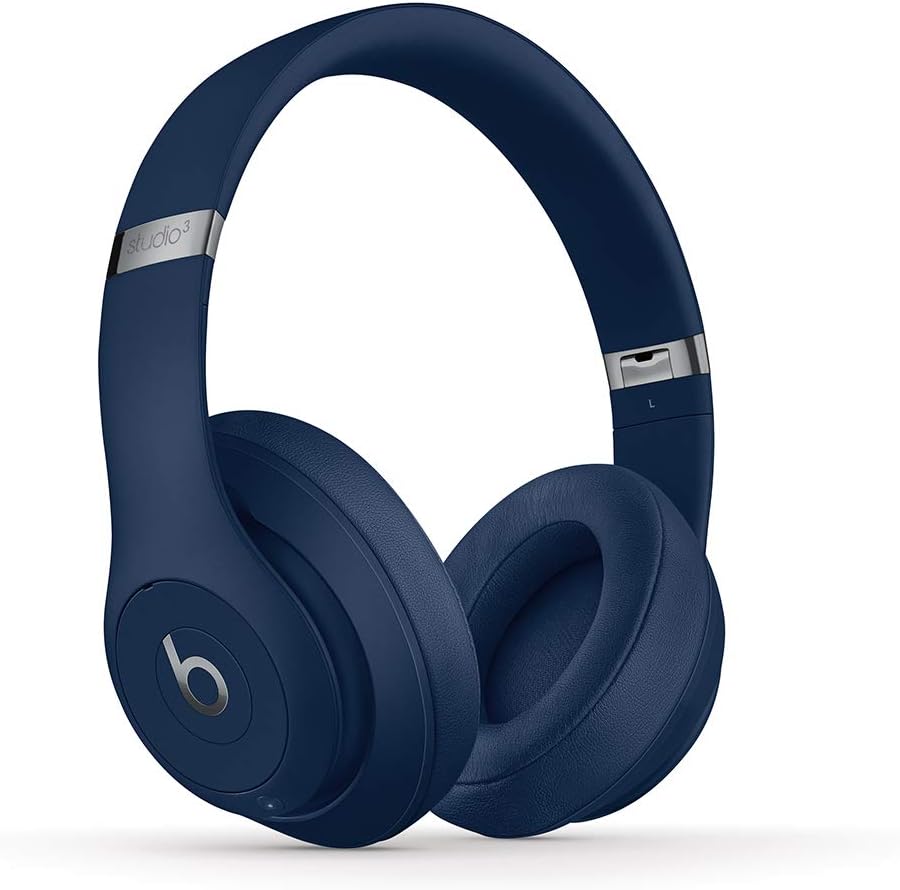
Image: Beats Studio3 Wireless Noise Cancelling Over-Ear Headphones in Blue.
په بکس کې څه دي
- Beats Studio3 Wireless Noise Canceling Over-Ear Headphones - Blue
- د مایکرو USB چارج کولو کیبل
- 3.5mm RemoteTalk Cable
- د لیږد قضیه
- د چټک پیل لارښود
- د تضمین کارت

Image: Contents of the Beats Studio3 Wireless Headphones box, including headphones, cables, and carrying case.
چمتو کول
1. خپل هیډفون چارج کړئ
Before first use, fully charge your Beats Studio3 Wireless headphones. Use the provided Micro USB cable to connect the headphones to a power source. The Fuel Gauge LEDs on the right ear cup will indicate the battery level.
- چټک تیل: A 10-minute charge provides 3 hours of playback.
- Full charge provides up to 22 hours of battery life with Pure ANC on, or up to 40 hours with Pure ANC off.
۲. ستاسو د وسیلې سره جوړه کول
Your Beats Studio3 Wireless headphones utilize the Apple W1 chip for seamless pairing with Apple devices and Class 1 Bluetooth for other devices.
د ایپل وسیلو (iOS) لپاره:
- Ensure your iOS device is unlocked and Bluetooth is enabled.
- Hold your Beats Studio3 headphones near your unlocked iOS device.
- Follow the on-screen instructions to connect.
For Other Devices (Android, etc.):
- Press and hold the power button on your headphones for 5 seconds until the Fuel Gauge flashes.
- On your device, go to Bluetooth settings and select "Beats Studio3" from the list of available devices.
ستاسو د هیډفونونو چلول
پاور آن/بند
Press and hold the power button on the right ear cup for 1 second to turn the headphones on or off.
خالص تطابق شور منسوخ کول (خالص ANC)
Pure ANC actively blocks external noise and uses real-time audio calibration to preserve a premium listening experience. Pure ANC is enabled by default when you power on the headphones.
- To toggle Pure ANC on/off, double-press the power button.
د غوږ کنټرول
The 'b' button on the left ear cup and the volume rockers provide control over your audio and calls.
- پلی کول / ودرول: Press the 'b' button once.
- د لارښود پرېښودل: Press the 'b' button twice for next, three times for previous.
- د حجم کنټرول: Use the volume up/down buttons above and below the 'b' button.
- ځواب / پای کال: Press the 'b' button once.
- د غږ همکار فعاله کړئ: Press and hold the 'b' button.

انځور: تفصیلي view of the on-ear controls for music and calls.
ساتنه
پاکول
Regularly clean your headphones with a soft, dry, lint-free cloth. Avoid using harsh chemicals or abrasive materials. Keep the charging port free of debris.
Ear Cup Replacement
Over time, ear cup cushions may show signs of wear, especially with frequent use or exposure to sweat. Replacement ear cups are available and can be easily installed. Refer to official Beats support for replacement instructions and parts.
Video Description: This video demonstrates the process of replacing ear cup covers on Beats headphones, highlighting the adhesive nature of the covers and the ease of replacement.
مشخصات
| فیچر | تفصیل |
|---|---|
| د ماډل نوم | Beats Studio3 Wireless Noise Canceling Over-Ear Headphones - Blue |
| د ارتباط ټیکنالوژي | Bluetooth (Apple W1 chip, Class 1 Wireless Bluetooth) |
| د شور کنټرول | Active Noise Cancellation (Pure ANC) |
| د بیټرۍ ژوند | Up to 22 hours (with ANC), Up to 40 hours (without ANC) |
| چټک تیل | 10-minute charge provides 3 hours of playback |
| On-Ear Control | Audio playback, volume, phone call controls |
| مایکروفون | Internal and external microphones |
| د فارم فکتور | په غوږ کې |
| هیډفون جیک | ۳.۵ ملي متره جیک (د تار لرونکي کارونې لپاره) |
| د چارج کولو بندر | مایکرو USB |
| د توکي وزن | 9.17 oz / 260 g (Product), 2.2 pounds (Shipping) |
| د محصول ابعاد | 6.3 x 4.7 x 8.9 انچه |
| جوړونکی | اپل |
د ستونزو حل کول
عام مسایل او حل لارې
- ځواک نشته: Ensure headphones are charged. Connect to a power source using the Micro USB cable.
- د جوړه کولو مسلې: Ensure Bluetooth is enabled on your device and headphones are in pairing mode (flashing Fuel Gauge). Try restarting both devices.
- د غږ کیفیت مسلې: Check the audio source. Ensure ear cups are properly seated. If using wired connection, ensure the 3.5mm cable is fully inserted.
- د شور لغوه کول کار نه کوي: Double-press the power button to toggle Pure ANC. Ensure ear cups form a good seal around your ears.
تضمین او ملاتړ
Your Beats Studio3 Wireless headphones are manufactured by Apple and come with a standard limited warranty. For detailed warranty information, product registration, or technical support, please visit the official Beats or Apple support webسایټ
د تضمین ادعاګانو لپاره د پیرود ثبوت وساتئ.


