1. پیژندنه او وروستهview
The Roccat Horde AIMO RGB Gaming Keyboard is designed for optimal gaming performance and user customization. It features a precision key layout, quick-fire macro keys, a configurable tuning wheel, and advanced AIMO intelligent lighting. This manual provides essential information for setting up, operating, maintaining, and troubleshooting your keyboard.
کلیدي ځانګړتیاوې:
- Precision Key Layout: Finger-cap design for enhanced key distinction and dirt resistance.
- AIMO Lighting System: Intelligent lighting that synchronizes across multiple compatible devices.
- د RGB رڼا: Configurable, multi-zone, multi-color illumination.
- Membrane Keys: Engineered for a precise actuation point.
- Configurable Tuning Wheel & Buttons: On-the-fly control for multimedia, lighting, and more.
- Quick-Fire Macros: ټیټ پروfile macro keys designed to prevent accidental activation.
- Enhanced Anti-Ghosting: Ensures every key press is registered accurately.
- Detachable Palm Rest: Ergonomic design for increased comfort during extended gaming sessions.
- Roccat Swarm: Comprehensive driver and software system for customization.
2. ترتیب کول
۴.۲ د کیبورډ نښلول
Connect the keyboard to your computer using the integrated USB 2.0 cable. Ensure the USB connector is fully inserted into an available USB port on your PC.
2.2 Software Installation (Roccat Swarm)
For full functionality and customization, install the Roccat Swarm software. An internet connection is required for driver installation and software updates.
- Visit the official Roccat website to download the latest version of the Roccat Swarm software.
- انسټالر چل کړئ او په سکرین کې لارښوونې تعقیب کړئ.
- خپل کمپیوټر بیا پیل کړئ که غوښتنه وشي.
د سیسټم اړتیاوې: The keyboard is compatible with Windows 8 and Windows 10 operating systems.
2.3 Attaching the Palm Rest
The detachable palm rest provides ergonomic support. Align the palm rest with the bottom edge of the keyboard and gently push until it clicks into place. To remove, pull the palm rest away from the keyboard.
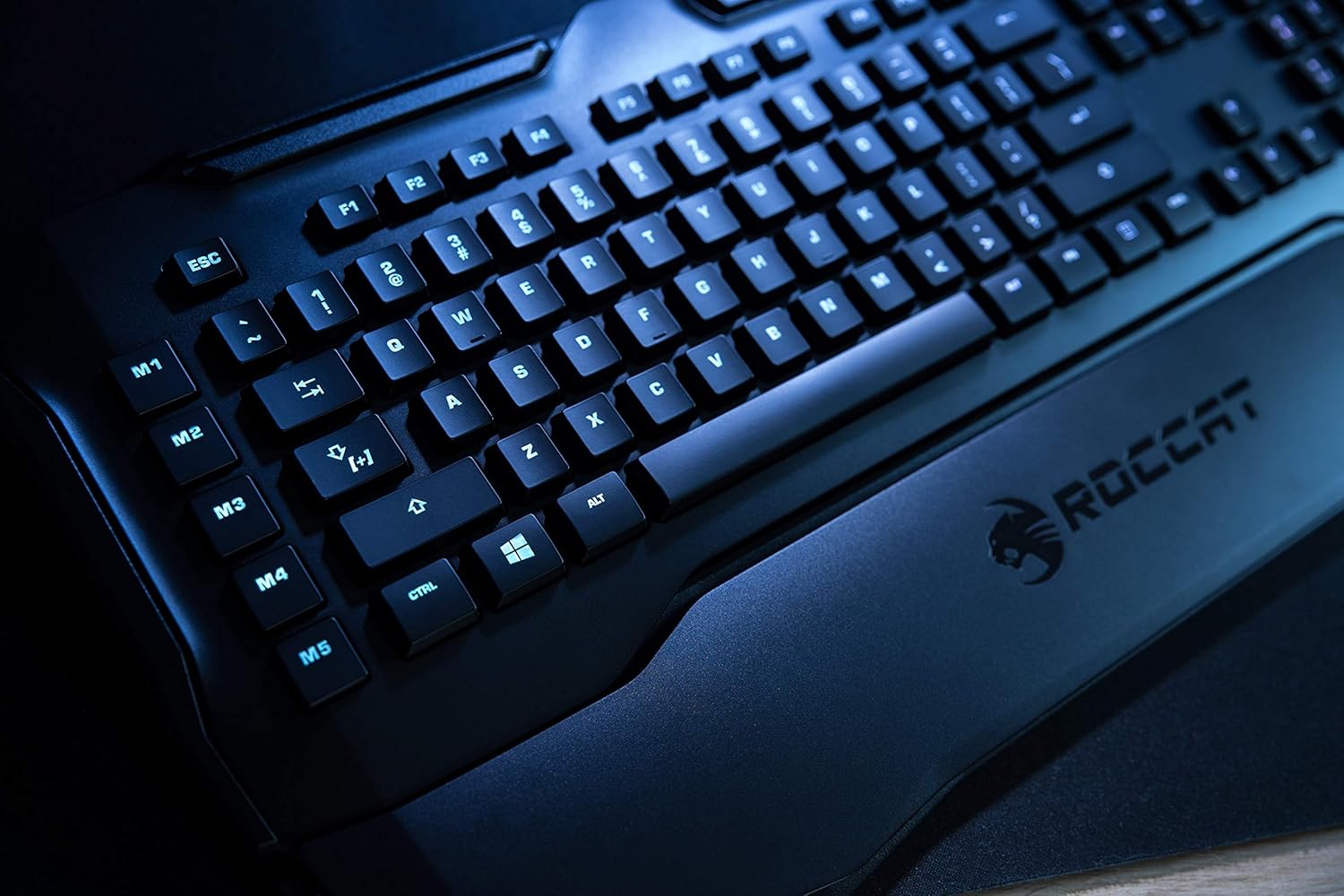
Figure 1: Roccat Horde AIMO keyboard with detachable palm rest.
۴. د کیبورډ چلول
3.1 AIMO and RGB Lighting
The AIMO intelligent lighting system provides dynamic, multi-zone RGB illumination. You can customize lighting effects, colors, and synchronization with other AIMO-compatible devices through the Roccat Swarm software.

Figure 2: Roccat Horde AIMO keyboard showcasinد RGB رڼا.
3.2 Configurable Tuning Wheel and Buttons
The tuning wheel and dedicated buttons located on the top right of the keyboard allow for quick adjustments without interrupting your workflow or game. These can be configured via Roccat Swarm to control multimedia playback, adjust lighting brightness, switch profiles، او نور.

Figure 3: Detail of the tuning wheel and numpad.
3.3 Quick-Fire Macro Keys (M1-M5)
The five dedicated macro keys (M1-M5) on the left side of the keyboard can be programmed for complex commands or frequently used actions. Their low-profile design helps prevent accidental presses during intense gaming. Use the Roccat Swarm software to assign macros.

Figure 4: Macro keys M1-M5 and WASD section.
3.4 Anti-Ghosting
The enhanced anti-ghosting feature ensures that all simultaneous key presses are registered accurately, which is crucial for fast-paced gaming scenarios.
4. ساتنه
۷.۲ د کیبورډ پاکول
د خپل کیبورډ فعالیت او بڼه ساتلو لپاره:
- د پاکولو دمخه کیبورډ له خپل کمپیوټر څخه جلا کړئ.
- یو نرم، لږ څه استعمال کړئamp cloth to wipe down the surface of the keyboard and keys.
- د سختو کیمیاوي موادو، خړوبونکو پاکوونکو، یا ډیر رطوبت کارولو څخه ډډه وکړئ.
- د کیلي ګانو ترمنځ د دوړو او کثافاتو لپاره، فشار شوي هوا وکاروئ.
4.2 Palm Rest Care
د جلا کیدو وړ د پام آرام د اعلان سره پاک کیدی شيamp ټوکر. ډاډ ترلاسه کړئ چې دا په بشپړه توګه وچ دی مخکې لدې چې کیبورډ سره یې بیا وصل کړئ.
5. ستونزه حل کول
If you encounter issues with your Roccat Horde AIMO keyboard, please refer to the following common solutions:
- کیبورډ ځواب نه ورکوي:
- ډاډ ترلاسه کړئ چې USB کیبل په خوندي ډول د کیبورډ او کمپیوټر دواړو سره وصل دی.
- هڅه وکړئ چې کیبورډ له بل USB پورټ سره وصل کړئ.
- خپل کمپیوټر بیا پیل کړئ.
- د رڼا ستونزې:
- Verify that the Roccat Swarm software is installed and up to date.
- Check lighting settings within the Roccat Swarm software.
- Ensure no conflicting software is running that might interfere with RGB control.
- میکرو کار نه کوي:
- Open Roccat Swarm and confirm that your macros are correctly assigned and saved to the active profile.
- Ensure the software is running in the background.
- سافټویر چې کیبورډ نه کشفوي:
- Reinstall the Roccat Swarm software.
- خپل عملیاتي سیسټم وروستي نسخه ته تازه کړئ.
For further assistance, please visit the official Roccat support webسایټ
6. مشخصات
| برانډ | ROCCAT |
| د ماډل نوم | Horde AIMO |
| Model Number Item | د ROC-12-350-BK لپاره تفتیش وسپارئ، موږ به په 24 ساعتونو کې له تاسو سره اړیکه ونیسو. |
| د محصول ابعاد | 5.5 x 47 x 20 سانتي متره؛ 1.1 کیلو ګرامه |
| رنګ | تور |
| د ارتباط ټیکنالوژي | USB |
| د USB 2.0 پورټونو شمیر | 1 |
| والیtage | 5 ولټ |
| د بریښنا سرچینه | USB |
| عملیاتي سیسټم | وینډوز ۱۱ |
| ملاتړ شوی سافټویر | وینډوز ۱۱ |
| د کیبورډ توضیحات | ارګونومیک |
| وړاندیز شوي استعمالونه | Gaming, PC / Server |
| ځانګړي ځانګړتیاوې | د لاس استراحت |
| د لومړي شتون نیټه | د ۲۰۲۴ کال د جنورۍ ۲۸ مه |
7. تضمین او ملاتړ
7.1 د محصول تضمین
Your Roccat Horde AIMO RGB Gaming Keyboard is covered by a manufacturer's warranty. Please refer to the warranty card included with your product or visit the official Roccat webستاسو د سیمې لپاره ځانګړي د تضمین تفصيلي شرایطو او شرایطو لپاره سایټ.
7.2 تخنیکي ملاتړ
For technical assistance, software updates, and frequently asked questions, please visit the Roccat support page on their official website. The Roccat Swarm software also provides access to support resources and ensures your device firmware is up to date.
Roccat Official Webسایټ: www.roccat.com


