پیژندنه
Thank you for choosing the Oregon Scientific CIR600 Alarm Clock and Audio Speaker. This device combines a precise digital clock with calendar and day display, a powerful Bluetooth speaker, and an adjustable LED display, all designed to enhance your daily routine. This manual provides detailed instructions for setting up, operating, maintaining, and troubleshooting your new device to ensure optimal performance.

شکل 1: مخکی view of the Oregon Scientific CIR600, displaying the time and featuring the fabric speaker grille.
چمتو کول
۲.۱. خلاصول او اجزا
ټول توکي په احتیاط سره له بسته بندۍ څخه لرې کړئ. ډاډ ترلاسه کړئ چې ټولې برخې شتون لري:
- CIR600 Alarm Clock with built-in audio speaker
- AC/DC 12V, 2.0 Adapter
- د کارونکي لارښود (دا لاسوند)
- 1 x CR2025 battery (pre-installed for backup)
2. د بریښنا پیوستون
The CIR600 operates primarily via the included AC/DC adapter. The CR2025 battery serves as a backup for time and alarm settings during power outages.
- Locate the DC 12V input port on the back of the unit.
- Connect the AC/DC 12V, 2.0 adapter to this port.
- Plug the adapter into a standard wall outlet. The display should illuminate.

Figure 2: Rear panel of the CIR600, highlighting connection ports and the battery compartment.
3. Battery Backup Installation (if not pre-installed)
The CR2025 battery ensures that your time and alarm settings are retained in case of a power interruption.
- Locate the battery compartment on the back of the unit (next to the power input).
- د بیټرۍ کمپارټ پوښ خلاص کړئ.
- Insert one CR2025 battery, ensuring the correct polarity (+/-).
- د بیټرۍ کمپارټ پوښ په خوندي ډول وتړئ.
عملیاتي لارښوونې
1. کنټرول اوورview
The CIR600 features intuitive controls located on the top panel. Familiarize yourself with these buttons for easy operation.

Figure 3: Top panel controls of the CIR600.
- + / - تڼۍ: Adjust volume, navigate menus, or set time/alarm values.
- د الارم تtonۍ: الارمونه تنظیم یا فعال/غیر فعال کړئ.
- د بلوتوت تڼۍ: د بلوتوث جوړه کولو حالت پیل کړئ.
- M (Mode) تڼۍ: Switch between different modes (e.g., time display, Bluetooth).
- د سنوز بټن: Snooze an active alarm or adjust display brightness.
۲. د وخت او نیټې ټاکل
- فشار ورکړئ او ونیسئ م (موډ) تڼۍ تر هغه وخته پورې چې د وخت ښودنه چمکۍ پیل شي.
- د کارولو + or - د ساعت تنظیمولو لپاره تڼۍ. فشار ورکړئ M تصدیق کول.
- د کارولو + or - د دقیقې تنظیمولو لپاره تڼۍ. فشار ورکړئ M تصدیق کول.
- کارولو ته دوام ورکړئ + or - او M to set the year, month, and day.
- Once all settings are confirmed, the display will return to normal time display.
3. د الارم تنظیم کول
- فشار ورکړئ او ونیسئ الارم button until the alarm time display starts flashing.
- د کارولو + or - د الارم ساعت تنظیمولو لپاره تڼۍ. فشار ورکړئ الارم تصدیق کول.
- د کارولو + or - buttons to adjust the alarm minute. Press الارم تصدیق کول.
- فشار ورکړئ الارم button again to activate or deactivate the alarm. An alarm icon will appear on the display when active.
- کله چې د الارم غږ کیږي ، فشار ورکړئ لنډول button to temporarily silence it for a few minutes. To turn off the alarm completely, press any other button.
4. د بلوتوث پیوستون
The CIR600 features a 2 x 10 Watt speaker with Bluetooth connectivity for wireless audio streaming.
- فشار ورکړئ بلوتوث button on the top panel. The Bluetooth indicator on the display will flash, indicating pairing mode.
- په خپل ګرځنده وسیله (سمارټ فون، ټابلیټ، او نور) کې، بلوتوټ فعال کړئ او د شته وسایلو لټون وکړئ.
- Select "CIR600" from the list of devices.
- Once successfully paired, the Bluetooth indicator on the CIR600 display will stop flashing and remain solid. You can now play audio through the speaker.
- د کارولو + or - buttons on the CIR600 to adjust the volume.
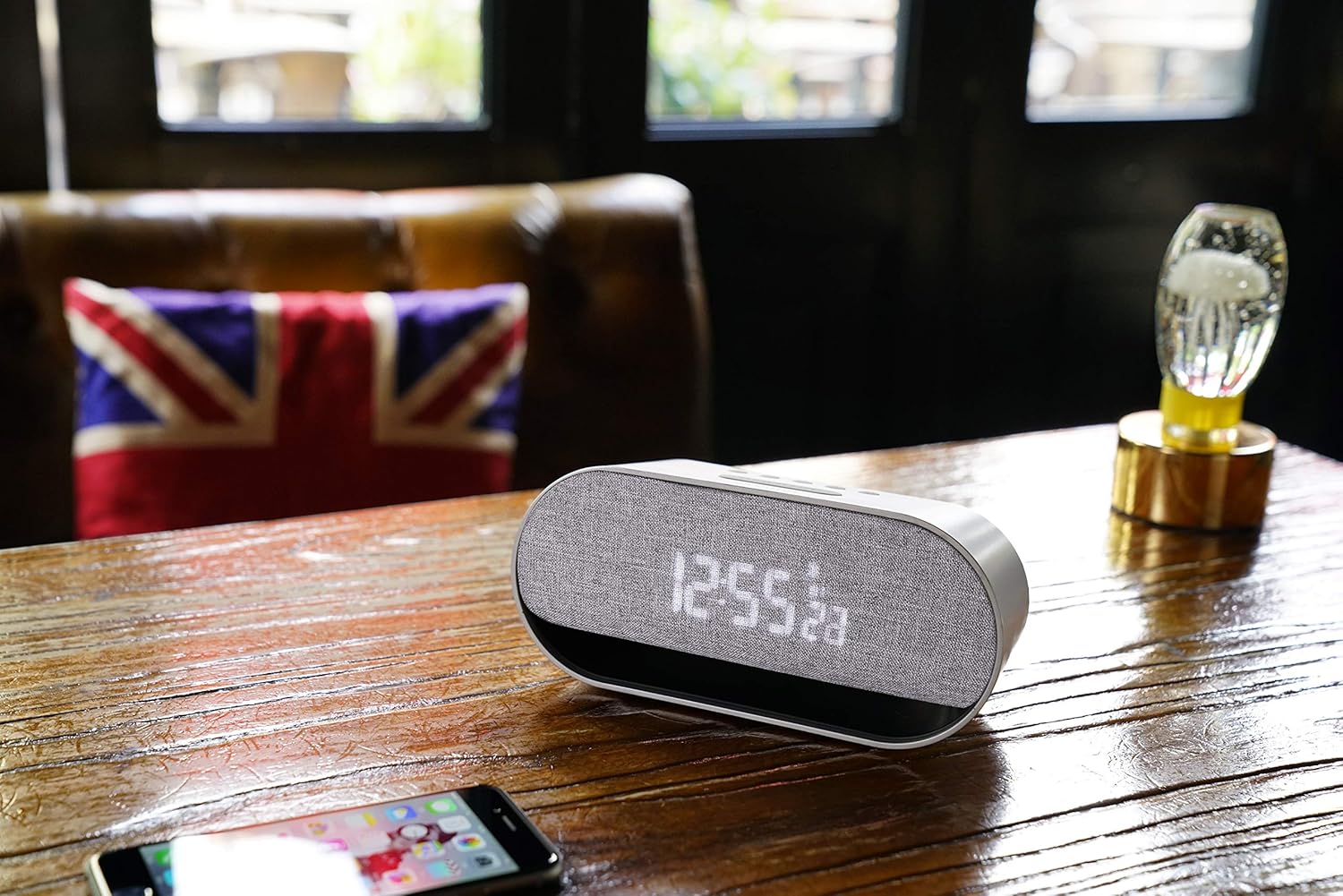
Figure 4: The CIR600 connected via Bluetooth to a mobile device.
۴. د ښودنې روښانتیا تنظیمول
The CIR600 features a white LED display with 3 adjustable intensity levels.
- فشار ورکړئ لنډول button repeatedly to cycle through the brightness levels (High, Medium, Low, Off).
- Select the desired brightness level for comfortable viewing.
ساتنه
پاکول
To maintain the appearance and functionality of your CIR600:
- د پاکولو دمخه د بریښنا اډاپټر قطع کړئ.
- د بهرنۍ سطحې د پاکولو لپاره نرم، وچ ټوکر وکاروئ.
- د کثافاتو پاکوونکي، موم یا محلول مه کاروئ ځکه چې دوی ممکن پای ته زیان ورسوي.
- په هر ډول خلاصیدو کې د رطوبت له ننوتلو څخه ډډه وکړئ.
ذخیره کول
If storing the unit for an extended period, disconnect it from power and remove the CR2025 backup battery to prevent leakage.
د ستونزو حل کول
If you encounter issues with your CIR600, refer to the following common problems and solutions:
| ستونزه | احتمالي لامل | د حل لاره |
|---|---|---|
| No power/Display is off. | د بریښنا اډاپټر وصل شوی نه دی یا خراب آوټ لیټ دی. | Ensure the power adapter is securely plugged into the unit and a working wall outlet. Try a different outlet. |
| بلوتوث وسیله نشي وصل کیدی. | CIR600 not in pairing mode; device too far; previously paired device connected. | فشار ورکړئ بلوتوث button to enter pairing mode. Ensure your device is within range. Disconnect from any other Bluetooth devices. |
| الارم نه غږېږي. | الارم نه دی تنظیم شوی یا غیر فعال شوی؛ غږ ډیر ټیټ دی. | Verify the alarm is set and activated (alarm icon visible). Increase the volume using the + تڼۍ |
| ښودنه ډېره تیاره یا ډېره روښانه ده. | د روښانتیا کچه سمون ته اړتیا لري. | فشار ورکړئ لنډول تڼۍ په مکرر ډول د 3 روښانتیا کچو څخه تیرولو لپاره. |
| د بریښنا له لاسه ورکولو وروسته وخت/نیټه غلطه ده. | د بیک اپ بیټرۍ مړه یا ورکه ده. | Replace the CR2025 backup battery. Reset the time and date. |
مشخصات
| فیچر | تفصیل |
|---|---|
| د محصول ابعاد | 20 x 8.9 x 7.2 سانتي متره |
| د محصول وزن | 300 ګرامه |
| د بریښنا سرچینه | AC/DC Adapter (12V, 2.0A) |
| بیک اپ بیټرۍ | 1 x CR2025 (پکې شامل دی) |
| د سپیکر محصول | 2 x 10 واټونه |
| ارتباط | بلوتوث |
| د ښودلو ډول | White LED Digital Display |
| روښانتیا ښکاره کړئ | د 3 تنظیم وړ کچه |
| رنګ | سره زر |
| مواد | پلاستیک |
| د ماډل شمیره | OSCIR600 |
د تضمین معلومات
The Oregon Scientific CIR600 Alarm Clock and Audio Speaker comes with a 2 کلن تضمین from the date of purchase. This warranty covers manufacturing defects and workmanship under normal use. Please retain your proof of purchase for warranty claims. For detailed warranty terms and conditions, refer to the official Oregon Scientific webسایټ یا د پیرودونکي ملاتړ سره اړیکه ونیسئ.
د پیرودونکي ملاتړ
For further assistance, technical support, or inquiries regarding your Oregon Scientific CIR600, please visit the official Oregon Scientific website or contact their customer service department. You may find FAQs, additional resources, and contact information on their support pages.
Note: Always refer to the latest information available on the manufacturer's official support channels for the most up-to-date assistance.


