1. پیژندنه
Thank you for choosing the TechniSat HD-C 232 Digital Cable Receiver. This compact DVB-C receiver is designed for receiving unencrypted digital television and radio programs via cable. It offers high-definition (HDTV) picture quality and features an integrated USB media player and an Electronic Program Guide (EPG). This manual provides essential information for setting up, operating, and maintaining your device.
کلیدي ځانګړتیاوې:
- Compact DVB-C receiver for unencrypted digital TV and radio.
- High-Definition Television (HDTV) support.
- Integrated USB media player for video, music, and image files.
- Electronic Program Guide (EPG) with up to 7 days of program preview.
- Remote control with 4 programmable learning keys.
- HDMI and Scart connectivity for versatile TV connections.
2. د خوندیتوب معلومات
مهرباني وکړئ د وسیلې کارولو دمخه د خوندیتوب ټولې لارښوونې په دقت سره ولولئ. دا لارښود د راتلونکي حوالې لپاره وساتئ.
- د بریښنا رسول: Use only the provided external power supply. Ensure the voltage matches your local power grid.
- وینټیلیشن: د هوا د بهېدو لارې مه بندوئ. د وسیلې شاوخوا کافي هوا جریان ډاډمن کړئ ترڅو د ډیر تودوخې مخه ونیول شي.
- رطوبت: Do not expose the device to rain, moisture, or liquids.
- پاکول: Disconnect the power before cleaning. Use a dry, soft cloth. Do not use liquid or aerosol cleaners.
- خدمت کول: د دې محصول پخپله خدمت کولو هڅه مه کوئ. ټول خدمتونه وړ خدماتي پرسونل ته راجع کړئ.
- ځای په ځای کول: Place the device on a stable, flat surface. Avoid placing it near heat sources or in direct sunlight.
3. د بسته محتويات
ډاډ ترلاسه کړئ چې ټول توکي په کڅوړه کې شتون لري:
- TechniSat HD-C 232 Digital Cable Receiver
- Remote Control with 4 learning keys
- د بهرنۍ بریښنا رسول
- د ریموټ کنټرول لپاره بیټرۍ
- د کارن لارښود
4. محصول ختم شوview
4.1 مخکښ پینل
The front panel of the HD-C 232 features essential controls and indicators.

انځور 4.1: مخکی view of the TechniSat HD-C 232 receiver. It shows the HDMI logo, a USB port, a green indicator light, a 4-digit display, and channel/power buttons.
- USB پورټ (مخکې): د میډیا پلې بیک لپاره د USB ذخیره کولو وسیلو سره وصل کولو لپاره.
- ښکاره کول: A 4-digit segment display shows the current channel number or time in standby mode.
- د رڼا شاخص: د ځواک حالت په ګوته کوي.
- د کنټرول تڼۍ: Channel up/down and power on/off buttons.
4.2 شاته پینل
The rear panel provides all necessary connection ports for your television and cable network.

انځور 4.2: شاته view of the TechniSat HD-C 232 receiver, showing various connection ports. From left to right: RF In, RF Out, S/PDIF (digital electrical audio out), HDMI Out, Scart (TV/Scart), and Power Input.
- RF په: ستاسو د کیبل دیوال آوټ لیټ سره وصل کیږي.
- RF Out (LoopThrough): Allows passing the cable signal to another receiver or TV.
- S/PDIF (Digital Electrical Audio Out): For connecting to an audio ampلایفیر یا د کور سینما سیسټم.
- HDMI بهر: Connects to your television for high-definition video and audio.
- Scart (TV/Scart): For connecting to older televisions or VCRs.
- د بریښنا ننوتل: Connects to the external power supply.
4.3 ریموٹ کنټرول
The included remote control provides full functionality for your receiver, including 4 programmable learning keys.
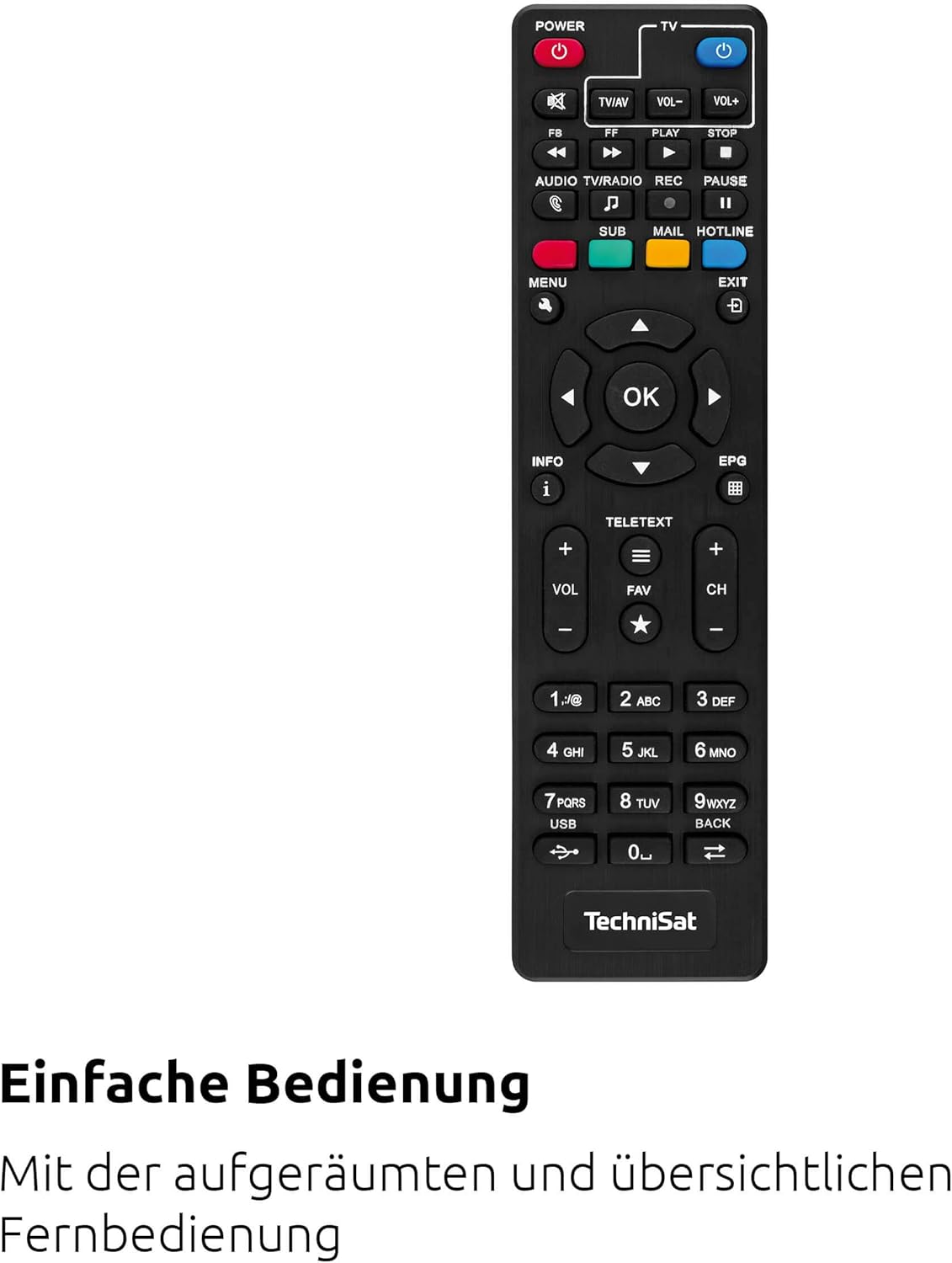
انځور 4.3: The remote control for the TechniSat HD-C 232 receiver, featuring various buttons for power, volume, channel, menu navigation, EPG, and media playback.
Refer to the remote control section in Operating Instructions for details on its functions and how to use the learning keys.
5. ترتیب کول
Follow these steps to connect your TechniSat HD-C 232 receiver and perform the initial setup.
۴.۱ د رسیدونکي سره نښلول
- د کیبل پیوستون: Connect your cable network's antenna cable to the په RF کې port on the rear of the receiver.
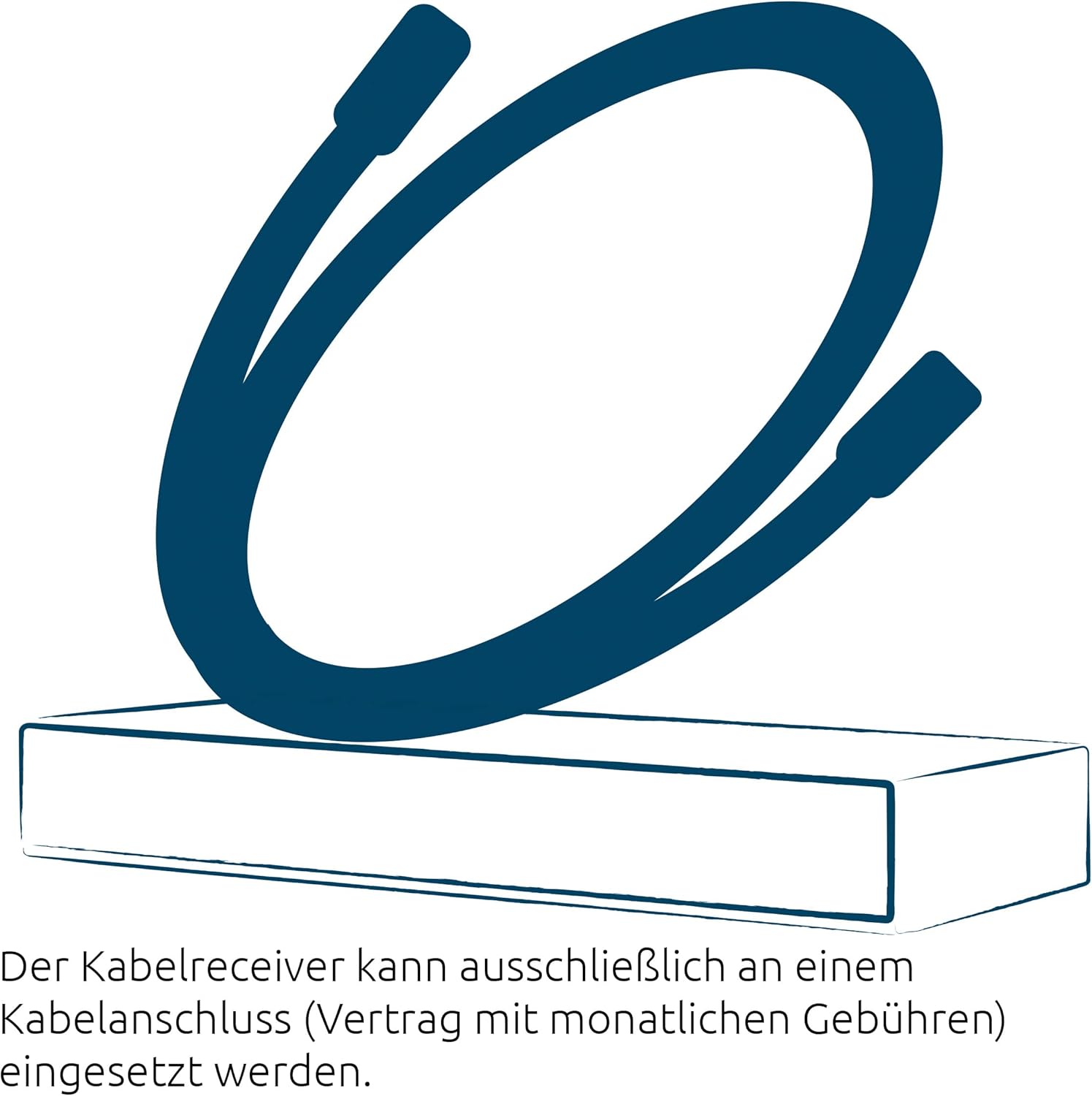
انځور 5.1: Illustration showing a cable connected to a receiver, representing the cable network connection.
- د تلویزیون اتصال (HDMI): د HDMI کیبل (شامل نه دی) سره وصل کړئ HDMI بهر port on the receiver to an HDMI input on your television.
- TV Connection (Scart - Optional): If your TV does not have an HDMI input, connect a Scart cable from the سکارټ port on the receiver to the Scart input on your television.
- Audio System Connection (Optional): For enhanced audio, connect an S/PDIF cable from the S/PDIF port on the receiver to your audio ampلایفیر یا د کور سینما سیسټم.
- د بریښنا پیوستون: Connect the external power supply to the د بریښنا انډول on the receiver, then plug the power supply into a wall outlet.
۵.۲ لومړنی ترتیب او د چینل سکین
- Turn on your television and select the correct HDMI or Scart input source.
- Turn on the TechniSat HD-C 232 receiver using the power button on the front panel or the remote control.
- The receiver will likely guide you through an initial setup wizard. Follow the on-screen instructions.
- During the setup, you will be prompted to perform a channel scan. Select "Automatic Channel Scan" to find all available unencrypted digital cable channels. This process may take several minutes.
- Once the scan is complete, save the channels. Your receiver is now ready for use.
6. عملیاتي لارښوونې
6.1 Basic TV Viewing
- د چینل انتخاب: د کارولو CH+ او CH- buttons on the remote control or front panel to change channels. You can also enter channel numbers directly using the numeric keypad on the remote.
- د حجم کنټرول: د کارولو VOL+ او VOL- د ریموټ کنټرول ت buttۍ د حجم تنظیمولو لپاره.
- خاموش: فشار ورکړئ خاموش د آډیو د لنډمهاله خاموشولو لپاره تڼۍ.
6.2 Using the Electronic Program Guide (EPG)
The EPG provides a detailed overview of current and upcoming programs for up to seven days.

انځور 6.1: Icon representing the Electronic Program Guide (EPG) feature.
- فشار ورکړئ EPG button on your remote control to access the Electronic Program Guide.
- Navigate through channels and program times using the arrow keys.
- Select a program to view detailed information (if available).
- مطبوعاتي وتون to leave the EPG.
۴.۴ USB میډیا پلیر
The integrated USB media player allows you to play video, music, and image fileد وصل شوي USB ذخیره کولو وسیلې څخه.

انځور 6.2: Icons representing the USB media player's capabilities for playing video, music, and image files.
- Insert a USB storage device (e.g., USB stick, external hard drive) into the USB port on the front panel of the receiver.
- Access the media player function via the main menu or a dedicated button on the remote control (if available).
- د خپل له لارې نیویګیټ کړئ files and folders using the remote control.
- غوره کړه a file to play. The receiver supports common video (MPEG-2, H.264), audio, and image formats.
6.4 Remote Control Learning Function
The remote control has 4 programmable learning keys that can be assigned functions from another remote control (e.g., your TV remote's power, volume, or input selection).
To program a learning key:
- Place the TechniSat remote control and the remote control to be learned from head-to-head (infrared emitters facing each other) at a distance of about 1-3 cm.
- Enter the learning mode on the TechniSat remote (refer to your remote's specific instructions, usually by holding a specific button for a few seconds).
- Press the learning key on the TechniSat remote that you wish to program.
- Press the corresponding button on the other remote control whose function you want to copy.
- The TechniSat remote will indicate successful learning (e.g., an LED flashes). Repeat for other keys.
- Exit the learning mode.
7. ساتنه
Proper care ensures the longevity of your TechniSat HD-C 232 receiver.
- پاکول: Disconnect the receiver from the power outlet before cleaning. Use a soft, dry, lint-free cloth to wipe the exterior. Do not use abrasive cleaners, waxes, or solvents.
- وینټیلیشن: په منظم ډول وګورئ چې د هوا د جریان سلاټونه د دوړو یا کثافاتو له امله خنډ شوي نه دي.
- ذخیره کول: که چیرې وسیله د اوږدې مودې لپاره ذخیره کوئ، نو له بریښنا څخه یې جلا کړئ او په یخ او وچ ځای کې یې وساتئ.
8. ستونزه حل کول
که تاسو د خپل رسیدونکي سره ستونزې سره مخ شئ، لاندې عام ستونزو او حلونو ته مراجعه وکړئ.
| ستونزه | احتمالي لامل | د حل لاره |
|---|---|---|
| هیڅ ځواک نشته | Power cable not connected; power outlet faulty; power supply unit faulty. | Check power cable connection. Try a different power outlet. Ensure the external power supply is correctly connected. |
| هیڅ عکس یا غږ نشته | Incorrect TV input selected; HDMI/Scart cable loose or faulty; no signal from cable network. | Select the correct HDMI/Scart input on your TV. Check all cable connections. Ensure the cable network is active and connected to the receiver's RF In. Perform a channel scan. |
| ریموټ کنټرول کار نه کوي | Batteries depleted or incorrectly inserted; infrared sensor blocked; remote control faulty. | Replace batteries. Ensure batteries are inserted with correct polarity. Remove any obstructions between the remote and receiver. |
| USB media not playing | USB device not recognized; file format not supported; USB device faulty. | Ensure the USB device is properly inserted. Check if the file format is supported (MPEG-2, H.264 for video). Try a different USB device. |
| د خراب کیفیت کیفیت | Weak cable signal; faulty cable connection; TV settings. | Check cable connections. Contact your cable provider if signal strength is consistently low. Adjust TV picture settings. |
9. مشخصات
| فیچر | تفصیل |
|---|---|
| برانډ | TechniSat |
| ماډل | HD-C 232 |
| د ماډل شمیره | ۹/۹۷ |
| رنګ | تور |
| د تونر ډول | DVB-C (Digital Cable) |
| د ویډیو کوډ کول | MPEG-2 MP@HL/ML, H.264/MPEG-4 AVC |
| ارتباطات | 1x HDMI Out, 1x Scart, 1x USB 2.0 (front), 1x RF In, 1x RF Out (LoopThrough), 1x S/PDIF (Digital Electrical Audio Out) |
| ټول USB پورټونه | 1 |
| ټول HDMI بندرونه | 1 |
| ځانګړي ځانګړتیاوې | Electronic Program Guide (EPG), USB Media Player, Remote Control with Learning Function |
| مطابقت لرونکې وسیلې | ټلویزیون |
| د آډیو وتلې حالت | Surround (5.1, 7.1 channel configuration) |
| ابعاد (W x H x D) | 16.9 cm x 4 cm x 10.3 cm |

انځور 9.1: Diagram showing the dimensions of the TechniSat HD-C 232 receiver: 16.9 cm width, 4 cm height, and 10.3 cm depth.
10. تضمین او ملاتړ
For warranty information and customer support, please refer to the warranty card included with your product or visit the official TechniSat webسایټ. د هر ډول تضمین ادعا لپاره د پیرود ثبوت وساتئ.
جوړونکی: TechniSat ډیجیټل GmbH
د اصلي هیواد: فرانسه


