1. پیژندنه
Thank you for choosing the JENNOV Wireless Outdoor Security Camera System. This manual provides essential information for the proper installation, operation, and maintenance of your security camera system. Please read it thoroughly before use and keep it for future reference.
This system features PIR human detection, two-way audio, voice deterrence, smartphone linkage, remote operation, built-in HDD, and night vision capabilities. It supports up to 10 channels and comes with a monitor for convenient surveillance.
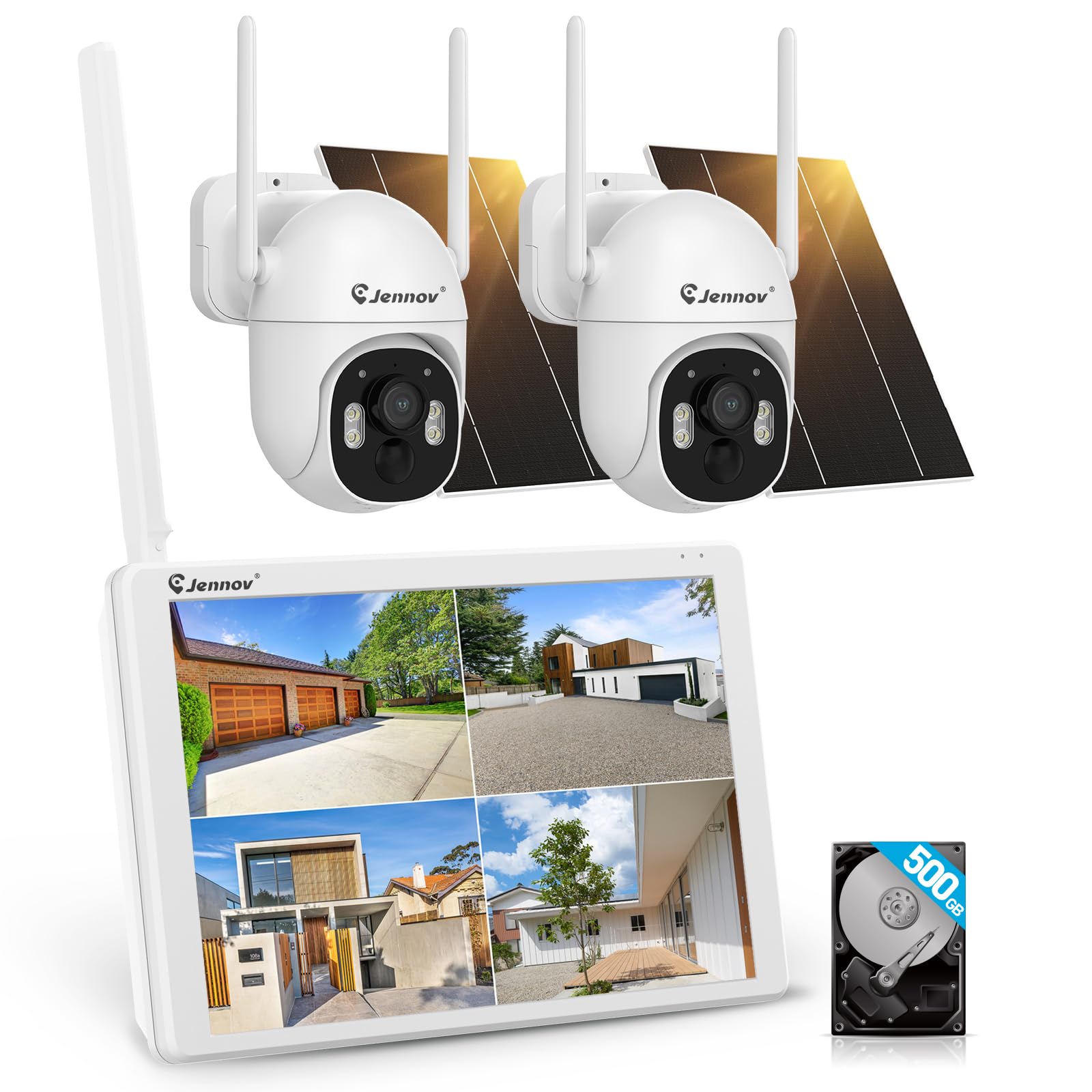
Figure 1: JENNOV Wireless Outdoor Security Camera System
2. د بسته محتويات
ډاډ ترلاسه کړئ چې ټول توکي په کڅوړه کې شتون لري:
- JENNOV Wireless Outdoor Security Camera (quantity may vary based on set)
- Monitor (if included in the set)
- د ۱۲V۵A بریښنا اډاپټر (x۱)
- د سکرو پیک (x1)
- د لارښوونې لارښود
۴. د تنظیم لارښوونې
Follow these steps to set up your JENNOV security camera system.
د کیمرې لګول
The camera is designed for flexible installation, even in environments without Wi-Fi. It can be wall-mounted or ceiling-mounted.
Video 1: Dome Camera Installation Method. This video demonstrates the physical installation process for a dome-style camera, including disassembling the cover, adjusting the lens direction, and securing it to a wall or ceiling.
For dome cameras, remove the outer ring, loosen the screws to adjust the lens direction, fix the base to the wall, tighten the screws, and then reattach the outer ring.
3.2 System Connection (Plug & Play)
The system supports Plug & Play functionality, allowing local monitoring without a Wi-Fi connection. For remote monitoring via smartphone or PC, connect the monitor to a Wi-Fi router using a LAN cable.

Figure 2: Plug & Play setup showing connections to a monitor and router.
3.3 App Setup (Eseecloud)
To enable remote monitoring and access advanced features, download and configure the Eseecloud app on your smartphone or tablet.
Video 2: How to Add a Device with ESEECLOUD App. This video guides you through the process of adding your camera device to the Eseecloud smartphone application.
- Launch the Eseecloud app.
- For new registration, tap 'Register' and enter your email address.
- You will receive a verification code in your mailbox. Enter this code into the app.
- Set a password to complete registration.
- For existing users, enter your username and password to log in.
- Tap 'Add Smart Device' and scan the QR code displayed on the monitor connected to your recorder.
- Follow the on-screen prompts to add the device. Naming the camera and completing the device addition will finalize the setup.
Video 3: How to Set Up with the App. This video demonstrates various settings within the Eseecloud app, including recording modes, motion detection, and privacy settings.
4. عملیاتي لارښوونې
Your JENNOV security camera system offers a range of features for effective surveillance.
۳.۲ د ثبتولو طریقې
The system supports three main recording modes:
- دوامداره ثبت کول: ریکارډونه ۲۴/۷.
- د حرکت موندنې ثبتول: یوازې هغه وخت ثبت کیږي کله چې حرکت کشف شي، د ذخیره کولو ځای خوندي کوي.
- مهال ویش ثبتول: Customize recording times based on your needs.

Figure 3: Illustration of the three recording modes: continuous, motion detection, and scheduled.
4.2 Motion Detection and AI Human Detection
The camera features PIR human detection to minimize false alarms. You can define specific detection areas and adjust sensitivity levels.

Figure 4: AI human detection in action, highlighting a person within the detection zone.

Figure 5: Adjusting the motion detection area and sensitivity settings via the app.
۵.۳ د شپې لید حالتونه
The camera offers multiple night vision options for clear images in low-light conditions:
- Automatic Night Mode Switching: Automatically switches between day and night vision.
- د شپې لید رنګ: Provides full-color images even at night.
- انفراریډ د شپې لید: معیاري تور او سپین د شپې لید.

Figure 6: Comparison of day mode, automatic night mode switching, color night vision, and infrared night vision.
4.4 Two-Way Audio and Voice Deterrence
With a built-in microphone and speaker, the camera supports two-way audio communication. You can also use pre-recorded voice messages for deterrence.

Figure 7: Demonstrates two-way audio communication and voice deterrence feature.
4.5 Remote Monitoring and Family Sharing
ژوندۍ فو ته لاسرسی ومومئtage and recorded videos from anywhere using the Eseecloud app on your smartphone or PC. The system also allows sharing device access with 3-5 family members simultaneously.

Figure 8: Remote monitoring via smartphone and PC, showing multiple users accessing the camera feed.
4.6 Pan/Tilt/Zoom (PTZ) Functionality
The camera features 360° wide-angle shooting with pan (355° horizontally) and tilt (90° vertically) functions, allowing you to cover a wide area without blind spots.

Figure 9: Illustration of the camera's 355° pan and 90° tilt capabilities for comprehensive coverage.
Video 4: About Security Camera Functions. This video provides an overview of various camera functions, including PTZ control and different viewing موډونه
5. ساتنه
Regular maintenance ensures optimal performance and longevity of your security camera system.
- د لینز پاکول: Gently wipe the camera lens with a soft, dry cloth to remove dust and smudges.
- اړیکې چیک کړئ: Periodically inspect all cables and connections for any signs of wear or damage.
- د سافټویر تازه معلومات: Ensure your camera's firmware and the Eseecloud app are updated to the latest versions for improved security and features.
- د ذخیرې مدیریت: په منظمه توګه بیاview او ثبت شوي foo اداره کړئtage on the built-in HDD to prevent it from filling up.
6. ستونزه حل کول
If you encounter any issues with your JENNOV security camera system, refer to the following common troubleshooting tips:
- ځواک نشته: Check the power adapter and ensure it is securely connected to both the camera and a working power outlet.
- د ویډیو فیډ نشته: Verify network connectivity for remote viewing. For local viewing, ensure the monitor is correctly connected to the recorder. Restart the camera and recorder.
- د عکس ضعیف کیفیت: Clean the camera lens. Check for any obstructions in the camera's field of view. Ensure sufficient lighting for optimal night vision performance.
- د حرکت کشف کار نه کوي: Check the motion detection settings in the Eseecloud app, including sensitivity and detection areas.
- د اپلیکیشن ارتباط مسلې: Ensure your smartphone has a stable internet connection. Restart the app and your smartphone. Verify that the camera system is connected to the internet (if remote access is desired).
If problems persist, please contact JENNOV customer support.
7. مشخصات
| فیچر | تفصیل |
|---|---|
| د ماډل نوم | AJ1-K2-P42BT-V16 |
| د ویډیو نیول حل | 1440p |
| رنګ | سپین |
| د بې سیمه مخابراتو ټیکنالوژي | وای فای |
| د فارم فکتور | گنبد |
| د شپې لید لړۍ | 30 متره |
| مواد | پلاستيک، فلزي |
| والیtage | 12 ولټه |
| د اوبو د مقاومت کچه | واټر پروف (IP66) |
| د محصول ابعاد (LxWxH) | 19.5 x 13 x 11 سانتي متره |
| د محصول وزن | 520 ګرامه |
| د رڼا سرچینه | انفراریډ |
| ځانګړي ځانګړتیاوې | IP66 Waterproof for Outdoor Use, Wireless Wi-Fi Security Camera, Remote Monitoring, Long-term Recording, High Image Quality, Motion Detection |
| د کور دننه / بهر کارول | دننه، بهر |
| مطابقت لرونکې وسیلې | لپ ټاپ، سمارټ فون، ټابلیټ |
| د بریښنا سرچینه | د بریښنا تار شوی |
| د پیوستون پروټوکول | ONVIF, Wi-Fi |
| د کنټرولر ډول | Mobile App, Recorder |
8. تضمین او ملاتړ
Your JENNOV security camera system comes with a 12-month quality warranty from the date of purchase. We also provide lifetime technical support to ensure your peace of mind.
In case of initial defects or natural failures, returns or exchanges are possible within 30 days without requiring an explanation.
For inquiries, technical setup support, or any other assistance, please contact us:
- تلیفون: 05050509046 (Monday - Friday, 10:00 - 18:00 JST)
- بریښنالیک: supportjp@jennov.com
- Webسایټ: www.jennov.com
Our products comply with Japanese wireless specifications and have obtained the 'Technical Conformity Certification Mark' (Radio Law Technical Conformity Certification Number: R210-123758). The included power adapter has also obtained PSE certification after testing by the TUV authority.


