پیژندنه
This manual provides essential information for the safe and efficient operation of your Skyworth 49 M20 Full HD LED Smart TV. Please read it thoroughly before using the product and retain it for future reference.
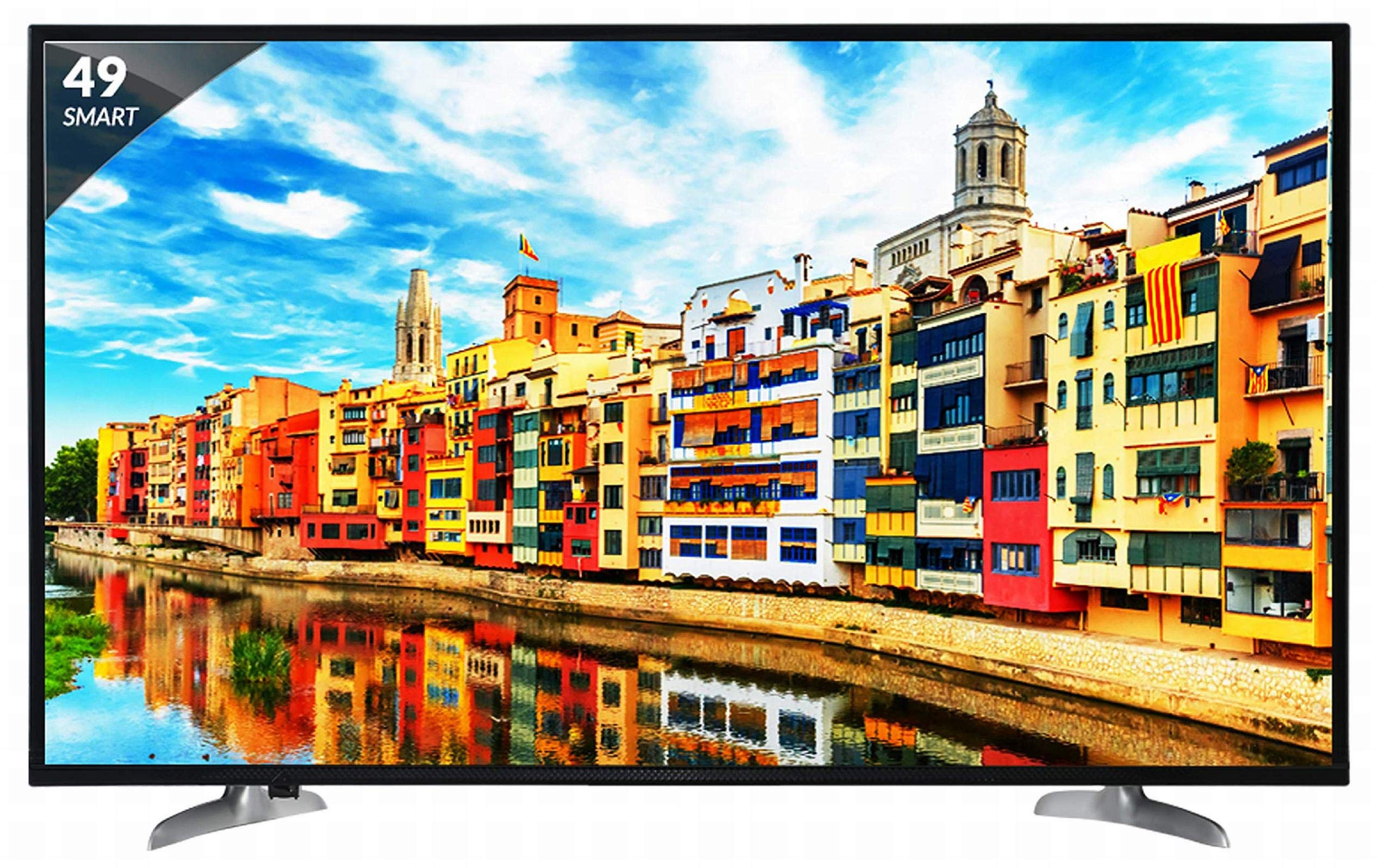
شکل 1: مخکی view of the Skyworth 49 M20 Full HD LED Smart TV.
تنظیم او نصب کول
Unpacking the TV
په احتیاط سره د بسته بندۍ څخه ټولې برخې لرې کړئ. ډاډ ترلاسه کړئ چې لاندې لیست شوي ټول توکي شتون لري.
په بکس کې څه دي:
- 1 LED تلویزیون
- ۱ د میز سر ولاړ
- 1 وال ماونټ بریکٹ
- 1 د کارن لارښود
- 1 د تضمین کارت
- 1 ریموٹ کنټرول
- 2 AAA بیټرۍ
- 1 Power Cable / Power Supply Adapter
ویډیو ۱: د بکس خلاصول او ابتدايي اوورview of the Skyworth 49 M20 Smart TV.
د سټینډ نصب کول
If using the table-top stand, attach it securely to the base of the TV using the provided screws. Refer to the diagram for correct orientation.
دیوال نصبول
For wall mounting, use the included wall mount bracket. It is recommended to seek professional assistance for wall mounting to ensure safety and proper installation. Contact Skyworth at 18001210108 for installation services.

شکل 2: اړخ view of the TV, illustrating the slim design and stand attachment points.
ارتباط
Your Skyworth 49 M20 TV offers various ports for connecting external devices.
شته بندرونه:
- دوه HDMI پورټونه: For connecting set-top boxes, Blu-Ray players, gaming consoles, and other HDMI-enabled devices.
- 2 د USB بندرونه: For connecting hard drives, USB flash drives, and other USB devices to play media files.
- 1 VGA پورټ: For connecting laptops or desktop computers.

Figure 3: Rear panel of the TV, highlighting the various input and output ports.

شکل 4: مفصل view of the connectivity ports including HDMI, USB, and VGA.
ستاسو د سمارټ تلویزیون چلول
بریښنا کول / بند کول
Connect the power cable to the TV and a power outlet. Press the power button on the remote control or on the TV to turn it on or off.
د ابتدايي ترتیب وزرډ
د لومړي ځل لپاره د بریښنا په فعالولو سره، تلویزیون به تاسو ته د لومړني تنظیم کولو پروسې له لارې لارښوونه وکړي، پشمول د ژبې انتخاب، د شبکې اتصال، او د چینل سکین کول.
د سمارټ تلویزیون ځانګړتیاوې
The Skyworth 49 M20 is an Android-based Smart TV with built-in Wi-Fi, offering access to a variety of applications and online content.
- جوړ شوی وائی فای: د انټرنیټ لاسرسي لپاره خپل کور شبکې سره وصل شئ.
- Netrange App Store: Download and install applications for movies, music, games, and more.
- Install APK: Allows installation of additional applications via APK files.
- Sky Share: Share media files (videos, pictures) from your mobile phone to the TV.
- Home Network: Access media content from other devices on your home network.
- ملاتړ شوي انټرنیټ خدمتونه: Includes Twitter and YouTube.

Figure 5: The Smart TV home screen interface, showing various app icons.

Figure 6: The Netrange App Store interface, displaying available applications.
ویډیو ۱: پایview of the Skyworth Full HD IPS Smart LED TV features, including display, smart functions, and connectivity.
ښودنه او آډیو
ټیکنالوژي ښکاره کول
The TV features a 49-inch Full HD (1920x1080p) IPS LED panel with a 60 Hz refresh rate. The IPS technology provides a wide 178-degree viewد زاویې ټاکل، د مختلفو موقعیتونو څخه د عکس کیفیت ثابتول ډاډمن کول.
د آډیو سیسټم
Equipped with 20 Watts output and down-firing speakers, the TV delivers clear audio. DTS Sound technology enhances the audio experience.
تخنیکي مشخصات
| فیچر | تفصیل |
|---|---|
| ماډل | 49 M20 |
| د سکرین اندازه | 49 انچونه (124.5 سانتي متره) |
| ټیکنالوژي ښکاره کول | د IPS LED پینل |
| قرارداد | بشپړ HD (1920 x 1080p) |
| د تازه کولو نرخ | 60 هرټز |
| Viewزاویه | 178 درجې |
| عملیاتي سیسټم | Android |
| پروسیسر | ARM Quad Core Processor |
| GPU | Dual Core 3D GPU |
| RAM | 512MB |
| ROM | 4GB |
| ارتباط | 3 HDMI, 2 USB, 1 VGA, Built-in Wi-Fi |
| د آډیو تولید | 20 واټ |
| د غږ ټیکنالوژي | DTS Sound, Down Firing Speakers |
| د محصول ابعاد (LxWxH) | 111.1 x 27.1 x 68.9 سانتي متره |
| د توکي وزن | 16 کیلو ګرامه |
| بیټرۍ | ۳ AAA بیټرۍ (د ریموټ لپاره شاملې دي) |

Figure 7: Summary of key TV features including screen size, connectivity, display, sound, and smart TV capabilities.
د ستونزو حل کول
This section addresses common issues you might encounter with your TV. For more complex problems, please contact customer support.
هیڅ ځواک نشته
- ډاډ ترلاسه کړئ چې د بریښنا کیبل په خوندي ډول د تلویزیون او کاري بریښنا سایټ دواړو سره وصل دی.
- د بل وسیلې په لګولو سره وګورئ چې ایا د بریښنا سایټ کار کوي.
- Verify that the power indicator light on the TV is on.
انځور/غږ نشته
- Confirm the correct input source is selected (e.g., HDMI 1, AV).
- Check all cable connections (HDMI, AV, etc.) between the TV and external devices.
- ډاډ ترلاسه کړئ چې حجم خاموش یا ډیر ټیټ نه دی ټاکل شوی.
د وای فای اتصال مسلې
- خپل وای فای روټر او تلویزیون بیا پیل کړئ.
- ډاډ ترلاسه کړئ چې تلویزیون ستاسو د وای فای روټر په حد کې دی.
- تایید کړئ چې داخل شوی د وای فای پټنوم سم دی.
ریموټ کنټرول کار نه کوي
- د AAA بیټرۍ په ریموټ کنټرول کې ځای په ځای کړئ.
- ډاډ ترلاسه کړئ چې د ریموټ کنټرول او د تلویزیون د IR سینسر ترمنځ هیڅ خنډ شتون نلري.
پاملرنه او ساتنه
د سکرین پاکول
په نرمۍ سره سکرین د نرم، لینټ نه پاک ټوکر سره پاک کړئ. د سختو نښو لپاره، یو څه لږampټوکر د اوبو یا ځانګړي سکرین کلینر سره ومینځئ. د سخت کیمیاوي موادو یا خړوبونکي موادو کارولو څخه ډډه وکړئ.
عمومي پاکول
Wipe the TV's frame and stand with a soft, dry cloth. Do not spray cleaning liquids directly onto the TV.
وینټیلیشن
د تلویزیون شاوخوا کافي هوا ورکول ډاډمن کړئ ترڅو د ډیر تودوخې مخه ونیول شي. د تلویزیون په شا کې د هوا د جریان دروازې مه بندوئ.
تضمین او ملاتړ
د تضمین معلومات
Your Skyworth 49 M20 TV comes with a 2-year standard manufacturer warranty from Skyworth. Please retain your purchase invoice for warranty claims.
د پیرودونکي ملاتړ
For installation, wall mounting, product demonstration, or any service-related queries, please contact Skyworth directly at 18001210108. Provide the product's model name (49 M20) and seller's details from your invoice.
This product is eligible for replacement/refund within 10 days of delivery in case of any product defects, damage, or features not matching the description provided.


