پیژندنه
This manual provides detailed instructions for the setup, operation, and maintenance of your VTech VT1301-3 Triple Cordless Phone system. Please read this guide thoroughly to ensure optimal performance and longevity of your device. This system features digital enhanced clarity for clear communication and includes three handsets for convenience.
1. ترتیب کول
۲.۱ د بسته بندۍ او اجزاو خلاصول
ټول توکي په احتیاط سره له بکس څخه خلاص کړئ. ډاډ ترلاسه کړئ چې ټولې برخې شتون لري:
- اصلي بنسټ واحد
- Three cordless handsets
- Three charging cradles
- Three power adapters
- One telephone line cord
- Rechargeable batteries (pre-installed or separate)

Image: The VTech VT1301-3 triple cordless phone system, showing the blue, red, and green handsets with their respective charging bases and power adapters.
۲.۳ د اساس واحد سره نښلول
- د ټیلیفون لاین تار یوه پای د اصلي بیس واحد په شا کې د ټیل لاین جیک سره وصل کړئ.
- د ټیلیفون لاین تار بل پای د ټیلیفون دیوال جیک سره وصل کړئ.
- Plug the power adapter into the POWER jack on the main base unit.
- د بریښنا اډاپټر بل پای کې په بریښنایی ساکټ کې ځای ورکړئ.
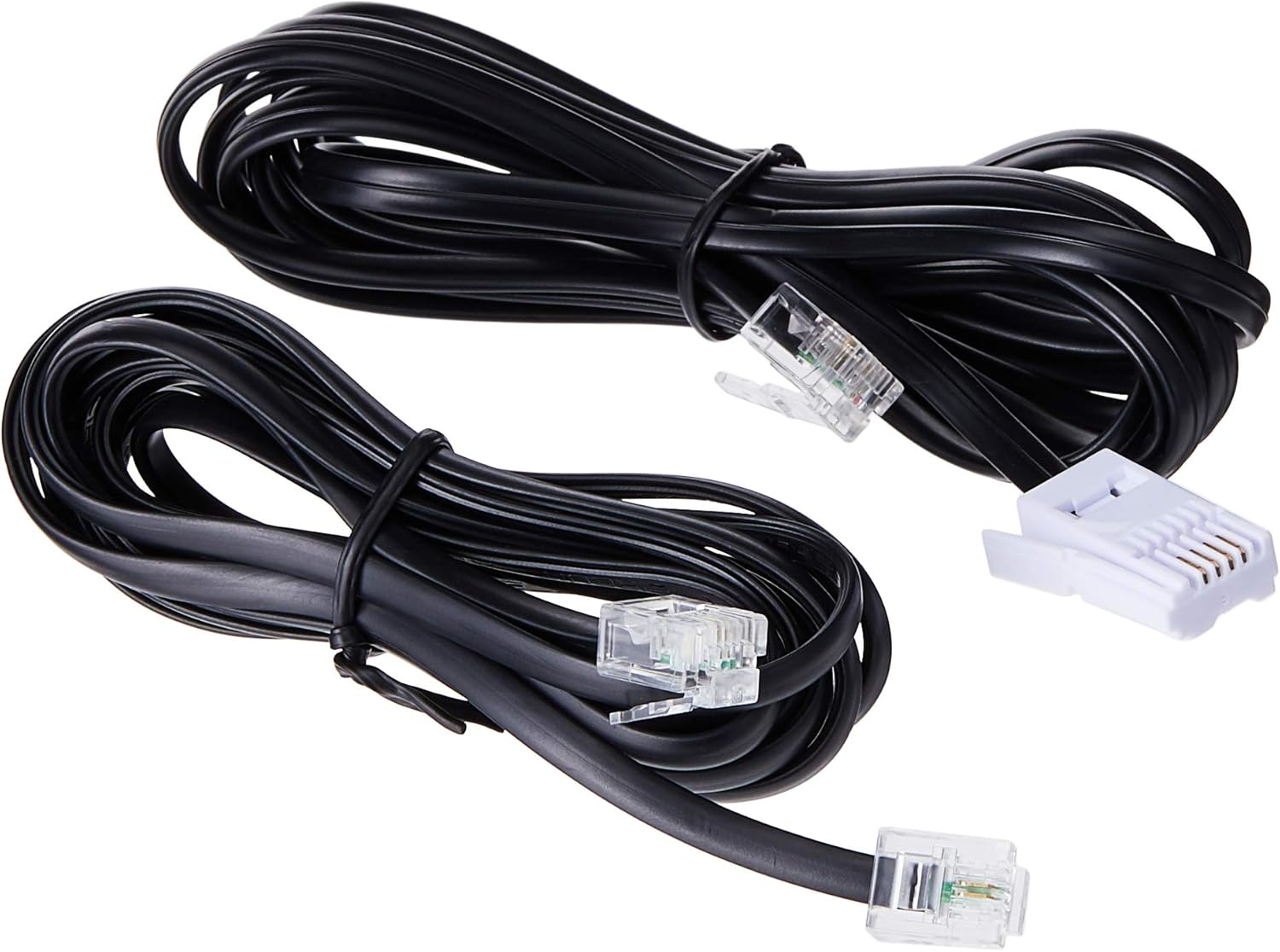
Image: Two black telephone line cords, essential for connecting the base unit to a telephone wall jack.
1.3 Charging the Handsets
Before initial use, charge each handset for at least 16 hours. Place each handset face forward in its respective charging cradle. The charge indicator on the handset or base will illuminate to confirm proper placement and charging.
- Ensure the power adapters for all charging cradles are plugged into electrical outlets.
- Place each handset securely in its cradle.
- A full charge ensures optimal battery performance.
2. عملیاتي لارښوونې
۳.۱ د زنګ وهلو اساسي دندې

انځور: یو مفصل view of the VTech VT1301-3 handset, highlighting its large character blue backlit LCD display and functional keypad.
- تلیفون کول: مطبوعاتي خبرې، بیا شمیره ډایل کړئ. په بدیل سره ، لومړی شمیره ډایل کړئ او بیا فشار ورکړئ خبرې.
- د زنګ په ځواب کې: کله چې تلیفون زنګ وهي ، فشار ورکړئ خبرې یا کوم ډایل کولو کیلي (0-9، #، *).
- د زنګ وهلو پای: مطبوعاتي بند or place the handset back in its charging cradle.
- د سپیکر تلیفون: د زنګ وهلو پرمهال سپیکرفون button (often integrated with TALK or a separate icon) to activate or deactivate the speakerphone.
2.2 پرمختللی ځانګړتیاوې
- د تلیفون کتاب لارښود: Store up to 20 names and numbers. Access via the MENU / سمه ده button and navigate to the Phonebook option.
- د زنګ وهونکي پیژندنه: The phone displays the last 10 caller numbers. Press CID (Caller ID) to review لیست.
- سرخیل: مطبوعاتي سرخیل ته view او وروستي ۱۰ زنګ وهل شوي شمېرې بیا ډایل کړئ.
- د تلیفون لیږد: د بهرني زنګ په جریان کې، فشار ورکړئ MENU / سمه ده, select 'Transfer', and choose the internal handset to transfer the call to.
- داخلي زنګونه: Make calls between handsets by pressing the INT or MENU / سمه ده button and selecting the desired handset.
- درې اړخیزه کنفرانس: Initiate a 3-way conference call involving two internal handsets and one external line.
- Page/Handset Locator: فشار ورکړئ پاڼه button on the main base unit to locate a misplaced handset.
- د رنګر سندرې: Choose from 10 ringer melodies (5 polyphonic and 5 standard) in the handset settings.
- د کیپیډ لاک: فشار ورکړئ او ونیسئ # د کیپډ د بندولو/خلاصولو لپاره کیلي.
- الارم: د هینډسیټ مینو له لارې الارم تنظیم کړئ.
3. ساتنه
۴.۱ د خپل تلیفون پاکول
To keep your phone clean, wipe it with a soft, slightly damp cloth. Do not use cleaning sprays or harsh chemicals as they may damage the finish or electrical components. Ensure the phone is disconnected from power before cleaning.
3.2 د بیټرۍ پاملرنه
- Always use the VTech approved rechargeable batteries provided with your phone.
- For optimal battery life, avoid placing the phone in direct sunlight or in areas with extreme temperatures.
- که چیرې تلیفون د اوږدې مودې لپاره ونه کارول شي، نو د لیکیدو مخنیوي لپاره بیټرۍ لرې کړئ.
4. ستونزه حل کول
If you experience any issues with your VTech VT1301-3 phone, please refer to the following common solutions:
- د ډایل ټون نشته: Ensure the telephone line cord is securely connected to both the base unit and the wall jack. Check if the power adapter is properly connected to the base unit and an electrical outlet.
- زنګونه نشي وهلی یا ترلاسه کولی نشي: Verify that the handset batteries are charged. Check the telephone line connection. If you have a DSL service, ensure a DSL filter is installed.
- د غږ خراب کیفیت: Move closer to the base unit. Ensure there are no large metal objects or other electronic devices interfering with the signal. Check for any loose connections.
- هینډسیټ چارج نه کوي: Ensure the handset is correctly seated in the charging cradle. Verify that the charging cradle's power adapter is plugged into a working electrical outlet. Clean the charging contacts on both the handset and cradle with a dry cloth.
- Handset displays "Out of Range" or "No Link": Move the handset closer to the main base unit. If the issue persists, try resetting the base unit by unplugging its power adapter for a few minutes, then plugging it back in.
5. مشخصات
| فیچر | تفصیل |
|---|---|
| د ماډل شمیره | VT1301-3 |
| د تلیفون ډول | بې تار (DECT) |
| د خبرو لړۍ | Up to 300m (outdoor)* |
| Radiation Mode | Ultra-low Radiation Mode** |
| ښودل | Large character with blue backlit LCD display |
| د تلیفون کتاب لارښود | 20 Name and Number entries |
| د کالر ID ښودنه | 10 caller number display |
| وروستی شمیره بیاځل | 5 last number redial |
| د رنګر سندرې | 10 (5 polyphonic and 5 standard) |
| د کنفرانس کال | 3-Way conference call capability |
| د بریښنا سرچینه | د بریښنا تار شوی |
| UPC | 735078040251 |
* The actual talk range may vary depending on environmental conditions.
** Ultra-low Radiation Mode operates with the lowest radiation.
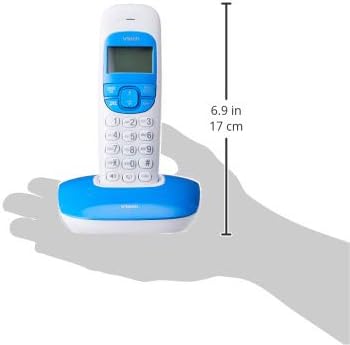
Image: Dimensions of a VTech cordless phone handset in its charging cradle, showing a height of 17 cm.
6. تضمین او ملاتړ
For specific warranty terms and conditions, please refer to the warranty card included in your product packaging. This document outlines the coverage period and conditions for service.
For technical support, frequently asked questions, or to download the latest version of this manual, please visit the official VTech webسایټ ته مراجعه وکړئ یا د دوی د پیرودونکو خدماتو څانګې سره اړیکه ونیسئ د هغه اړیکو معلوماتو په کارولو سره چې ستاسو د محصول اسنادو کې چمتو شوي.


