1. پیژندنه
The Garrett ATX Extreme is a multi-frequency pulse induction metal detector designed for all terrains and extreme conditions, including highly mineralized ground and saltwater environments. This manual provides essential information for the proper assembly, operation, and maintenance of your ATX Extreme metal detector to ensure optimal performance and longevity.
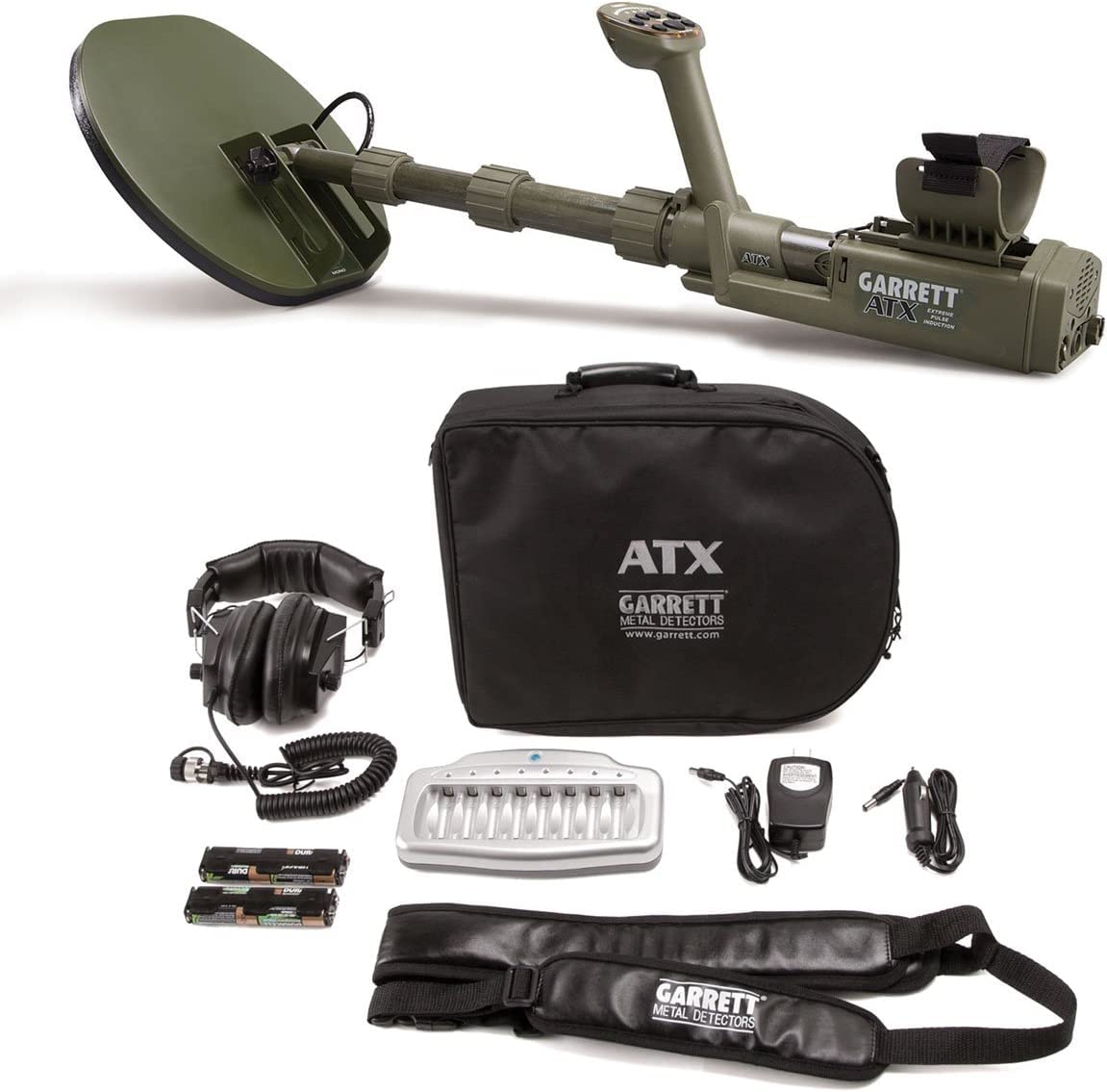
Figure 1: Assembled Garrett ATX Extreme Pulse Induction Metal Detector.
2. د محصول ب Featuresې
The Garrett ATX Extreme incorporates advanced technology and design for superior metal detection:
- Maximum Detection: Simultaneously detects all targets without needing to switch modes, ensuring consistent performance across various target types.
- ځمکنی لار: Features 4 settings to effectively manage rapidly changing ground mineralization, optimizing detection in diverse soil conditions.
- د LED شاخصونه: Provides visual feedback on signal strength and current settings for easy monitoring.
- Waterproof Speaker: Integrated speaker allows for operation without headphones, suitable for various environments.
- د فریکونسي سکین: An automatic function to minimize Radio Frequency Interference (RFI), ensuring clearer signals.
- د حجم کنټرول: Adjustable volume to limit the response of large signals, helping to discern deeper or fainter targets.
- Advanced Ground Balance: Offers a wide range for ground balancing, from heavily mineralized ground (e.g., ironstone) to saltwater, without requiring special mode changes.
- Exclusive Design DD Searchcoil: Enhances the detection of small items without compromising scanning speed.
- Motion and Non-Motion Modes: Provides flexible operation based on user preference and specific hunting conditions.
- Fully Collapsible Design: The detector can be operated fully extended, fully collapsed, or at any length in between for convenient transport and use.
- Quick Iron Check: A feature for quickly identifying iron targets.
- Adjustable Discrimination: Allows for customization to ignore unwanted targets.
۳. اجزا او هغه څه چې په بکس کې دي
د راټولولو دمخه، ډاډ ترلاسه کړئ چې ټولې برخې شتون لري:
- ATX Extreme Control Housing with Armrest
- د تنظیم وړ ډډ
- DD Searchcoil
- هیډفونونه
- د بیټرۍ چارجر
- د چارج وړ بیټرۍ
- کڅوړه
- د کارونکي لارښود (دا لاسوند)
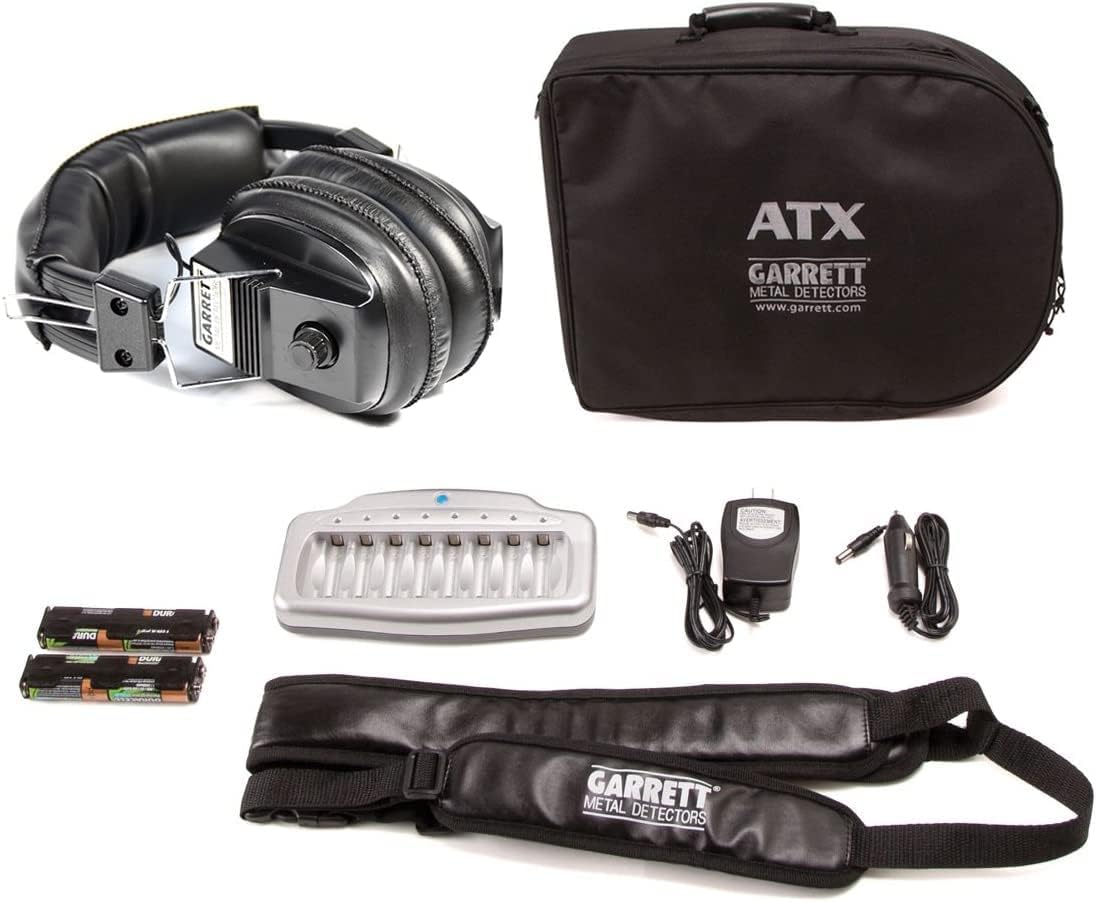
Figure 2: Included accessories for the Garrett ATX Extreme.
4. تنظیم او مجلس
4.1. مجلس
- Attach the Searchcoil: Secure the DD searchcoil to the lower stem using the provided bolt and washers. Ensure it is firmly attached but can still pivot.
- د ډډ برخې سره وصل کړئ: Extend the adjustable stem sections and lock them into place. The ATX Extreme is fully collapsible, allowing you to adjust the length to your preference.
- د کنټرول کور نصب کړئ: Slide the control housing onto the upper stem. Adjust the armrest for comfortable use.
- Connect Searchcoil Cable: Carefully wrap the searchcoil cable around the stem, ensuring it is not too tight or loose, and plug it into the designated port on the control housing. Tighten the connector securely.
4.2. د بیټرۍ نصب کول
The ATX Extreme requires batteries for operation. Ensure they are fully charged before first use.
- د کنټرول په کور کې د بیټرۍ کڅوړه ومومئ.
- د کڅوړې پوښ خلاص کړئ.
- Insert the rechargeable batteries according to the polarity indicators (+/-).
- Close the battery compartment cover securely to maintain its waterproof seal.
- To charge the batteries, connect the provided charger to the charging port on the control housing and plug it into a power source.
5. عملیاتي لارښوونې
5.1. بریښنا فعال/بند
To power on the detector, press and hold the Power button until the unit activates. To power off, press and hold the Power button again until the unit shuts down.
5.2. د ځمکې توازن
The Advanced Ground Balance feature allows the ATX Extreme to operate efficiently in various ground conditions. Perform ground balance by pumping the searchcoil up and down over the ground while pressing the Ground Balance button. The detector will automatically adjust to the mineralization levels.
۵.۳. د کشف طریقې
The ATX Extreme offers both Motion and Non-Motion modes:
- د حرکت حالت: Requires the searchcoil to be in motion to detect targets. This mode is generally used for wider area scanning.
- Non-Motion Mode: Allows for detection of targets even when the searchcoil is stationary. Useful for pinpointing targets or searching in confined spaces.
Refer to the control panel for specific button functions to switch between modes.
5.4. Ground Track
Select one of the 4 Ground Track settings to best suit the current ground conditions. This feature continuously monitors and adjusts to changing ground mineralization, maintaining optimal performance.
۱۰. د فریکونسي سکین
If you experience interference from other electronic devices, use the automatic Frequency Scan function. This will help minimize RFI and provide a clearer signal.
5.6. د حجم کنټرول
Adjust the volume to your preference. Reducing the volume can help in distinguishing deep or faint signals by limiting the overwhelming response from large, shallow targets.
5.7. Quick Iron Check and Discrimination
Utilize the Quick Iron Check feature to rapidly identify potential iron targets. The adjustable Discrimination setting allows you to filter out unwanted metallic junk, focusing on more valuable targets.
6. پاملرنه او ساتنه
- پاکول: After each use, especially in saltwater or muddy conditions, clean the detector with fresh water and a soft cloth. Ensure all connections are dry before storage. Do not use abrasive cleaners.
- ذخیره کول: Store the detector in a cool, dry place. If storing for an extended period, remove the batteries.
- د بیټرۍ پاملرنه: Always use the recommended charger for the rechargeable batteries. Avoid overcharging or completely draining the batteries to prolong their lifespan.
- د کیبل مدیریت: Ensure the searchcoil cable is not kinked or damaged. Inspect it regularly for wear.
- د پنروک مهرونه: Periodically check the integrity of all waterproof seals, especially around the battery compartment and cable connections, to maintain the IP68 rating.
7. ستونزه حل کول
7.1. هیڅ ځواک نشته
- وګورئ چې بیټرۍ په سمه توګه نصب شوي او په بشپړ ډول چارج شوي دي.
- ډاډ ترلاسه کړئ چې د بیټرۍ کمپارټ پوښ په خوندي ډول تړل شوی.
7.2. Erratic Signals / False Signals
- Perform a Ground Balance procedure.
- Use the Frequency Scan function to minimize RFI.
- Ensure the searchcoil cable is securely connected and not damaged.
- Check for nearby sources of electromagnetic interference (power lines, other electronics).
7.3. Poor Detection Depth
- Ensure proper Ground Balance has been achieved for the current soil conditions.
- Check battery charge level; low batteries can affect performance.
- Verify that the searchcoil is clean and free of debris.
8. تخنیکي مشخصات
| فیچر | مشخصات |
|---|---|
| برانډ | ګریټ |
| د ماډل شمیره | gtx556 د |
| ASIN | B07GSQTNBF |
| جي ټي آی اين / يو پي سي | 769947003719 |
| د بریښنا سرچینه | د بیټرۍ چلول (بیټرۍ اړینې دي: هو) |
| مواد | فلزي |
| د قابلیت اوږدوالی | هو |
| د نړیوال خوندیتوب درجه بندي | IP68 |
| عملیاتي فریکونسی | 10 KHz |
| د محصول ابعاد | 23 x 17 x 6 انچه |
| وړاندیز شوي استعمالونه | د فلزي کشف |
9. تضمین او ملاتړ
For specific warranty information, please refer to the documentation provided with your purchase or contact the retailer/manufacturer directly. Support resources, including additional guides and FAQs, may be available on the official Garrett webسایټ
Manufacturer: Garrett Hobby


