پیژندنه
Thank you for choosing the BOBLOV PD50 Body Camera. This manual provides detailed instructions for the setup, operation, and maintenance of your device. Please read this manual thoroughly before using the camera to ensure proper functionality and to maximize its performance.
The BOBLOV PD50 is a high-definition body-worn camera designed for various applications, featuring 1296P WDR recording, night vision capabilities, a wide-angle lens, and a durable design. It is equipped with a 2400mAh battery for extended recording times and supports a dashcam mode for vehicle use.
د بسته محتويات
مهرباني وکړئ د بکس خلاصولو پر مهال د کڅوړې محتويات وګورئ ترڅو ډاډ ترلاسه کړئ چې ټول توکي شتون لري:
- BOBLOV PD50 Body Camera (32GB internal memory)
- اوږه کلیپ
- د بیلټ کلیپ
- چارجر (د بریښنا اډاپټر)
- د USB ډیټا کیبل
- د کارن لارښود

Image: BOBLOV PD50 Body Camera and its included accessories.
محصول پای ته ورسیدview
Familiarize yourself with the various components and controls of your BOBLOV PD50 Body Camera:

Image: Detailed diagram of the BOBLOV PD50 Body Camera's components and controls.
- مایکروفون: د ثبت کولو پرمهال آډیو نیول.
- LED څراغ: روښانتیا برابروي.
- د چارج کولو شاخص: د چارج کولو حالت ښیي.
- کاري شاخص: Indicates device operation status.
- Location Pointing Light: Laser pointer for aiming.
- د IR ر :ا: د شپې لید لپاره انفراریډ LEDs.
- سپیکر: د آډیو غږولو لپاره.
- د بیا تنظیم تڼۍ: د وسیله بیا تنظیمولو لپاره.
- LCD سکرین: Displays menu, live view, and playback.
- د مینو تڼۍ: د وسیلې ترتیباتو ته لاسرسی لري.
- Playback/Confirm Button: Initiates playback or confirms selections.
- د راستنیدو تڼۍ: بیرته مینو ته ځي.
- Video Recording Button: د ویډیو ثبت پیل/بندوي.
- Audio Recording Button: Starts/stops audio recording.
- پورته/ښکته تtۍ: د مینو اختیارونو ته لاړ شئ.
- Photo Shooting Button: بې غږه انځورونه اخلي.
- د HDMI پورټ: د بهرنیو نندارتونونو سره د نښلولو لپاره.
- USB پورټ: د چارج کولو او ډیټا لیږد لپاره.
- د بریښنا سویچ: وسیله آن/بندوي.
چمتو کول
1. د بیټرۍ چارج کول
Before first use, fully charge the camera's battery. The 2400mAh battery supports approximately 6 hours of continuous 1080p recording. Using the original cable and 3.8V DC adapter, a full charge takes about 1 hour with Qualcomm Quick Charge 3.0 technology.
- Connect the USB data cable to the camera's USB port.
- د USB کیبل بل پای د ورکړل شوي چارجر سره وصل کړئ.
- چارجر د بریښنا په ځای کې ولګوئ.
- The charging indicator will illuminate. It will turn off or change color once charging is complete.

Image: Charging the BOBLOV PD50 Body Camera.
2. بریښنا کول/بندول
To power on the camera, press and hold the Power Switch until the screen illuminates. To power off, press and hold the Power Switch again until the device shuts down.
3. د کمپیوټر سره نښلول
The camera supports plug-and-play functionality with Windows 7/8/10 and Mac operating systems for easy data transfer.
- ډاډ ترلاسه کړئ چې کیمره فعاله ده.
- Connect the camera to your computer using the provided USB data cable.
- The camera will be recognized as a removable disk. You can then access and transfer recorded files.

Image: Connecting the BOBLOV PD50 Body Camera to a computer.
عملیاتي لارښوونې
1. د ویډیو ثبت کول
The camera supports 1296P, 1080P, and 720P HD resolutions with a 150-degree wide-angle lens and WDR for clear video capture.
- To start video recording, press the dedicated Video Recording button.
- The working indicator will change to indicate recording is in progress.
- د ثبت بندولو لپاره، د ویډیو ثبتولو تڼۍ بیا فشار ورکړئ.
- You can select video resolution (1296P, 1080P, 720P) through the camera's menu settings.
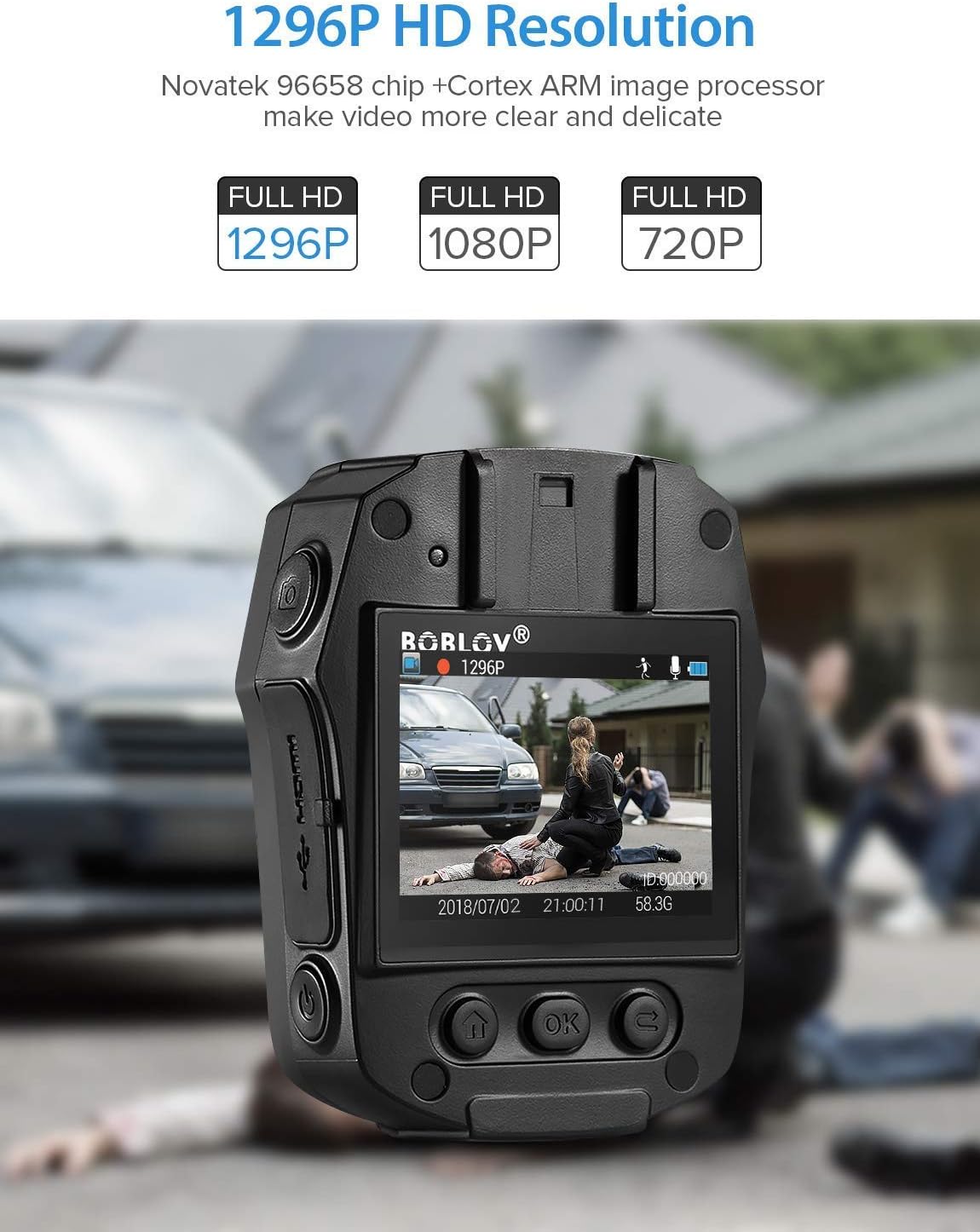
Image: High-definition video recording at 1296P resolution.

Image: The camera's 150-degree wide-angle lens capturing a broad field of view.
2. د آډیو ثبت کول
To record audio only:
- Press the dedicated Audio Recording button to start.
- بیا یې فشار ورکړئ ترڅو ودریږي.
3. انځور اخيستل
To capture still images:
- Press the dedicated Photo Shooting button.
- The camera will capture a still image.
4. Night Vision (IR LED)
The camera features 850nm high-intensity dual infrared LEDs for night vision, allowing recording up to 30-40 feet in total darkness.
- To activate or deactivate IR night vision, press the IR Light button.
- The IR LEDs will illuminate when active.
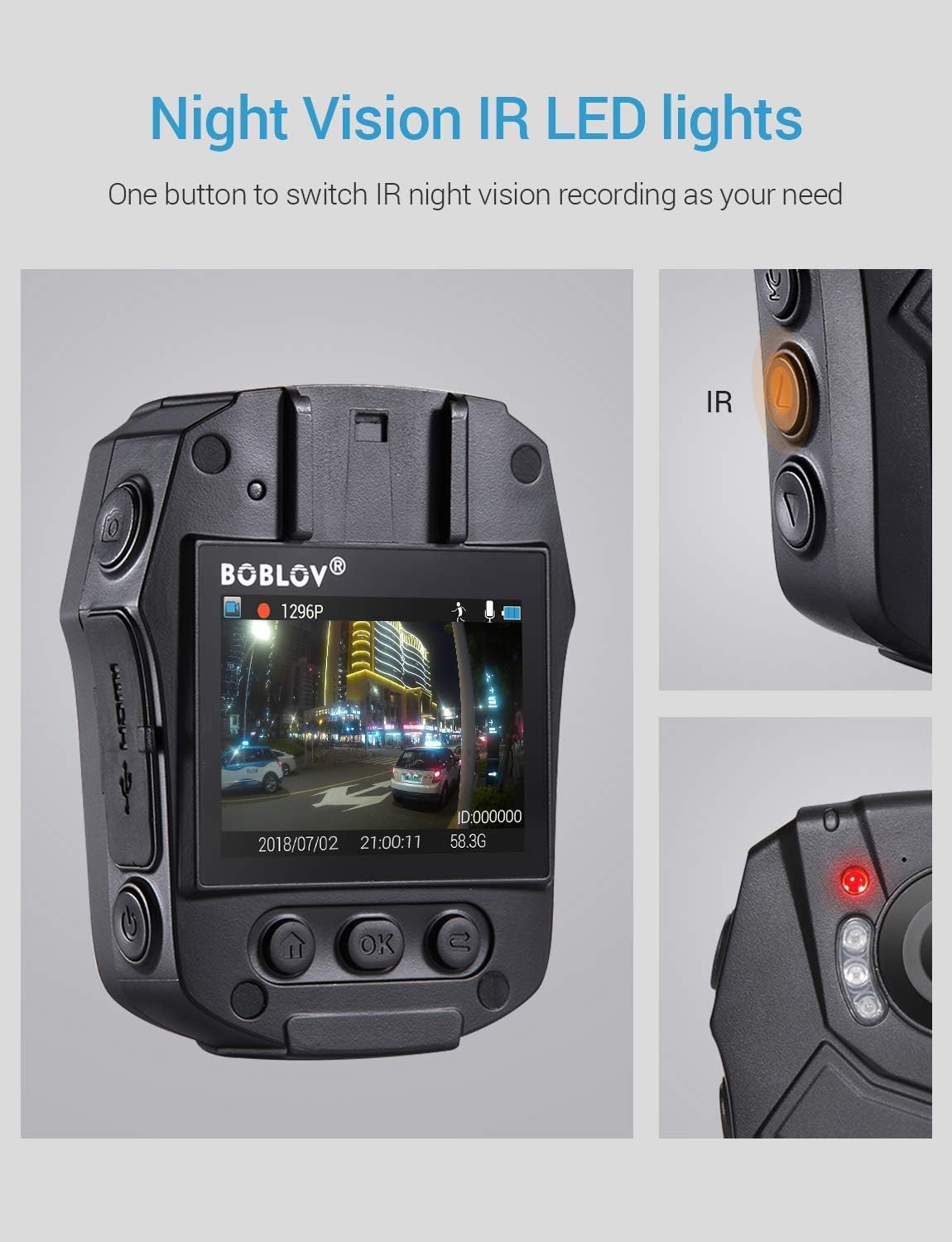
Image: Activating night vision with IR LED lights.
5. Dashcam Mode
In Dashcam mode, the camera automatically starts recording when powered on and saves videos when the engine is turned off (when connected to a vehicle's power supply).
- Enable Dashcam mode in the camera's menu settings.
- Mount the camera securely in your vehicle.
- Connect the camera to your vehicle's power supply.
6. پلې بیک
بیا بیاview ثبت شوی footage and photos:
- Press the Playback/Confirm button to enter playback mode.
- Use the Up/Down buttons to navigate through files.
- Press Playback/Confirm again to view یو غوره شوی file.
- Press the Return button to exit playback mode.
7. مینو نیویگیشن
To access and adjust camera settings:
- د ترتیباتو مینو ته د ننوتلو لپاره د مینو تڼۍ فشار ورکړئ.
- Use the Up/Down buttons to scroll through options.
- Press the Playback/Confirm button to select an option or enter a sub-menu.
- Press the Return button to go back to the previous menu or exit the menu.
ساتنه
1. پاکول
Regularly clean the camera lens and body to ensure optimal performance. Use a soft, dry cloth for the body and a lens cleaning cloth for the lens. Avoid abrasive materials or harsh chemicals.
2. ذخیره کول
Store the camera in a cool, dry place away from direct sunlight and extreme temperatures. Ensure the battery is partially charged (around 50%) if storing for extended periods to prolong battery life.
3. Antivirus Protection
The camera features an antivirus design to detect and destroy viruses within the internal memory. Regularly check for firmware updates from the manufacturer to ensure the latest protection.
د ستونزو حل کول
| ستونزه | احتمالي لامل / حل |
|---|---|
| کیمره نه چالانیږي. |
|
| ثبت په ناڅاپي ډول ودریږي. |
|
| د ویډیو خراب کیفیت. |
|
| کمپیوټر کیمره نه پیژني. |
|
| د شپې لید کار نه کوي. |
|
مشخصات
| فیچر | تفصیل |
|---|---|
| د کنټرول چپ | نووټیک 96658 |
| CMOS سینسر | سوني IMX291 |
| پکسل | 32 MP |
| Video Recording Frame Rate | 30 FPS / 60 FPS |
| د ویډیو ثبتولو ب Forه | MOV / H.264 |
| ملاتړ شوی آډیو بڼه | AAC |
| Synchronous Sound Recording | ملاتړ شوی |
| سکرین | 2.0-inch High Definition LCD |
| لوپ ویډیو ثبت کول | ملاتړ شوی |
| د داخلي حافظې ظرفیت | 32 جي بي |
| د بیټرۍ ظرفیت | 2400 mAh |
| د چارج کولو وخت | Approx. 1 hour (Quick Charge 3.0) |
| Video Recording Duration | Approx. 6 hours (continuous 1080p) |
| Dashcam Mode | ملاتړ شوی |
| ځانګړي ځانګړتیاوې | Infrared Night Vision, LED Light Compensation, Laser Positioning, Portable |
| د محصول ابعاد (L x W x H) | 80 mm x 60 mm x 32 mm (Body only) |
| د بدن اصلي وزن | 112 ګرامه |
| د ارتباط ټیکنالوژي | برښنایی (USB) |

Image: Compact size and lightweight design of the BOBLOV PD50 Body Camera.
تضمین او ملاتړ
For warranty information and technical support, please refer to the official BOBLOV webسایټ ته مراجعه وکړئ یا مستقیم د دوی د پیرودونکو خدماتو سره اړیکه ونیسئ. د هر ډول تضمین ادعا لپاره د پیرود ثبوت په توګه د پیرود رسید وساتئ.
یادونه: د پرزو د شتون په اړه معلومات اوس مهال شتون نلري.


