1. پیژندنه
د پیرودلو لپاره مننهasing the lightmaXX Nano PAR FX 3x 4 W LED RGBW. This compact and powerful LED PAR spot is designed for various lighting applications, offering vibrant RGBW color mixing and dynamic strobe effects. This manual provides essential information for safe operation, setup, and maintenance of your device. Please read it thoroughly before use.
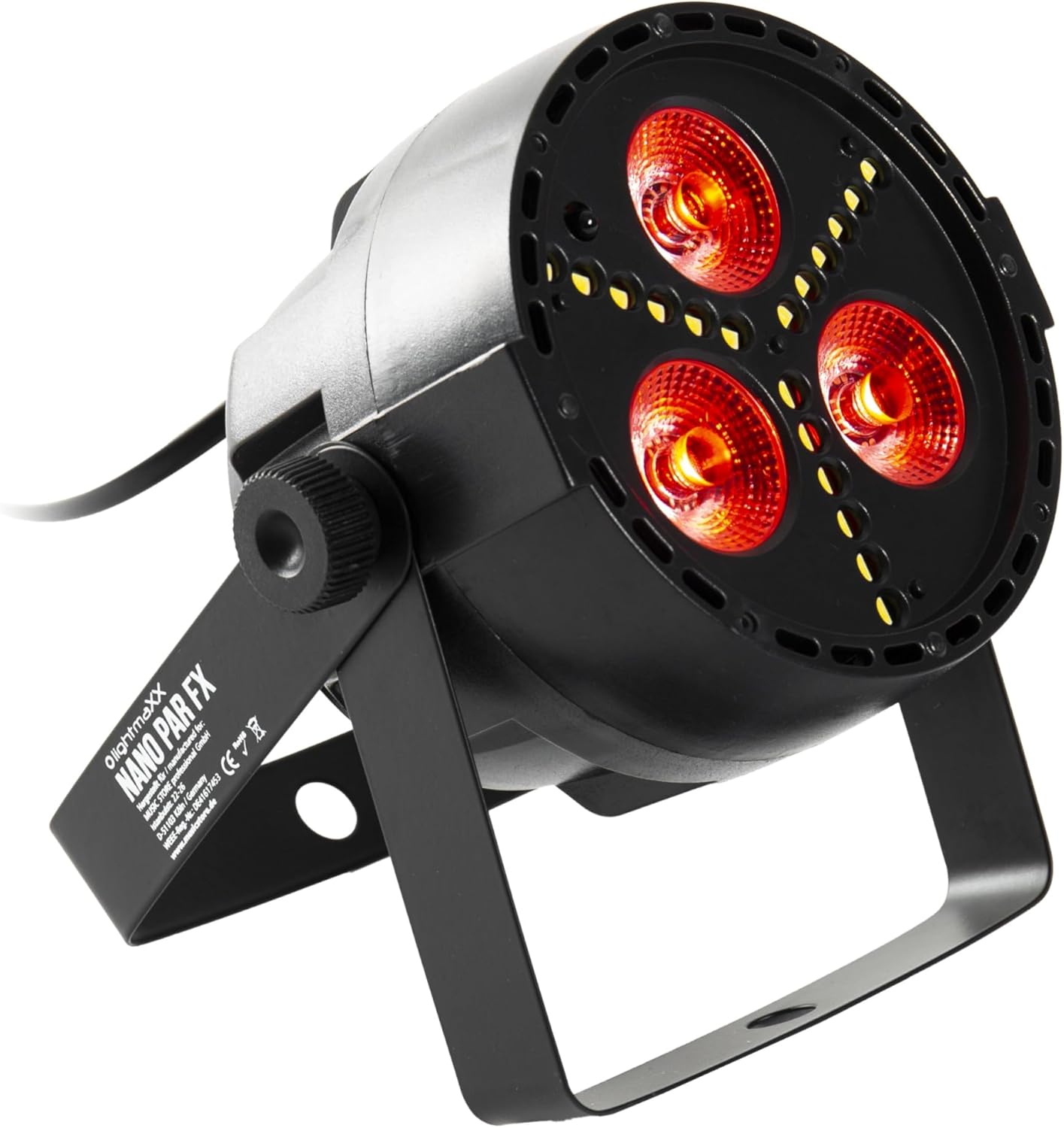
Figure 1: lightmaXX Nano PAR FX LED PAR Spot
2. د خوندیتوب لارښوونې
To ensure safe operation, please observe the following safety instructions:
- د بریښنا رسول: Connect the device only to a grounded power outlet with the correct voltage (230V AC).
- وینټیلیشن: د واحد شاوخوا مناسب هوا ورکول ډاډمن کړئ. د هوا د بهېدو لارې مه بندوئ.
- رطوبت: Do not expose the device to rain or moisture. Do not use it in damp چاپیریالونه
- دحرارت درجه: Operate the device within the specified temperature range. Avoid extreme heat or cold.
- سمبالول: وسیله په احتیاط سره اداره کړئ. د غورځولو یا قوي ټکانونو سره مخ کیدو څخه ډډه وکړئ.
- ساتنه: ټول خدمات وړ خدماتو پرسونل ته راجع کړئ. هڅه مه کوئ چې واحد پخپله ترمیم کړئ.
- د رڼا محصول: Avoid looking directly into the light source, as it can cause eye damage.
3. ترتیب کول
۴.۱ فزیکي ځای پر ځای کول
The lightmaXX Nano PAR FX is designed as a floor spot but can also be mounted using its adjustable bracket. Ensure the mounting surface or location is stable and can support the weight of the fixture. Allow sufficient space around the unit for proper ventilation.
3.2 اړیکې
Connect the power cable to a suitable power outlet. For DMX control, connect a DMX cable from your DMX controller to the DMX IN port of the fixture. If linking multiple units, connect a DMX cable from the DMX OUT port of the first fixture to the DMX IN port of the next, and so on.

Figure 2: Rear panel with DMX ports and control display
4. عملیاتي لارښوونې
4.1 د کنټرول پینل
The rear panel features a digital display and four control buttons: MENU, UP, DOWN, and ENTER. These buttons allow you to navigate through the settings and select various operating modes.
- مینو: د اصلي مینو اختیارونو له لارې د تګ لپاره فشار ورکړئ.
- UP: Increases values or moves up in menu options.
- ښکته: Decreases values or moves down in menu options.
- ننوتل: یو انتخاب تاییدوي یا فرعي مینو ته ننوځي.
4.2 ریموٹ کنټرول
The lightmaXX Nano PAR FX comes with an infrared (IR) remote control for convenient operation. Ensure there is a clear line of sight between the remote and the fixture's IR receiver.

Figure 3: Product with Remote Control
4.3 عملیاتي طریقې
The fixture offers several built-in operating modes, accessible via the control panel or remote:
- د موټرو حالت: Cycles through pre-programmed light shows automatically.
- د غږ حالت: د جوړ شوي مایکروفون له لارې موسیقۍ یا غږ ته غبرګون ښیې.
- د کودتا حالت: Changes colors abruptly.
- د تیاره حالت: د رنګونو ترمنځ په اسانۍ سره لیږد.
- د سټروب حالت: Produces a flashing light effect.
4.4 Color Mixing
The Nano PAR FX features RGBW LEDs, allowing for a wide spectrum of colors. You can select individual colors or mix them to create custom hues using the remote control or DMX.

شکل 4: مثالamples of color outputs

د سره رڼا محصول

Green Light Output
4.5 د DMX عملیات
For professional control, the Nano PAR FX can be operated via DMX512. Set the DMX address using the control panel. Consult the DMX channel chart (typically found in a separate DMX manual or product sheet) for specific channel assignments for color, dimming, strobe, and mode control.
5. ساتنه
5.1 پاکول
Regular cleaning helps maintain optimal performance and extends the lifespan of your fixture.
- د پاکولو دمخه بریښنا قطع کړئ.
- د بهرنۍ برخې د پاکولو لپاره نرم، لینټ نه پاک ټوکر وکاروئ.
- For lenses, use a specialized lens cleaner and a soft cloth to avoid scratches.
- د کثافاتو پاکوونکي یا محلول مه کاروئ.
5.2 ذخیره کول
کله چې په کارولو کې نه وي، فکسچر په وچ، دوړو څخه پاک چاپیریال کې وساتئ، په غوره توګه په اصلي بسته بندۍ یا محافظتي قضیه کې.
6. ستونزه حل کول
| ستونزه | احتمالي لامل | د حل لاره |
|---|---|---|
| هیڅ ځواک نشته | Power cable disconnected; no power from outlet; faulty fuse. | د برېښنا کیبل اتصال وګورئ؛ د آلې ازموینه وکړئ؛ که اړتیا وي نو فیوز بدل کړئ. |
| د رڼا محصول نشته | Fixture in standby; incorrect mode selected; DMX signal issue. | Check power and mode settings; verify DMX connection and address. |
| ریموټ کنټرول کار نه کوي | Battery low/dead; IR receiver blocked; too far from fixture. | Replace battery; ensure clear line of sight; move closer to fixture. |
| د DMX کنټرول مسلې | د DMX غلط پته؛ د DMX کیبل غلط دی؛ د DMX کنټرولر ستونزه. | Verify DMX address; test DMX cable; check DMX controller. |
7. مشخصات
| فیچر | مشخصات |
|---|---|
| برانډ | lightmaXX |
| جوړونکی | lightmaXX |
| د ماډل شمیره | LIG0015652-000 |
| د محصول ابعاد (L x W x H) | 12.9 x 12.9 x 12.8 سانتي متره |
| د توکي وزن | 620 ګرامه |
| سټایل | عصري |
| رنګ | Black (fixture), RGBW (light output) |
| اعظمي واټ | 20 واټ |
| والیtage | 230 وولټ (AC) |
| د بلب ډول | د روښنايي اخراج ډیوډ (LED) |
| د رڼا سرچینې ډول | Diode électroluminescente (LED) |
8. تضمین او ملاتړ
This product is subject to the standard return policy of 30 days from the date of purchase. For technical support, service, or warranty inquiries, please contact your retailer or the lightmaXX customer service department. Please have your model number (LIG0015652-000) and proof of purchase ready when contacting support.


