1. پیژندنه
The Elekpia Universal Remote Control is a direct replacement remote designed for compatibility with a vast array of Toshiba LCD, LED, 3D, HDTV, 4K UHD, and Smart TV models. This remote requires no programming or pairing; simply insert batteries, and it is ready for immediate use.
It is compatible with many original Toshiba remote models, including CT-90325, CT-90326, CT-90329, CT-8037, CT-90302, CT-90275, CT-90366, and more.
2. ترتیب کول
To begin using your new universal remote control, follow these simple steps:
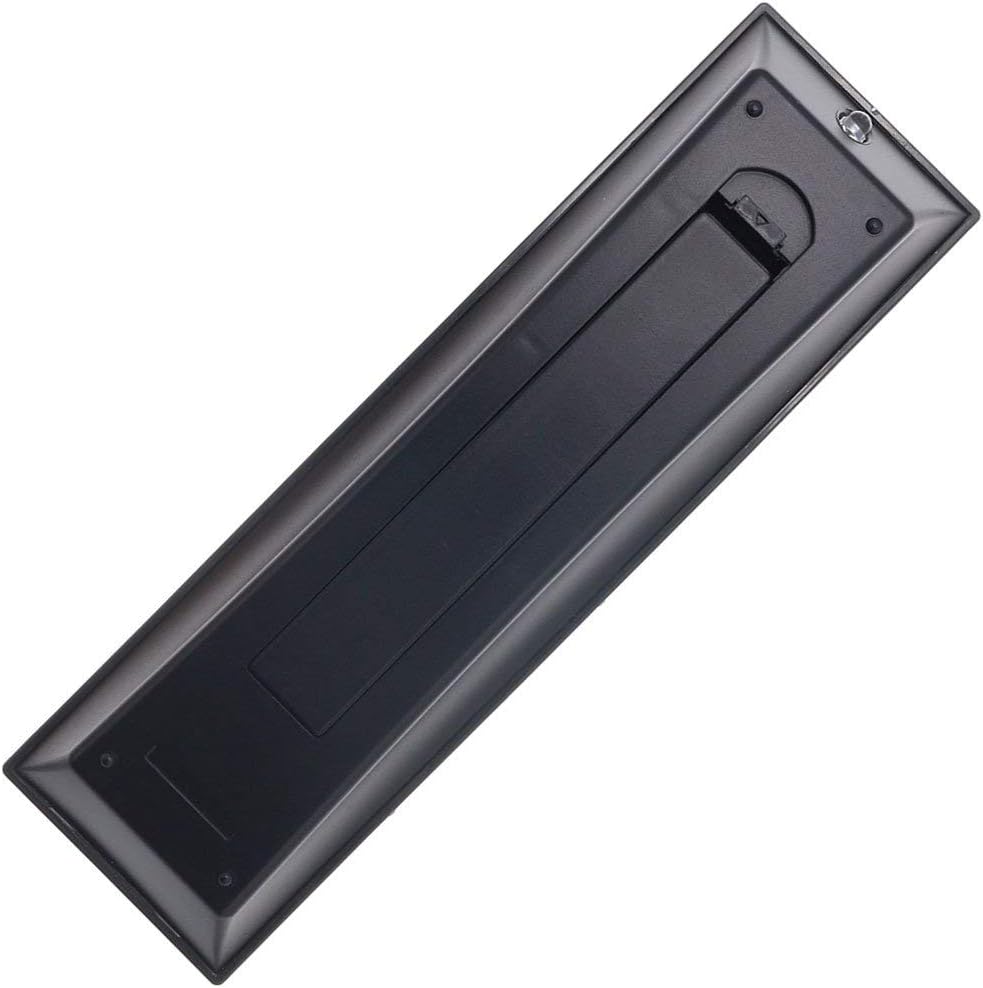
- د بیټرۍ نصب کول: Locate the battery compartment on the back of the remote control. Slide the battery cover downwards to open it. Insert two new AAA batteries (not included), ensuring the positive (+) and negative (-) terminals align correctly with the indicators inside the compartment. Close the battery cover by sliding it back into place until it clicks securely.
- د کارولو لپاره چمتو دی: Once batteries are installed, the remote is ready for immediate operation with your compatible Toshiba TV. No additional programming, pairing, or code entry is required.

3. عملیاتي لارښوونې
The Elekpia Universal Remote Control features a standard layout for easy navigation and control of your Toshiba television. Below is a guide to the primary functions:
- د چالانېدو تڼۍ (ⓘ): په پورتنۍ ښیې خوا کې موقعیت لري، د تلویزیون د چالانولو یا بندولو لپاره فشار ورکړئ.
- د ننوتلو تڼۍ: Cycles through available video input sources (HDMI, AV, Component, etc.).
- Number Buttons (0-9, 100, FAV): Used for direct channel selection. The "100" button may be used for three-digit channel numbers, and "FAV" for favorite channels if configured on your TV.
- Volume Control (VOL +/-): د غږ حجم زیاتوي یا کموي.
- Channel Control (CH +/-): د تلویزیون چینل پورته یا ښکته بدلوي.
- تteۍ غږول: Silences the TV audio. Press again to restore sound.
- Navigation Pad (Up, Down, Left, Right, ENTER): د مینو نیویګیټ کولو، انتخابونو غوره کولو، او انتخابونو تاییدولو لپاره کارول کیږي.
- د مینو تڼۍ: Accesses the TV's main menu for settings and adjustments.
- د شا تڼۍ: مخکینۍ سکرین یا مینو ته راستنیږي.
- د وتلو تtonۍ: د اوسني مینو یا فعالیت څخه وځي.
- Playback Controls (EJECT, PAUSE/STEP, PLAY, STOP, SKIP, REW, FF): These buttons control media playback functions for connected devices (e.g., DVD player, USB drive) if supported by your TV.
- د معلوماتو تtonۍ: د اوسني پروګرام یا ان پټ په اړه معلومات ښکاره کوي.
- C.CAPTION Button: تړل شوي کیپشنونه فعال یا بندوي.
- د یادولو تڼۍ: د اوسني او پخواني ترمنځ بدلیږي viewایډ چینل.
- CH RTN Button: مخکینی چینل ته بیرته راګرځی.
- PIC MODE / PIC SIZE: Adjusts picture mode and aspect ratio settings.
- SLEEP / FREEZE: Sleep timer and freeze frame functions, if supported by your TV.
4. ساتنه
Proper care and maintenance will extend the life of your remote control:
- پاکول: ریموټ د نرم او وچ ټوکر سره پاک کړئ. د سختې خاورې لپاره، یو څه نرم کړئampټوکر د اوبو یا یو نرم، غیر خارښونکي پاکونکي سره ومینځئ. سخت کیمیاوي مواد یا خارښونکي مواد مه کاروئ.
- د بیټرۍ بدلول: Replace batteries when the remote's response becomes sluggish or stops working. Always replace both batteries at the same time with new ones of the same type (AAA). Remove batteries if the remote will not be used for an extended period to prevent leakage.
- ذخیره کول: ریموټ په یخ او وچ ځای کې د مستقیم لمر وړانګو، سختې تودوخې او لوړې رطوبت څخه لرې وساتئ.
- له څاڅکو ډډه وکړئ: ریموټ کنټرول د فزیکي اغیزو څخه خوندي کړئ، ځکه چې څاڅکي کولی شي داخلي برخو ته زیان ورسوي.
5. ستونزه حل کول
که تاسو د خپل ریموټ کنټرول سره ستونزې سره مخ شئ، لاندې عام حلونو ته مراجعه وکړئ:
| ستونزه | احتمالي لامل | د حل لاره |
|---|---|---|
| ریموټ هیڅ کار نه کوي. | مړه یا په غلط ډول داخل شوي بیټرۍ. د ریموټ او تلویزیون ترمنځ خنډ. | Check battery polarity and replace with fresh AAA batteries. Ensure a clear line of sight to the TV's IR receiver. |
| Some buttons are not responding. | Low battery power. Button malfunction. | Replace batteries. If issue persists, the button may be faulty. |
| ریموټ په وقفه يي ډول کار کوي. | کمزوري بیټرۍ. لاسوهنه. | Replace batteries. Remove any potential sources of infrared interference (e.g., strong lights). |
| ریموټ زما تلویزیون نه کنټرولوي. | TV is not a compatible Toshiba model. | Verify your TV is a Toshiba brand and model listed as compatible in the product description. This remote is specifically designed for Toshiba TVs. |
6. مشخصات
- نښه: الیکپیا
- د ماډل شمیره: CT-90325
- مطابقت لرونکي وسایل: Toshiba Televisions (LCD, LED, 3D, HDTV, 4K UHD, Smart TV)
- د بریښنا سرچینه: 2 x AAA بیټرۍ (شامل ندي)
- رنګ: تور
- د محصول ابعاد: 6 x 1.8 x 0.7 انچه (تقریبا)
- د توکي وزن: ۳.۰۶ اونس (تقریبا)
- ځانګړې ځانګړنه: Universal replacement for specified Toshiba TV remotes; No programming required.
7. تضمین او ملاتړ
For information regarding warranty coverage or technical support, please refer to the documentation provided with your purchase or contact the manufacturer directly. This remote is designed for straightforward plug-and-play operation, and most issues can be resolved by following the troubleshooting steps outlined in this manual.


