پیژندنه
This manual provides detailed instructions for the proper use and maintenance of your Casio fx-991AR X Scientific Calculator. Please read this manual thoroughly before using the calculator to ensure correct operation and to maximize its capabilities. Keep this manual for future reference.
محصول پای ته ورسیدview
کلیدي ځانګړتیاوې
- Display expressions as they appear in textbooks.
- Supports both Arabic and English languages.
- 542 built-in functions for various scientific and engineering calculations.
- High-resolution screen for clear display of graphs and data.
- Two-way power system: Solar cell and LR44 button-type battery.
- List-based STAT data editor for statistical analysis.
- Integration, Differential Equation, Matrix, Vector, and Complex Number calculations.
- CALC and SOLVE functions.
- Base-n calculations and Logical operations.
- 40 scientific constants and 40 metric conversions.
- 9 variable memories.
- QR code generator for data visualization.
Calculator Components
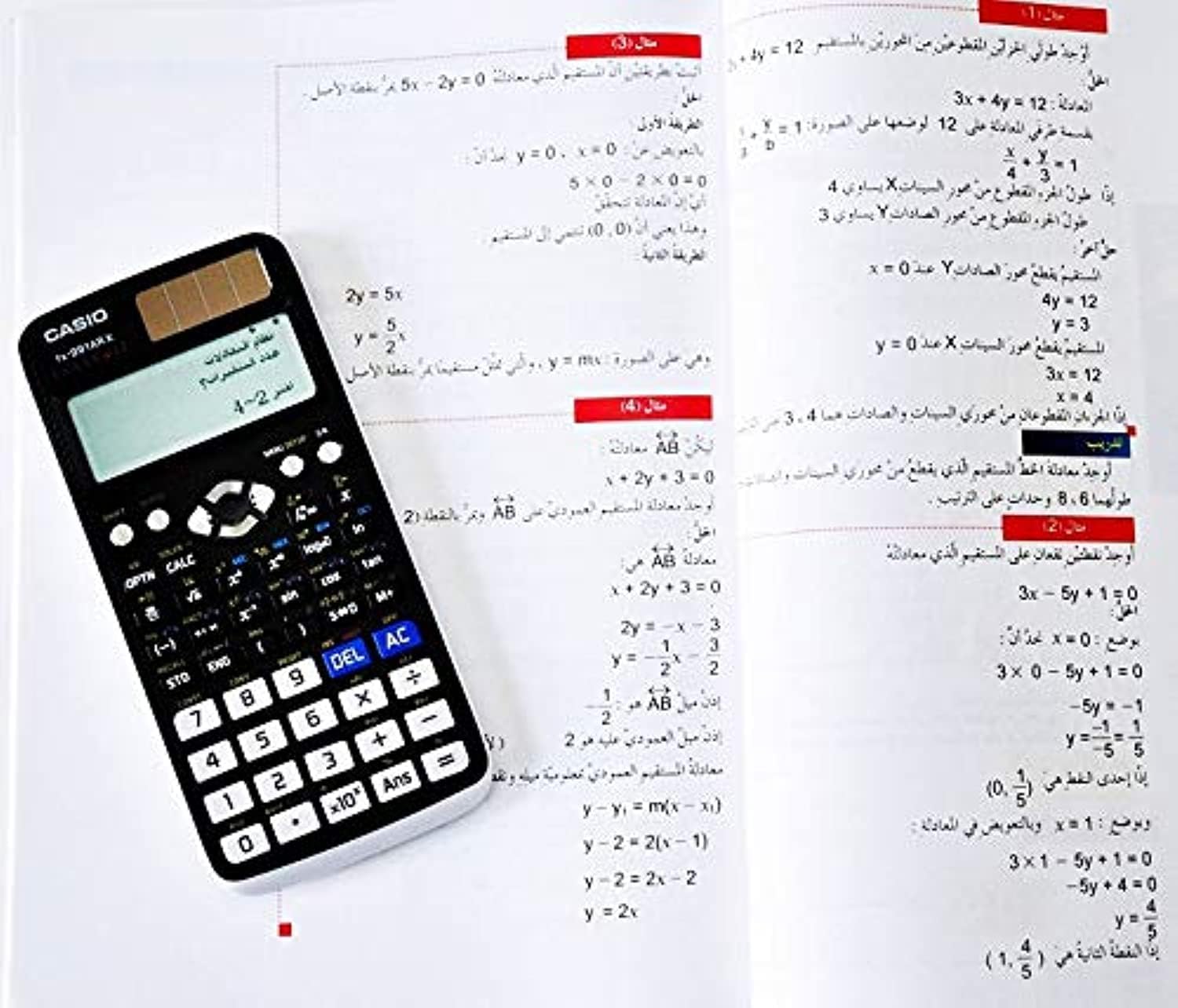
شکل 1: Casio fx-991AR X Scientific Calculator alongside a page from its instruction manual, illustrating its compact design and display capabilities.
The calculator features a full dot display, plastic keys, and a hard case for protection. Key areas include the display, function keys, numeric keypad, and navigation buttons.
چمتو کول
د بریښنا سرچینه
The Casio fx-991AR X operates on a two-way power system: a solar cell and one LR44 button-type battery. Ensure the battery is correctly installed. The solar cell provides power in well-lit environments, extending battery life.
ابتدايي ترتیبات
- فشار ورکړئ ON د کیلکولیټر د چالانولو لپاره تڼۍ.
- If prompted, select your preferred display language (Arabic or English) using the navigation keys and pressing =.
- Adjust display contrast if necessary via the SHIFT + د مینو تنظیم اختیارونه
عملیاتي لارښوونې
بنسټیز عملیات
- Arithmetic Calculations: Enter numbers and operators (+, -, x, ÷) بیا فشار ورکړئ =.
- قوسونه: کارول ( او ) for grouping expressions.
- پاور آن/بند: مطبوعاتي ON د چالانولو لپاره. فشار ورکړئ SHIFT بیا AC (بند) د بندولو لپاره.
- پاکه ننوتنه/ټول پاکه: مطبوعاتي DEL to delete the last character. Press AC to clear the current calculation.
- Answer Memory: The result of the last calculation is stored in Ans memory. Press ځواب to recall it.
پرمختللې دندې
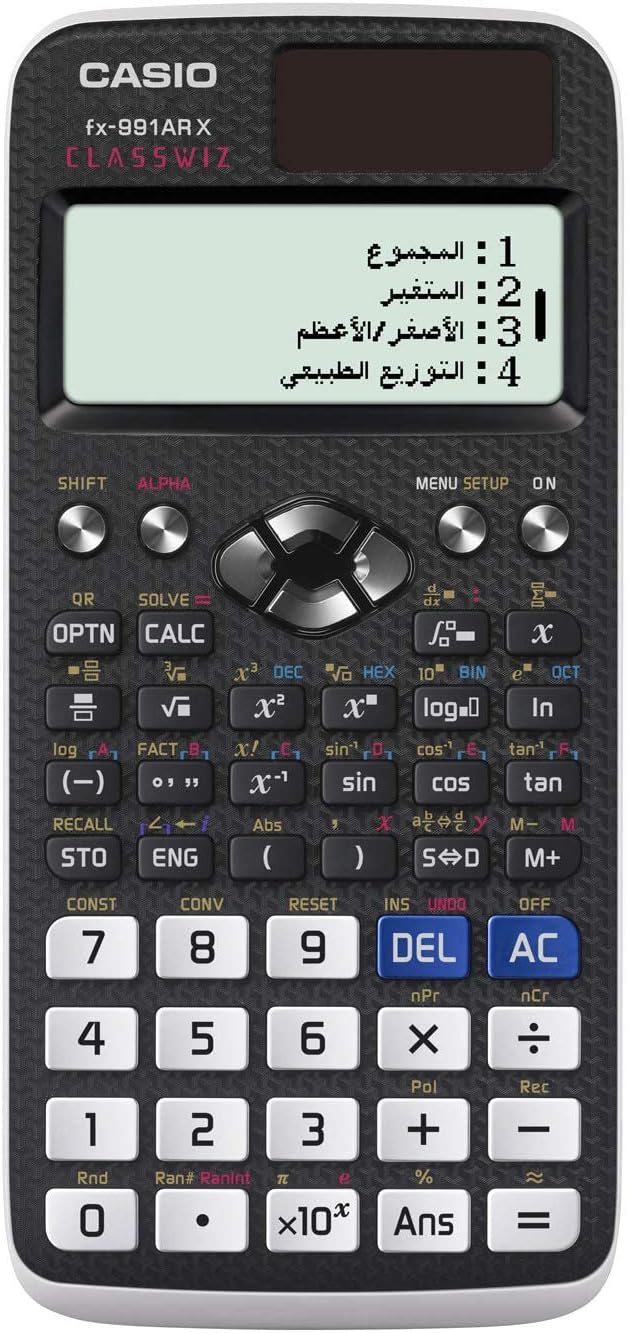
شکل 2: تفصيلي view of the Casio fx-991AR X keypad, highlighting the various function keys and the multi-line display.
The fx-991AR X offers a wide range of advanced functions. Refer to the on-screen menu (د مینو تنظیم) for specific modes and operations.
- مثلثیتیک دندې: کارول ګناه, cos, تان keys. For inverse functions, press SHIFT لومړی.
- لوګاریتمیک او اکسپونیشنل دندې: کارول ننوتل, ln, 10x, ex کیلي
- احصایوي حسابونه: Enter STAT mode via د مینو تنظیم to perform standard deviation, regression analysis, etc.
- د میټریکس/ویکٹر محاسبې: Access these modes through د مینو تنظیم to define and manipulate matrices and vectors.
- Equation Solver: د کارولو حل کول function (often SHIFT + CALC) to solve equations.
- Unit Conversions & Constants: مطبوعاتي SHIFT + CONST or SHIFT + CONV to access scientific constants and metric conversions.
ساتنه
- پاکول: کیلکولیټر په نرم او وچ ټوکر سره پاک کړئ. د کثافاتو پاکوونکو یا محلولونو څخه کار مه اخلئ.
- ذخیره کول: Store the calculator in its hard case when not in use to protect it from dust and impact. Avoid exposing it to extreme temperatures or humidity.
- د بیټرۍ بدلول: If the display becomes dim or calculations are erratic, replace the LR44 battery. Ensure the calculator is off before replacing the battery.
د ستونزو حل کول
- کیلکولیټر نه چالانیږي: Check battery installation. Ensure sufficient light for the solar cell.
- ناسمې پایلې: Verify input values and calculation mode. Reset the calculator if necessary (refer to the manual for reset procedure, usually SHIFT + CLR).
- ښودنه تیاره ده: Replace the LR44 battery. Ensure adequate lighting for the solar panel.
- د تېروتنې پیغامونه: Consult the full Casio fx-991AR X manual for specific error code explanations and solutions. Common errors include "Math ERROR" (invalid mathematical operation) and "Syntax ERROR" (incorrect expression input).
مشخصات
| فیچر | تفصیل |
|---|---|
| د ماډل نوم | fx-991AR X |
| د دندو شمېر | 542 |
| ښودل | Full Dot Display, 10-digit mantissa + 2-digit exponential |
| د بریښنا سرچینه | Two-way (Solar & 1 x LR44 battery) |
| د بیټرۍ ژوند | Approx. 2 years (if used 1 hour daily) |
| ابعاد (H x W x D) | 11.1 × 77.0 × 165.5 mm |
| وزن | نږدې 90 g (د بیټرۍ په ګډون) |
| مواد | پلاستیک |
| ژبې | Arabic, English |
| Main Accessory | سخته قضیه |
تضمین او ملاتړ
د تضمین معلوماتو او پیرودونکو ملاتړ لپاره، مهرباني وکړئ د تضمین کارت ته مراجعه وکړئ چې ستاسو محصول سره شامل دی یا رسمي کاسیو ته مراجعه وکړئ. webسایټ. د پیرود ثبوت په توګه د پیرود رسید وساتئ.