1. پیژندنه
Thank you for choosing the TIGERKING 1.2 Cu Ft LK-WHITE Digital Security Safe Box. This safe is designed to provide secure storage for your valuables, documents, and personal items. It features a robust construction with an electronic combination lock, dual anti-theft locking bolts, and a removable shelf for organized storage. Please read this manual carefully before operating your safe to ensure proper setup and usage.
Text Description: This video provides a general overview of the TIGERKING Digital Security Safe Box, highlighting its features and design.
2. د خوندیتوب معلومات
- د بیړني حالت کیليګانې په سیف کې مه ساتئ. هغه په یوه خوندي او جلا ځای کې وساتئ.
- Ensure the safe is mounted securely to prevent unauthorized removal.
- Keep the safe away from moisture and direct sunlight.
- کله چې د بیټرۍ ټیټ شاخص څرګند شي نو ژر تر ژره بیټرۍ بدل کړئ ترڅو دوامداره عملیات ډاډمن شي.
- This safe is not fireproof or waterproof. Do not store items that require fire or water protection.
3. د بسته محتويات
ډاډ ترلاسه کړئ چې ټول توکي ستاسو په بسته کې شامل دي:
- 1 x TIGERKING 1.2 Cu Ft Digital Security Safe Box
- ۲ x بیړني کیلي
- ۴ x د پراخولو بولټونه (د نصبولو لپاره)
- ۱ x بهرنۍ بیټرۍ بکس
- 1 x د کارونکي لارښود

Text Description: An image showing all components included with the TIGERKING safe: the safe itself, a user manual, an emergency battery box, two emergency keys, and four expansion bolts for installation.
4. مشخصات
| فیچر | تفصیل |
|---|---|
| برانډ | TIGERKING |
| د ماډل شمیره | E25LK |
| د محصول ابعاد | ۱۶"د x ۲۶"وچ x ۴۷"ح |
| ظرفیت | 1.2 مکعب فوټ |
| د بند ډول | د بریښنایی ترکیب قفل |
| مواد | د الماس فولاد |
| ځانګړي ځانګړتیاوې | د الارم سیسټم، د غلا ضد، د ترکیب قلف، د لرې کولو وړ شیلف، د سینسر رڼا |
| د نصب کولو ډول | دیوال غر |
| د توکي وزن | ۲.۴۵ پونډه |
| د اوبو د مقاومت کچه | د اوبو مقاومت نلري |
Text Description: A visual representation of the safe's exterior and interior dimensions, highlighting its 1.2 cubic feet capacity.
5. ترتیب کول
5.1 Initial Opening with Emergency Key
- Locate the emergency lock cover on the front panel.
- Remove the cover to reveal the keyhole.
- یوه بیړنۍ کیلي دننه کړئ او د ساعت په مخالف لوري یې وګرځوئ.
- While holding the key turned, rotate the handle clockwise to open the safe door.
- Once the safe is open, remove the emergency key and store it in a safe place outside the safe.
Text Description: This video demonstrates the first-time operation of the safe using the emergency keys to open the door.
5.2 د بیټرۍ نصب کول
The safe requires 4 x AA batteries (not included) for the electronic keypad to function.
- Open the safe door using the emergency key (if not already open).
- د خوندي دروازې دننه د بیټرۍ کڅوړه ومومئ.
- د 4 x AA بیټرۍ دننه کړئ، د سم قطبیت ډاډ ترلاسه کړئ (+/-).
- د بیټرۍ کمپارټ پوښ وتړئ.

Text Description: A detailed view of the safe's digital keypad and the internal battery compartment, illustrating where to insert the AA batteries.
۴.۲ د سیف نصب کول
د ښه امنیت لپاره، سیف په دیوال یا فرش کې نصب کیدی شي.
- د نصبولو لپاره مناسب ځای غوره کړئ.
- The safe has 4 pre-drilled holes on the back and bottom.
- Position the safe and mark the drilling points on the wall or floor.
- په نښه شوي نقطو کې سوراخونه ډرل کړئ.
- Align the safe with the drilled holes and secure it using the provided expansion bolts.

Text Description: A step-by-step visual guide on how to install the safe by mounting it to a wall, showing the drilling and securing process.
5.4 Setting User Code
You can set a personal user code (1 to 8 digits) for daily access.
- د خوندي دروازې په خلاصیدو سره، د دروازې دننه موقعیت لرونکي سره ری سیٹ تڼۍ فشار ورکړئ.
- The yellow indicator light on the keypad will flash, and you will hear a beep.
- Enter your desired user code (1-8 digits) on the keypad.
- Press the "#" button to confirm. The safe will emit 2 beeps, and the yellow light will turn off.
Text Description: This video demonstrates the first method to set up a user code for the digital safe, guiding through the steps of pressing the reset button and entering a new code.
Text Description: This video illustrates a second method for setting up a user code on the digital safe, providing an alternative approach to programming your personal access code.
5.5 Setting Master Code
A master code provides an additional layer of security and can be used to open the safe or reset user codes.
- With the safe door open, press the "0" button twice, then press the red reset button.
- The yellow indicator light will flash, and you will hear a beep.
- Enter your desired master code (1-8 digits) on the keypad.
- Press the "#" button to confirm. The safe will emit 2 beeps, and the yellow light will turn off.
Text Description: This video demonstrates the first method to set up a master code for the digital safe, guiding through the steps of pressing specific buttons and entering a new master code.
Text Description: This video illustrates a second method for setting up a master code on the digital safe, providing an alternative approach to programming your master access code.
6. عملیاتي لارښوونې
6.1 Opening the Safe with Code
- Enter your user code or master code on the keypad.
- Press the "#" button to confirm.
- The green indicator light will illuminate, and you will hear a beep.
- Within 5 seconds, rotate the handle clockwise to open the door.
Text Description: This video demonstrates how to open the TIGERKING safe using a programmed code on the digital keypad.
6.2 Opening the Safe with Emergency Key
Follow the steps in section 5.1 if the batteries are dead or you forget your code.
۶.۳ دوه ګونی الارم سیسټم
دا خوندي ځای د ښه امنیت لپاره د دوه ګوني الارم سیسټم سره سمبال دی:
- Incorrect Entry Alarm: If an incorrect code is entered three consecutive times, the alarm will sound for 20 seconds, and the keypad will lock for 3 minutes.
- د وایبریشن الارم: If the safe experiences violent vibration or tampering, the alarm will sound.

Text Description: A visual explanation of the safe's dual warning system, illustrating how the alarm activates upon violent vibration or multiple incorrect code entries.
6.4 خاموش حالت
For discreet access, the safe features a silent mode:
- To activate silent mode, press the "*" button before entering your code.
- The safe will operate without sound, allowing for quiet access when needed.
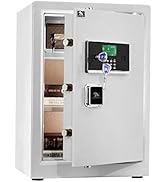
Text Description: A visual guide to the safe's alarm and silent mode features, showing how to activate silent mode for discreet operation.
6.5 د لرې کولو وړ شیلف
The interior of the safe includes a removable shelf to customize storage space.
- To remove the shelf, simply lift it from its supports.
- To re-install, align the shelf with the desired supports and lower it into place.

Text Description: A visual demonstration of the safe's removable shelf, highlighting its flexibility for organizing various items.
7. ساتنه
7.1 د بیټرۍ بدلول
When the batteries are low, the keypad indicator light will flash red. Replace all four AA batteries promptly.
- خوندي دروازه پرانیزئ.
- د بیټرۍ کمپارټ پوښ لرې کړئ.
- Replace old batteries with new 4 x AA batteries, observing correct polarity.
- د بیټرۍ کمپارټ پوښ وتړئ.
7.2 پاکول
Clean the safe exterior with a soft, damp ټوکر. د کثافاتو پاکوونکو یا محلولونو کارولو څخه ډډه وکړئ کوم چې پای ته زیان رسولی شي.
8. ستونزه حل کول
| ستونزه | احتمالي لامل | د حل لاره |
|---|---|---|
| سیف د کوډ سره نه خلاصیږي. | Incorrect code entered; low batteries. | Re-enter correct code; replace batteries; use emergency key. |
| کیپډ بې ځوابه دی. | مړه بیټرۍ. | Use the external battery box or emergency key to open, then replace internal batteries. |
| په ناڅاپي ډول الارم غږېږي. | Tampering detected; multiple incorrect entries. | Ensure safe is stable; enter correct code to disarm. |
9. تضمین او ملاتړ
TIGERKING offers a 1-year warranty on this product against defects in materials and workmanship. For customer service, technical support, or warranty claims, please contact TIGERKING customer service. Our responsive customer service team is available to assist you.
- د پیرودونکو خدمت: Refer to the contact information provided in your purchase documentation or visit the official TIGERKING webسایټ
- د رضایت تضمین: Your satisfaction is important to us. If you encounter any issues, please reach out for assistance.
اړوند اسناد - E25LK
 |
د TIGERKING E-LK لړۍ کارن لارښود - د کور او دفتر خوندي د TIGERKING E-LK لړۍ د کور او دفتر خوندي کولو لپاره جامع کارونکي لارښود. د تنظیم، عملیاتو، امنیتي ځانګړتیاو، د نصبولو لارښوونې، او د پیرودونکو ملاتړ معلومات پکې شامل دي. |
 |
د ټایګر کینګ XH-1 کور/دفتر خوندي کارونکي لارښود د ټایګر کینګ XH-1 کور/دفتر سیف لپاره د کارونکي لارښود، د پوښښ جوړښت، د بسته بندۍ لیست، د پرانیستلو طرزالعملونه، د کوډ ترتیب، د نیټې ترتیب، د ریکارډ چک کول، د الارم ترتیبات، نصب کول، او د پیرودونکو خدمت. |
 |
Tigerking FPSD Series Fireproof Safe User Manual - FPSD40, FPSD50, FPSD66 Comprehensive user manual for the Tigerking FPSD Series fireproof safes (models FPSD40, FPSD50, FPSD66), detailing setup, operation, security features, alarm system, and customer support. |
 |
د ټایګر کینګ XH-1 کور/دفتر خوندي کارونکي لارښود د ټایګر کینګ XH-1 کور/دفتر سیف لپاره د کارونکي لارښود، د پوښښ جوړښت، د بسته بندۍ لیست، د پرانیستلو طرزالعملونه، د کوډ تنظیم کول، تړل، د نیټې تنظیم کول، د ریکارډ چک کول، د الارم تنظیمات، نصب کول، او د پیرودونکو خدمت. |
 |
د ټایګر کینګ ای-فیډ خوندي کارونکي لارښود: د عملیاتو او نصبولو لارښود د ټایګر کینګ ای-فیډ سیف لړۍ لپاره د کارونکي جامع لارښود، چې لومړی پرانیستل، د بیټرۍ نصب کول، د ګوتو نښې او کوډ پروګرام کول، خوندي عملیات، د نصبولو لارښوونې، او د پیرودونکو خدماتو معلومات پوښي. |
 |
ټایګر کینګ FPSD96-PULS د اور په وړاندې مقاومت لرونکی کور خوندي کارونکي لارښود او عملیاتي لارښود دا لارښود د ټایګر کینګ FPSD96-PULS د اور ضد کور خوندي ځای د چلولو، نصبولو او ساتلو لپاره مفصل لارښوونې وړاندې کوي. د هغې د ځانګړتیاوو، امنیتي ترتیباتو، او د پیرودونکو ملاتړ په اړه زده کړه وکړئ. |