پیژندنه
The Poly Blackwire 7225 is a wired USB-C headset designed for professionals in noisy office environments. It helps minimize distractions and enhance communication during calls and multimedia use. Featuring active noise canceling (ANC) and intuitive controls, this headset provides a seamless audio experience for various collaboration platforms.

انځور: مخکینۍ برخه view of the Poly Blackwire 7225 headset, showcasing its black design with red accents and the USB-C connector.
کلیدي ځانګړتیاوې
- د USB-C ارتباط: Easily connects to PC or Mac via a universal USB-C port.
- د فعال شور لغوه کول (ANC): On-demand ANC minimizes background noise, allowing for better focus during calls and work.
- Boomless Microphones: Integrated noise-canceling microphones provide clear audio pickup without a traditional boom arm.
- Hi-fi Stereo Sound: Delivers an immersive audio experience for multimedia, voice, and video.
- راحته ډیزاین: Features ultra-soft leatherette ear cushions and memory foam for extended wear.
- شعوري کنټرولونه: One-touch call and media controls located directly on the headset for convenience.
- د پلیټ فارم مطابقت: Works seamlessly with popular collaboration platforms like Microsoft Teams, Zoom, and more.

Image: The Blackwire 7225 headset highlighting its corded, boomless, stereo, and USB-C features.
د تنظیم کولو لارښود
- هیډسیټ خلاص کړئ: Carefully remove the Blackwire 7225 headset from its packaging.
- وسیله سره وصل کړئ: Plug the USB-C connector of the headset into an available USB-C port on your PC or Mac. The headset is designed for plug-and-play functionality.

Image: The Blackwire 7225 headset connected to a laptop, demonstrating its universal USB-C connectivity.
- لومړنۍ پیژندنه: ستاسو عملیاتي سیسټم باید په اتوماتيک ډول د هیډسیټ لپاره اړین ډرایورونه کشف او نصب کړي. دا ممکن یو څو دقیقې وخت ونیسي.
- د آډیو ترتیبات تایید کړئ: After connection, check your computer's audio settings to ensure the Blackwire 7225 is selected as the default input (microphone) and output (speaker) device.
- Install Poly Lens/Plantronics Hub Software (Optional but Recommended): For advanced features, firmware updates, and customization, download and install the Poly Lens or Plantronics Hub software from the official Poly website. This software allows you to manage headset settings and ensure optimal performance.
عملیاتي لارښوونې
د هیډسیټ اغوستل
The Blackwire 7225 is a dual-ear (binaural) over-the-head headset. Adjust the headband for a comfortable and secure fit. Ensure the earcups fully cover your ears for optimal sound isolation and Active Noise Canceling (ANC) performance.
د هیډسیټ کنټرولونه
The headset features integrated controls on the earcups for easy management of calls and media playback.
- د تلیفون تڼۍ: د ځواب ویلو یا پای ته رسیدو لپاره فشار ورکړئ.
- حجم پورته / ښکته: د اوریدلو حجم تنظیم کړئ.
- تteۍ غږول: Mute or unmute your microphone. Note: The mute button functionality may vary depending on the application. It primarily functions during an active call.
- پلی کول / ودرول: د رسنیو پلی بیک کنټرول کړئ.
- راتلونکی / مخکینی لار: Skip to the next or previous song during media playback.
د فعال شور منسوخ کول (ANC)
The Blackwire 7225 features on-demand Active Noise Canceling to reduce ambient noise. Locate the ANC switch on the headset (refer to the product diagram if available) and slide it to activate or deactivate ANC. When activated, ANC helps to minimize distractions from your surroundings, allowing you to focus on your audio or conversation.

Image: The Blackwire 7225 headset illustrating its Active Noise Canceling capability to block out background noise.
Compatibility with Collaboration Platforms
This headset is optimized for use with leading collaboration platforms such as Microsoft Teams, Zoom, and others. Ensure your chosen platform recognizes the Blackwire 7225 as the audio device for calls and meetings.

Image: The Blackwire 7225 headset indicating its compatibility with Microsoft Teams, Zoom, and other collaboration platforms.
ساتنه
- پاکول: Use a soft, dry cloth to clean the headset. For ear cushions, gently wipe with a slightly damp cloth if necessary, and allow to air dry completely before use. Avoid using harsh chemicals or abrasive materials.
- ذخیره کول: When not in use, store the headset in a cool, dry place, away from direct sunlight and extreme temperatures. The headset comes with a carrying case for protection during travel or storage.
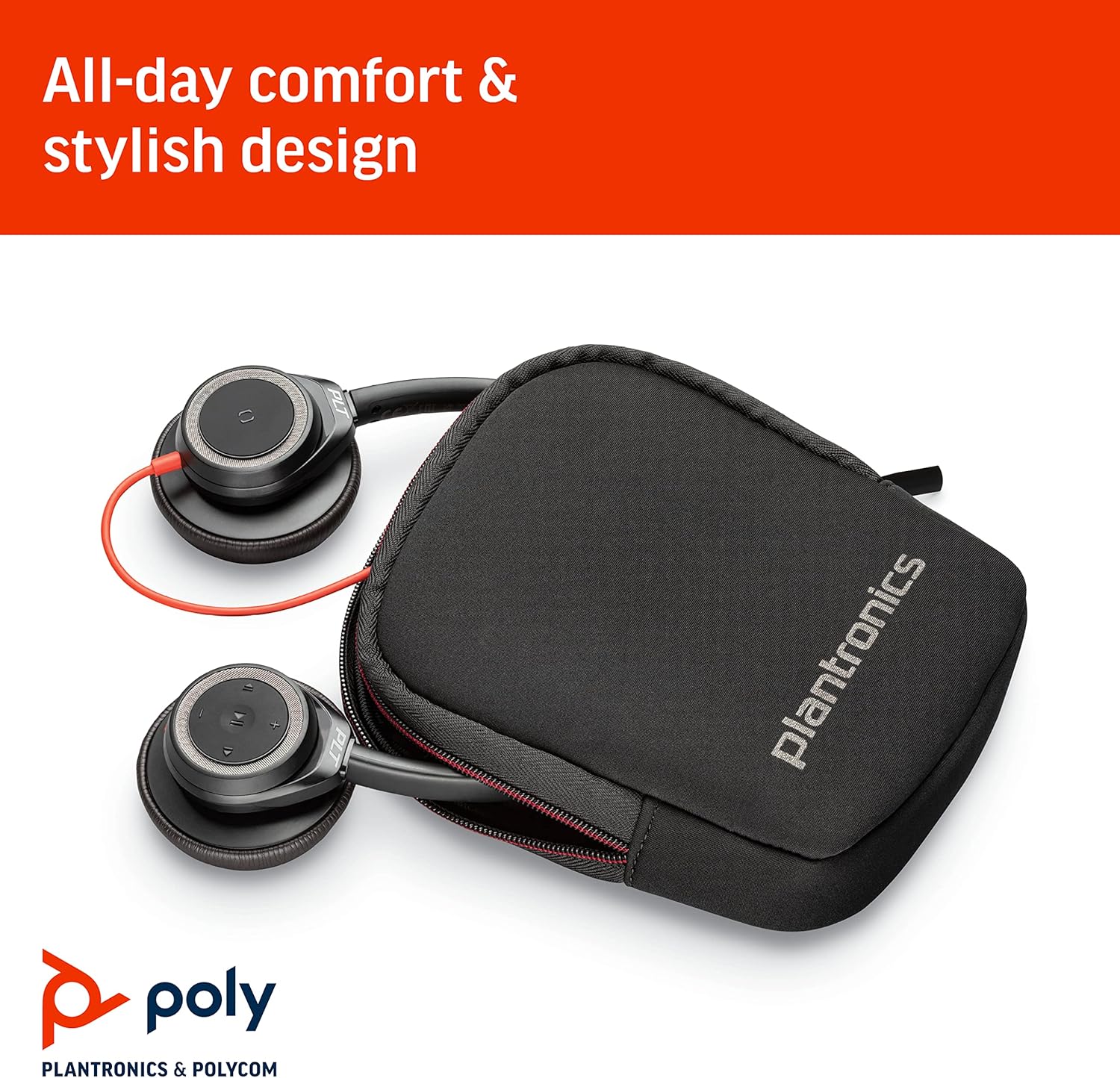
Image: The Blackwire 7225 headset shown with its protective carrying case, emphasizing comfort and portability.
- د کیبل پاملرنه: د زیان څخه د مخنیوي لپاره د USB-C کیبل کې د تیزو کږو یا ډیر کشولو څخه ډډه وکړئ.
د ستونزو حل کول
If you encounter issues with your Blackwire 7225 headset, try the following troubleshooting steps:
- هیڅ آډیو/مایکروفون کار نه کوي:
- ډاډ ترلاسه کړئ چې د USB-C نښلونکی ستاسو د کمپیوټر په پورټ کې په بشپړ ډول داخل شوی دی.
- Verify that the Blackwire 7225 is selected as the default audio input and output device in your computer's sound settings.
- Check if the headset's mute button is activated.
- خپل کمپیوټر بیا پیل کړئ.
- Test the headset on a different USB-C port or another computer if possible.
- د مایکروفون ضعیف کیفیت:
- Ensure the headset is worn correctly, with the integrated microphones positioned towards your mouth.
- Check your application's audio settings (e.g., Zoom, Teams) to ensure the correct microphone is selected and input volume is adequate.
- Update the headset firmware using the Poly Lens/Plantronics Hub software.
- Active Noise Canceling (ANC) Ineffective:
- Ensure the ANC switch on the headset is in the 'On' position.
- ANC is most effective against low-frequency, constant noises. It may not completely eliminate human voices or sudden, sharp sounds.
- Ensure the ear cushions form a good seal around your ears.
- Headset Gets Warm During Use:
- Extended use, especially in warm environments, can cause ear cushions to feel warm. Take short breaks if discomfort occurs.
- Mute Button Not Working Outside of Calls:
- The mute button is primarily designed to control microphone muting during active communication sessions (e.g., calls, meetings). Its functionality may be limited or different when not in an active call.
- Cable Noise/Creaking Sounds:
- Ensure the cable is not rubbing against clothing or surfaces that could transmit noise.
- Minor creaking from the headband can occur with movement; ensure the headset is adjusted comfortably and not under undue stress.
مشخصات
| فیچر | تفصیل |
|---|---|
| د ماډل نوم | بلیک وایر 7225 |
| د توکي ماډل شمیره | 211145-01 |
| د ارتباط ټیکنالوژي | تار لرونکی (د USB ډول C) |
| د شور کنټرول | د فعال شور لغوه کول |
| د تعدد ځواب | ۲۰ هرټز - ۲۰،۰۰۰ هرټز |
| خنډ | 32 اوم |
| د غوږ ځای پرځای کول | په غوږ کې |
| د فارم فکتور | په غوږ کې |
| مواد | مصنوعي چرم، پلاستیک |
| مطابقت لرونکې وسیلې | Laptops, Desktops (PC/Mac) |
| د کنټرول ډول | د رسنیو کنټرول، لمس |
| د توکي وزن | 155 ګرامه (5.5 اونس) |
| د محصول ابعاد (LxWxH) | 2.2 x 7.32 x 8.23 انچه |
| شاملې برخې | هیډسیټ |
| جوړونکی | پولی |
| UPC | 017229162822، 197192934586 |
تضمین او ملاتړ
د تضمین معلومات
The Poly Blackwire 7225 headset comes with a ۱ کلن نړیوال تضمین. Please retain your proof of purchase for warranty claims. For detailed warranty terms and conditions, refer to the documentation included with your product or visit the official Poly webسایټ
د پیرودونکي ملاتړ
For further assistance, technical support, or to download the latest software and firmware updates (Poly Lens/Plantronics Hub), please visit the official Poly support webسایټ:
تاسو کولی شئ د دوی په اړه د FAQs او ټولنې فورمونه هم ومومئ website for common queries and solutions.


