1. پیژندنه
This manual provides essential information for setting up, operating, and maintaining your Transcend StoreJet 25M3C 2TB Rugged Portable External Hard Drive. Designed for durability and high-speed data transfer, this device offers reliable storage for your important files.

Figure 1: Transcend StoreJet 25M3C 2TB Rugged Portable External Hard Drive in Iron Gray.
۲. په بکس کې څه دي؟
Upon unboxing your Transcend StoreJet 25M3C, please ensure all the following items are included:
- Transcend StoreJet 25M3C Portable Hard Drive
- د ډول ډول C کیبل ته د USB ډول - C
- د ډول ډول A کیبل ته د USB ډول - C

Figure 2: The retail packaging for the Transcend StoreJet 25M3C, showing the drive and its key features.
3. ترتیب کول
The Transcend StoreJet 25M3C is designed for plug-and-play convenience. Follow these steps to connect your device:
- Identify the appropriate USB cable for your computer:
- د کارولو د USB ډول-C څخه Type-C کیبل if your computer has a USB Type-C port.
- د کارولو د USB ډول-C ته Type-A کیبل if your computer has a standard USB Type-A port.
- Connect the smaller end of the chosen USB cable to the port on the Transcend StoreJet 25M3C.
- د USB کیبل بله پای ستاسو په کمپیوټر (PC یا Mac) کې موجود USB پورټ سره وصل کړئ.
- The drive should be automatically recognized by your operating system. No additional drivers are typically required for basic functionality.

Figure 3: The external hard drive connected to a laptop, illustrating the use of both USB Type-A and Type-C cables for broad compatibility.
4. د آلې چلول
د معلوماتو لیږد
Once connected, your Transcend StoreJet 25M3C will appear as a removable drive in your computer's file explorer (Windows) or Finder (Mac). You can transfer files by simply dragging and dropping them to and from the drive.
One Touch Auto-Backup Button
The drive features a convenient One Touch Auto-Backup Button for quick data synchronization. To utilize this feature, you must install Transcend Elite Data Management Software on your computer.
- فعالیت: Pressing this button will instantly back up your data according to your pre-configured settings in the Transcend Elite software. It also allows you to reconnect the hard drive to your PC without physically unplugging and reinserting it.
- د سافټویر اړتیا: Download and install Transcend Elite Data Management Software from the official Transcend website for full functionality of the auto-backup button.
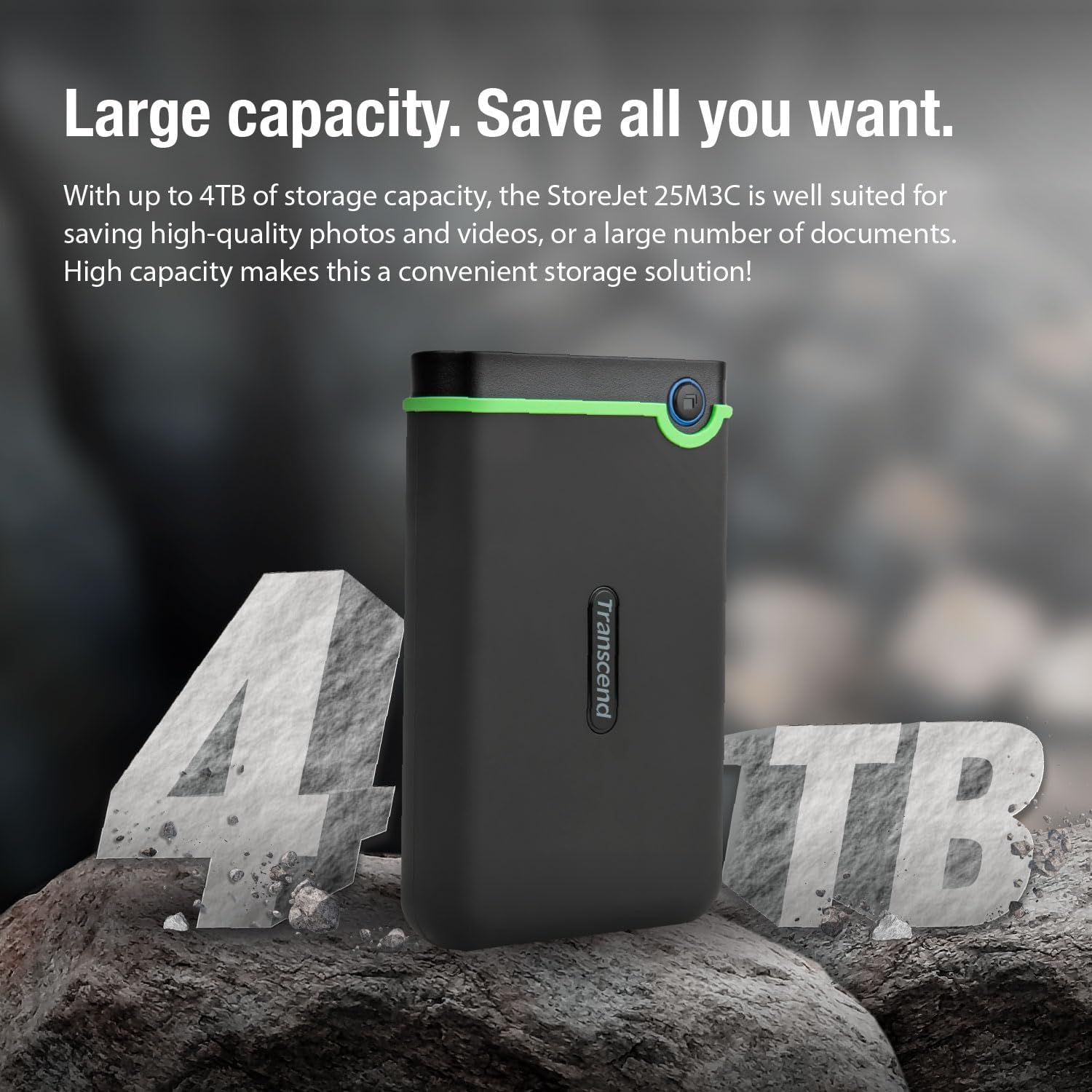
Figure 4: A user's hand interacting with the one-touch auto-backup button on the Transcend StoreJet 25M3C.
Official Product Video: Transcend Rugged Video
Video 1: An official product video from Transcend USA showcasing the rugged features and capabilities of the Transcend StoreJet series.
۴. ځانګړتیاوې او مشخصات
کلیدي ځانګړتیاوې
- USB 3.1 Gen 1 Interface: Provides lightning-fast transfer rates of up to 5Gbps.
- Three-Level Impact Protection System: Meets U.S. military drop-test standards (MIL-STD-810G) for superior shock resistance. This includes a silicone rubber case, an internal shock-absorbing suspension damper, and a reinforced hard casing.
- One Touch Auto Backup Button: Instantly backs up your data with a single press (requires Transcend Elite software).
- سافټویر شامل دي: Comes with Transcend Elite Data Management Software and RecoveRx Data Recovery Software for enhanced data management and recovery.

Figure 5: A detailed breakdown of the three-stage anti-shock protection system, highlighting the silicone rubber case, internal suspension damper, and reinforced hard casing.
تخنیکي مشخصات
| مشخصات | تفصیل |
|---|---|
| د هارډ ډرایو ډول | 2 TB Mechanical Hard Disk |
| د ماډل شمیره | TS2TSJ25M3C |
| د ډیجیټل ذخیره کولو ظرفیت | 2 TB |
| د پیوستون انٹرفیس | USB 3.1 Gen 1 (compatible with USB 3.0) |
| د هارډ ډرایو راټیټولو سرعت | 5200 RPM |
| د عملیاتو Voltage | USB DC 5V |
| د عملیاتي سیسټم مطابقت | Windows, Mac, PC |
| د توکي وزن | ۷.۳۷ اونس (تقریبا ۲۰۹ ګرامه) |
| د محصول ابعاد (LxWxH) | ۰.۲۵ x ۷.۲۸ x ۱۱.۲۱ انچه (تقریبا ۶.۳۵ x ۱۸۴.۹ x ۲۸۴.۷ ملي متره) |
| رنګ | د اوسپنې خړ |
Table 1: Technical specifications for the Transcend StoreJet 25M3C.
6. ساتنه
To ensure the longevity and optimal performance of your Transcend StoreJet 25M3C, consider the following maintenance tips:
- خوندي اخراج: Always safely eject the hard drive from your computer before disconnecting it to prevent data corruption.
- فزیکي ساتنه: While rugged, avoid unnecessary drops or impacts. The built-in protection is for accidental incidents.
- د تودوخې کنټرول: Store and operate the drive within recommended temperature ranges (5°C to 55°C / 41°F to 131°F) to prevent damage.
- پاک ساتل: بهرنۍ برخه په نرم، وچ ټوکر سره پاک کړئ. د سختو کیمیاوي موادو یا خړوبونکي موادو کارولو څخه ډډه وکړئ.
7. ستونزه حل کول
If you encounter issues with your Transcend StoreJet 25M3C, try the following solutions:
- ډرایو نه پیژندل کیږي:
- ډاډ ترلاسه کړئ چې USB کیبل په خوندي ډول د ډرایو او کمپیوټر دواړو سره وصل دی.
- په خپل کمپیوټر کې د مختلف USB پورټ سره وصل کیدو هڅه وکړئ.
- که شتون ولري د بل USB کیبل سره ازموینه وکړئ.
- خپل کمپیوټر بیا پیل کړئ.
- د لیږد ورو سرعت:
- Ensure you are using a USB 3.0 or 3.1 compatible port on your computer for optimal speeds.
- په شاليد کې روان هر ډول غير ضروري اپليکيشنونه بند کړئ.
- Check your computer's drivers for USB ports and update if necessary.
- One Touch Auto-Backup Button Not Working:
- Verify that Transcend Elite Data Management Software is installed and running on your computer.
- Ensure the drive is properly connected and recognized by the software.
8. تضمین او ملاتړ
The Transcend StoreJet 25M3C comes with a 3 کلن تضمین, ensuring peace of mind regarding product defects and malfunctions under normal use.
For further assistance, technical support, or to download the latest software and drivers, please visit the official Transcend webسایټ:
You can also refer to the Transcend Store on Amazon for additional product information and accessories:


