پیژندنه
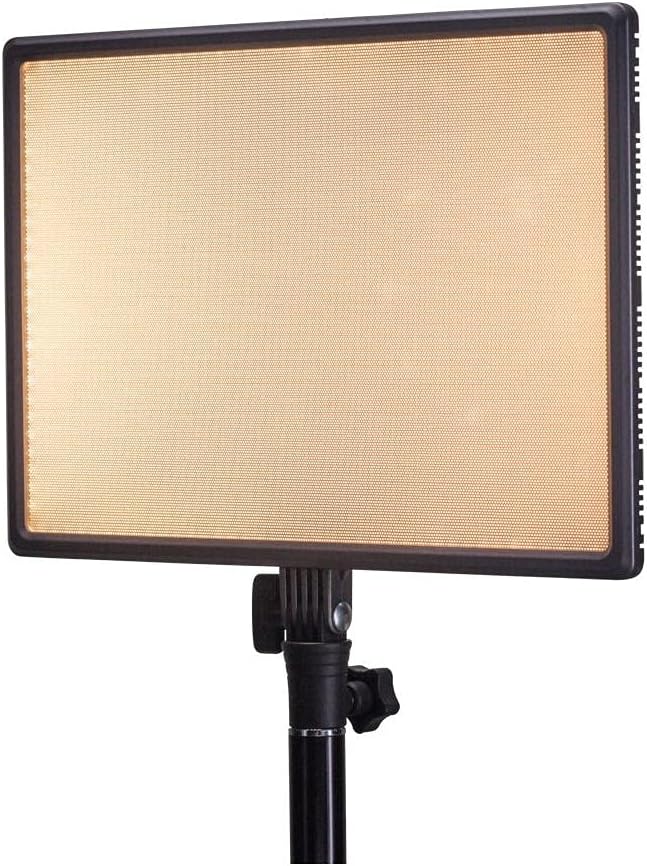
Thank you for choosing the Nanlite LumiPad 25 LED Panel. This manual provides essential information for the safe and effective operation of your device. Please read it thoroughly before use and retain it for future reference.
د خوندیتوب احتیاطونه
- وسیله د اوبو یا لوړې رطوبت سره مه مخ کوئ.
- د LED څراغ سره د سترګو مستقیم تماس څخه ډډه وکړئ.
- Use only approved power adapters and batteries.
- د واحد د جلا کولو یا ترمیم کولو هڅه مه کوئ.
- د ماشومانو د لاسرسي څخه لرې وساتئ.
د بسته محتويات
مهرباني وکړئ تصدیق کړئ چې ټول توکي ستاسو په کڅوړه کې شتون لري:
- Nanlite LumiPad 25 LED Panel
- د نصبولو اډاپټر
- AC Power Adapter (may be sold separately)
- د کارن لارښود
چمتو کول
۳.۱. د رڼا پینل نصب کول
- Attach the included mounting adapter to the 1/4-inch screw thread located at the bottom of the LumiPad 25.
- Secure the mounting adapter to a compatible light stand or tripod.
- Adjust the angle of the LED panel using the tilt mechanism on the mounting adapter.

2. وسیلې ته ځواک ورکول
The LumiPad 25 offers multiple power options:
- د AC بریښنا: Connect the AC power adapter to the DC IN port on the back of the panel, then plug the adapter into a wall outlet.
- د بیټرۍ ځواک: Insert two compatible NP-F style batteries (sold separately) into the battery slots on the back of the panel. Ensure correct polarity.


عملیات
1. بریښنا فعال/بند
Locate the power switch on the back of the panel. Flip the switch to the 'ON' position to power on the light. Flip it to 'OFF' to power off.
2. د روښانتیا تنظیم کول
Use the 'DIMMER' control knob on the back of the panel to adjust the light output from 0% to 100% brightness. Rotate clockwise to increase brightness and counter-clockwise to decrease.
۵. د رنګ د تودوخې تنظیم کول
Use the '5600K' control knob on the back of the panel to adjust the color temperature from warm (3200K) to cool (5600K). Rotate clockwise for cooler temperatures and counter-clockwise for warmer temperatures.

ساتنه
پاکول
To clean the LED panel, use a soft, dry cloth. For stubborn marks, a slightly damp د نرم صابون سره ټوکر کارول کیدی شي، ډاډ ترلاسه شي چې مایع وسیله ته ننوځي. د کثافاتو پاکونکي یا محلول مه کاروئ.
ذخیره کول
When not in use, store the LumiPad 25 in a cool, dry place, away from direct sunlight and extreme temperatures. If storing for extended periods, remove batteries.
د ستونزو حل کول
| ستونزه | احتمالي لامل | د حل لاره |
|---|---|---|
| ر Lightا نه ځي. | No power, faulty connection, or depleted batteries. | Check power adapter connection or replace/recharge batteries. Ensure power switch is ON. |
| Brightness not adjusting. | Dimmer knob not functioning or at minimum/maximum setting. | Rotate the dimmer knob fully in both directions. If issue persists, contact support. |
| Color temperature not changing. | Color temperature knob not functioning or at minimum/maximum setting. | Rotate the color temperature knob fully in both directions. If issue persists, contact support. |
مشخصات
| فیچر | تفصیل |
|---|---|
| د ماډل شمیره | 11-2002 |
| د محصول ابعاد | 13.58 x 37 x 9 inches (overall packaging) / 1.2"L x 1.2"W x 1.2"H (unit) |
| د توکي وزن | 7.1 اونس |
| روښانتیا | ۱۵۰۰ لومینونه ( اعظمي) |
| د رنګ د حرارت درجه | ۳۳۰۰ زره - ۵۶۰۰ زره |
| د بریښنا اختیارونه | AC Adapter, NP-F style batteries, DC via D-tap cable |
تضمین او ملاتړ
Nanlite products are covered by a limited warranty. For detailed warranty information, technical support, or service inquiries, please visit the official Nanlite webسایټ ته مراجعه وکړئ یا خپل سیمه ایز توزیع کونکي سره اړیکه ونیسئ.
Official Nanlite Webسایټ: www.nanlite.com


