1. پیژندنه
Thank you for choosing the ZIPRO Boost Exercise Bike. This manual provides essential information for the safe and effective assembly, operation, and maintenance of your new fitness equipment. Please read this manual thoroughly before first use and keep it for future reference.
2. د خوندیتوب معلومات
- د تمرین کوم پروګرام پیل کولو دمخه د ډاکټر سره مشوره وکړئ.
- ډاډ ترلاسه کړئ چې ټولې برخې د هر کارونې دمخه په خوندي ډول تړل شوي دي.
- ماشومان او څاروي د عملیاتو په جریان کې د تجهیزاتو څخه لرې وساتئ.
- د تمرین بایسکل په یوه فلیټ او مستحکم سطحه کېږدئ.
- د تمرین مناسب لباس او بوټان واغوندئ.
- Do not exceed the maximum user weight capacity of 120 kg.
- که تاسو بې هوښه، سرګردانه یا درد احساس کوئ نو سمدلاسه تمرین بند کړئ.
3. د بسته محتويات
Before assembly, verify that all components are present and undamaged:
- اصلي چوکاټ
- د مخ او شا ثبات کونکي
- پیډلونه (کیڼ او ښي)
- Seat Post and Saddle
- د لاسي بار پوسټ او لاسي بارونه
- د کمپیوټر تمرین
- د اسمبلۍ هارډویر (بولټونه، واشیرونه، مغز لرونکي)
- د اسمبلۍ وسایل (رنچونه، د ایلن کیلي)
- د کارن لارښود
4. د مجلس لارښوونې
Follow these steps for proper assembly. It is recommended to have two people for certain steps.
- سټیبلائزرونه ضمیمه کړئ: د چمتو شویو بولټونو او واشیرونو په کارولو سره د مخکینۍ او شا سټیبلائزرونه اصلي چوکاټ ته خوندي کړئ. ډاډ ترلاسه کړئ چې دوی په کلکه ټینګ شوي دي.
- پیډلونه نصب کړئ: Identify the left (L) and right (R) pedals. The left pedal screws counter-clockwise, and the right pedal screws clockwise. Tighten securely.
- د څوکۍ پوسته او زینه نصبول: Insert the seat post into the main frame and adjust to the desired height. Attach the saddle to the seat post and secure it.
- د لاسي بار پوسټ ضمیمه کړئ: Insert the handlebar post into the main frame.
- Install Handlebars and Computer: Attach the handlebars to the handlebar post. Connect the sensor wires from the main frame to the exercise computer. Mount the computer onto the handlebar post.

Figure 4.1: Detailed assembly diagram for the ZIPRO Boost Exercise Bike.

4.2 شکل: چاودلی view of the exercise bike components, illustrating how parts fit together during assembly.
5. عملیاتي لارښوونې
5.1 د مقاومت تنظیم کول
The ZIPRO Boost features an 8-level magnetic resistance system. To adjust the resistance, turn the tension control knob located below the computer display. Turn clockwise to increase resistance (harder) and counter-clockwise to decrease resistance (easier).

Figure 5.1: The resistance adjustment knob, showing levels 1 through 8.
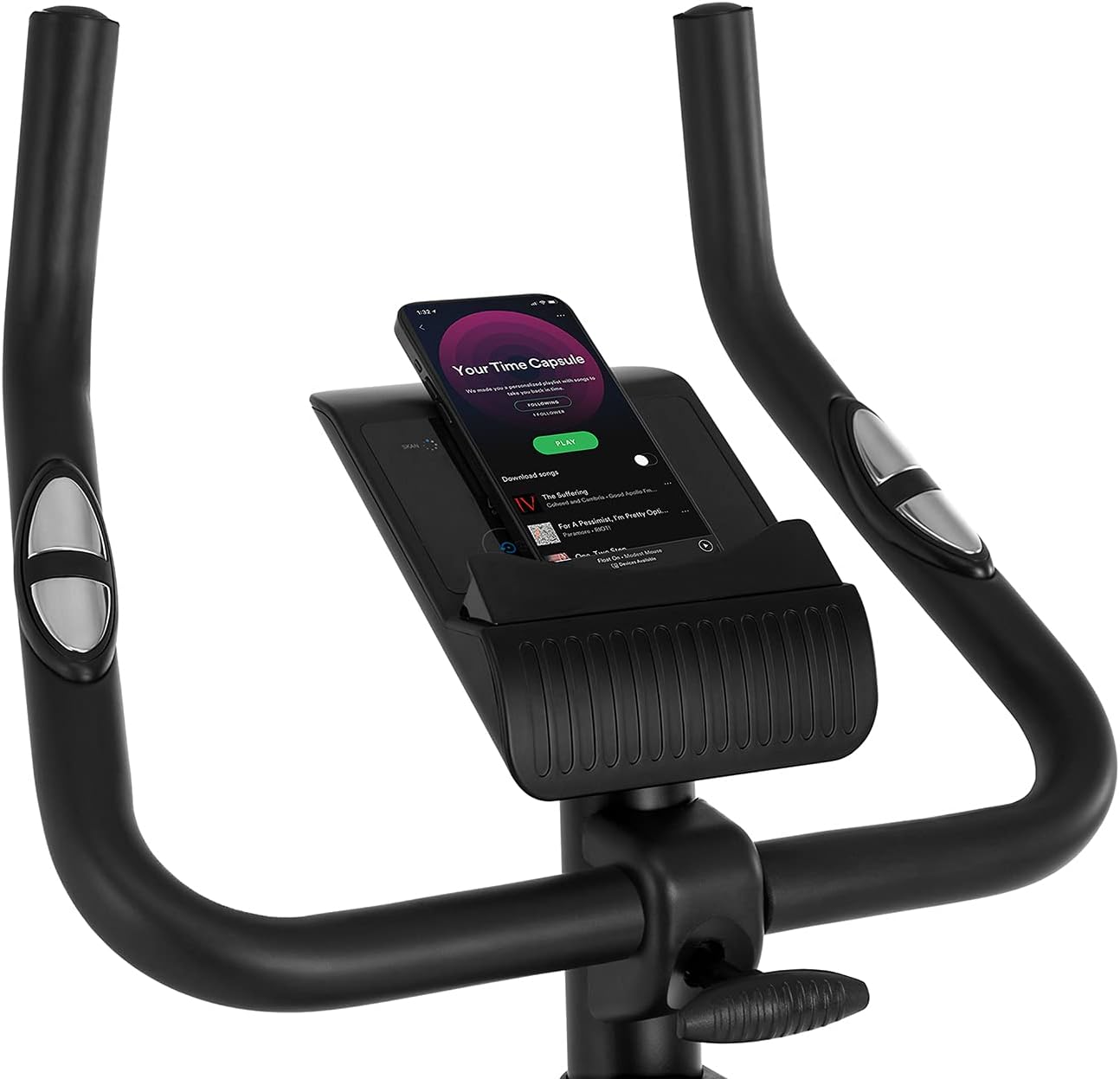
Figure 5.2: Demonstrating how to adjust the magnetic resistance using the tension control knob.
5.2 Saddle and Handlebar Adjustments
Proper adjustment of the saddle and handlebars ensures comfort and effective training.
- Saddle Height: Loosen the adjustment knob on the seat post, raise or lower the saddle to your desired height (ensure a slight bend in your knee at the bottom of the pedal stroke), and tighten the knob securely.
- Saddle Horizontal Position: Loosen the knob beneath the saddle to slide it forward or backward for optimal positioning relative to the pedals. Tighten securely.
- د دستګاه لوړوالی: Loosen the adjustment knob on the handlebar post, raise or lower the handlebars to a comfortable position, and tighten the knob securely.
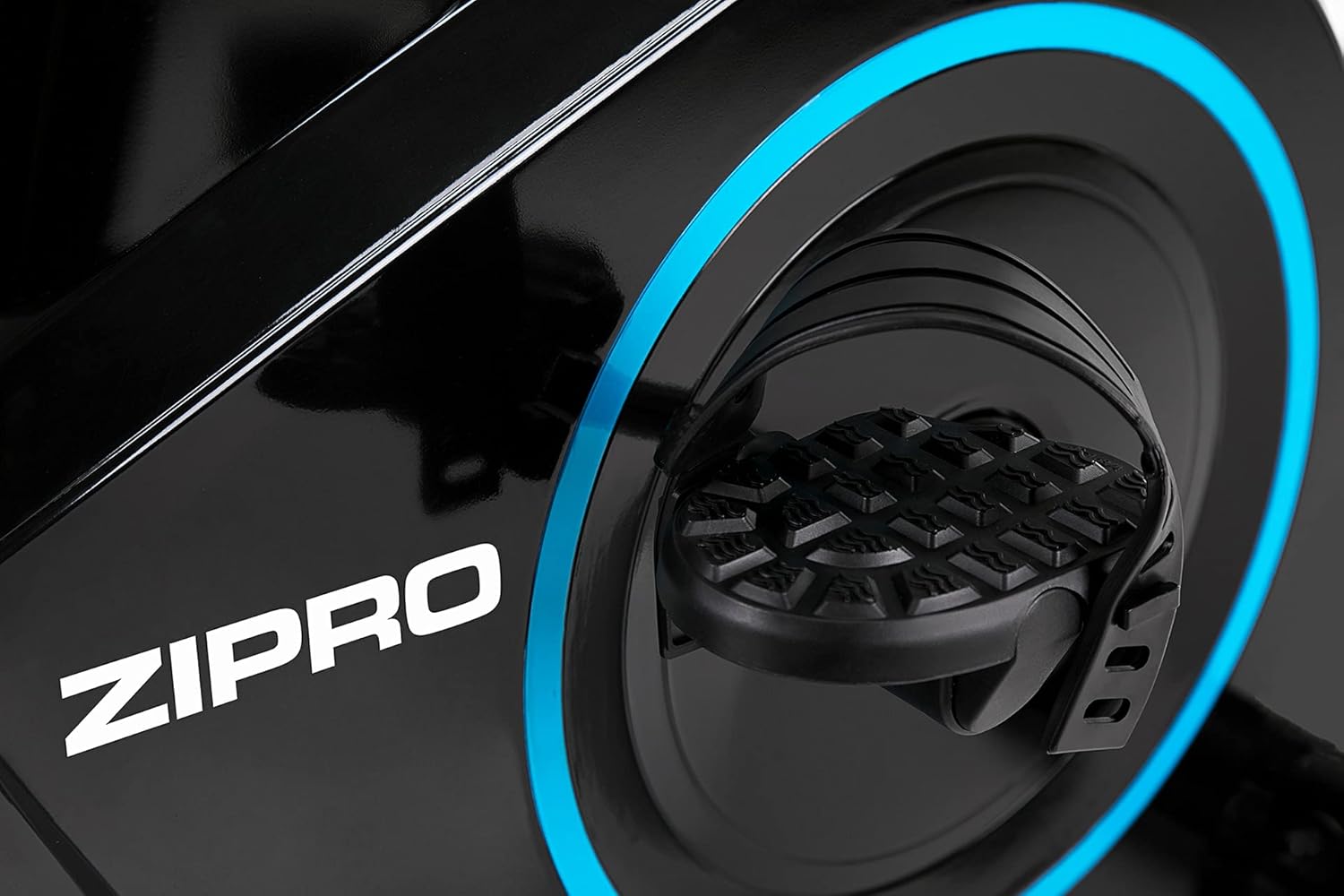
Figure 5.3: Adjusting the saddle's vertical position for user comfort.
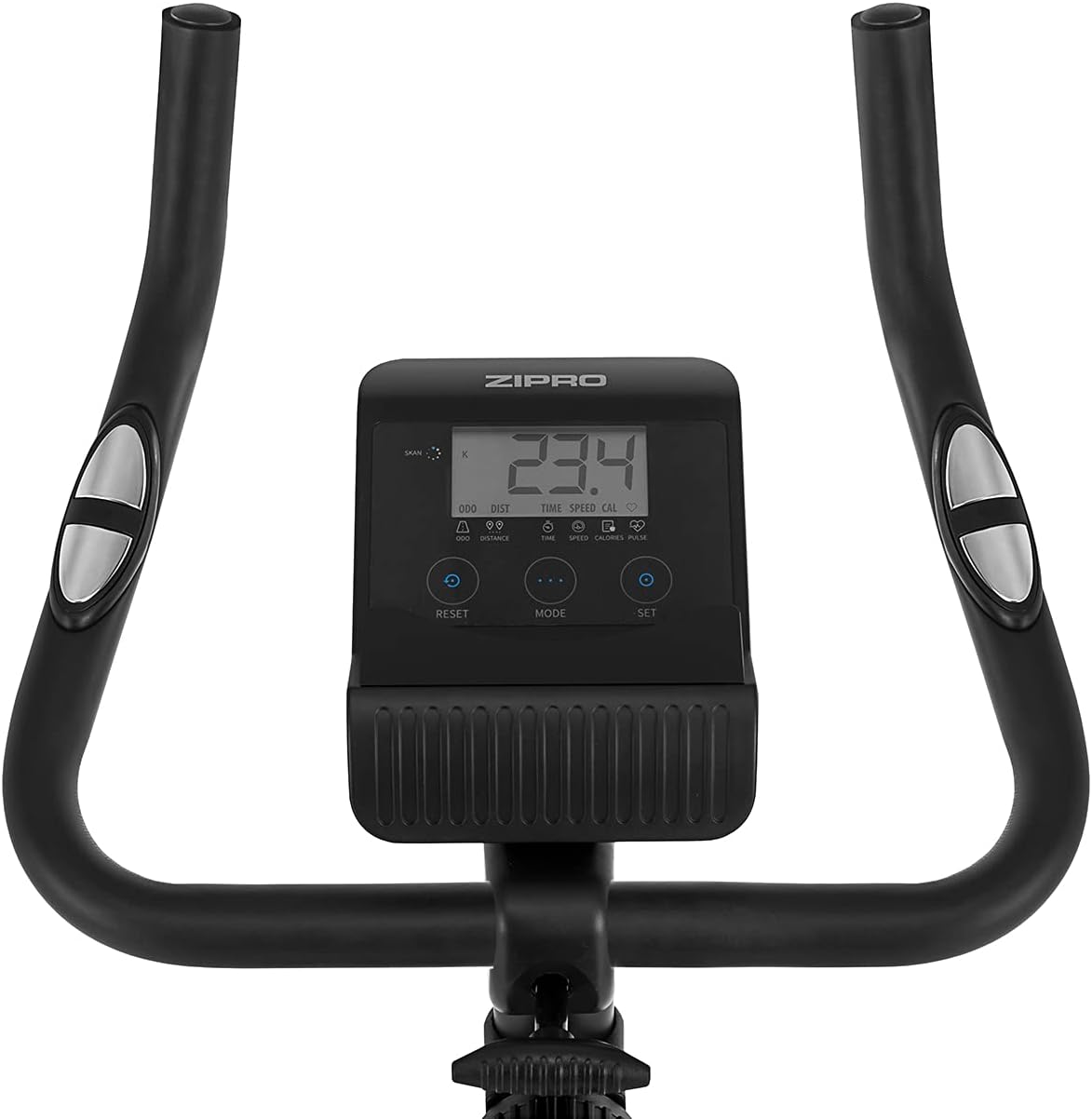
Figure 5.4: Adjusting the saddle's horizontal position for optimal riding posture.
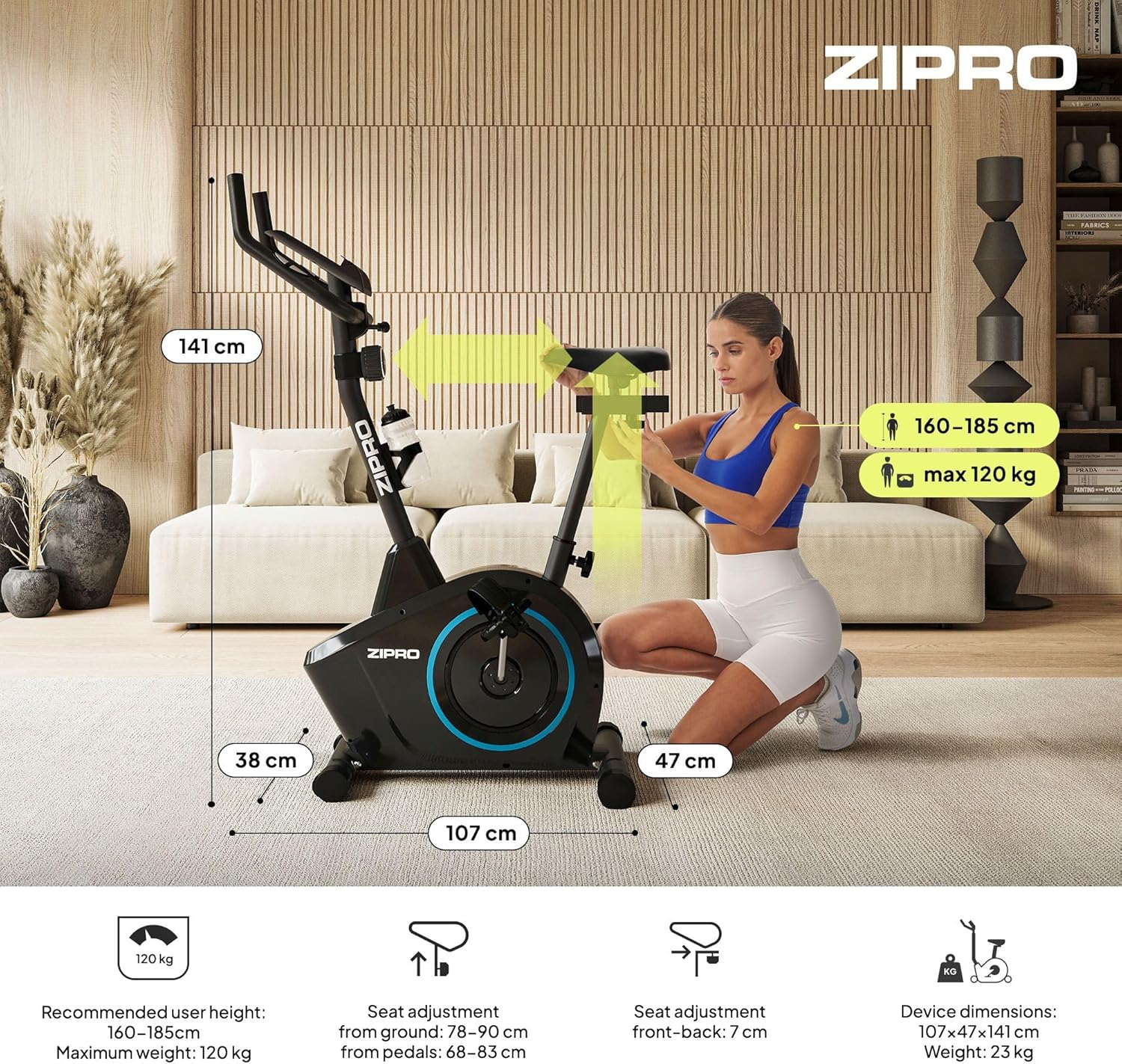
Figure 5.5: Adjusting the handlebar height to suit different user preferences and workout styles.
5.3 Computer Functions
The integrated computer tracks your workout data. It measures time, distance, speed, calories burned, and pulse (via sensors in the handlebar). The SCAN function cycles through all data alternately on the screen.
- د موډ تڼۍ: Press to select the display function (Time, Speed, Distance, Calories, Odometer, Pulse).
- د ری سیٹ تڼۍ: Press and hold to clear all current workout data (Time, Distance, Speed, Calories).
- د SET تtonۍ: Used to set target values for Time, Distance, or Calories.
- د نبض سینسرونه: Grip the metal plates on the handlebars to measure your heart rate.
- Mobile Device Shelf: A convenient shelf is provided above the computer for your smartphone or tablet.

Figure 5.6: The exercise computer display with MODE, RESET, and SET buttons.

شکل 5.7: پایview of the computer display and integrated pulse sensors.

Figure 5.8: The integrated shelf designed to hold a mobile device like a tablet during workouts.
6. ساتنه
منظم ساتنه ستاسو د تمرین بایسکل اوږد عمر او خوندي عملیات تضمینوي.
- پاکول: د اعلان سره موټرسایکل پاک کړئamp د خولې او دوړو د لرې کولو لپاره د هر استعمال وروسته ټوکر ومینځئ. د کثافاتو پاکوونکي مه کاروئ.
- اړیکې چیک کړئ: ټول بولټونه، مغزونه او پیچونه په دوره یي ډول وګورئ ترڅو ډاډ ترلاسه شي چې دوی کلک دي. که اړتیا وي نو کلک کړئ.
- غوړول: The magnetic resistance system is generally maintenance-free. If you notice any squeaking from moving parts (e.g., pedal axles), apply a small amount of silicone-based lubricant.
- ذخیره کول: When not in use, store the bike in a dry, cool place away from direct sunlight. The integrated transport wheels allow for easy movement.

Figure 6.1: The exercise bike features transport wheels for easy relocation after use.
7. ستونزه حل کول
| ستونزه | احتمالي لامل | د حل لاره |
|---|---|---|
| د کمپیوټر ښودنه کار نه کوي | Loose cable connection; Dead batteries | Check all cable connections to the computer; Replace batteries (if applicable). |
| No resistance change | د مقاومت کیبل منقطع شوی یا خراب شوی | Check the resistance cable connection to the tension knob and the main unit. |
| د چیچلو یا د مینځلو غږ | Loose parts; Lack of lubrication | Check and tighten all bolts and nuts; Apply silicone lubricant to moving parts if necessary. |
| د کارولو پرمهال بې ثباته | Bike not on a level surface; Loose stabilizers | Ensure the bike is on a flat surface; Adjust leveling caps on stabilizers; Tighten stabilizer bolts. |
8. مشخصات
| فیچر | مشخصات |
|---|---|
| ماډل | 979536 |
| ابعاد (L x W x H) | 73 x 48 x 137 سانتي متره |
| د محصول وزن | 23 کیلو ګرامه |
| د کارونکي اعظمي وزن | 120 کیلو ګرامه |
| د مقاومت سیسټم | Magnetic, 8-level manual adjustment |
| د موټر چلولو سیسټم | کمربند |
| د کمپیوټر فعالیتونه | Time, Distance, Speed, Calories, Pulse (Heart Rate) |
| د موادو ډول | پلاستيک، فلزي |
| Power Source (Computer) | د بیټرۍ چلول |
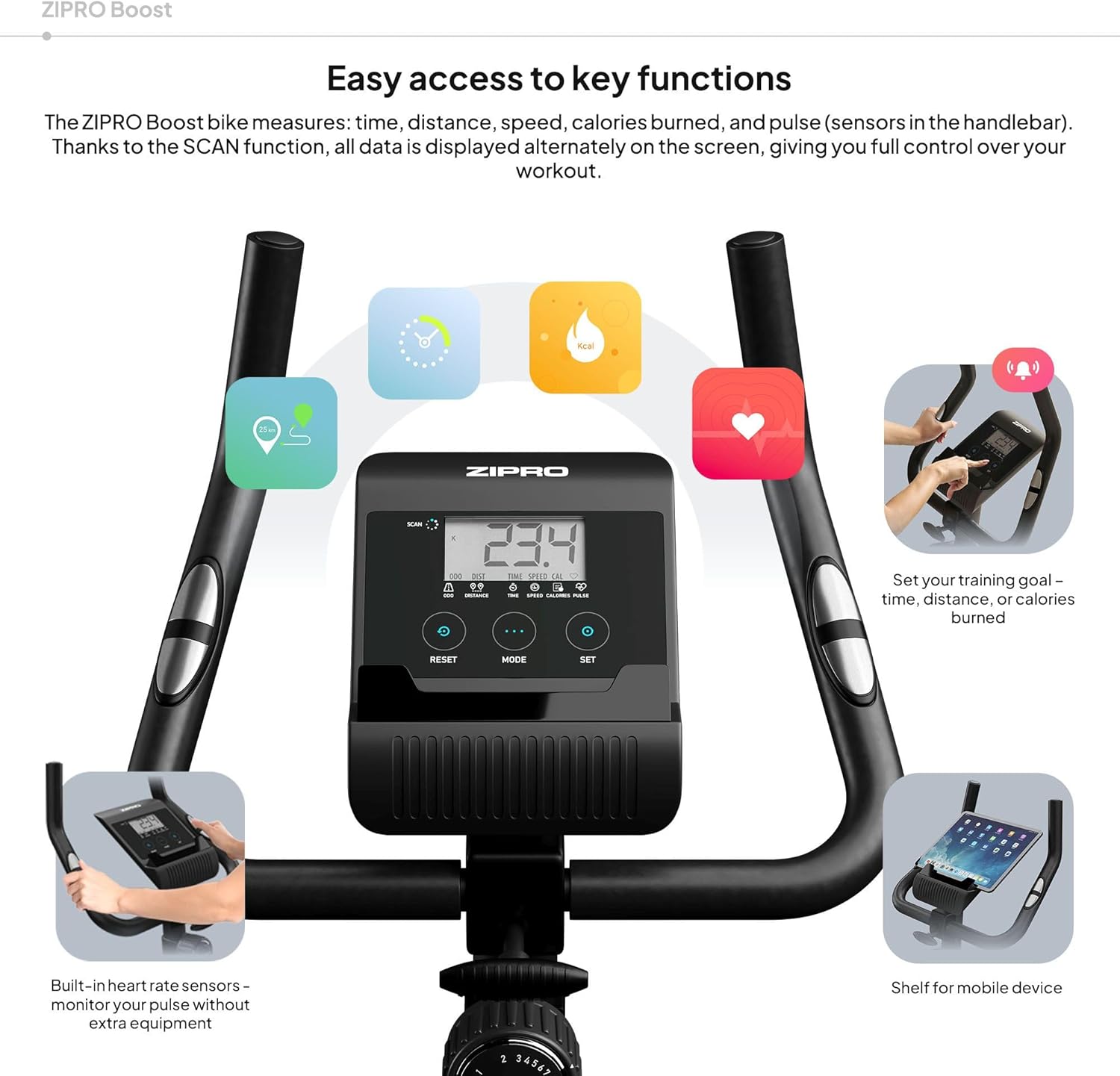
Figure 8.1: Key dimensions and user specifications for the exercise bike.
9. تضمین او ملاتړ
Your ZIPRO Boost Exercise Bike comes with a standard manufacturer's warranty. Please refer to the warranty card included in your package for specific terms and conditions. For technical support, spare parts, or any inquiries not covered in this manual, please contact ZIPRO customer service through their official webسایټ یا پرچون پلورونکي ته چې تاسو یې محصول اخیستی.


