1. پیژندنه
This manual provides essential information for setting up, operating, and maintaining your NEBULA by Anker Capsule Max Mini Projector. Please read it thoroughly before using the device to ensure optimal performance and longevity.
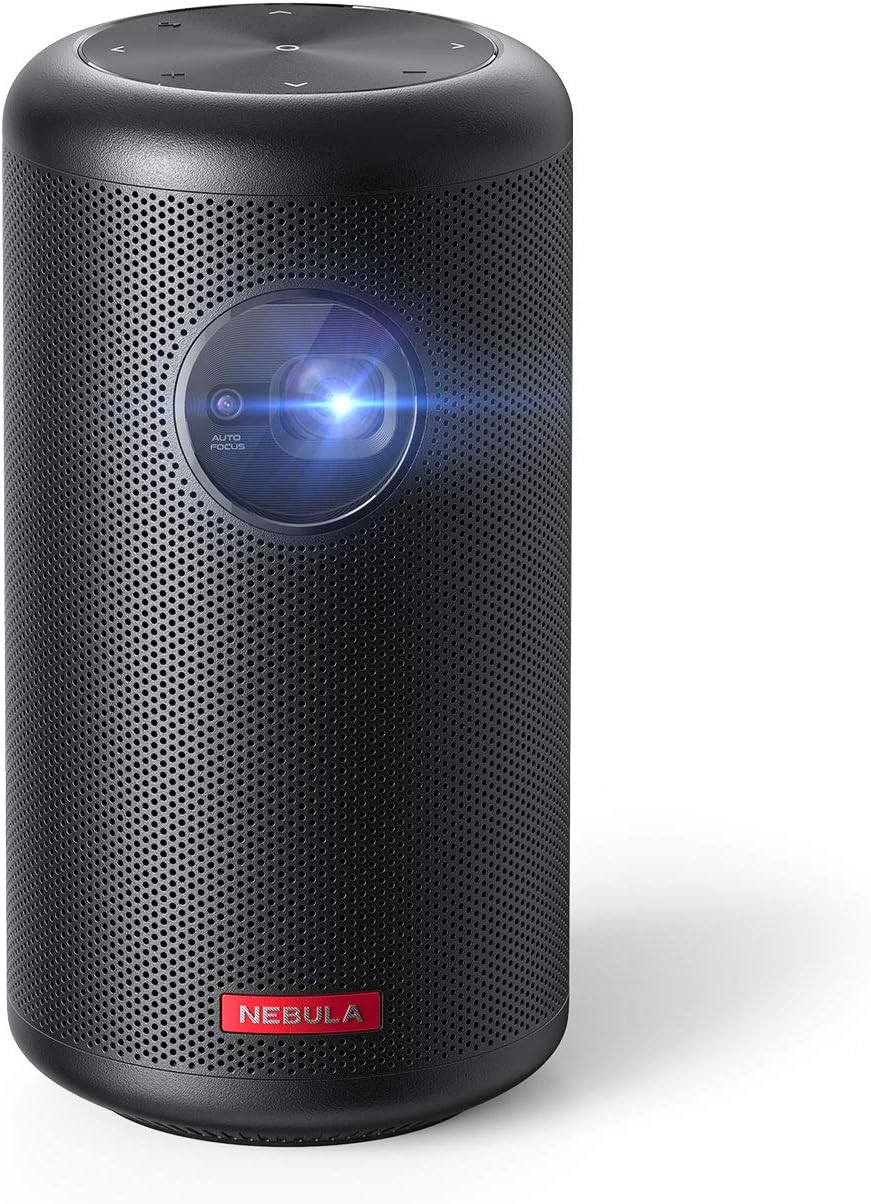
Image 1.1: NEBULA by Anker Capsule Max Mini Projector. This image displays the compact, cylindrical black projector with its lens visible on the front, highlighting its portable design.
۲. په بکس کې څه دي؟
د بکس خلاصولو پر مهال، ډاډ ترلاسه کړئ چې لاندې ټول توکي شتون لري:
- د نیبولا کیپسول میکس مینی پروجیکٹر
- ریموټ کنټرول
- د چټک پیل لارښود
- DC-in Charger (15V/3A)
3. محصول ختم شوview
3.1 وسیله وسیله

انځور 3.1: شاته view of the NEBULA Capsule Max showing the input/output ports. From left to right, the ports include AUX, HDMI, USB Type-A, and DC-in.
- مخ: Projection Lens, Autofocus Sensor
- پورته: Touch Buttons (D-pad, Volume ±, Back)
- شاته: AUX Out, HDMI Input, USB Type-A Port, DC-in Port
- لاندې: د ټریپډ ماونټ تار
4. ترتیب کول
4.1 بریښنا کول / بندول
- To power on, press and hold the Power button on the device or remote control.
- د بریښنا بندولو لپاره، د بریښنا تڼۍ بیا فشار ورکړئ او ونیسئ.
4.2 چارج کول
Connect the provided DC-in charger (15V/3A) to the DC-in port on the projector. The device supports approximately 4 hours of local video playtime on a full charge, with a charging time of 2.5 hours.
4.3 ابتدايي ترتیب
The Capsule Max runs on Android 8.1 with Nebula UI. Follow the on-screen instructions for initial setup, including language selection and network connection.
د شبکې اتصال
ته لاړشئ ترتیبات> شبکه to connect to a Wi-Fi network. The device supports 802.11b/g/n/ac dual frequency (2.4/5GHz).
4.5 د بلوتوث اتصال
For connecting external Bluetooth devices, go to ترتیبات> بلوتوټ. The projector supports BT4.2 Dual Mode/A2DP.
۴. د پروجیکټر چلول
5.1 نیویگیشن او کنټرول
- Physical/Touch Buttons: Use the D-pad, Volume ±, and Back buttons on the device for basic navigation.
- IR ریموټ: The included remote control offers Power, D-pad, Volume ±, Mouse Mode, Home, Back, and Menu (for autofocus) functions.
- Bluetooth Remote App: Download the 'Nebula Connect' app for Android and iOS devices for enhanced control, especially for apps like Netflix.
5.2 د انځور سمون

Image 5.1: Diagram illustrating optimal projection distances for various screen sizes (40, 80, 100 inches) with the NEBULA Capsule Max.
- آٹوفوکس: The projector features 1-second autofocus. You can also trigger it by slightly moving the device or long-pressing the 'Menu' button on the remote.
- د کیسټون سمون: Automatic vertical keystone correction (±40°) is available. Manual horizontal (±40°) and quadrilateral keystone correction can be adjusted via Settings > Projector.
- د انځور بڼه: Select between 'Auto', 'Standard Mode' (for maximum brightness), and 'Battery Mode' (for extended battery life) in Settings > Projector > Image Mode.
- د پروجیکشن حالت: Adjust the projection orientation (Front, Rear, Front Ceiling, Rear Ceiling) based on your setup in Settings > Projector > Projector Mode.
۳.۳ د منځپانګې غږول

Image 5.2: The Android 8.1 user interface of the NEBULA Capsule Max, displaying various streaming app icons like Amazon, YouTube, and Netflix.
- جوړ شوي ایپسونه: The projector comes with Android 8.1 and Nebula UI, allowing you to download and stream apps like YouTube, Netflix, and Amazon from the Nebula Manager Store.
- Important Note on Copyrighted Content: Copyrighted content from services like Netflix cannot be mirrored or screencast. Download and use the apps directly through the Capsule Max to view داسې مواد. Chromecast ملاتړ نه کوي.
- د HDMI آله: Connect external devices such as gaming consoles, Blu-ray players, or other media players via the HDMI 1.4 input (supports up to 1080p).
- USB پلیباک: Insert USB flash drives into the USB Type-A port to play local video and audio files.
- آډیو تولید: The projector features an 8W speaker. For external audio, use the AUX Out port to connect to a sound system.
6. ساتنه
To ensure the longevity and optimal performance of your Capsule Max, follow these maintenance guidelines:
- پاکول: Use a soft, dry cloth to clean the exterior of the projector. Avoid using liquid cleaners or abrasive materials.
- د لینز پاملرنه: Gently clean the projection lens with a lens cleaning cloth. Do not touch the lens directly with your fingers.
- د فرم ویئر تازه معلومات: For peak performance and access to the latest features, regularly check for and install firmware updates via the device's settings.
- ذخیره کول: کله چې په کارولو کې نه وي، پروجیکټر په یو یخ، وچ ځای کې د مستقیم لمر وړانګو او د تودوخې د تودوخې څخه لرې وساتئ.
7. ستونزه حل کول
If you encounter any issues with your Capsule Max, refer to the following common solutions:
- انځور نشته/د انځور خراب کیفیت:
- Ensure the projector is powered on and fully charged or connected to power.
- Adjust focus using the autofocus feature or manually.
- Check keystone correction settings if the image is distorted.
- Ensure the projection surface is suitable and the room lighting is appropriate (ideal in low-light environments).
- غږ نشته:
- Check the volume level on the projector and any connected external audio devices.
- If using external speakers, ensure they are correctly connected via AUX or Bluetooth.
- د وای فای/بلوتوث سره وصل نشو:
- پروجیکټر او خپل روټر/بلوتوث وسیله بیا پیل کړئ.
- ډاډ ترلاسه کړئ چې د Wi-Fi پټنوم سم دی.
- Keep the projector within range of the Wi-Fi router or Bluetooth device.
- App Issues (e.g., Netflix not playing):
- ډاډ ترلاسه کړئ چې ایپ وروستي نسخه ته تازه شوی.
- Remember that copyrighted content from certain services cannot be mirrored; use the apps directly on the projector.
- Update the projector's firmware to the latest version for optimal compatibility.
8. مشخصات
| فیچر | مشخصات |
|---|---|
| د ماډل شمیره | D2423 |
| ټیکنالوژي ښکاره کول | 0.3-in HD DLP |
| اصلي حل | 1280 x 720 (720p) |
| روښانتیا | 200 د ANSI Lumens |
| Lamp ژوند | 30,000 ساعته |
| د اړخ نسبت | 16:9 |
| د وهلو تناسب | ۱۰۰ انچه @ ۲.۹۴ متره؛ ۸۰ انچه @ ۲.۳۵ متره؛ ۶۰ انچه @ ۱.۷۶ متره؛ ۴۰ انچه @ ۱.۱۸ متره |
| آفسټ | 100% |
| د تمرکز تنظیم کول | د ۳ ثانیو اتومات تمرکز |
| د کیسټون اصلاح | Auto (Vertical ±40°), Manual (Horizontal ±40°) |
| د HDMI ننوت | HDMI 1.4 (up to 1080p) |
| USB پورټ | USB Type-A (for Flash Drives) |
| DC-in | 15V/3A |
| د ایکس محصول | هو |
| سپیکر | 8W |
| وای فای | 802.11b / g / n / ac (2.4 / 5GHz) |
| بلوتوث | BT4.2 دوه ګونی حالت/A2DP |
| OS | Android 8.1 with Nebula UI |
| RAM | 2GB DDR3 |
| ROM | 16GB eMMC |
| بیټرۍ | 9,700mA X XUMXV |
| د ویډیو پلې کولو وخت | 4 Hours (Local Video Playtime) |
| د چارج کولو وخت | 2.5 Hours (with DC-in 15V/3A) |
| د محصول ابعاد | 3.15 x 3.15 x 5.91 انچه |
| د توکي وزن | ۲.۴۵ پونډه |
9. تضمین او ملاتړ
The NEBULA by Anker Capsule Max comes with a 12-month warranty. For any product inquiries, technical assistance, or warranty claims, please contact our friendly customer service.


