پیژندنه
Welcome to the user manual for your Picun Elite P80S Wireless Headset. This guide provides detailed instructions for setup, operation, maintenance, and troubleshooting to ensure you get the most out of your device. Please read this manual thoroughly before using the headset.
د بسته محتويات
- Picun Elite P80S Headset
- Detachable AUX Microphone
- د USB چارج کیبل
- AUX Cable for Wired Transmission

Image: Picun Elite P80S Wireless Headset with detachable microphone, showcasing its design and included microphone.
محصول پای ته ورسیدview
Headset Components and Controls
The Picun Elite P80S headset features an ergonomic design with easy-to-access media buttons for various functions. These include controls for music playback, call management, vibration mode, LED light display, and volume adjustments.

Image: The Picun Elite P80S Wireless Headset shown in its folded configuration, highlighting its portable design.

Image: The Picun Elite P80S Wireless Headset displayed on a stand, providing a clear view of its over-ear design, earcups, and adjustable headband.
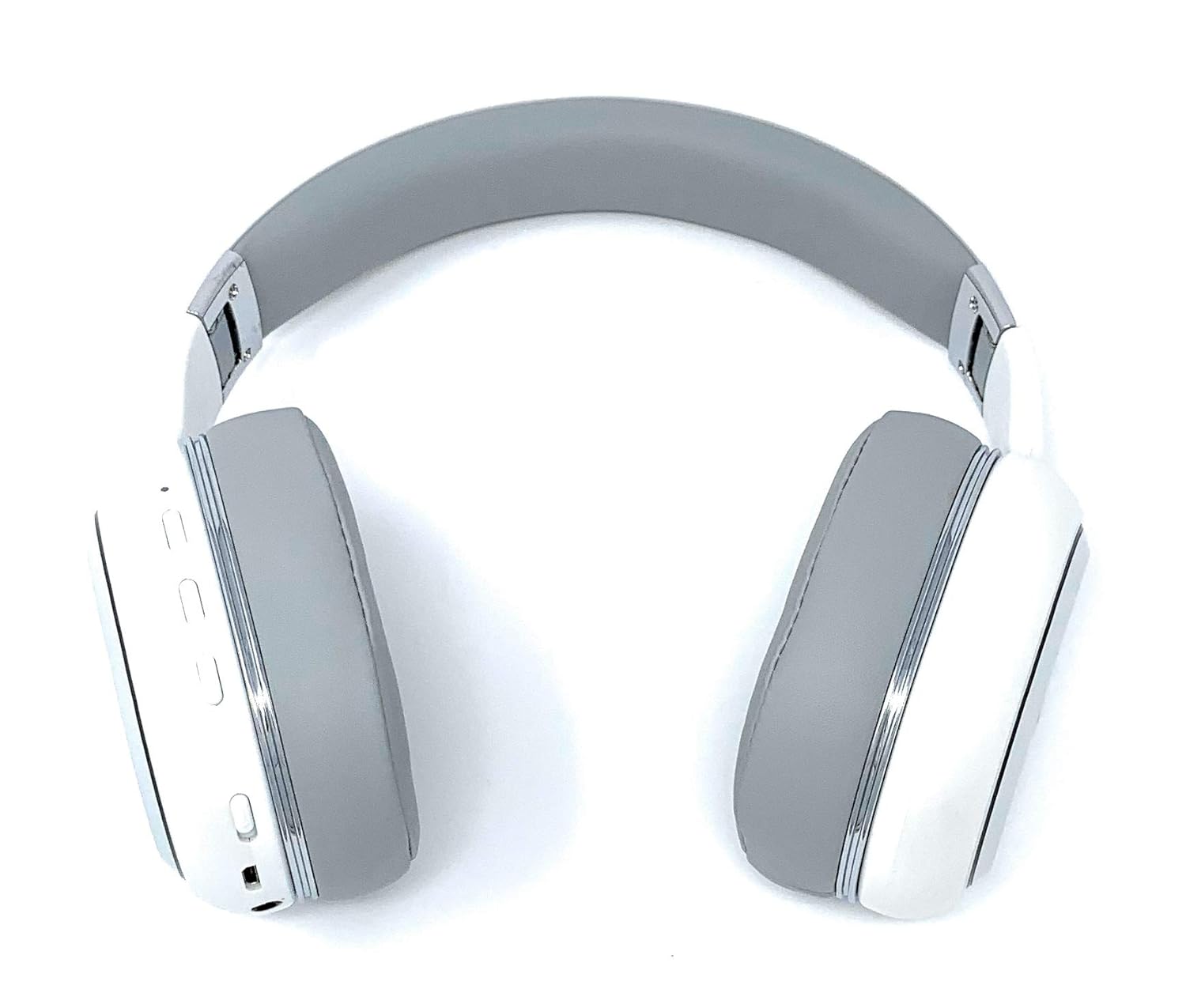
Image: A rear perspective of the Picun Elite P80S Wireless Headset, illustrating the placement of control buttons on the earcup.

Image: A detailed close-up of the right earcup hinge and the 'R' indicator on the Picun Elite P80S Wireless Headset, showing construction details.
چمتو کول
د هیډسیټ چارج کول
Before initial use, fully charge the headset. Use the provided USB charging cable with any compatible USB adapter or device.
- د USB چارج کولو کیبل د هیډسیټ د چارج کولو پورټ سره وصل کړئ.
- د USB کیبل بل پای د بریښنا سرچینې سره وصل کړئ.
- A full charge provides approximately 40 hours of game time or 60 hours of music/media playback in wireless mode.
د بلوتوث جوړې کول
To connect your headset wirelessly:
- ډاډ ترلاسه کړئ چې هیډسیټ بند دی.
- د بریښنا تڼۍ فشار ورکړئ او ونیسئ تر هغه چې د LED شاخص روښانه شي، د جوړه کولو حالت په ګوته کوي.
- په خپل وسیله (سمارټ فون، ټابلیټ، کمپیوټر) کې، بلوتوټ فعال کړئ او د شته وسایلو لټون وکړئ.
- Select "Picun P80S" from the list of found devices.
- Once connected, the LED indicator will show a steady light or flash slowly.
د بریښنا پيوستون
For a wired connection, use the provided AUX cable:
- Connect one end of the AUX cable to the headset's AUX port.
- Connect the other end to your audio device's 3.5mm audio jack.
- The headset can be used indefinitely in wired mode, regardless of battery charge.
د مایکروفون ضمیمه کول
The headset includes a detachable microphone for clear communication:
- Locate the microphone port on the headset.
- Gently insert the detachable microphone into the port until it clicks into place.
- The microphone is designed to reduce ambient noise for high-definition vocals.
عملیاتي لارښوونې
پاور آن/بند
- پاور آن: د څو ثانیو لپاره د بریښنا تڼۍ فشار ورکړئ او ونیسئ تر هغه چې د LED شاخص روښانه شي.
- بندول: د بریښنا تڼۍ د څو ثانیو لپاره فشار ورکړئ او ونیسئ تر هغه چې د LED شاخص بند نشي.
د غږ غږ
- پلی کول / ودرول: یو ځل د Play/Pause تڼۍ کېکاږئ.
- بله لار: Press and hold the 'Volume Up' button.
- مخکینی لار Press and hold the 'Volume Down' button.
د اړیکې مدیریت
- ځواب / پای کال: یوځل د ملټي فنکشن ت buttonۍ فشار ورکړئ.
- زنګ رد کړئ: د 2 ثانیو لپاره د ملټي فنکشن تڼۍ فشار او ونیسئ.
Dual Shock/Vibration Mode
This mode enhances audio with deep bass and vibrations, ideal for music, movies, and gaming.
- فعال/غیر فعالول: Use the dedicated 'Vibration/Dual Shock Mode On-Off toggle switch' on the headset.
د LED څراغ نندارې
The headset features an LED light display.
- آن/بندول: Use the dedicated 'LED Light Display On-Off button' on the headset.
د حجم کنټرول
- حجم زیات کړئ: Press the 'Volume Up' button.
- حجم کم کړئ: Press the 'Volume Down' button.
ساتنه
پاکول
- هیډسیټ په نرم، وچ ټوکر سره پاک کړئ.
- د کثافاتو پاکوونکي یا محلول مه کاروئ.
- Keep the charging port and audio jacks free of dust and debris.
ذخیره کول
- هیډسیټ په یخ او وچ ځای کې د مستقیم لمر وړانګو او سختې تودوخې څخه لرې وساتئ.
- When not in use for extended periods, ensure the headset is fully charged before storing.
د ستونزو حل کول
هیڅ ځواک نشته
- ډاډ ترلاسه کړئ چې هیډسیټ په بشپړ ډول چارج شوی.
- ډاډ ترلاسه کړئ چې د چارج کولو کیبل او د بریښنا سرچینه په سمه توګه کار کوي.
نه غږ
- په هیډسیټ او ستاسو وصل شوي وسیله دواړو کې د حجم کچه وګورئ.
- که بلوتوث کاروئ، ډاډ ترلاسه کړئ چې هیډسیټ په سمه توګه جوړه او وصل شوی دی.
- If using a wired connection, ensure the AUX cable is securely plugged into both the headset and the audio source.
- د بل آډیو سرچینې یا وسیلې سره ازموینه وکړئ.
د بلوتوټ جوړه کولو مسلې
- ډاډ ترلاسه کړئ چې هیډسیټ د جوړه کولو حالت کې دی (د LED فلش کول).
- په خپل وسیله کې بلوتوث بند او فعال کړئ.
- په خپل وسیله کې پخواني بلوتوث اړیکې پاکې کړئ او بیا جوړه کولو هڅه وکړئ.
- Ensure the headset is within the effective range of your Bluetooth device.
مشخصات
| فیچر | تفصیل |
|---|---|
| د ماډل نوم | Elite P80S |
| د ارتباط ټیکنالوژي | بلوتوث |
| د بې سیمه مخابراتو ټیکنالوژي | بلوتوث |
| شاملې برخې | Headset, Detachable AUX Microphone, USB Charging Cable, AUX Cable for Wired Transmission |
| د عمر حد (تفصیل) | بالغ |
| مواد | غلط چرم |
| د کنټرول ډول | د حجم کنټرول، ریموټ |
| د کیبل ځانګړتیا | د جلا کولو وړ |
| د توکي وزن | ۳۰۰ ګرامه (۰.۳ کیلوګرامه) |
| د توکو شمیر | 1 |
| ځانګړی ځانګړنه | د شور لغوه کول |
| جوړونکی | پیکون |
| د هارډویر پلیټ فارم | د لوبو کنسول |
| د مایکروفون بڼه | Built-In, Detachable AUX Microphone |
| بیټرۍ ته اړتیا ده | نه (داخلي چارج کیدونکی بیټرۍ) |
| د فارم فکتور | په غوږ کې |
| رنګ | سپین |
| د شور کنټرول | د فعال شور لغوه کول |
| هیډفون جیک | 3.5 ملی جیک |
د تضمین معلومات
The Picun Elite P80S Wireless Headset is covered by a manufacturer's warranty. For specific details regarding warranty terms, duration, and claims process, please refer to the warranty policy provided at the time of purchase or contact Picun customer support.
د پیرودونکي ملاتړ
If you encounter any issues not covered in this manual or require further assistance, please contact Picun customer support through their official website or the contact information provided with your product packaging. Please have your product model (P80S) and purchase details ready when contacting support.


