پیژندنه
Thank you for choosing the AKASO C330 Dash Cam. This manual provides detailed instructions to help you set up, operate, and maintain your device. Please read it carefully before use to ensure optimal performance and safety.
محصول پای ته ورسیدview او کلیدي ځانګړتیاوې
The AKASO C330 Dash Cam is designed to record your driving journey in high definition, offering a wide range of features for enhanced road safety and evidence collection.

The AKASO C330 Dash Cam is fully functional, featuring G-sensor protection, parking monitor, loop recording, super night vision, 1080P recording, 170° wide angle, and a fatigue reminder.
- 1080P Full HD Recording: روښانه ویډیو فو نیسيtage at 1920 x 1080 resolution.
- ۱۷۰ درجې پراخ زاویه لینز: Provides extensive road coverage, minimizing blind spots.
- ۲.۰ انچه IPS سکرین: Offers a clear display for real-time viewing او playback.
- سوپر نایټ ویژن: د شپې د روښانه ثبتونو لپاره د ټیټ رڼا فعالیت ښه شوی.
- لوپ ثبتول: په اتوماتيک ډول تر ټولو زوړ foo له سره ليکيtage کله چې د حافظې کارت ډک وي، د دوامداره ثبت ډاډ ترلاسه کوي.
- جی سینسر: Detects sudden movements or collisions and automatically locks the current video file تر څو یې د لیکلو مخه ونیول شي.
- د پارکینګ نظارت: Records automatically if an impact is detected while the vehicle is parked.
- د حرکت کشف: Starts recording when movement is detected in front of the camera, useful for surveillance.

The dash cam records every detail in 1080P Full HD resolution, utilizing an F1.8 aperture lens and displaying on a 3.0-inch screen.

The 170° wide-angle lens provides extensive coverage, typically spanning about four lanes of traffic.

The Super Night Vision feature ensures clear video recording even in low-light conditions.

The dash cam includes three emergency recording functions: G-sensor for impact detection, motion detection for security, and parking monitor for surveillance when parked.
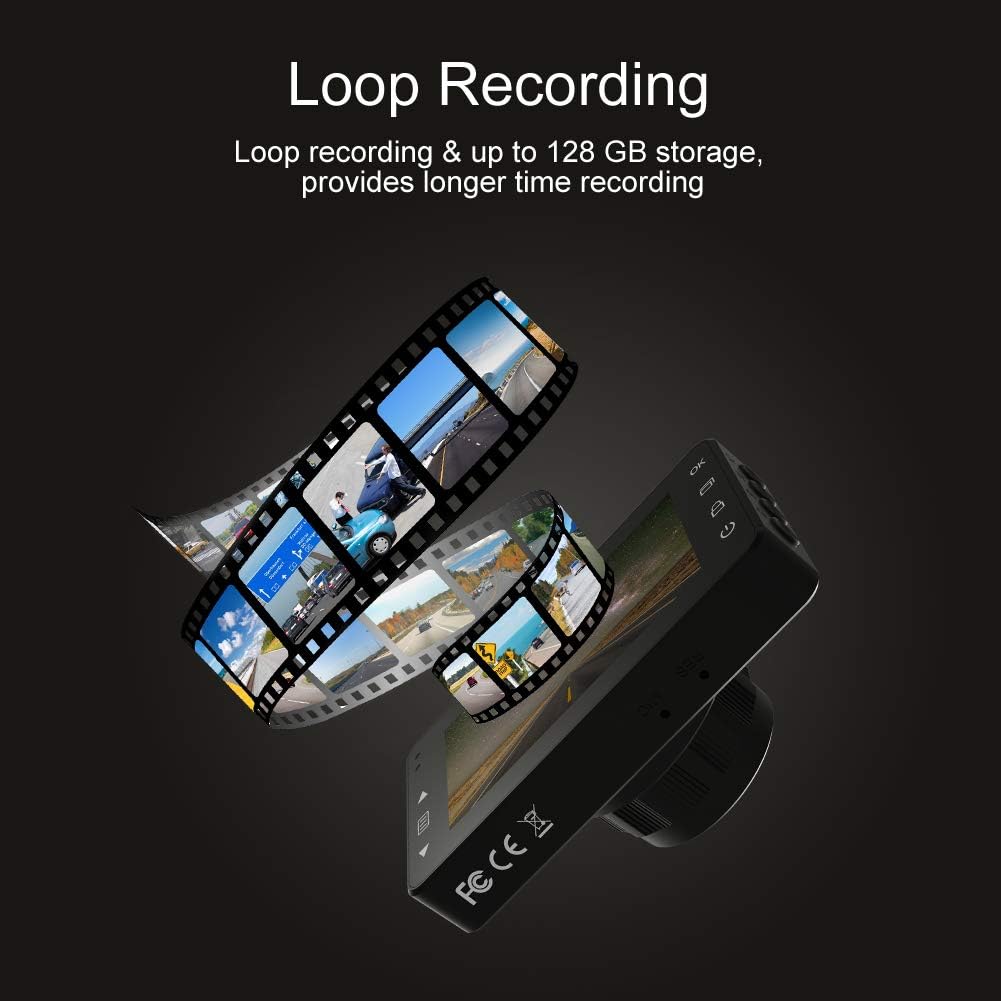
Loop recording ensures continuous video capture, automatically overwriting older files, and supports up to 128 GB storage for longer recording times.
د محصول رسمي ویډیو نندارهasing the features and capabilities of the AKASO C330 Dash Cam, including its 1080P HD recording, 3-inch LCD screen, and 170° wide-angle view.
د بسته محتويات
مهرباني وکړئ د لاندې توکو لپاره بکس وګورئ:
- د اکاسو سي ۲۰۰ ډش کیم
- سکشن ماونټ
- د موټر چارجر
- USB کیبل
- د کارونکي لارښود (دا لاسوند)
- Memory Card (if included in your specific package)
د محصول ډیاګرام
Familiarize yourself with the various parts and buttons of your AKASO C330 Dash Cam:

Detailed diagram of the AKASO C330 Dash Cam, highlighting the Micro SD Power Slot, OK Button, Up Button, Mode Button, Menu Button, Lock Button, Power Mode Button, Down Button, and USB Port, along with its dimensions.
- Micro SD Power Slot: خپل مایکرو ایس ډی کارت دلته دننه کړئ.
- د OK تtonۍ: Confirms selections or starts/stops recording.
- بټن: Navigates up in menus or zooms in during playback.
- د حالت تڼۍ: د ویډیو، عکس، او پلې بیک حالتونو ترمنځ بدلیږي.
- د مینو تڼۍ: د ترتیباتو مینو ته لاسرسی لري.
- د بندولو تڼۍ: Manually locks the current recording.
- د بریښنا حالت تڼۍ: وسیله فعال/بندوي.
- ښکته تtonۍ: Navigates down in menus or zooms out during playback.
- USB پورټ: Connects to power source or computer.
چمتو کول
۴.۱. د مایکرو ایس ډی کارت نصب کول
The AKASO C330 requires a Micro SD card (Class 10 or higher, 8GB-128GB) for recording. The memory card is not always included and may need to be purchased separately.
- ډاډ ترلاسه کړئ چې د ډشبورډ کیم بند دی.
- Insert the Micro SD card into the Micro SD Power Slot until it clicks into place.
- د لرې کولو لپاره، کارت په نرمۍ سره دننه کړئ تر هغه چې کلیک وکړي، بیا یې خوشې کړئ.
یادونه: It is recommended to format the Micro SD card in the dash cam before first use and periodically thereafter to ensure stable recording.
۱. د ډش کیم نصب کول
د چمتو شوي سکشن ماونټ څخه کار واخلئ ترڅو ډش کیم په خوندي ډول د خپل موټر د وینډشیلډ سره وصل کړئ.
- د خپل وینډشیلډ هغه ساحه پاکه کړئ چیرې چې تاسو د ډش کیم نصبولو اراده لرئ.
- سکشن ماونټ د ډیش کیم سره وصل کړئ.
- د سکشن کپ د کړکۍ په وړاندې په کلکه فشار ورکړئ او لیور یې وګرځوئ ترڅو خوندي یې کړئ.
- د کیمرې زاویه تنظیم کړئ ترڅو روښانه وي view د مخکینۍ سړک څخه.
3. Powering the Dash Cam
Connect the dash cam to your car's power supply using the car charger.
- Plug one end of the car charger into the dash cam's USB Port.
- Plug the other end into your vehicle's 12V power outlet (cigarette lighter socket).
- د ډشبورډ کیم به په اتوماتيک ډول فعال شي او کله چې ستاسو موټر پیل شي نو ثبت کول به پیل کړي.
عملیاتي لارښوونې
بنسټیز عملیات
- پاور آن/بند: The camera automatically powers on/off with the car ignition. You can also manually press and hold the Power Mode Button to turn it on or off.
- ثبت کول پیل / بندول: Once powered on and connected to power, the camera will automatically start loop recording. Press the OK Button to manually start or stop recording.
د مینو غورځول
Use the Menu Button to access settings, and the Up/Down Buttons to navigate. Press the OK Button to confirm selections.
لوپ ثبتول
This feature ensures continuous recording by overwriting the oldest files when the SD card is full. You can set the loop recording duration (1, 3, or 5 minutes) in the settings menu. To disable, select 'off'.
د جی سینسر
The G-Sensor detects sudden impacts or rapid acceleration/deceleration. When triggered, it automatically locks the current video segment, preventing it from being overwritten by loop recording. The sensitivity can be adjusted in the settings.
د پارکینګ څارونکی
When enabled, the dash cam will automatically start recording if it detects a collision or vibration while your vehicle is parked and the engine is off. This feature requires a continuous power supply or the camera's internal battery to be charged.
د حرکت کشف
With motion detection enabled, the camera will begin recording when it senses movement in its field of view. This is useful for monitoring your vehicle when parked. Ensure the camera has power for this function.
د شپې لید
The AKASO C330 features updated night vision technology to provide clearer video quality in low-light conditions. This feature activates automatically.
ساتنه
د SD کارت به کول
Regularly formatting your Micro SD card helps maintain its performance and prevents data corruption. It is recommended to format the card every 2-4 weeks.
- Insert the Micro SD card into the dash cam.
- د ډشبورډ کیم فعال کړئ.
- Navigate to the settings menu using the Menu Button.
- Find the 'Format' option and confirm.
د لینز پاکول
To ensure clear video quality, keep the camera lens clean.
- د لینز د نرمولو لپاره د نرم، لینټ نه پاک ټوکر څخه کار واخلئ.
- Avoid using abrasive cleaners or solvents that could damage the lens coating.
د ستونزو حل کول
If you encounter issues with your AKASO C330 Dash Cam, refer to the following common problems and solutions:
| ستونزه | احتمالي حل |
|---|---|
| کیمره نه چالانیږي. | Check the power connection to the car charger and the vehicle's 12V outlet. Ensure the car's ignition is on. The internal battery may be depleted; charge it for a few hours. |
| Camera stops recording randomly. | Format the Micro SD card. Ensure the card is Class 10 or higher and not full. Disable parking monitor or motion detection if not needed, as they can affect continuous recording. |
| ویډیو footage تیاره یا ناڅرګنده ده. | Clean the camera lens and the windshield area where the camera is mounted. Ensure the protective film has been removed from the lens. |
| "SD Card Error" or "Please Insert SD Card" message. | Reinsert the Micro SD card. Format the card in the camera. Try a different, compatible Micro SD card. |
| تڼۍ بې ځوابه دي. | Perform a soft reset by pressing the reset button (if available) or by powering off and on the device. Ensure the device is not in a locked state. |
مشخصات
- د LCD نندارې: د 3.0 انچ IPS سکرین
- پکسل: 1.2 ملیون پکسلز
- مخکینۍ لینز: 170° HD wide-angle lens
- د لینز اپرچر: F1.8 aperture
- Video Maximum Resolution: 1080FHD (1920 x 1080)
- د سایکل ثبت کول: 1 minute / 3 minutes / 5 minutes / off
- د کمپیوټر انٹرفیس: USB 2.0
- د بریښنا انٹرفیس: 5V / 2A
- ذخیره کول: 8-128 GB Micro SD card (not included)
- د توکي وزن: 12 اونس
- بیټرۍ: 1 لیتیم پولیمر بیټرۍ (شامل)
- د نصب کولو ډول: سکشن ماونټ
تضمین او ملاتړ
AKASO products are designed for reliability and performance. For warranty information, technical support, or customer service, please refer to the contact details provided on the AKASO official website or your purchase documentation. Please have your product model (C330) and purchase date ready when contacting support.